
Why Transparent, Service-Based Pricing is Better for Your Business Than “Too-Good-to-Be-True” IT Packages
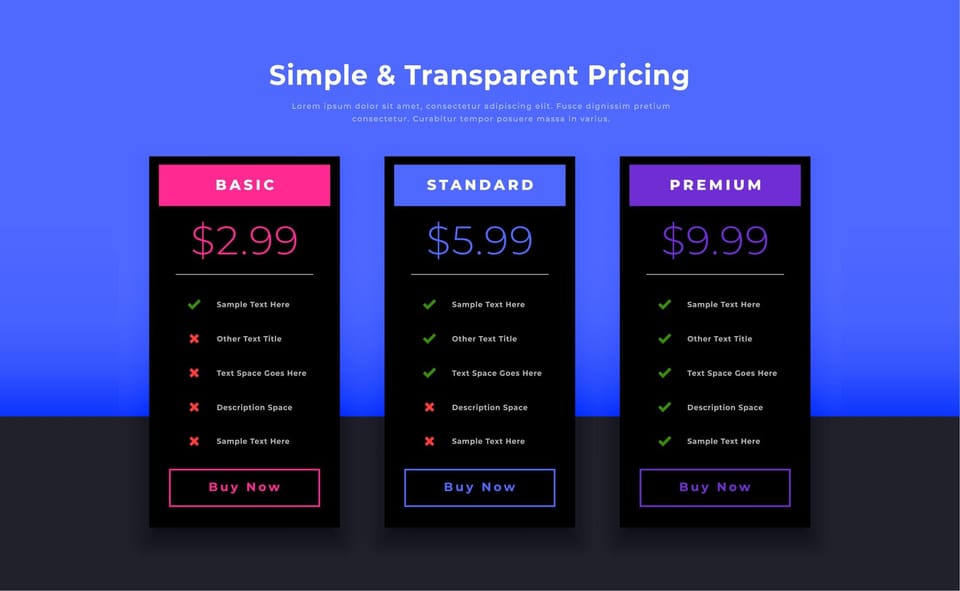
If you run a small or mid-sized business, you’ve probably seen IT support packages that look incredible on paper:
- “Unlimited support for one low price!”
- “All your IT needs covered for less than your phone bill!”
- “We’ll handle everything — no questions asked.”
They sound tempting, especially if you’re trying to manage costs. But many business owners discover too late that the “bargain” IT deal they signed up for comes with slow response times, constant extras, and an invoice that never seems to match what they thought they agreed to.
In contrast, transparent, service-based IT pricing focuses on clearly defined services, itemized costs, and predictable monthly fees. You know what you’re paying for, what’s included, and what happens if your needs change.
This article explains, in plain language, why transparent IT pricing is usually a better choice than ultra-cheap, all-in-one IT support packages—and how to evaluate your current or future provider’s pricing model with a practical, business-focused lens.

1. The Hidden Costs of “Too-Good-to-Be-True” IT Packages
Not every flat-fee or bundled IT support package is bad. In fact, many reputable providers offer all-inclusive or tiered plans that are fair and sustainable.
The real risk comes when:
- The scope is vague (“we handle everything tech-related”).
- The price is far below market, with no clear explanation.
- The contract is full of fine print and exclusions you only discover when something goes wrong.
What “Too Good to Be True” Looks Like in Practice
On the surface, these offers promise:
- Unlimited support
- All systems covered
- Cybersecurity included
- Backups, monitoring, the works
But to make those numbers add up, something has to give.
Common hidden costs and traps include:
- Strict limits buried in the fine print: You think you’re getting unlimited support — until your bill arrives with line items you didn’t see coming.
- Caps on support hours per month.
- Extra charges for on-site visits.
- “Out-of-scope” fees for anything slightly unusual.
- Higher rates for after-hours or emergency work.
- Aggressive upselling: The low monthly fee is really just a foot in the door. Once you’re signed up, you’re constantly nudged to buy add-ons:
- Extra security tools
- Backup “upgrades”
- Priority support tiers
- Hardware and software with hefty markups
- Mismatched expectations: Your idea of “all-in” might include:
- Strategic IT advice
- Support for new software rollouts
- Staff training
- Vendor management (e.g., dealing with your internet provider, phone system, etc.)
- Their idea might be: “We’ll reset passwords and fix basic issues on a best-effort basis.”
Without clear definitions, the gap between what you think you’re buying and what’s actually included is where the pain—and extra cost—shows up.

2. How Unsustainable Pricing Impacts Service Quality
If an IT company charges very low fees while promising to “cover everything,” they still have to find a way to make a profit. That usually means compromising somewhere.
Where Corners Get Cut
1. Slow response times
- When a provider underprices their services, they often can’t afford a properly staffed support team. The result:
- Longer wait times to get help.
- Tickets sitting in a queue for days.
- “We’ll get to it when we can” becomes the norm.
2. Underqualified or overstretched staff:
- Sustainable pricing allows a provider to hire and retain experienced technicians and invest in ongoing training. Ultra-cheap models often rely on:
- Junior staff with limited experience.
- Too few people handling too many clients.
- Little time for proper investigation and root-cause analysis.
- Issues get “band-aid” fixes instead of being properly resolved.
3. Minimal proactive work
- Good IT support isn’t just about fixing what’s broken; it’s about preventing problems:
- Keeping systems patched and updated.
- Monitoring for early signs of trouble.
- Testing backups regularly.
- Reviewing security configurations.
- Proactive work takes time and tools — which cost money. In a rock-bottom pricing model, providers may quietly drop or minimize this work because it doesn’t produce immediate revenue.
If you’re still operating in a fix-it-when-it-breaks mode, consider why SMEs need proactive IT management.
4. Reactive, not strategic
- When margins are razor thin, the provider’s focus shifts to putting out fires as quickly as possible, not:
- Understanding your business goals.
- Planning for growth or changes.
- Helping you adopt new tools that improve efficiency.
- You end up with basic “help desk” support but no real IT strategy.

3. What Transparent, Service-Based Pricing Looks Like in Practice
Transparent, service-based pricing is the opposite of “just trust us; it’s all included.”
Instead, it focuses on:
- Clear definitions
- Honest cost structures
- Predictable IT costs
Here’s what that typically includes.
3.1 Clear, Itemized Services
A transparent IT provider will show you exactly what you’re paying for. This often includes:
- A service catalog: A list of services such as remote support, on-site visits, device monitoring, cybersecurity tools, backup management, cloud administration, and more, with clear explanations of each.
- Included vs. optional: A distinction between what’s covered in your monthly fee and what counts as an add-on or project.
For example:
- Included:
- Remote and on-site IT support for day-to-day issues.
- Proactive device monitoring and automatic patching.
- Managed antivirus/endpoint protection.
- Cloud backup for key systems.
- Firewall and network management.
- Quarterly IT strategy reviews.
- Optional (project-based or separately priced):
- Major office moves.
- Large system migrations.
- New line-of-business software implementations.
When these things are clearly spelled out, you’re far less likely to be surprised by extra charges.

3.2 Predictable Monthly Fees
With a transparent, service-based model, your managed IT services pricing is usually based on:
- Number of users or devices.
- The level of service you choose (e.g., basic support vs. more comprehensive coverage).
- Any agreed-upon add-ons (like advanced security tools or specialized compliance services).
You get:
- A fixed, recurring service fee each month.
- A clear understanding of what will trigger extra costs.
This makes it easier to:
- Forecast IT costs.
- Budget accurately.
- Avoid unexpected spikes.
If you’re comparing options, transparent tiered pricing helps you right-size spend without surprise charges. Providers that follow a fee-only, transparent approach will also avoid hidden markups on things like cloud subscriptions, hardware, or software licenses; you see your true costs up front, without bundled or reseller surprises. Their revenue comes from the service they deliver — not from pushing specific vendors or products.
3.3 No Surprise Markups or “Gotchas”
Transparent pricing models aim to reduce or eliminate:
- Hidden reseller markups on hardware or software.
- Bundled fees you don’t understand.
- Extra charges for routine tasks that should be part of normal support.
You receive:
- Detailed invoicing: Clear line items that explain what you’re paying for.
- Plain-language service descriptions: So you don’t need an IT background to understand your contract.
3.4 SLAs That Match the Price
An SLA (Service Level Agreement) is a simple document that sets expectations, such as:
- How quickly the provider will respond to different types of issues.
- The hours of support (e.g., business hours vs. 24/7).
- What counts as an emergency.
- How they measure and report on performance.
In a transparent model, the SLA aligns with your pricing:
- Higher cost → faster response, broader coverage, more proactive work.
- Lower cost → more limited scope and response times, clearly explained.
You can then decide what level makes sense for your business.

4. Example Scenarios: Cheap vs Transparent
To make this more concrete, here are two simplified, realistic scenarios.
Scenario 1: The Cheap “All-In-One” Deal
A 30-person professional services firm signs up for an IT support package advertised as:
“Unlimited support for only $25 per user per month – everything included!”
It sounds fantastic. But within the first few months:
- Response times are slow. Staff wait hours — or sometimes days — for help with everyday issues.
- On-site visits cost extra. The contract allows “unlimited remote support,” but on-site visits are billed at a high hourly rate plus a travel fee.
- Security and backups are minimal. They assume “everything included” covers robust cybersecurity and backup testing. Later, they learn that advanced security monitoring and proper backup checks require an expensive upgrade.
- Project work is heavily marked up. When they want to roll out a new CRM system, they discover that projects are billed at a steep hourly rate, and the provider heavily marks up software licenses and hardware.
Over time, the owner realizes the low monthly fee was a hook. Once normal, expected needs come up—onboarding new staff, changing systems, fixing serious issues—the real costs appear, and they’re much higher than expected.
Scenario 2: Moving to Transparent, Service-Based Pricing
Frustrated, the same firm evaluates a provider that offers a transparent, service-based model.
In the new agreement:
- They receive a service catalog that clearly lists:
- Remote & on-site support.
- Proactive monitoring and patch management.
- Managed antivirus/EDR and basic cybersecurity training.
- Cloud backup management.
- Network and firewall management.
- Quarterly IT planning sessions.
- The provider explains:
- What’s included in the standard monthly per-user fee.
- What counts as a project (e.g., major migrations or new system rollouts).
- The hourly or project-based rates for that work.
- The firm gets detailed, transparent invoicing every month, with no surprise markups on third-party services; cloud subscriptions and software licenses are passed through at true cost, and the firm pays an agreed, fixed service fee for support.
After a few months:
- The leadership team can predict IT spending much more accurately.
- Staff get faster, more consistent support, because the provider has priced services at a level that supports qualified staff and proactive work.
- Quarterly strategy reviews help align IT decisions with business goals rather than just reacting to emergencies.
The new model doesn’t magically make all IT problems disappear. But it significantly reduces the likelihood of surprise costs and supports more consistent service quality — the practical benefit of defined packages over open-ended support.

5. Red Flags to Watch For in IT Support Packages
When you’re reviewing IT support packages, keep an eye out for these warning signs:
- Vague scope
- Promises like “we handle everything” with no detailed list of what “everything” includes.
- No clear explanation of support limits (devices, users, locations, systems).
- Unrealistically low pricing
- Offers that are far below what you’re seeing from other reputable providers.
- “Unlimited” everything at a price that seems too low to cover qualified staff and proper tools.
- Low pricing isn’t always a problem — but there should be a credible explanation (e.g., a narrower scope, fewer included services, or a more standardized offering).
- Thin contract details
- No written SLA.
- No specifics on response times.
- No clear terms for projects, after-hours work, or emergency support.
- Heavily discounted onboarding with no explanation
- “Free” or heavily discounted setup without a clear rationale.
- No clarity on how future work will be billed or how ongoing support is funded.
- Confusing or opaque invoices
- Bundled line items that just say “Services – $X” with no breakdown.
- Markups on hardware or software that are not disclosed.
- Charges that appear without prior discussion.
When you see these red flags, it’s worth asking tougher questions—or walking away.

6. Key Elements of a Transparent IT Pricing Model
On the flipside, here’s what to look for in a more trustworthy, transparent arrangement.
6.1 Clear Service Catalog
You should be able to see:
- Exactly what day-to-day support includes.
- Which systems and locations are covered.
- What proactive services are provided (monitoring, patching, backup management, basic security, etc.).
- What is considered extra or project-based.
6.2 Explained Pricing Structure
Even if pricing isn’t fully published on a website, a reputable provider should be able to:
- Walk you through how they set managed IT services pricing.
- Show you how the monthly fee ties to users/devices and services.
- Explain when additional charges might apply and how they’re calculated.
6.3 No Surprise Fees for Routine Work
Routine, expected work—like supporting existing users, managing existing systems, and performing standard maintenance—should be covered by your monthly fee, assuming it’s in scope.
You should not be constantly charged extra for:
- Basic troubleshooting.
- Typical user onboarding/offboarding (within agreed limits).
- Regular updates and security patching.
- Normal backup checks and restorations (within reason).
6.4 SLAs That Match the Price
Your provider should give you an SLA that clearly spells out:
- Response times for critical vs. minor issues.
- Business hours and after-hours policies.
- Escalation paths if a problem isn’t resolved promptly.
This agreement should feel realistic and aligned with what you’re paying—not a vague promise of “we’ll do our best.”
6.5 Vendor-Agnostic, Client-Centric Approach
A transparent, service-based model often goes hand-in-hand with a vendor-agnostic philosophy, where the provider:
- Doesn’t rely on hidden rebates or sales targets from hardware/software vendors.
- Focuses on recommending tools and platforms that are genuinely in your best interest.
- Helps you understand the real cost of cloud services, licenses, and hardware, without hidden markups.
This alignment of incentives makes it much easier to trust their guidance and see them as a partner instead of a reseller.

7. Questions to Ask Any IT Provider About Their Pricing
When you next evaluate IT support packages, here’s a simple checklist you can use:
- What exactly is included in the monthly fee?
- Can you show me a service list in plain language?
- Which systems, locations, and users are covered?
- What is not included?
- What counts as a project versus day-to-day support?
- How are major changes or new systems billed?
- How do you set your pricing?
- Is it per user, per device, or something else?
- What factors would cause the price to change over time?
- What extra fees might I see in a typical month?
- Are there charges for after-hours work, on-site visits, or emergency response?
- How do you handle hardware or software procurement—do you add markups?
- Can I see a sample invoice?
- How detailed is your invoicing?
- Will I be able to clearly understand what I’m paying for?
- What are your SLAs, and how do they relate to your price?
- How fast do you respond to critical issues?
- What happens if you miss those targets?
- How do you stay profitable at this price point?
- Do you rely on upselling or vendor rebates?
- How do you ensure you can afford qualified staff and proactive maintenance?
A provider who follows a transparent, service-based model should be comfortable and confident answering these questions. If you’re weighing options, here’s how to choose the right managed IT service plan for a Singapore SME.

8. Reframing IT: From Commodity to Long-Term Investment
It’s easy to think of IT as a commodity—like office supplies—where the lowest price wins. But in reality, your IT environment underpins:
- Your ability to serve customers reliably.
- Your staff’s productivity.
- Your security and risk exposure.
- Your capacity to adopt new tools and grow.
“Cheapest possible” IT support can end up being one of the most expensive decisions you make, once you factor in:
- Downtime.
- Lost productivity.
- Security incidents.
- Unplanned project and support costs.
Transparent IT pricing doesn’t guarantee perfection. But it does:
- Make your IT costs more predictable.
- Align your provider’s incentives with your long-term success.
- Support investments in skilled staff, proactive systems, and strategic planning.
- Reduce the likelihood of nasty billing surprises and service disappointments.
9. A Practical Next Step
If you’re currently working with an IT provider—or considering a new one—take a few minutes to:
- Review your current contract and invoices.
- Ask yourself:
- Do I clearly understand what’s included and what isn’t?
- Are there regular surprises on my bill?
- Do response times and service quality feel consistent with what I’m paying?
- Use the question checklist above to have an open conversation with your provider.
If the answers are unclear, it may be time to explore IT support packages that are built on transparent, service-based pricing — where you see your true costs up front, receive detailed invoicing, and can plan your IT spending with confidence. You can also review our Services & Pricing to see how we structure plans.
You don’t need to become an IT expert to make a good decision. You just need a provider who treats pricing as a partnership, not a puzzle.