How to Choose the Right Managed IT Service Plan for Your Business (A Singapore SME Perspective)

1. Introduction
Many Singapore SMEs run lean: a small operations team, perhaps one “IT-savvy” staff member, and a mix of laptops, desktops, Wi‑Fi, and cloud apps keeping everything running. When something breaks, productivity drops immediately—and in today’s environment of phishing emails, ransomware, and PDPA obligations, a simple “call the freelance IT guy” approach is increasingly risky..
This is where managed IT services come in. Instead of hiring full-time IT staff, you engage a Managed Service Provider (MSP) on a monthly fee to handle day-to-day IT support, maintenance, security, and sometimes strategic planning. Most MSPs offer tiered plans—for example:
- Basic / Essential
- Standard / Growth
- Premium / Enterprise
Each tier packages a different level of support, features, and protection at different price points.
For Singapore SMEs (10–200 employees), choosing the right tier is important because:
- Teams are lean, so downtime hits productivity and customer service quickly.
- Cyber threats and scams targeting local businesses are rising.
- The PDPA (Personal Data Protection Act) sets expectations for how you protect personal data.
- Budgets are tight — you need enough protection and support without overpaying.
This guide explains how to evaluate these tiers, what to look out for, and how to match the right plan to your business stage and risk profile, from a practical Singapore SME perspective.
2. Overview of Common Tiered Managed IT Plans
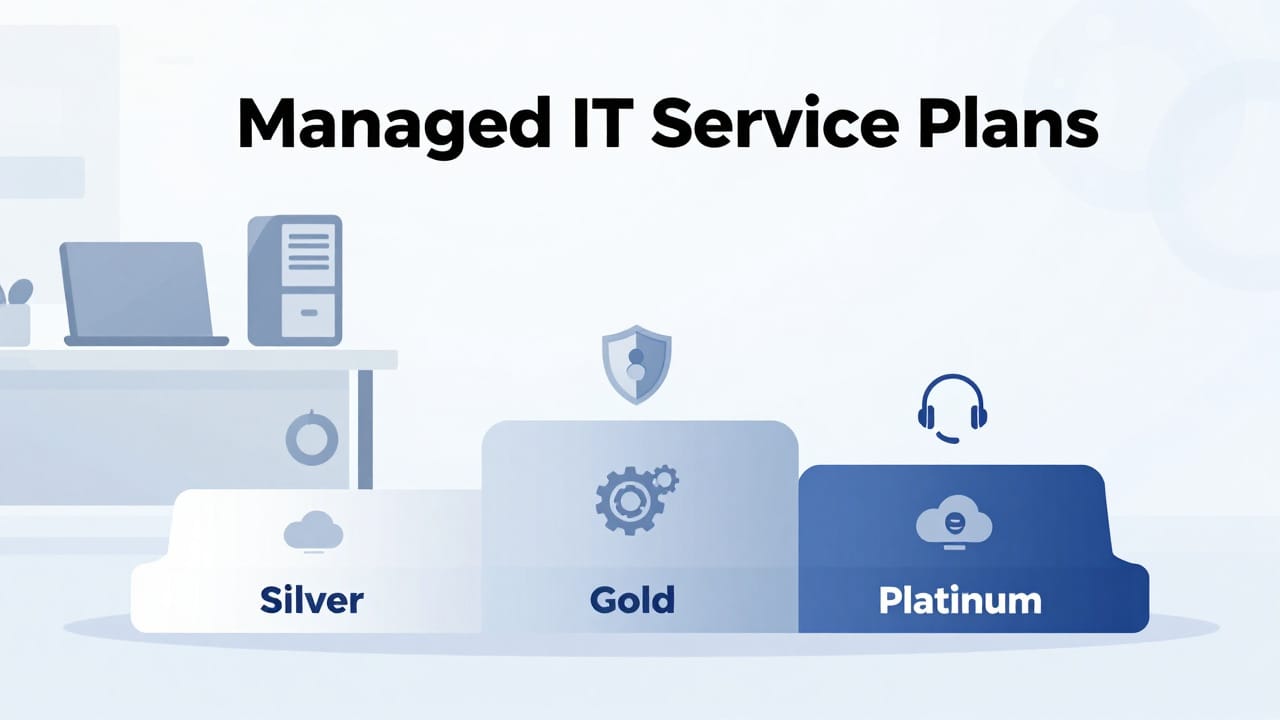
Every provider structures plans differently, but most tiered offerings follow a similar pattern. Think of them as service bundles that increase in coverage and depth as you go up:
2.1 Basic / Essential Tier
Typically designed for smaller or more budget-conscious SMEs that mainly need “keep the lights on” support.
Common inclusions (these will vary by provider):
- Helpdesk support (office hours)
- Email and phone support during regular business hours.
- Issue logging via ticketing system.
- Remote support
- Technicians connect to your staff PCs remotely to troubleshoot common problems (e.g., printer connection, email issues, software not working).
- Endpoint management & patching
- Installation of an agent on each device (PC/laptop) to monitor health.
- Regular operating system and basic software updates (patch management).
- Basic cybersecurity
- Standard antivirus on endpoints.
- Basic firewall configuration (often using your existing router/firewall).
- Limited backup
- May include basic file-level backup for key systems or just advise on backup best practices.
When this tier is appropriate:
- Smaller teams with simple setups, few locations, and low compliance sensitivity.
- Businesses that just need reliable support and basic protection to replace ad-hoc IT help.

2.2 Standard / Growth Tier
Aimed at growing SMEs that need stronger protection, better uptime, and more proactive support.
Typical additions on top of Basic:
- Extended helpdesk support
- Possibly earlier start / later end to support shift teams.
- Faster response times (defined in a Service Level Agreement—SLA).
- Onsite support with defined limits
- A certain number of onsite visits per month/quarter.
- Priority onsite response for critical issues.
- Enhanced endpoint management
- More detailed monitoring (e.g., disk health, performance).
- Standardisation of configurations, automated software deployment.
- Improved backup & recovery
- Regular backups for key servers or critical cloud data.
- Documented recovery procedures and basic testing. For more on this, see IT disaster recovery and business continuity for SMEs.
- Stronger cybersecurity
- Advanced antivirus or Endpoint Detection & Response (EDR).
- Email filtering (spam/phishing filtering).
- Web filtering (blocking risky sites), basic security awareness tools.
When this tier is appropriate:
- SMEs with 20–100 staff, multiple departments, and more complex operations.
- Businesses where systems downtime affects revenue or customer trust.
- Organisations that store or process significant amounts of customer data.

2.3 Premium / Enterprise Tier
Designed for SMEs with higher risk profiles, strong regulatory or customer demands, or mission-critical systems.
Common features (on top of Standard):
- Extended / 24×7 support
- After-hours or full 24/7 helpdesk coverage.
- Faster response and escalation for critical issues.
- Comprehensive onsite support
- Higher or unlimited onsite hours.
- Regular scheduled onsite visits for preventive maintenance.
- Advanced backup & disaster recovery
- Image-level backups of servers and critical systems.
- Offsite backups, rapid restore options, and tested disaster recovery plans.
- Advanced cybersecurity stack
- EDR with central monitoring.
- Security information and event management (SIEM)-like monitoring (varies by provider).
- Multi-factor authentication setup, conditional access policies, more rigorous hardening.
- Security awareness training and phishing simulations.
- Strategic IT advisory
- Quarterly IT reviews, roadmaps, and support for digital transformation projects.
- Vendor-neutral advice on cloud migrations, infrastructure upgrades, etc.
- Some MSPs emphasise a “fee-only” model where they don’t rely on vendor commissions, helping reduce conflicts of interest and keeping recommendations more objective.
When this tier is appropriate:
- SMEs in more regulated or high-trust environments (e.g., professional services, some finance-adjacent firms, healthcare-related services).
- Businesses with regional presence, multiple branches, or hybrid/remote workforces.
- Operations where even a few hours of downtime have large financial or reputational impact.
Important note:
The above is a general guide. Actual inclusions, names, and quality differ significantly by provider. Always review the detailed service description and SLA for each tier rather than assuming.

3. Key Decision Factors for Singapore SMEs
When comparing plans, avoid focusing only on price and “number of features.” Instead, consider how each plan supports your specific business risks and goals.
3.1 Business Growth and Scalability
Questions to consider:
- Are you planning to grow headcount in the next 12–24 months?
- Do you expect to open new outlets, branches, or warehouses?
- Are staff working on-site only, or do you have hybrid/remote arrangements?
- Are you planning to expand regionally (e.g., Malaysia, Indonesia, Vietnam)?
How this affects plan choice:
- User and device count:
A plan that seems sufficient now may be stretched if you double your workforce. Look for:- Simple pricing (e.g., per user/per device) with clear terms for adding/removing users.
- Minimal admin overhead when onboarding or offboarding staff.
- Upgrading between tiers:
Ask:- How easy is it to move from Basic to Standard or Standard to Premium?
- Are there minimum contract periods or penalties for upgrading/downgrading?
- Multi-location support:
For SMEs with multiple outlets (F&B, retail chains, or logistics firms), check:- Whether onsite support covers all locations and how travel charges work.
- If the MSP can standardise Wi‑Fi, point-of-sale (POS) systems, and VPNs across branches.
Example:
A 30-person professional services firm that plans to double staff within two years may start on a Standard/Growth tier, but should ensure the contract allows easy upgrades to more advanced security and backup as client demands and team size grow.

3.2 Compliance and Regulatory Needs (Singapore Context)
Singapore’s PDPA sets expectations for how organisations collect, use, disclose, and protect personal data. While this guide does not provide legal advice, most SMEs should assume:
- You must take reasonable security measures to protect personal data.
- You should have processes for handling data breaches, access requests, and data retention.
Your industry may have additional obligations (e.g., financial services, healthcare, education, or organisations dealing with critical information infrastructure). In such cases, always consult:
- The Personal Data Protection Commission (PDPC) website.
- Your sector regulator (e.g., MAS for financial institutions).
- A qualified legal or compliance advisor for formal advice.
How this affects plan choice:
- Data protection controls:
A Basic plan may not provide strong enough cybersecurity or backup to meet your risk profile. For example:- If you store large volumes of customer data, consider at least a Standard tier with enhanced security and backup.
- If you hold sensitive personal or financial data, a Premium tier with stronger monitoring and incident response may be more suitable.
- Documentation and processes:
Check if the provider can:- Support incident response for data breaches (e.g., logs, forensic data, support during investigations).
- Help implement good practices like access controls, encryption, and secure disposal of IT equipment.
- Data location and handling:
If you use cloud services, ask:- Where is data stored (e.g., Singapore region, regional data centres)?
- How does the MSP access and manage your data securely?
Many Singapore SMEs won’t need complex compliance frameworks, but you should still choose a plan that provides reasonable security and reliable backup aligned with PDPA expectations. When in doubt, reference official PDPC resources or seek professional legal guidance.

3.3 Flexibility and Service Scope
A key difference between plans — and between providers — is how flexible they are.
Look at:
- Customisation options
- Can you start with a Standard/Growth tier and selectively add advanced security features instead of jumping straight into a full Premium package?
- Are add-ons clearly priced (e.g., advanced backup, security awareness training, specific cloud security configurations)?
- Service Level Agreements (SLAs)
Pay attention to:- Response time: How quickly will they start working on your issue?
- Resolution time: How quickly do they aim to fix it?
- Priority levels: What is considered “critical” vs “low priority”?
- Coverage hours: Are SLAs valid only during business hours or 24×7?
- After-hours support
If you have:- Late-night operations (e.g., F&B, logistics, e‑commerce warehouses).
- Staff who frequently work outside office hours.
Then you may need a tier that includes extended support hours or on-call options.
- Support channels
- Are there multiple ways to request support (phone, email, web portal, possibly messaging tools)?
- Do they offer clear escalation paths for urgent issues?
- Vendor lock-in and exit support
Read the contract carefully:- Minimum term (e.g., 12 or 24 months).
- Notice period for termination or changes in tier.
- How your data, passwords, and documentation will be handed back if you switch providers.
- Whether key configurations and documentation (network diagrams, admin credentials for your systems) belong to you.
A flexible MSP may, for example, offer fixed packages plus add-ons, and operate on a “fee-only” basis where they charge transparently for services rather than relying heavily on hardware or software commissions. This can reduce pressure to buy unnecessary equipment and improve trust that recommendations are made in your interest.

3.4 Costs and Budget Planning
Budget is always a factor, but the cheapest sticker price is not always the best value.
Common pricing models:
- Per-user pricing
- Charged based on the number of users (staff).
- Simple for office-based businesses with 1 user = 1 device.
- Per-device pricing
- Charged by number of laptops, desktops, servers, POS terminals, etc.
- Can make sense for environments with multiple shared devices (e.g., manufacturing or retail).
- Flat-fee / bundled pricing
- One fee for a defined package (e.g., up to 30 users, specific services).
- Easier for budgeting but less granular.
Look for:
- Hidden or variable costs
Clarify:- Onsite visit fees (how many are included, what’s chargeable?).
- Project work (e.g., office moves, new server setups, migrations) vs day-to-day support.
- Hardware, software, and cloud subscription costs — are these pass-through with transparent pricing, or marked up?
- License management for Microsoft 365, Google Workspace, antivirus, etc.
- Total Cost of Ownership (TCO)
Don’t just compare monthly fees. Consider:- Cost of downtime: lost sales, idle staff, reputational damage if email or POS is down for a day.
- Staff time: how many hours your internal team spends on IT firefighting instead of core work.
- Security incidents: cost to recover from ransomware or data loss, potential investigation, and customer impact.
For many SMEs, a slightly more expensive Standard plan that reduces downtime and security risk can be more cost-effective than a bare-minimum Basic plan that leaves gaps.

4. Comparison Guide: Matching SME Profiles to Plan Tiers
Below are realistic examples to illustrate how different SMEs might choose between tiers. These are general guidelines — your specific situation may differ.
Scenario 1: 20-Person Accounting Firm in the CBD
- Profile:
- Handles sensitive financial and personal data.
- Mix of office and remote work (e.g., client site visits, work-from-home days).
- Heavy dependence on email, accounting software, and document storage.
- Key needs:
- Strong security (to protect client financial data).
- Reliable backup and quick recovery.
- Support for remote access and secure file sharing.
- Some regulatory and client expectations around data protection.
- Recommended tier:
- Standard/Growth as a minimum.
- Consider moving to Premium if clients demand stricter security controls or if the firm grows beyond 40–50 staff.
- Why:
- Standard provides enhanced security (email filtering, better endpoint security) and stronger backup.
- SLA-backed response times reduce risk during tax season or financial year-end.
- As client base grows or if you aim for ISO certifications, a Premium tier with more advanced security and advisory could be justified.

Scenario 2: 50-Person Logistics Company with Warehouse in Tuas
- Profile:
- Uses inventory and logistics systems, possibly with an on-premise server and cloud systems.
- Operations run early morning to late night.
- Multiple locations: office, warehouse, vehicle fleet using mobile devices.
- Key needs:
- Reliable network and Wi‑Fi in warehouse.
- Fast response when systems go down (delays impact deliveries).
- Onsite support for hardware and network issues.
- Secure remote connectivity for staff and possibly external partners.
- Recommended tier:
- Standard/Growth with add-ons for extended support hours.
- Premium if operations truly run 24×7 and downtime is very costly.
- Why:
- Standard can support multi-location setups with some onsite visits.
- Extended hours add-on ensures coverage for early/late shifts.
- If a single hour of system downtime leads to major penalties or lost business, the additional cost of Premium (with faster response and stronger redundancy) may be justified.

Scenario 3: 15-Person E‑Commerce Brand in a Co-working Space
- Profile:
- Main systems in the cloud (e‑commerce platform, payment gateways, marketing tools).
- Team is young, tech-savvy, using laptops and cloud apps, some working remotely.
- Heavy reliance on email, chat, and online collaboration.
- Key needs:
- Solid endpoint security and protection against phishing/ransomware.
- Backup of important documents and key cloud data.
- Reliable support when something breaks, but less complexity on-premise.
- Recommended tier:
- Basic/Essential with selective add-ons (e.g., better security and cloud backup).
- Upgrade to Standard as the team grows and operations become more complex.
- Why:
- With mainly cloud-based systems and a small team, a well-designed Basic plan may suffice initially.
- However, ensure that security add-ons (e.g., enhanced email filtering, multi-factor authentication configuration, cloud backup) are not overlooked.

Scenario 4: 80-Person Local F&B Chain with 6 Outlets
- Profile:
- POS systems at each outlet, central back-office for finance and HR.
- Internet-dependent operations (e.g., delivery platforms, payment terminals).
- Staff mostly non-technical; any IT issue quickly affects service speed.
- Key needs:
- Stable network and Wi‑Fi in all outlets.
- Quick onsite support for POS/network issues.
- Central management of devices and user accounts.
- Basic PDPA awareness for handling customer data (e.g., reservations, loyalty programmes).
- Recommended tier:
- Standard/Growth with stronger onsite support and network management.
- Some Premium features (e.g., higher availability, advanced monitoring) may be worth the investment for outlets with very high turnover.
- Why:
- Downtime during peak hours is very costly.
- Having a clear SLA and ready onsite support is more important than saving a small amount per month.

5. Questions to Ask a Managed IT Provider
Use these questions as a practical checklist when speaking with potential MSPs:
- Scope and inclusions
- What exactly is included and excluded in each tier?
- Which services are considered “project work” and billed separately?
- Support and SLAs
- What are your response and resolution time targets for different priority levels?
- What are your support hours, and is there after-hours or weekend support?
- What support channels do you offer (phone, email, portal, messaging)?
- Security and PDPA-related practices
- How do you help us protect personal data in line with PDPA expectations?
- What cybersecurity tools and practices are included (e.g., EDR, email filtering, MFA setup)?
- How do you assist during a suspected security incident or data breach?
- Backup and disaster recovery
- What data is backed up, how often, and where is it stored?
- How quickly can we restore critical systems after a failure or incident?
- Do you test backups and recovery procedures regularly?
- Scalability and flexibility
- How easy is it to add or remove users/devices, or upgrade/downgrade tiers?
- Are there minimum contract terms or penalties for changes?
- Costs and transparency
- Is pricing per user, per device, or flat-fee?
- What additional costs should we expect (onsite visits, project work, hardware, software licenses)?
- Do you earn commissions on hardware/software, or do you operate on a fee-only basis where we only pay for services and expertise?
- Onboarding and exit
- What does onboarding look like — how long does it take, and what information do you need from us?
- What documentation will you provide (network diagrams, configuration records, password management)?
- If we terminate the contract, how will you hand over documentation, credentials, and system access?
- Roles and responsibilities
- What do you expect our internal team to handle, and what do you handle?
- How do we log issues, approve changes, and escalate urgent matters?
- For a deeper evaluation framework, see how to select the best IT service provider in Singapore.

6. Common Mistakes to Avoid
Being aware of these pitfalls can save you time, money, and stress.
- Underestimating security and backup needs
- Thinking “we’re too small to be targeted” is risky — many cyber incidents hit SMEs precisely because controls are weak.
- Don’t rely only on basic antivirus and informal backup; ensure there is a clear, tested approach.
- Choosing purely on price
- A cheaper plan with poor SLAs, weak security, or limited backup may cost you more during a serious incident.
- Compare the full value: SLAs, scope of support, security depth, and track record — see what you’re really paying for.
- Overbuying an overly complex tier
- At the same time, don’t feel pressured into a top-tier plan with advanced features you won’t use for years.
- Start with what reasonably fits your risk and complexity, but ensure the ability to upgrade later.
- Not clarifying responsibilities
- Some SMEs assume the MSP “handles everything IT-related,” which may not be true.
- Clarify:
- Who approves changes?
- Who manages staff onboarding/offboarding?
- Who is responsible for training staff on phishing and security awareness?
- Who handles vendor relationships (e.g., line-of-business software vendors)?
- Ignoring contract and exit terms
- Long lock-in periods and poor exit clauses can trap you with a provider that no longer fits.
- Always review termination clauses, notice periods, and data handover terms.

7. Conclusion
Choosing the right managed IT service plan is not just an IT decision; it’s a business decision that affects:
- Growth – Can your IT support your expansion, new locations, and hybrid work?
- Compliance and trust – Are you taking reasonable steps to protect personal and business data in line with PDPA expectations?
- Flexibility – Can your plan adapt as your business evolves, without locking you into unsuitable contracts?
- Cost-effectiveness – Are you balancing predictable monthly fees with reduced downtime and lower security risk?
For most Singapore SMEs:
- A Basic/Essential plan may suit small, low-complexity setups, especially if you add specific security and backup options.
- A Standard/Growth plan often fits growing firms that need stronger protection, better SLAs, and multi-location or hybrid work support.
- A Premium/Enterprise plan is appropriate where operations are mission-critical, compliance expectations are higher, or downtime is extremely costly.

Next steps:
- Shortlist 2–3 providers that seem to understand SME needs and the Singapore context.
- Use this guide as a checklist when discussing their tiered plans—ask detailed questions on scope, SLAs, security, backup, scalability, and contracts.
- Compare written proposals side-by-side, focusing not only on price, but also on value, transparency, and how well their model aligns with your business goals.
- Validate claims by asking for references or case studies from similar-sized Singapore businesses.
By taking a structured approach and asking the right questions, you can select a managed IT service plan that keeps your business secure, efficient, and ready for growth—without paying for features you don’t need or accepting hidden risks you can’t afford.