Digital Transformation for Traditional SMEs: Start Small, Win Fast, and Avoid Shiny Object Syndrome

1. Introduction: What “Digital Transformation” Really Means for Traditional SMEs
For a traditional small or mid-sized business, “digital transformation” can sound like code for “expensive IT project I don’t have time or money for.”
In reality, digital transformation for SMEs is much simpler: it’s about using affordable, everyday digital tools to run your business in a faster, more reliable, and more profitable way. That usually means:
- Less paper, fewer manual spreadsheets
- Fewer repeated keystrokes and copy‑paste
- Less chasing information via email, phone, and hallway conversations
Many SMEs struggle with digital initiatives because:
- Budgets are tight, so big, multi‑year projects feel too risky
- Legacy systems (on‑prem servers, old software, paper files) are deeply embedded in day‑to‑day operations
- Internal IT capacity is limited; owners and managers are busy running the business, not running software projects
If you’re wrestling with entrenched legacy apps, here’s how to upgrade critical business applications without disruption.
A more realistic path is a phased approach you can control:
Digitise → Integrate → Automate
- Digitise: move paper and manual processes into simple digital tools
- Integrate: connect those tools so data flows automatically
- Automate: add rules so routine tasks happen with minimal human effort
For an overview of how we support this journey end‑to‑end, see our Digital Transformation‑as‑a‑Service (DT‑aaS).
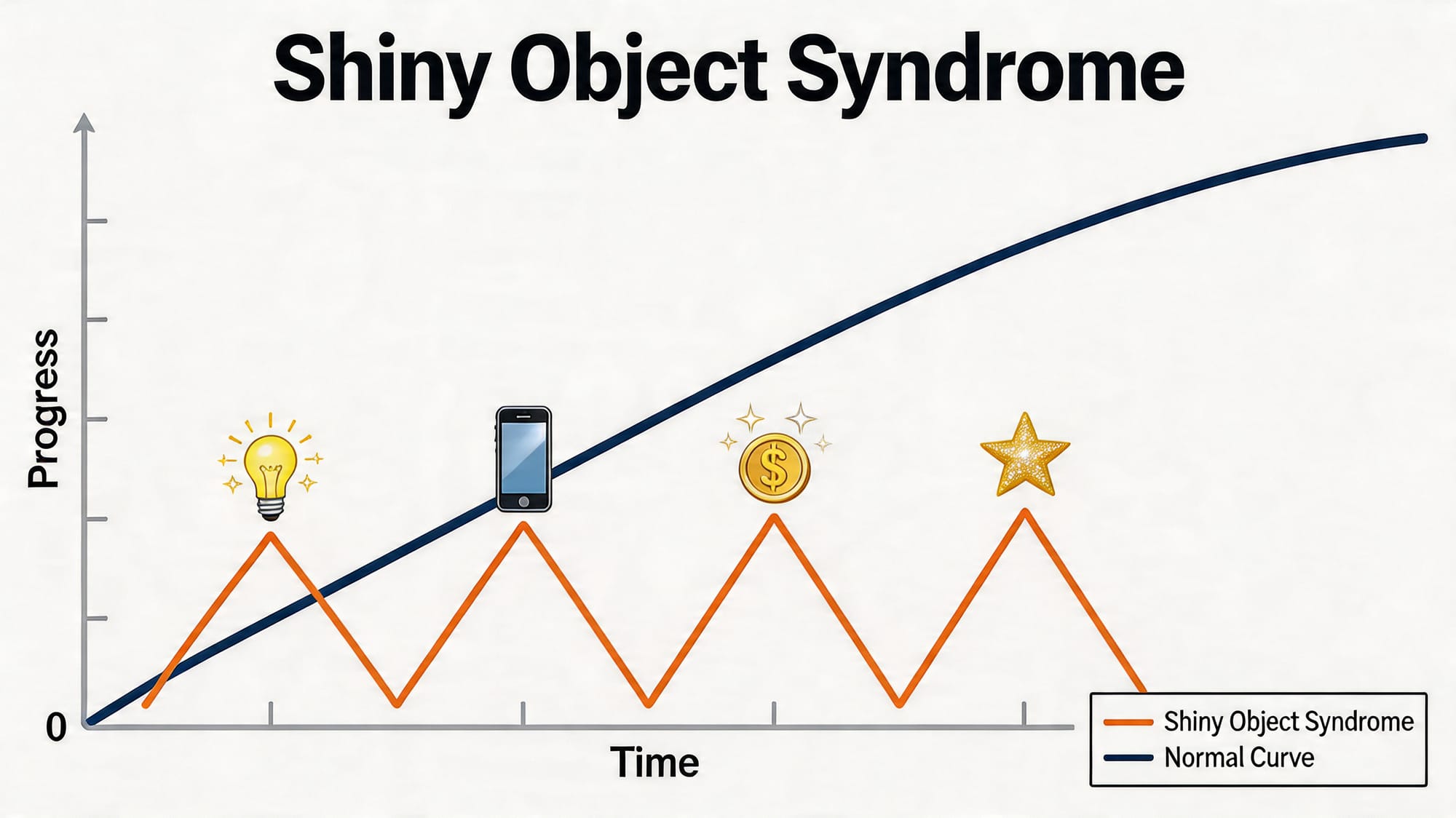
Along the way, you need to avoid “shiny object syndrome”—chasing the newest app, AI tool, or platform because it’s trendy, not because it clearly solves a business problem. For SMEs, shiny object syndrome is dangerous: it burns time and budget, distracts your team, and often leaves you with half‑implemented tools no one actually uses.
This article walks through a low‑risk, step‑by‑step approach with concrete examples for manufacturing, retail, and professional services.

2. Phase 1 – Digitise: Get Data and Processes Out of Paper and Spreadsheets
What “Digitise” Means in Practice
Digitising means turning manual, paper‑based, or spreadsheet‑heavy processes into basic digital workflows using simple, widely‑available tools (e.g., cloud document storage, basic apps, standard POS/CRM/accounting systems).
You’re not redesigning the whole business. You’re taking how you already work and moving it into a digital format so it’s:
- Easier to find
- Easier to share
- Easier to analyse later
If spreadsheets are becoming a bottleneck, see our guide on moving from Excel to automation to reduce risk and errors.
Good Digitise Projects: How to Choose Them
Look for:
- Low cost: can be done with tools you already have or inexpensive subscriptions
- Low disruption: staff can learn it quickly; no major process overhaul
- Quick payback: you see clear time savings or fewer errors within weeks or a few months
If a project needs consultants, custom development, or months of training, it’s probably not a Phase 1 digitise initiative.

Digitise Quick Wins – Manufacturing
1. Digital Work Orders
- Problem: Paper work orders get lost, handwriting is unclear, status is hard to track, and management has no real‑time view of what’s in progress.
- Simple digital solution: Use a basic job tracking app or a shared digital form (e.g., simple job tickets in a cloud‑based tool or light manufacturing/work order software). Staff can create, update, and close work orders on a tablet or PC.
- Expected benefit:
- Faster handover between planning and production
- Fewer errors due to unreadable or outdated paperwork
- Clear visibility of backlog and status without walking the shop floor
2. Simple Inventory Tracking
- Problem: Inventory counts live in spreadsheets or on clipboards; stock levels are out of date; frequent stock‑outs or over‑ordering.
- Simple digital solution: A basic cloud inventory app that tracks items, locations, and quantities, with simple barcode or QR code scanning if needed.
- Expected benefit:
- Less time spent on manual counts
- Fewer stock‑outs and rush orders
- Basic reporting on fast‑ and slow‑moving items
3. Digital Maintenance Logs
- Problem: Maintenance records are scattered in notebooks or Excel files; it’s hard to see when a machine was last serviced or what was done.
- Simple digital solution: Move maintenance logs into a simple maintenance tracking tool or even a shared spreadsheet with standardised fields, accessible from the shop floor.
- Expected benefit:
- Faster root‑cause analysis when something breaks
- Evidence of proper maintenance for audits and insurance
- Better planning for downtime and spare parts
For a complete view of assets from procurement to secure disposal, see our IT asset lifecycle management guide.
Digitise Quick Wins – Retail
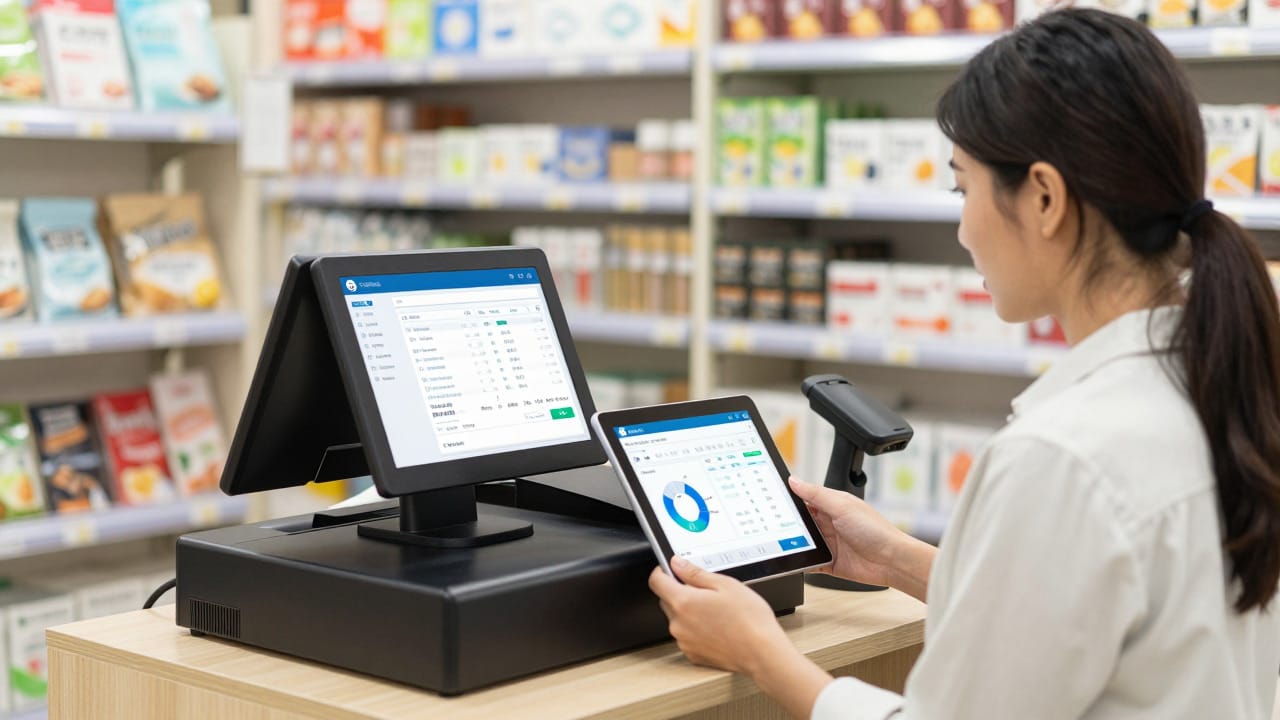
1. POS System with Basic Reporting
- Problem: Old cash registers or manual receipts; sales data is tallied at the end of the day; no easy way to see product performance or sales by hour.
- Simple digital solution: A modern, cloud‑based POS system that records each sale, tracks items, and provides simple dashboards.
- Expected benefit:
- Clear view of what’s selling and when
- Easier end‑of‑day reconciliation
- Basic insights for staffing and merchandising decisions
If you want to turn POS data into targeted actions, learn how to leverage analytics for SME growth.
2. Digital Customer Database
- Problem: Customer details and preferences live in staff notebooks or ad‑hoc spreadsheets; no central record of purchases or contact history.
- Simple digital solution: Capture customer emails and basic details in your POS or a simple CRM that integrates with email marketing.
- Expected benefit:
- Ability to run targeted promotions (e.g., lapsed customers, VIPs)
- Better service when you can see past purchases and preferences
- Foundation for future loyalty programs
3. Simple Online Catalogue
- Problem: Customers can’t browse stock online; they rely on phone calls, walk‑ins, or outdated PDFs.
- Simple digital solution: A lightweight online catalogue (not necessarily full e‑commerce) listing products, key details, and prices, updated from a spreadsheet or your POS exports.
- Expected benefit:
- Customers can pre‑browse, reducing time in store and calls to staff
- Easier to promote new arrivals via email and social media
- First step towards full online selling later, if desired

Digitise Quick Wins – Professional Services (Accounting, Legal, Consulting)
1. Digital Document Management
- Problem: Problem: Client files are spread across local drives, email attachments, and paper folders; version control is a mess; remote work is difficult (find out how to create a secure, remote‑ready IT environment).
- Simple digital solution: Move to a structured cloud document system with standard folder templates per client/matter and consistent naming conventions.
- Expected benefit:
- Faster document retrieval
- Reduced risk of working on the wrong version
- Easier remote and multi‑office collaboration
2. E‑Signatures
- Problem: Engagement letters, contracts, and approvals require printing, signing, scanning, or postal mail; deals get delayed.
- Simple digital solution: Use a mainstream e‑signature service integrated with email and your document storage.
- Expected benefit:
- Faster turnaround on signed documents
- Clear audit trail of who signed and when
- Better client experience, especially for remote or busy clients
3. Online Scheduling
- Problem: Endless back‑and‑forth emails or calls to book meetings; double bookings or missed appointments.
- Simple digital solution: An online booking tool that connects to your calendar and lets clients pick from your available slots.
- Expected benefit:
- Less admin time for your team
- Fewer scheduling errors
- Smoother experience for clients in different time zones
3. Phase 2 – Integrate: Make Systems Talk to Each Other
What Integration Means (Without Jargon)
Integration means connecting separate tools so data flows automatically rather than being re‑typed or copy‑pasted.
Examples:
- Sales data flows from your POS into your accounting system
- Customer details flow from your website form into your CRM
- Inventory changes in your warehouse system update your online store
The priority in this phase is to use what you already have, adding connectors and simple integrations rather than ripping everything out and starting again. Many SMEs get started with no‑code connectors—here’s how to automate office tasks without hiring developers.
Integration Examples – Manufacturing
1. Connect Inventory with Purchasing
- What’s involved:
- Your inventory tool sends low‑stock information to your purchasing system (or even just to a shared purchasing spreadsheet/email).
- This can be done via built‑in integrations or simple rules using mainstream integration platforms.
- Realistic benefits:
- Reduced manual checking and re‑keying of stock levels
- Fewer last‑minute emergency orders
- Better supplier planning because reorders are more consistent
2. Link CRM with Production Planning
- What’s involved:
- When a sales opportunity is confirmed in your CRM, key details (quantity, date, product configuration) flow into your production planning or job management tool.
- This could be a direct integration or via simple exports/imports on a set schedule.
- Realistic benefits:
- Production sees upcoming demand earlier
- Fewer surprises and rush jobs
- Sales and production work from the same data, reducing friction and blame
3. Connect Maintenance Logs with Asset Records
- What’s involved:
- Maintenance events in your maintenance tool update asset records in your asset register or ERP.
- Realistic benefits:
- Clear lifecycle view of each asset
- Better decisions on repair vs. replace
- Improved compliance reporting

Integration Examples – Retail
1. Sync E‑Commerce Orders with In‑Store Inventory
- What’s involved:
- Connect your online store platform to your POS or inventory system so online orders update stock automatically.
- Most mainstream platforms have off‑the‑shelf connectors or apps for this.
- Realistic benefits:
- Lower risk of selling items online that are already sold in‑store
- Less manual reconciliation
- A more accurate view of total inventory across channels
2. Integrate POS with Accounting
- What’s involved:
- Daily sales summaries from your POS flow into your accounting software automatically.
- Payment types, taxes, and refunds are mapped to the right accounts.
- Realistic benefits:
- Fewer manual journal entries
- Faster month‑end close
- Cleaner data for cash flow and profitability analysis
3. Connect Customer Database with Email Marketing
- What’s involved:
- Customers captured in your POS or CRM sync into your email marketing tool with basic tags (e.g., store location, product category interest).
- Realistic benefits:
- Easier to run targeted campaigns
- Less manual list maintenance
- More consistent communication with customers

Integration Examples – Professional Services
1. Link CRM with Billing/Accounting
- What’s involved:
- When a new client is created in your CRM or practice management system, a corresponding record is created in your billing or accounting tool.
- Realistic benefits:
- No double entry of client details
- Fewer invoicing errors due to typos or old contact data
- Clearer pipeline‑to‑revenue reporting
2. Integrate Email/Calendar with Practice Management
- What’s involved:
- Emails, appointments, and tasks are linked to clients or matters automatically, often via built‑in add‑ins or connectors.
- Realistic benefits:
- Better record‑keeping of communications
- Easier time tracking against matters
- Less effort to prepare documentation for audits or disputes
3. Connect Document Management with E‑Signature
- What’s involved:
- Documents sent for e‑signature are automatically stored in the correct client/matter folder once signed.
- Realistic benefits:
- No manual downloading and filing of signed PDFs
- Reduced risk of misfiling or losing executed documents
- Cleaner, more complete matter files
To keep ownership and retention rules clear as documents move between systems, see our data governance guide.

4. Phase 3 – Automate: Streamline Repetitive Work
What Automation Really Is (and Isn’t)
For SMEs, automation doesn’t mean robots taking over or speculative AI projects. It usually means:
- Rules‑based workflows: “If X happens, do Y”
- Using tools you already have (POS, CRM, accounting, email, project management) with their built‑in automation features
- Simple connectors that trigger emails, tasks, reminders, or record updates
Looking for practical ideas? Start with simple workflows that save hours each week. Automation comes after you’ve digitised and integrated. If your data is messy or systems aren’t connected, automation will just speed up the chaos.
Automation Examples – Manufacturing
1. Automatic Reorder Triggers
- What it does:
- When inventory for a key component drops below a set threshold, the system automatically creates a purchase requisition or alerts purchasing.
- Benefits:
- Fewer stock‑outs without constant manual checking
- More consistent ordering patterns
- Time saved for purchasing and warehouse teams
2. Maintenance Reminders
- What it does:
- Automatically schedules and reminds technicians about preventive maintenance based on time or usage (hours, cycles, etc.).
- Benefits:
- Less reliance on memory or paper calendars
- More consistent maintenance, reducing breakdowns
- Easier capacity planning for maintenance work
3. Simple Production Alerts
- What it does:
- Sends alerts if certain conditions are met: e.g., a job is overdue, a machine has been idle too long, or scrap levels exceed a threshold.
- Benefits:
- Faster reaction to problems
- Better visibility for supervisors
- Early warning before issues become costly
Automation Examples – Retail
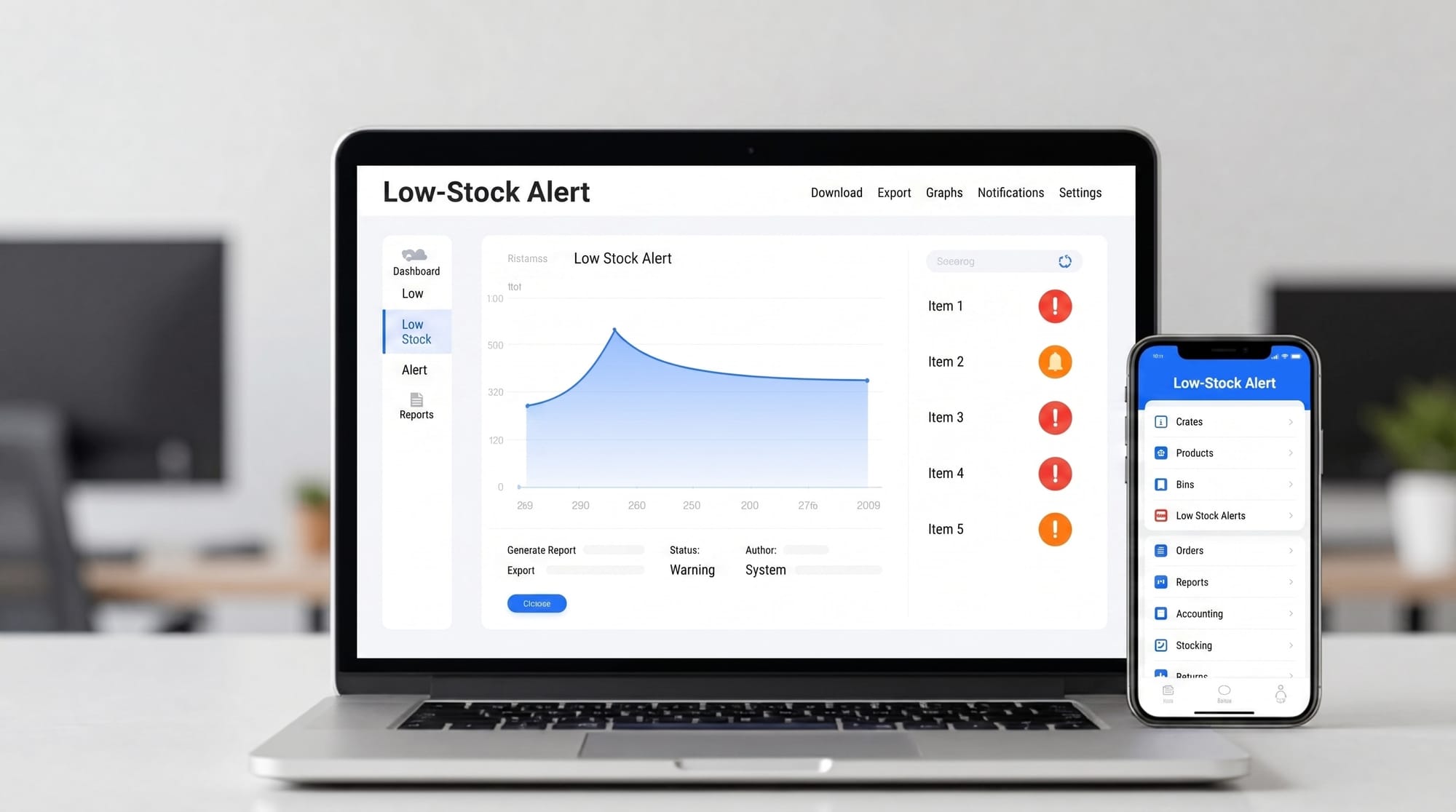
1. Automated Low‑Stock Alerts
- What it does:
- When product stock falls below a chosen level, the system emails a buyer or creates a task to reorder.
- Benefits:
- Less manual stock monitoring
- Better shelf availability
- Reduced lost sales from items being out of stock
2. Abandoned Cart Emails (E‑Commerce)
- What it does:
- If a customer adds items to their online cart but doesn’t check out, an automated email reminds them and may include an incentive.
- Benefits:
- Recovers some otherwise lost sales
- No manual follow‑up required
- Provides insight into where customers drop off
3. Simple Loyalty Workflows
- What it does:
- After a certain number of purchases or spend level, customers get an automatic thank‑you email or voucher.
- Benefits:
- Encourages repeat visits
- Strengthens customer relationship at scale
- Minimal extra work for staff once set up
Automation Examples – Professional Services
1. Automated Client Onboarding Sequences
- What it does:
- When a new client is marked as “won” in your CRM, the system automatically:
- Sends a welcome email
- Triggers an internal checklist/task list for onboarding
- Shares key documents (e.g., questionnaires, T&Cs)
- When a new client is marked as “won” in your CRM, the system automatically:
- Benefits:
- More consistent client experience
- Fewer missed steps in onboarding
- Less manual coordination between teams
2. Invoice Reminders
- What it does:
- Sends gentle, scheduled reminders for unpaid invoices before and after due dates.
- Benefits:
- Improved cash flow
- Less time spent manually chasing payments
- Clearer record of communication around debts
3. Recurring Reporting and Check‑Ins
- What it does:
- Automatically reminds staff to prepare periodic reports or schedule review meetings (e.g., quarterly tax check‑ins, annual legal reviews, monthly advisory calls).
- Benefits:
- Reduced risk of missing key client commitments
- More predictable workload for staff
- Higher perceived value for clients through proactive contact
Realistic SME Automation vs Over‑Hyped “AI Transformation”
The kind of automation that works well for SMEs is:
- Specific: tied to a clear process (orders, invoices, maintenance, follow‑ups)
- Configurable by power users, not just developers
- Built on solid, existing systems and data
By contrast, jumping straight to ideas like “AI that predicts everything” or “fully automated factory/office” often leads to wasted spending, consultant reports, and little real change.
5. Avoiding Shiny Object Syndrome
What Shiny Object Syndrome Looks Like
Shiny object syndrome is the urge to adopt new tools because they’re new—not because they solve a clearly defined problem.
Scenario 1 – The Over‑Engineered App
A 40‑person manufacturer sees a slick demo of a custom app platform. Excited by the possibilities, they commission a bespoke app to manage everything from leave requests to machine logs. After launch, staff find it confusing, managers still trust their spreadsheets, and the app becomes an expensive side project rather than a core tool.
Scenario 2 – The AI Pilot That Never Ends
A small accounting firm decides they “need AI” because competitors talk about it. They start a complex AI project to read and classify every document they receive. After months of data preparation, training, and tweaking, they realise that simply standardising document templates and using existing OCR features in their current software would have delivered 80% of the benefit for a fraction of the cost.
A Simple Decision Checklist for Any New Tool
Before you commit to a new digital tool, ask:
- What problem are we solving?
- Is this a clear, frequent, painful issue (errors, delays, costs)?
- Can you describe it in one short sentence?
- Can we solve this using tools we already have?
- Many POS, CRM, and accounting systems have under‑used features.
- Can a small process change plus an existing feature fix the issue? A vendor‑agnostic approach helps you prioritise fit over lock‑in.
- How will we measure success?
- Time saved (per week or per transaction)?
- Fewer errors or rework?
- Faster cash collection or shorter lead time?
- Be specific and plan to check after 3–6 months.
- Who will own and maintain this tool internally?
- Which person or role is responsible for setup, training, and updates?
- Do they have time and authority to make it work? This is classic IT change management.
- What’s the smallest version of this we can try first?
- Can you pilot with one team, one product line, or a subset of clients?
- Avoid all‑at‑once rollouts for unproven tools.
If you can’t answer these questions clearly, pause. Capture the idea in a “future tech” list and revisit after you’ve advanced through digitise → integrate → automate.
Trendy Tools Many SMEs Can Safely Delay
Until your basics are in place, consider delaying:
- Complex AI platforms for forecasting, demand planning, or document analysis, especially if your data is messy or spread across systems. If you’re exploring AI, start with realistic, high‑impact use cases—see how AI‑powered tools are reshaping SME operations.
- Custom‑built apps when off‑the‑shelf tools cover 80–90% of your needs.
- Large‑scale ERP replacements if your current systems can be integrated and improved incrementally.
- Metaverse/VR/AR projects unless they directly support a clear training or sales use case and you already have strong digital foundations.
Focus first on the boring but powerful wins: clean data, connected systems, and simple automation.
6. Practical Starting Roadmap: A 90‑Day Plan
You don’t need a five‑year roadmap to get value. Here’s a straightforward 90‑day outline most traditional SMEs can adapt.
Weeks 1–4: Pick and Deliver 1–2 Digitisation Quick Wins
- Identify 3–5 processes that are still heavy on paper or manual spreadsheets.
- Prioritise based on: frequency, pain level, and ease of change.
- Choose 1–2 to implement now, such as:
- Digital work orders (manufacturing)
- POS reporting and customer capture (retail)
- E‑signatures for standard client documents (professional services)
- Set a simple success target (e.g., “reduce time spent on X by 30 minutes per day”).
Weeks 5–8: Implement 1 Key Integration
- Map where double entry happens between systems (e.g., POS → accounting; CRM → billing).
- Choose one integration that will remove a significant chunk of repeated typing.
- Use vendor‑provided connectors or affordable integration tools where possible.
- Train the relevant staff and monitor for a few weeks, fixing any data mapping issues.
Weeks 9–12: Add 1–2 Simple Automations
- Look at your newly digitised and integrated workflows.
- Identify a handful of repetitive actions like:
- Reorder prompts (manufacturing)
- Low‑stock alerts or abandoned cart emails (retail)
- Invoice reminders or onboarding sequences (professional services)
- Configure 1–2 automations using built‑in features of your existing tools.
- Monitor and adjust rules to avoid over‑notification or unintended consequences.
“Do This Next Week” – 3–5 Actionable Steps
To get moving without overthinking:
- Make a 30‑minute list
- Sit with a notebook and list your top 10 “annoying but important” processes that feel slow, error‑prone, or repetitive.
- Talk to your front‑line staff
- Ask 3–5 people, “What’s one admin task you wish we could do faster or with fewer mistakes?” Note the common themes.
- Check what you already own
- Spend an hour reviewing the features of your current POS/CRM/accounting or practice tools. Look specifically for:
- Reporting
- Integrations
- Automation or workflow features
- If you prefer a partner to help assess and maintain these tools, see our guide to Managed IT Services for Singapore SMEs.
- Spend an hour reviewing the features of your current POS/CRM/accounting or practice tools. Look specifically for:
- Pick one pilot area
- Choose one department, store, line, or team as your test bed (e.g., one production cell, one retail location, one practice group).
- Set a 90‑day target
- Write down a simple, outcome‑based target such as:
- “Reduce manual data entry in [area] by 50%”
- “Cut time to issue an invoice after job completion to 24 hours or less”
- Write down a simple, outcome‑based target such as:
Then pick your first digitise project and schedule time in the next 2–3 weeks to implement it.

7. Conclusion: Start Small, Win Fast, Stay Focused
Digital transformation for traditional SMEs doesn’t have to mean massive IT spend, risky system replacements, or chasing every new technology trend.
A practical, low‑risk approach is to:
- Digitise – move the work you already do into simple digital tools
- Integrate – connect those tools so data flows without re‑typing
- Automate – add rules and triggers to handle repetitive tasks
At each step, focus on concrete business outcomes: time saved, fewer errors, better customer experience, faster cash flow. Measure them, and stop or adjust projects that don’t deliver.
By starting small and aiming for quick, visible wins, you build internal confidence, free up staff time, and create the foundation for more advanced initiatives later—without falling into shiny object syndrome or betting the business on a single big project.
The goal isn’t to become a tech company. It’s to run your existing business—manufacturing, retail, or professional services—in a smarter, more resilient, and more profitable way using tools that are already within your reach.