
From Shared Hosting to Cloud: When Your SME Website Needs a More Secure Home

For many small and medium-sized enterprises, the company website starts as a simple project: a few pages, a contact form, maybe a blog, and perhaps a small online shop. A low-cost shared hosting plan looks perfectly reasonable at that stage. It is cheap, easy to buy, and often bundled with email, a domain name, and a one-click WordPress installer.
But as the business grows, the website often becomes more important than originally expected. It may become the first place customers check your credibility, book appointments, place orders, download brochures, or submit personal information. At that point, “cheap and good enough” hosting can quietly become a risk.
This does not mean every SME needs a complex AWS, Google Cloud, or Azure setup. In fact, many local businesses do not. A well-managed WordPress host, a reputable business-grade shared hosting provider, or a simple managed cloud server may provide all the security, uptime, and performance you need.
The key is knowing when your current hosting has become a bottleneck—and how to move without causing disruption.
1. Shared Hosting and Cloud Hosting: What Do They Actually Mean?
What is shared hosting?
Shared hosting means your website lives on a server together with many other websites. Think of it like renting a room in a large shared apartment. You have your own space, but the building’s electricity, plumbing, internet connection, and security are shared with everyone else.
For SMEs, shared hosting is popular because it is:
- Cheap: Entry-level plans may cost only $5–$15 per month.
- Easy to set up: Many providers include one-click WordPress installation.
- Bundled: Email, SSL certificates, databases, and domain management may be included.
- Low maintenance: The hosting company manages the server itself.
For a brochure-style website with low traffic, shared hosting can be perfectly acceptable. A small accounting firm, local clinic, restaurant, tuition centre, or consultancy may start there and run without problems for years.
The issue is not “shared hosting is bad.” The issue is that the cheapest shared hosting plans are often designed for low-traffic, low-complexity websites. When your site becomes more business-critical, the limits become more visible.
What is cloud hosting, in practical terms?
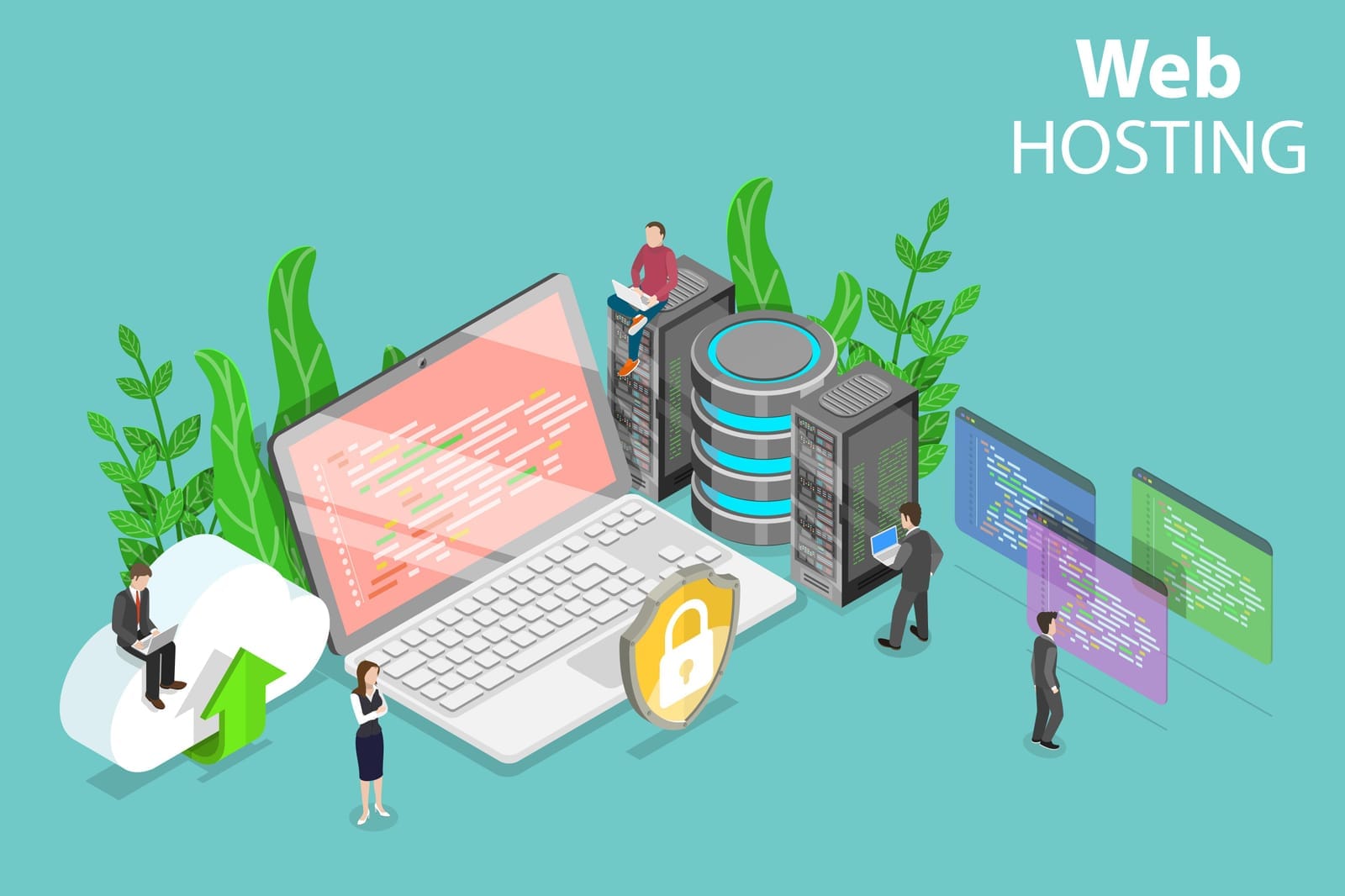
“Cloud hosting” can sound intimidating, but for most SMEs it simply means your website runs on more flexible infrastructure than traditional shared hosting.
It does not automatically mean you need to build a full AWS-style environment with engineers, load balancers, containers, and complex billing.
In practical SME terms, cloud hosting may include:
- Managed WordPress hosting
- A hosting service designed specifically for WordPress, usually with better caching, backups, staging sites, security monitoring, and expert support.
- Managed VPS hosting
- A Virtual Private Server gives your website its own dedicated portion of server resources. “Managed” means the provider or IT partner handles updates, monitoring, security patches, and troubleshooting.
- Cloud-based application platforms
- Platforms that run your website or web app without you managing the underlying server directly.
- Simple cloud servers from providers such as DigitalOcean, Linode, Vultr, or AWS Lightsail
- These can be affordable and powerful, but usually require technical setup unless managed by a provider or IT partner.
- Enterprise cloud infrastructure on AWS, Google Cloud, or Azure
- Suitable for more complex systems, but often unnecessary for a typical SME website unless there are special requirements.
A useful way to think about it:
Shared hosting is like renting a desk in a crowded co-working space.
Managed cloud hosting is like having your own serviced office.
Full enterprise cloud is like designing and operating your own office building.
You only need the level that matches your business risk, traffic, and operational needs.

2. Warning Signs It’s Time to Move On
Cheap shared hosting becomes a problem when it starts affecting customer experience, staff productivity, security, or revenue.
Here are the most common signs.
1. Your website is slow, especially during busy periods
A slow website is not just annoying. It can hurt enquiries, sales, search rankings, and brand trust.
Common symptoms include:
- Pages take several seconds to load.
- The website is slower during lunch hours, evenings, weekends, or campaign periods.
- WordPress admin pages are painfully slow.
- Customers complain that forms or checkout pages do not load properly.
- You see errors such as “resource limit reached,” “508 Resource Limit Is Reached,” or database connection errors.
On shared hosting, your website competes with many other sites for CPU, memory, and database resources. If another site on the same server receives a traffic spike or runs poorly written scripts, your site may slow down too.
Low-cost hosting providers sometimes “oversell” servers. This means they place many websites on the same machine, assuming most will not use much capacity. That business model keeps prices low, but performance can suffer when too many sites become active at the same time.
2. You see frequent timeouts or intermittent errors
Intermittent problems are especially frustrating because they may disappear when you test the site yourself.
Look out for:
- Random “500 Internal Server Error” messages.
- “Error establishing a database connection.”
- Forms that sometimes fail to submit.
- Checkout pages that freeze.
- Pages that load one moment and fail the next.
- Hosting dashboards showing CPU, memory, or entry process limits being exceeded.
These are often signs that your hosting environment is not giving your site enough consistent resources.
If your website is mostly informational, occasional slowness may be tolerable. But if customers rely on it to make bookings, submit enquiries, pay invoices, or purchase products, instability becomes a business issue.
3. You have repeated malware infections or hacked pages
A single website hack can happen on almost any platform, especially if plugins, themes, or CMS versions are outdated. But repeated incidents are a red flag.
Warning signs include:
- Google or browsers warn visitors that your site may be unsafe.
- Your website redirects to spam or gambling pages.
- Unknown admin users appear in WordPress.
- Suspicious files keep reappearing after cleanup.
- Your hosting provider suspends the account due to malware.
- Other websites on the same server are also frequently infected.
On shared hosting, isolation between accounts should exist, but on cheap or poorly configured platforms, it may be weaker. If one website on the server is compromised, there can be a higher risk of cross-account contamination or server-wide abuse.
This does not mean every shared server is unsafe. Good providers implement strong account isolation. But budget hosting may not always invest enough in security controls, monitoring, or fast incident response.

4. Support is unreliable or too slow
Hosting support matters most when something breaks.
You may need to reconsider your provider if:
- Support replies take many hours or days.
- Responses are generic and unhelpful.
- The provider blames your website without explaining the issue.
- You cannot get clear information during outages.
- There is no phone or priority support when the site is down.
- Support cannot help with basic SSL, DNS, backup, or migration questions.
For a hobby site, slow support is inconvenient. For an SME, slow support can mean lost leads, missed orders, frustrated customers, and reputational damage.
5. Storage, bandwidth, or email limits are affecting operations
Many SMEs start with web hosting that includes email. Over time, this can become messy.
You may outgrow your plan if:
- Mailboxes are constantly full.
- Staff cannot send or receive large attachments.
- Website backups consume all storage.
- Product images or PDF catalogues exceed storage limits.
- Bandwidth caps are hit during promotions.
- The provider throttles the account due to “excessive usage.”
- Your email deliverability is poor because the shared server’s IP reputation is bad.
In many cases, the best solution is to separate services:
- Website hosting for the website.
- Microsoft 365, Google Workspace, or another dedicated email platform for email.
- Cloud storage for large documents.
- A proper backup solution for recovery.
Bundling everything into one cheap hosting account may be convenient at first, but it can become fragile as the business grows.

3. Security and Compliance Considerations for SMEs
Security does not have to be complicated, but it does need to be intentional. Your website may collect contact details, booking information, resumes, customer messages, or payment-related data. Even if you are not a technology company, customers expect reasonable protection.
Common risks on low-cost shared hosting
Weak isolation between websites
On shared hosting, many sites live on the same server. A good provider separates them properly. A poor provider may not. If isolation is weak, one compromised site can increase risk for others.
This is especially concerning if your website handles customer forms, login accounts, or e-commerce transactions.
Outdated PHP, CMS, plugins, or themes
Many SME websites run on WordPress, Joomla, Drupal, Magento, OpenCart, or similar systems. These platforms need updates.
Common problems include:
- Old PHP versions no longer receiving security updates.
- WordPress core, plugins, or themes left outdated.
- Abandoned plugins that no longer receive patches.
- Custom code written years ago and never reviewed.
- Admin accounts using weak passwords.
A more secure host can help, but hosting alone does not fix poor website maintenance. Updates, backups, and access controls still matter.
Lack of automatic backups
Backups are one of the most important safety nets.
A good backup setup should be:
- Automatic: Not dependent on someone remembering to click a button.
- Frequent enough: Daily for active sites; more often for busy e-commerce.
- Stored separately: Not only on the same hosting account.
- Tested occasionally: A backup is only useful if it can be restored.
- Retained for a reasonable period: For example, 7, 14, or 30 days.
Many cheap plans advertise backups, but the details matter. Some backups are weekly, limited, chargeable to restore, or stored on the same server.
Basic compliance and industry norms
Most SMEs do not need complex compliance frameworks for a simple marketing site. But if your website collects or processes customer data, you should take reasonable precautions.
Consider the following:
If you collect personal information
Contact forms, booking forms, newsletter sign-ups, and job applications may collect personal data. You should:
- Use HTTPS.
- Limit the information collected to what is necessary.
- Avoid sending sensitive data through plain email where possible.
- Restrict admin access.
- Keep software updated.
- Have a privacy policy that reflects actual practices.
- Ensure backups and logs are handled securely.
Local privacy laws vary by country, but the general principle is the same: collect only what you need, protect it appropriately, and avoid unnecessary exposure.
If you run e-commerce
If you sell products online, security expectations are higher.
If you use a third-party payment processor such as Stripe, PayPal, HitPay, Shopify Payments, or a bank-hosted payment page, you generally reduce the amount of card data your website handles directly.
If your own website collects, processes, or stores card details, then PCI-DSS requirements become much more serious. Most SMEs should avoid storing card details themselves unless they have specialist support.
A practical rule:
Let reputable payment providers handle card data. Do not store payment card information on your own website unless you fully understand the compliance obligations.
Practical security steps that help
You do not need to over-engineer security, but these basics matter:
- Use HTTPS everywhere
Make sure the SSL certificate is valid and renews automatically. - Keep your CMS, plugins, and themes updated
Remove plugins and themes you no longer use. - Use strong passwords and multi-factor authentication
Especially for admin accounts, hosting panels, domain registrars, and email. - Set up automatic backups
Store copies outside the hosting account. - Use a Web Application Firewall, where appropriate
A WAF can block common attacks before they reach your site. - Use a CDN if performance matters
A Content Delivery Network can improve speed and absorb some traffic spikes. - Limit admin access
Not every staff member or vendor needs full administrator rights. - Monitor uptime and security alerts
Basic monitoring can alert you before customers complain. - Use reputable themes and plugins
Avoid pirated or “nulled” themes. They often contain malware.
These steps are useful whether you stay on shared hosting or move to cloud hosting.
4. Hosting Options Beyond Cheap Shared Plans
Moving away from cheap shared hosting does not mean jumping straight to enterprise cloud. There are several middle-ground options.
Option 1: Higher-quality shared hosting
Best for:
- Simple brochure websites.
- Low to moderate traffic.
- Businesses that do not process sensitive data through the site.
- Owners who want low cost and simple management.
A better shared hosting provider may offer:
- Fewer websites per server.
- Better account isolation.
- Newer PHP versions.
- Automatic backups.
- Better support.
- Malware scanning.
- Free SSL.
- More transparent resource limits.
This can be a sensible upgrade if your current host is unreliable but your website is not complex.
Typical cost: $10–$30 per month
Good fit example: A local interior design firm with a portfolio site, enquiry form, and monthly blog posts.
Option 2: Managed WordPress or managed application hosting
Best for:
- WordPress business websites.
- Marketing teams that need staging sites.
- SMEs that want performance and security without managing servers.
- Sites where uptime and speed matter, but full cloud engineering is unnecessary.
Managed WordPress hosting usually includes:
- WordPress-specific caching.
- Automatic backups.
- Staging environments.
- Malware scanning or cleanup options.
- Easy SSL.
- Better support for WordPress issues.
- Plugin update tools.
- Performance optimisation.
This is often one of the best choices for SMEs because it balances simplicity, security, and cost.
Typical cost: $20–$100+ per month, depending on traffic and features.
Good fit example: A professional services firm that runs campaigns and needs landing pages to load quickly and reliably.

Option 3: VPS or cloud instances
A VPS, or Virtual Private Server, gives your website dedicated resources within a larger physical server. Cloud instances from providers such as DigitalOcean, Linode, Vultr, and AWS Lightsail are common examples.
Best for:
- Websites that need more control.
- Custom applications.
- Multiple websites under one business.
- Developers or IT partners who can manage the server.
- Growing e-commerce sites that need predictable performance.
Benefits include:
- More control over server configuration.
- Dedicated CPU, memory, and storage allocation.
- Better scalability than cheap shared hosting.
- Ability to install custom tools.
- Potentially strong performance for the price.
But there is a catch: someone must manage it.
Server management includes:
- Security patches.
- Firewall configuration.
- Backups.
- Monitoring.
- Malware prevention.
- Database maintenance.
- SSL setup.
- Performance tuning.
- Disaster recovery planning.
An unmanaged $10 VPS can be less secure than a $30 managed hosting plan if nobody maintains it properly.
Typical cost:
- $5–$20 per month for a basic unmanaged cloud server.
- $50–$200+ per month for managed VPS hosting.
- More if you need monitoring, backups, security hardening, and support.
Good fit example: A small software company or online retailer with technical support available.
Option 4: Fully managed cloud platforms
Fully managed cloud platforms sit between simple hosting and full enterprise cloud. They may run on major cloud providers in the background, but the platform handles much of the complexity.
Best for:
- Businesses that want cloud performance without managing infrastructure.
- E-commerce sites with growing traffic.
- Custom web applications.
- SMEs that need better uptime and support.
- Marketing teams that want staging, backups, and fast deployments.
These platforms may include:
- Managed servers.
- Automatic scaling options.
- Backups.
- Monitoring.
- Security controls.
- Support.
- Developer tools.
- CDN integration.
Typical cost: $50–$300+ per month, depending on usage and support.
Good fit example: A retailer running seasonal promotions where downtime during campaigns would cost real revenue.
Option 5: DIY AWS, Google Cloud, or Azure infrastructure
The big cloud platforms are powerful. They are also easy to overcomplicate.
Best for:
- Large or fast-growing applications.
- Complex systems with multiple services.
- Businesses with in-house technical teams.
- High compliance or security requirements.
- Heavy traffic, advanced analytics, or global availability needs.
- Applications requiring custom architecture.
Potential benefits:
- High scalability.
- Advanced security tools.
- Global infrastructure.
- Many managed services.
- High-availability architecture options.
Potential downsides:
- Complexity.
- Unpredictable billing if not managed carefully.
- Need for skilled engineers.
- More decisions: networking, databases, backups, monitoring, access control, logging, deployment pipelines.
- Misconfiguration risk.
For many local SMEs, a full AWS/GCP/Azure setup is like buying a commercial kitchen to make sandwiches for a small office. It may be impressive, but unnecessary.
If your website is a standard WordPress site, a small e-commerce store, a booking page, or a company profile site, you probably do not need enterprise cloud architecture. You need reliable hosting, backups, updates, security controls, and responsive support.

5. Cost vs Needs: What Should an SME Expect to Pay?
Hosting prices vary widely, and the cheapest plan is not always the best value. The right question is not “What is the lowest monthly fee?” but:
“What level of reliability, security, support, and performance does this website need for the role it plays in our business?”
Here is a practical guide.
$5–$15 per month: Entry-level shared hosting
You typically get:
- Basic shared hosting.
- Limited storage and bandwidth.
- One-click installers.
- Basic email.
- Free or low-cost SSL.
- Minimal support.
- Limited backups, or backups with restrictions.
Suitable for:
- Very small brochure sites.
- Low traffic.
- Non-critical web presence.
- Startups testing an idea.
Risks:
- Slower performance.
- Resource limits.
- Basic support.
- Less robust backup and security features.
- Greater exposure to noisy-neighbour problems.
This tier is acceptable if the website is not mission-critical and you have a plan to upgrade when needed.
$20–$50 per month: Better shared or entry managed hosting
You typically get:
- Better performance.
- More reliable infrastructure.
- Daily backups.
- Better support.
- Improved account isolation.
- Basic malware scanning.
- WordPress optimisation on some plans.
- More generous limits.
Suitable for:
- Most SME brochure websites.
- Professional service firms.
- Local businesses running regular campaigns.
- Sites that collect enquiries.
- Low-volume e-commerce using third-party payment processors.
This is often the “sweet spot” for many small businesses.
$50–$150 per month: Managed WordPress, managed VPS, or business-grade hosting
You typically get:
- Faster performance.
- Staging sites.
- Automatic backups.
- Better support.
- More predictable resources.
- Security monitoring.
- CDN or caching options.
- Developer-friendly tools.
- Higher traffic allowances.
Suitable for:
- Active marketing websites.
- Growing e-commerce stores.
- Membership sites.
- Booking sites.
- Businesses where downtime causes lost revenue or customer frustration.
At this level, you are not necessarily paying for “more server.” You are often paying for better management, faster support, safer updates, and easier recovery.
$150–$500+ per month: Managed cloud or higher reliability setups
You typically get:
- Managed infrastructure.
- Monitoring.
- Stronger security controls.
- Better SLAs.
- Dedicated resources.
- More advanced backups.
- Scaling options.
- Support from technical specialists.
- Possibly separate database, application, and caching layers.
Suitable for:
- High-traffic e-commerce.
- Mission-critical booking platforms.
- Customer portals.
- Sites with frequent campaigns or traffic spikes.
- Businesses with compliance or audit requirements.
- Websites that generate significant revenue.
This may be justified if an hour of downtime costs more than the monthly hosting bill.
When is high availability justified?
High availability means designing the site so it can keep running even if one component fails. This may involve multiple servers, load balancers, replicated databases, automated failover, and more complex monitoring.
It is useful, but not always necessary.
Consider higher-reliability architecture if:
- Your site processes significant daily sales.
- You run time-sensitive booking systems.
- Customers rely on the site to access essential services.
- You have high-volume campaigns.
- Downtime damages contractual commitments or brand trust.
- You operate in a regulated industry.
- You need near-constant availability across regions.
It may be overkill if:
- Your website is mainly informational.
- Most enquiries come through phone, email, or social media.
- You can tolerate occasional short maintenance windows.
- Traffic is steady and moderate.
- You do not have technical staff or a support partner to maintain the setup.
Many SMEs can achieve excellent results with a simple managed hosting plan, good backups, a CDN, and basic monitoring.

6. How to Migrate with Minimal or No Downtime
A website migration does not have to be scary. Most downtime happens because of poor planning, not because migration is inherently difficult.
Here is a non-technical outline.
Step 1: Audit your current website
Before moving, understand what you have.
Create a simple checklist:
- What CMS are you using? WordPress, Joomla, Drupal, custom site, Shopify, etc.
- What version is it running?
- What plugins, themes, or extensions are installed?
- Where is the domain registered?
- Who controls DNS records?
- Is email hosted with the same provider?
- Are there contact forms, booking tools, payment gateways, or integrations?
- Are there cron jobs or scheduled tasks?
- How large are the files and database?
- Are backups available?
- Are there old staging sites, unused subdomains, or abandoned files?
This step prevents surprises.
Important: Check email carefully. Many migrations go smoothly for the website but accidentally disrupt email because DNS records were changed incorrectly.
Step 2: Choose the new provider and plan
Select based on business needs, not just price.
Ask:
- Does the provider support your CMS or application?
- Are backups included? How often? How easy is restoration?
- Is staging included?
- Is SSL included and automatically renewed?
- Is support available during your business hours?
- Are there clear resource limits?
- Can the plan handle expected traffic?
- Is malware scanning included?
- Is there a migration service?
- Can you upgrade easily later?
For most SMEs, a managed provider is worth considering because it reduces the burden on internal staff.
Step 3: Set up the new hosting environment
Before moving the live site, prepare the new home.
This may include:
- Creating the hosting account.
- Setting up the server or managed application.
- Installing the right PHP or runtime version.
- Creating the database.
- Configuring SSL.
- Setting up caching.
- Preparing a staging environment.
- Creating temporary login access for your developer or IT partner.
Do not change DNS yet. At this stage, the current website remains live.
Step 4: Copy the website files and database
Depending on your website, this can be done by:
- A migration plugin.
- The hosting provider’s migration tool.
- Manual file and database transfer.
- Developer-assisted deployment.
- CMS-specific export/import tools.
For WordPress, many managed hosts provide migration plugins or free migration assistance.
For e-commerce or booking sites, timing matters. If orders or bookings continue during migration, you need to avoid losing new data. In some cases, you may need a short content freeze or a final database sync just before cutover.

Step 5: Test on a temporary URL or staging environment
Testing is critical.
Check:
- Homepage and key landing pages.
- Contact forms.
- Search function.
- Checkout or booking flows.
- Login areas.
- Images and downloads.
- Mobile responsiveness.
- Page speed.
- Admin login.
- Email notifications.
- Payment gateway callbacks.
- Analytics and tracking scripts.
- Redirects.
- Security plugins or firewalls.
If possible, ask someone from marketing or operations to test the site as a real user. They may spot issues technical staff miss.
Step 6: Reduce DNS TTL before the switch
DNS is the system that points your domain name to your hosting server. TTL stands for “Time To Live.” It controls how long DNS information is cached around the internet.
A day or two before migration, reduce the TTL to a low value, such as 300 seconds, if your DNS provider allows it.
This helps the final switch take effect faster.
If this sounds technical, ask your hosting provider, web developer, or IT support partner to handle it.
Step 7: Schedule the cutover
Choose a low-traffic period.
For example:
- After business hours.
- Late evening.
- Early morning.
- A quiet weekday.
- Outside campaign periods.
- Not during major sales events.
For simple brochure sites, downtime may be close to zero. For active e-commerce sites, you may need a short maintenance window to prevent new orders from being split between old and new systems.
Before cutover:
- Take a final backup.
- Export the latest database.
- Confirm the new site is ready.
- Confirm email DNS records are documented.
- Confirm rollback steps if something goes wrong.
Step 8: Update DNS
Once ready, update the DNS records to point the domain to the new hosting environment.
Usually this means changing an A record, CNAME, or nameservers.
Be careful not to overwrite email-related records such as:
- MX records.
- SPF records.
- DKIM records.
- DMARC records.
- Autodiscover records for Microsoft 365.
- Google Workspace verification records.
This is one of the most common migration pitfalls.
Step 9: Monitor after launch
After cutover, monitor closely for at least 24–72 hours.
Check:
- Website uptime.
- Error logs.
- Contact form submissions.
- Order or booking confirmations.
- Payment processing.
- Page speed.
- Broken images.
- Redirect loops.
- SSL certificate status.
- Analytics tracking.
- Email deliverability.
- Search Console errors.
Keep the old hosting account active for a short period after migration, typically one to two weeks, in case you need to retrieve files or roll back.
Do not cancel the old hosting immediately.
Common Migration Pitfalls and How to Avoid Them
Email stops working
Cause: DNS records were changed without preserving MX, SPF, DKIM, or DMARC records.
Avoid it by documenting email settings before migration and confirming where email is hosted.
SSL certificate errors
Cause: SSL was not issued on the new host before launch, or DNS had not propagated.
Avoid it by setting up SSL early and testing HTTPS before cutover.
Hard-coded URLs break images or links
Cause: The website contains old absolute URLs pointing to the old domain, temporary domain, or staging address.
Avoid it by running a search-and-replace carefully and testing pages after migration.
Forms stop sending emails
Cause: Server mail settings changed, or authentication is missing.
Avoid it by using a proper SMTP service rather than relying on basic server mail.
E-commerce orders are lost
Cause: Orders were placed on the old site after the database was copied.
Avoid it by using a short maintenance window or performing a final database sync just before switching DNS.
Caching shows the old site
Cause: Browser, CDN, or DNS caching.
Avoid it by clearing server cache, CDN cache, browser cache, and reducing DNS TTL before migration.

7. Case Study Examples
Case study 1: A local restaurant with online reservations
A neighbourhood restaurant had a WordPress website hosted on a very cheap shared plan. For years, it worked well as a menu and contact page. Later, the restaurant added online reservations, event enquiries, and seasonal promotions.
Problems started during weekends. The website slowed down, the booking form sometimes failed, and customers called to ask if reservations had gone through. The owner initially thought the booking plugin was broken, but the real issue was resource limits on the hosting account.
The restaurant did not need a complex cloud architecture. It moved to a managed WordPress plan at around $30–$50 per month with daily backups, better caching, and staging. The migration was done after closing hours. DNS TTL was reduced beforehand, the booking form was tested on staging, and email records were preserved.
Result: faster page loads, fewer failed submissions, and easier recovery if something went wrong.
The lesson: when a website becomes part of daily operations, entry-level hosting may no longer be enough.
Case study 2: A small online retailer running promotions
A small retailer sold skincare products through a WooCommerce store. The site was originally hosted on a shared plan costing under $15 per month. It worked during normal periods, but every promotion caused problems. Pages loaded slowly, carts timed out, and customers abandoned checkout.
The retailer considered moving to a full AWS setup but realised it did not have the budget or technical team to manage it. Instead, it chose a managed cloud hosting platform designed for WooCommerce, costing around $100–$200 per month. The plan included staging, backups, caching, CDN integration, and better support.
The migration involved:
- Copying the site to staging.
- Testing checkout and payment callbacks.
- Scheduling cutover after a campaign ended.
- Freezing product changes for one hour.
- Updating DNS.
- Monitoring orders closely for two days.
Result: checkout became more stable, marketing campaigns were less stressful, and the business avoided unnecessary cloud complexity.
The lesson: higher reliability is justified when downtime directly affects revenue—but that still does not always mean building a hyperscale cloud setup.

8. A Simple Decision Framework
If you are unsure whether to move, ask these questions.
Stay on shared hosting if:
- Your site is simple and low traffic.
- It does not process sensitive information.
- Performance is acceptable.
- Backups are reliable.
- Support is responsive.
- Downtime would be inconvenient but not costly.
Upgrade to better shared or managed hosting if:
- Your site is slow or unreliable.
- You depend on enquiry forms or bookings.
- You use WordPress and want safer updates.
- You need backups and staging.
- Your current support is poor.
- You want better security without managing a server.
Choose VPS or managed cloud if:
- You need more predictable performance.
- You run e-commerce or a customer portal.
- You have custom application requirements.
- You need more control.
- You have technical support available.
- Downtime has a real business cost.
Consider full cloud architecture if:
- Your application is complex.
- You need high availability.
- You have major traffic spikes.
- You operate across regions.
- You have strict compliance requirements.
- You have the technical resources to manage it properly.

9. Final Thoughts: Secure, Scalable Hosting Does Not Have to Be Complicated
Cheap shared hosting is not automatically bad. It is often the right starting point for a new SME website. But as your website becomes more important to sales, customer service, marketing, and operations, the hosting decision deserves more attention.
The warning signs are usually visible:
- Slow pages.
- Timeouts.
- Resource limit errors.
- Repeated malware issues.
- Poor support.
- Storage or email problems.
- Downtime during busy periods.
When these problems appear, moving to a more secure and scalable environment can improve reliability without forcing you into unnecessary complexity.
For many SMEs, the best next step is not a full AWS, Google Cloud, or Azure build. It is often:
- A reputable business-grade shared host.
- Managed WordPress hosting.
- A managed VPS.
- A simple cloud platform with backups, monitoring, and support.
The right hosting setup should match your business needs. A brochure website, a booking system, and a high-traffic e-commerce store do not require the same infrastructure.
Start with a practical audit. Understand your risks. Choose a provider that offers the right balance of performance, security, support, and cost. Plan the migration carefully, test before switching, protect email records, and monitor after launch.
Your website does not need the most expensive home. It needs the right home: secure enough, fast enough, reliable enough, and simple enough for your business to manage confidently.