Cybersecurity for Accountants and Corporate Secretarial Firms in Singapore

Accounting and corporate secretarial firms in Singapore sit at the centre of their clients’ financial and corporate affairs. You handle payroll, tax filings, ACRA submissions, registers of controllers, shareholder lists, board minutes, and more. To a cybercriminal, your firm is a single door that opens into dozens or hundreds of companies.
This article explains, in practical and non-technical terms, why your firm is an attractive target, how the Personal Data Protection Act (PDPA) applies, and what concrete steps you can take to reduce risk. It is written for partners, directors, and managers — not just IT staff.
Disclaimer: This article is for general information only and does not constitute legal advice. For specific questions on PDPA or other laws, please consult qualified legal or PDPA professionals.

1. Context and Threat Landscape (Singapore Focus)
Why your firm is a target
Accounting and corporate secretarial firms in Singapore are particularly attractive to attackers because you typically hold:
- Rich financial data – payroll, bank details, payment instructions, tax filings, management accounts.
- Sensitive corporate information – shareholder and director details, corporate structures, registers of controllers, resolutions, and board minutes.
- Access to key systems – IRAS submissions, ACRA filings, online banking instructions (or at least the information needed to prepare them), and sometimes client portals.
From an attacker’s point of view, compromising one mid-sized practice can provide:
- A directory of multiple companies, their officers, and their contact details.
- Documents that can be used for identity theft or fraudulent transactions.
- An appearance of legitimacy — emails from your domain are more likely to be trusted by banks, clients, and counterparties.
In Singapore, agencies like the Cyber Security Agency of Singapore (CSA), Monetary Authority of Singapore (MAS), and the Personal Data Protection Commission (PDPC) have issued various high-level advisories and guidelines promoting good cybersecurity hygiene and data protection for organisations. While many are targeted at financial institutions and critical sectors, the underlying principles—such as securing access, protecting data, and responding quickly to incidents—are highly applicable to accounting and corporate secretarial firms, even if not legally binding in the same way.
Common threat types you should be aware of
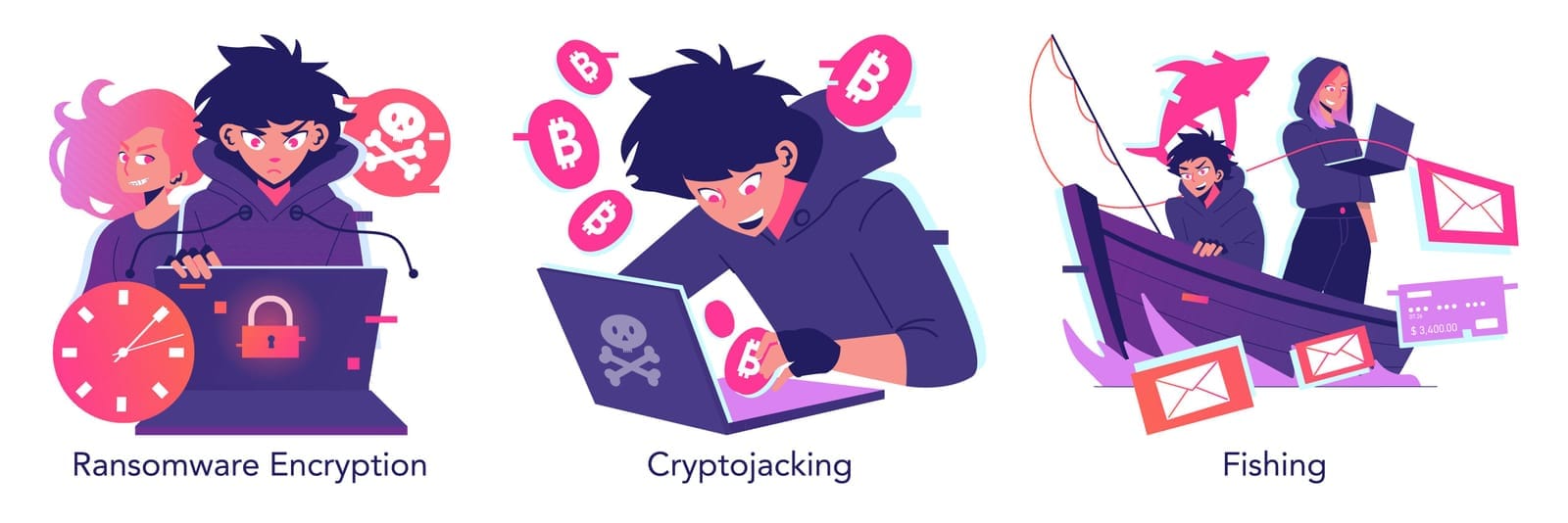
For small and mid-sized firms, the following threats are most relevant:
- Phishing
Fraudulent emails or messages trick staff into clicking malicious links or revealing passwords. For example:- Fake IRAS or ACRA emails about “urgent” filings or penalties.
- Messages pretending to be from banks, “client directors”, or internal partners.
- Business Email Compromise (BEC)
Attackers gain access to (or spoof) a firm’s or client’s email account, then send realistic-looking emails requesting fund transfers or confidential information. Because your firm often liaises with finance and directors, a single compromised mailbox can be used to:- Change payment instructions on invoices.
- Ask clients’ finance teams to transfer funds urgently.
- Request confidential reports or shareholder data.
- Ransomware
Malicious software encrypts your files and demands payment for a decryption key. A ransomware incident can lock away:Recovery can take days or weeks, during peak seasons like tax filing or AGM periods.- Working papers, tax computations, payroll files.
- Registers, resolutions, and filings.
- Client communication records.
- Insider threats
These may be intentional (disgruntled staff, departing employees taking data) or unintentional (staff accidentally sending documents to the wrong recipient or misconfiguring shared folders). - Insecure document sharing
Sending unencrypted Excel files with NRICs, salaries, or shareholder registers over email; using free file-sharing services with weak access controls; or sharing passwords to portals among staff all increase your exposure; for a deeper dive into the hidden risks of shadow IT and messaging apps, see this guide. - Compromised cloud accounts
Most firms now use cloud-based accounting, practice management, corporate secretarial and document storage tools. If attackers gain access to these accounts (e.g., via stolen passwords), they can quietly exfiltrate data without triggering traditional antivirus alerts.
These threats are not hypothetical; they match patterns seen across professional services globally. In Singapore, regulators and agencies repeatedly emphasise basic cyber hygiene and data protection as necessary business practices, not optional extras. For a current snapshot of the threat landscape, see the top cybersecurity threats facing Singapore SMEs in 2025.
2. Specific Risks for Accounting vs Corporate Secretarial Firms
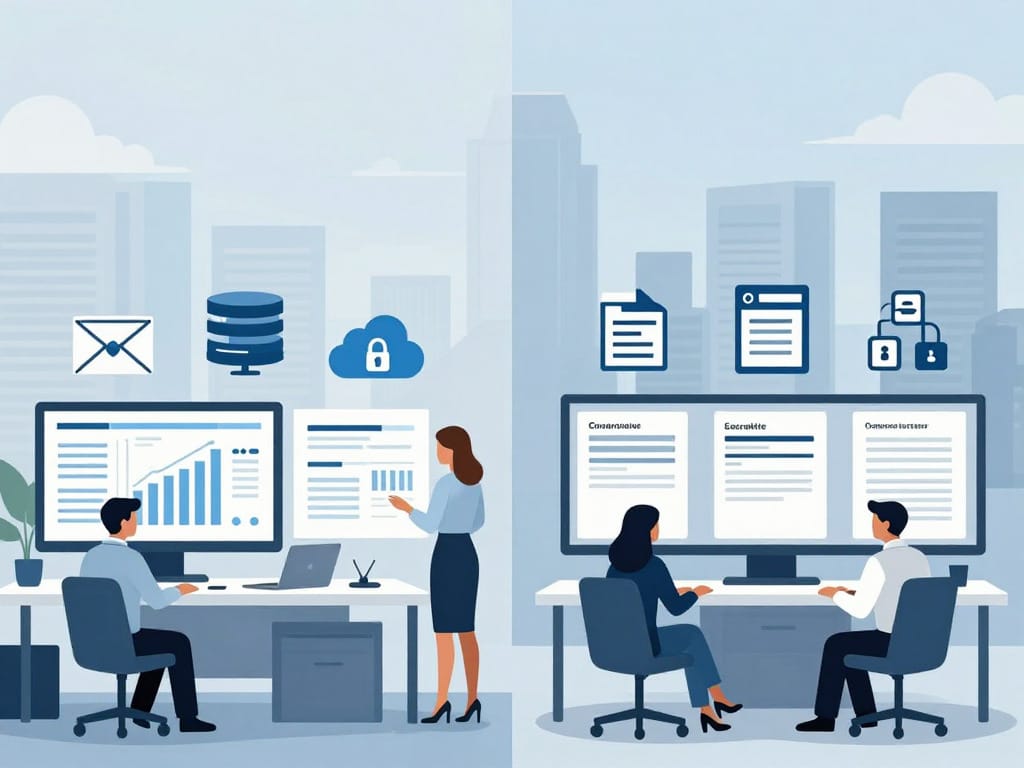
Although many firms offer both services, the risks differ slightly.
a) Accounting firms: typical data and risks
Accounting practices typically handle:
- Payroll data (names, NRICs, salaries, CPF contributions).
- Tax records and IRAS submissions.
- Financial statements and management accounts.
- Bank details, payment instructions, and remittance information.
- Expense claims, invoices, and vendor details.
Risks include:
- Payroll data used for identity theft or targeted scams.
- Bank details used to set up fraudulent transfers or social engineering attacks on clients.
- Tax and financial information leaked, damaging clients’ reputations and trust.
b) Corporate secretarial firms: typical data and risks
Corporate secretarial practices typically handle:
- ACRA filings and BizFile+ account access.
- Registers of registrable controllers (RORC).
- Shareholder and director lists, including personal IDs and addresses.
- Board minutes, resolutions, and records of sensitive strategic decisions.
- Corporate group structures, including offshore entities and beneficial ownership details.
Risks include:
- Exposure of registers of controllers, potentially revealing beneficial owners and sensitive ownership structures.
- Leaked board minutes revealing M&A discussions, restructuring plans, or disputes.
- Misuse of ACRA/BizFile+ account access to file unauthorised changes (e.g., changes to directors or shareholdings).

Business impacts of incidents
When something goes wrong, the impact is rarely just “IT trouble”:
- Direct financial loss – fraudulent fund transfers, ransom payments, incident response, legal and forensic costs.
- Regulatory penalties – potential PDPA enforcement action by PDPC if you fail to protect personal data or to notify when required.
- Loss of client trust – clients may move to other firms if they believe their data is not safe.
- Operational downtime – inability to access data during peak periods can cause missed deadlines (e.g., IRAS, ACRA, GST, payroll); see our guide to IT disaster recovery and business continuity for SMEs.
- Damage to professional reputation – professional services rely heavily on perceived integrity and reliability; news of a serious breach can have long-term consequences.
Realistic scenarios
- BEC leading to fraudulent fund transfer
A partner’s email account is compromised after they enter their password into a realistic phishing page. The attacker monitors the mailbox and, when a large invoice to a client’s overseas supplier is about to be paid, sends a “correction” email with updated bank details. The client’s finance team complies, trusting the email as it comes from your firm’s address. Funds are transferred to the attacker’s account, and both your firm and the client face financial and legal disputes. Here are real-world BEC scenarios and how to stop them. - Leaked register of controllers and shareholder information
A junior employee stores multiple RORC files and shareholder registers in a personal cloud storage account to “work from home more conveniently”. Their personal account is compromised, and the files are downloaded by an unknown party. The breach involves sensitive ownership structures for dozens of clients, including high-net-worth individuals. Your firm must investigate, notify affected individuals where required, and may face PDPC scrutiny. - Compromised client portal or secretarial system
Your corporate secretarial system is hosted in the cloud. An attacker guesses a weak administrator password shared among several staff members. They log in, access client records, and quietly export years of filings, resolutions, and registers. The breach is only discovered months later, when suspicious changes are attempted on a client’s company via fraudulent documents seemingly based on your templates.
3. PDPA Implications (Singapore Law)
The PDPA applies to organisations in Singapore that collect, use, or disclose personal data. Accounting and corporate secretarial firms almost always fall within this scope.
What counts as “personal data”?
In simple terms, personal data is any data, whether true or not, that can identify an individual, or from which an individual can be identified. For your firm, this commonly includes:
- Names, NRIC numbers, passport numbers.
- Residential addresses, emails, phone numbers.
- Salary and payroll details.
- Shareholding interests of individuals.
- Directors’ personal particulars.
- Employment records and performance information.
- Copies of NRICs or IDs collected for KYC or onboarding.
Even business contact information can sometimes be personal data if it identifies a natural person and is not purely generic. You should generally assume that most client records relating to individuals are covered by PDPA.
Key PDPA obligations relevant to cybersecurity
While the PDPA has multiple obligations, four are particularly important for cybersecurity and risk mitigation.
- Protection obligation
- You must make reasonable security arrangements to protect personal data in your possession or under your control, to prevent unauthorised access, collection, use, disclosure, copying, modification, disposal, or similar risks.
- “Reasonable” depends on the nature of the data, the harm that might result, and what is practical for your firm.
- For an accounting or corp sec firm, where data is sensitive and valuable, regulators generally expect more than simple passwords and ad-hoc backups.
- You must make reasonable security arrangements to protect personal data in your possession or under your control, to prevent unauthorised access, collection, use, disclosure, copying, modification, disposal, or similar risks.
- Notification obligation
- If a data breach occurs that:
- Results in, or is likely to result in, significant harm to affected individuals, or
- Is of a significant scale (e.g., involving a large number of individuals),
- you may be required to notify PDPC and the affected individuals within prescribed timelines. This means you should:
- Be able to detect and assess breaches.
- Have an incident response plan that includes roles, responsibilities, and criteria for escalation. If an incident does occur, here’s what to do in the first 24 hours.
- Keep records of decisions and actions.
- If a data breach occurs that:
- Retention limitation obligation
- You should not keep personal data longer than necessary for legal or business purposes. Keeping old data “just in case” increases the amount at risk if you suffer a breach.
- Practical implications:
- Regularly review how long you keep old working papers, payroll records, and shareholder registers (our data governance guide for SMEs can help).
- Apply retention policies consistently across emails, shared drives, and cloud systems.
- Transfer limitation obligation
- If personal data is transferred outside Singapore (for example, via overseas cloud services or overseas support teams), you must ensure that the recipient provides a comparable standard of protection to that under the PDPA.
- This can involve:
- Assessing your cloud vendors’ security and data protection practices.
- Ensuring contracts include appropriate data protection clauses.
- Being aware of where your data is stored and processed (data residency).
“Organisation” vs “data intermediary”
Under the PDPA:
- An “organisation” (often called a data controller internationally) decides why and how personal data is processed.
For most client data, your firm is the organisation—you collect, use, and disclose personal data in the course of providing services. - A “data intermediary” processes personal data on behalf of another organisation, under its instructions (e.g., outsourced payroll processors, IT managed service providers, cloud software providers).
In practice:
- Your firm is usually the organisation vis-à-vis your clients’ HR, finance, and corporate information.
- Your cloud providers, outsourced bookkeepers, IT support vendors, and practice management platforms may be your data intermediaries.
This matters because:
- As an organisation, you remain responsible for complying with PDPA, even when using intermediaries.
- You must exercise due diligence when selecting vendors and ensure contracts include appropriate PDPA clauses (e.g., security measures, breach notification duties, data return or deletion).
Again, this explanation is simplified and does not replace legal advice, but it should help you understand the roles you’re likely to play.

4. Recommended Security Controls (Practical and Prioritised)
You don’t need to implement everything at once. Focus first on “must-do” basics that deliver the most risk reduction per dollar, then add more advanced measures as your firm matures.
a) Identity and access management
Must-do first:
- Enable Multi-Factor Authentication (MFA)
- Turn on MFA for:
- Email accounts (e.g., Microsoft 365, Google Workspace).
- Cloud accounting systems.
- Corporate secretarial and practice management platforms.
- Remote access/VPN tools.
- MFA dramatically reduces the risk of account takeover even if passwords are phished.
- Turn on MFA for:
- Strong, unique passwords
- Use a password manager for staff to generate and store strong passwords (see simple ways to improve password hygiene company-wide).
- Enforce minimum length and prevent reuse of old passwords.
- Discourage password sharing; each staff member should have their own login.
- Role-based access and least privilege
- Not everyone needs to access every client or every module.
- For example, a payroll specialist doesn’t need access to all corporate secretarial records, and vice versa.
- Regularly review user access—especially after role changes.
Good to have (next level):
- Centralised identity management (e.g., single sign-on) — and consider adopting a Zero Trust approach as your environment matures.
- Conditional access policies (e.g., blocking logins from high-risk locations).
- Automated offboarding procedures integrated with HR.
b) Data protection
Must-do first:
- Encrypt data in transit and at rest
- Use reputable cloud services that support HTTPS and encryption.
- Ensure laptops and mobile devices with client data use full-disk encryption.
- Avoid sending sensitive data in plain Excel files over email.
- Secure document sharing
- Use secure client portals or password-protected links instead of attachments where possible.
- If you must send attachments, use strong passwords and share them via a separate channel (e.g., SMS, phone call).
- Implement regular, tested backups
- Back up critical systems (email, accounting, secretarial, file servers) daily or more frequently during peak periods.
- Keep at least one backup copy offline or immutable (cannot be changed), to protect against ransomware.
- Test restore procedures periodically; a backup that cannot be restored is not useful. For options and trade-offs, see our beginner’s guide to on‑prem vs cloud backup solutions.
- Basic data classification
- At least distinguish between:Apply stricter controls (limited access, encryption, MFA) to highly confidential data.
- “Internal” data (policies, general working info).
- “Confidential” data (most client information).
- “Highly confidential” data (registers of controllers, salary details, NRICs, board minutes on sensitive matters).
- At least distinguish between:Apply stricter controls (limited access, encryption, MFA) to highly confidential data.
Good to have:
- Data loss prevention (DLP) tools to detect and block sending of NRICs or salary files externally.
- More granular access controls and encryption at the file or folder level.
c) Endpoint and network security
Must-do first:
- Anti-malware / endpoint protection
- Ensure all laptops and desktops have up-to-date anti-malware or endpoint detection and response (EDR) software.
- Centralise management so updates and alerts can be monitored.
- Patch management
- Apply security updates to operating systems (Windows, macOS) and key applications (Office, browsers, PDF readers) promptly.
- Assign responsibility (internal IT, external vendor, or a named individual).
- Secure Wi-Fi and remote access
- Use strong Wi-Fi passwords and modern encryption (e.g., WPA2/WPA3).
- Avoid using default router settings.
- For remote access to office resources, use VPN with MFA, not just exposed remote desktop.
- Device control for laptops and mobiles
- Maintain an asset inventory of all devices accessing client data.
- Enable remote wipe and lock capabilities on laptops and mobiles.
- Require screen lock and device encryption on mobiles that access email or client systems.
Good to have:
- Segmented networks (e.g., separating guest Wi-Fi from internal network).
- Central log collection from endpoints for better incident investigation.
d) Cloud and SaaS security
Must-do first:
- Secure key SaaS platforms
- Review security settings for your email, accounting, and secretarial platforms.
- Turn on logging/audit trails where available (e.g., logins, file downloads, changes to key records).
- Limit administrative accounts and protect them with MFA.
- Vendor due diligence
- Ask vendors basic questions:
- Where is data stored?
- What security certifications do they have (e.g., ISO 27001)?
- How do they handle incident response and breach notification?
- Document your assessment and decisions; this helps demonstrate PDPA due diligence.
- Ask vendors basic questions:
- Access from trusted devices and locations
- Avoid logging into client systems from unmanaged public computers.
- If staff use personal devices, ensure minimum security standards (patching, antivirus, encryption).
Good to have:
- Centralised cloud security configuration reviews.
- Integration of cloud logs into a central monitoring system.
e) Policies, training, and processes
Technology alone is not enough; people and processes are crucial.
Must-do first:
- Basic cybersecurity and phishing awareness training
- Train all staff (including partners) at least annually on:
- How to recognise phishing and suspicious links.
- Handling of NRICs, salary information, registers of controllers, and other sensitive data.
- Reporting procedures if something looks wrong.
- Train all staff (including partners) at least annually on:
- Clear document handling procedures
- Define how to store, send, and dispose of client records.
- Prohibit using personal email or consumer cloud storage for client data.
- Define how to handle physical documents (printouts, signed resolutions, ID copies) — consider tightening controls with secure printing and scanning.
- Joiner / mover / leaver procedures
- For new staff: standard onboarding checklist (accounts to be created, training to be given).
- For role changes: review and adjust access rights.
- For leavers: promptly revoke access, retrieve devices, and review any unusual activity.
- Incident response playbook (with PDPA in mind)
- At a minimum, define:
- Who leads incident response (e.g., a partner, operations manager, or IT vendor).
- How to contain and investigate incidents.
- How to assess whether PDPA notification thresholds might be met.
- How to document decisions and actions.
- At a minimum, define:
Good to have:
- Periodic tabletop exercises (simulated breaches) to test your playbook.
- Formal policy documents reviewed and approved by partners or the board.
If you partner with a vendor that provides professional IT department services, look for one that supports compliance advisory (e.g., PDPA standards), structured onboarding/offboarding, and regular executive IT reviews, so your controls keep pace as your firm grows. A vendor-agnostic partner can help you select solutions that fit your needs without being locked into specific vendors or unnecessary products — this is often delivered via Managed IT Services (MSP).

5. Integration with Professional and Contractual Obligations
Cybersecurity is not just about technology; it intersects with your professional ethics and client commitments.
Professional obligations and codes of ethics
Accountants and corporate secretarial practitioners are generally bound by:
- Confidentiality – you must respect the confidentiality of information acquired as a result of professional relationships and not disclose it without proper authority or legal obligation.
- Professional behaviour and competence – maintaining appropriate professional standards, which today reasonably include safe handling of client data.
Weak cybersecurity that leads to preventable data breaches can be seen as inconsistent with these ethical obligations. Implementing robust controls supports your professional duty to protect client information.
Contractual obligations with clients
Client engagement letters and service agreements often include:
- Confidentiality clauses.
- Commitments around data handling and access.
- Service level expectations (e.g., availability, responsiveness).
A serious cyber incident can lead to alleged breaches of contract, disputes over liability for losses, and damage to long-term client relationships. Clearly documented and implemented cybersecurity measures help you:
- Demonstrate that you took reasonable steps to protect client data.
- Negotiate realistic roles and responsibilities with clients (including expectations during a breach).
Competitive advantage in tenders and pitches
Many clients—especially larger SMEs and MNCs—now ask about:
- Your cybersecurity measures and PDPA compliance.
- Use of secure portals.
- Incident response capabilities.
Being able to say, with evidence, that you:
- Use MFA across key systems.
- Have clear data retention and access control policies.
- Conduct regular security training.
- Have support from a professional IT partner and conduct periodic security reviews.
can differentiate your firm in tenders and pitches. Cybersecurity becomes a visible part of your value proposition, not just an unseen cost.

6. Conclusion and Practical Next Steps
For accounting and corporate secretarial firms in Singapore, cybersecurity and PDPA compliance are business-critical, not optional IT upgrades.
You handle some of the most sensitive financial and corporate information your clients have. A successful cyberattack or data breach can cause direct financial loss, regulatory investigation, client churn, and lasting damage to your professional reputation.
The good news: you don’t need to become a technology expert overnight. Start with a focused, risk-based approach that addresses the basics first, then build on this foundation.
10-step next actions checklist
You can use this as a practical action plan over the next few weeks:
- Enable MFA on all critical systems this week: email, accounting, corporate secretarial, remote access.
- Review user access rights – remove dormant accounts, tighten access for sensitive data (e.g., RORC, payroll, board minutes).
- Back up critical systems – confirm you have recent, tested backups and at least one offline or immutable copy.
- Implement or verify encryption on all laptops and mobile devices with client data.
- Stop ad-hoc document sharing – move towards secure portals or protected links; avoid sending sensitive data in plain attachments.
- Deliver short cybersecurity awareness training to all staff, with examples tailored to IRAS, ACRA, and BEC scams.
- Draft a simple incident response playbook – define who does what if a suspected breach occurs, and how PDPA notification will be considered.
- Review data retention practices – identify key data types (e.g., payroll, tax, corporate registers) and confirm how long you retain them and how you dispose of them.
- Map your data intermediaries – list key IT and cloud vendors, check where your data is stored, and ensure contracts address data protection and breach notification.
- Schedule a periodic security and PDPA compliance review – either internally or with trusted external advisors who understand SME needs and local regulations.
Finally, remember that this article is informational and not legal advice. For questions on how the PDPA applies to your specific circumstances, or how to interpret notification thresholds and contractual obligations, engage qualified legal or PDPA professionals.
By taking structured, practical steps now, your firm can significantly reduce cyber risk, meet regulatory expectations, uphold professional ethics, and position itself as a trustworthy partner in an increasingly digital and regulated business environment.