
The Digital Skills Gap: Empowering Your Workforce With Essential IT Training

For many small and mid‑sized organizations, technology has outpaced people’s skills. New tools keep arriving—cloud platforms, collaboration suites, automation, data dashboards—but employees’ capabilities, confidence, and habits often lag behind. That gap between what your people can do today and what your technology—and strategy—require is the digital skills gap.
This article is written for HR leaders, L&D professionals, and business/IT managers who need a practical, non‑technical roadmap: how to understand the gap, identify where it shows up in your workforce, and build an effective, ongoing digital skills program that genuinely supports performance and competitiveness.

1. What Is the Digital Skills Gap—and Why It Matters
1.1 Defining the digital skills gap
The digital skills gap is the difference between:
- The digital and IT skills your organization needs to achieve its goals and effectively use its technology; and
- The actual skills, confidence, and behaviors of your current workforce.
It’s not only about advanced IT skills. It also includes:
- Everyday digital basics (email, collaboration tools, file management, security awareness)
- Ability to learn and adapt to new tools
- Understanding data enough to make informed decisions
- Safe and compliant use of systems (e.g., protecting customer data, using cloud services appropriately)
Many organizations now depend on cloud‑first systems, remote and hybrid work, and digital workflows to operate efficiently. Managed IT and digital transformation providers increasingly focus on helping SMEs move to “secure, scalable, and modern IT environments,” often with cloud‑based tools and services instead of capital‑intensive, on‑premise setups. If your people cannot fully use and adapt to those environments, you don’t get the return on that investment.
1.2 Why the digital skills gap matters for performance and competitiveness
Research from bodies like the World Economic Forum and OECD consistently indicates:
- A large share of workers need upskilling or reskilling in digital tools and data literacy in the next few years as technology changes roles and workflows.
- Many SMEs report difficulty finding candidates with the mix of basic digital literacy, cybersecurity awareness, and problem‑solving needed for modern roles.
While exact figures vary by country and sector, trends point in the same direction: demand for digital skills is rising faster than supply.
For your organization, an unaddressed skills gap typically shows up as:
- Lower productivity
- Staff struggle with basic tasks (e.g., formatting documents, using shared drives, collaborating in real time).
- Frequent “work‑arounds” (printing, re‑typing data, manual checks) slow down workflows.
- Under‑used technology investments
- You pay for powerful cloud suites, CRM systems, or automation tools.
- Employees rely on only a fraction of the features, often sticking to old habits.
- Increased risk and compliance issues
- Weak cybersecurity hygiene (poor passwords, phishing susceptibility, risky file sharing) increases the chance of incidents.
- In jurisdictions with regulations like data protection acts, skills gaps can translate into non‑compliance and fines. Many MSPs now explicitly bundle data protection and PDPA‑style compliance support with their services, reflecting how central this has become.
- Talent attraction and retention challenges
- High performers often want organizations that invest in modern tools and their skills.
- If employees feel left behind technologically, engagement and retention suffer.
In short: closing the digital skills gap is not a “nice to have” training initiative. It is a strategic enabler of operational efficiency, security, and long‑term competitiveness.

2. Basic Digital Literacy vs. Advanced IT Skills
To design effective training, it helps to distinguish between:
2.1 Basic digital literacy
This is the foundation. Almost everyone in a modern organization should reach a clear baseline in:
- Device and productivity basics
- Using operating systems (Windows/macOS), browsers, and standard office tools.
- Efficient use of email, calendars, and contacts.
- Organizing digital files logically across local/cloud storage.
- Collaboration tools
- Using chat and video conferencing (e.g., Teams, Zoom, Slack) to communicate professionally.
- Working with shared documents and version history in cloud office suites.
- Understanding basic virtual meeting etiquette and features (mute, screen share, breakout rooms, etc.).
- Cybersecurity hygiene
- Strong passwords and multi‑factor authentication (MFA).
- Recognizing phishing and social engineering.
- Safe use of Wi‑Fi, mobile devices, USB drives, and cloud file sharing.
- Knowing what to do—and whom to inform—if they suspect an incident.
- Digital etiquette, privacy, and compliance basics
- Respectful communication in digital channels.
- Awareness of basic privacy principles around personal and customer data (e.g., collecting only what’s needed, storing it securely).
- Following simple internal policies for data handling and approvals.
Many MSPs supporting SMEs today explicitly include “security awareness training,” “cloud backup and productivity application administration,” and “data protection compliance support” in their offerings, highlighting how these basics now form part of core IT and risk management for any business.

2.2 More advanced IT‑related skills
Not everyone needs deeper IT skills, but a growing set of roles do—especially in operations, finance, HR, marketing, and line management. Examples include:
- Cloud basics
- Understanding what “cloud” means in practice (e.g., software as a service vs on‑premise).
- Navigating cloud portals for file sharing, collaboration, and basic administration.
- Awareness of their responsibilities vs IT’s responsibilities in a shared responsibility model (e.g., protecting their accounts, using approved apps).
- Data literacy and analytics
- Interpreting dashboards and reports correctly (e.g., understanding trends, basic statistical concepts like averages vs outliers).
- Using self‑service analytics tools (e.g., Excel pivot tables, Power BI, Google Data Studio) to answer simple business questions.
- Asking good questions of data and avoiding common pitfalls (like confusing correlation with causation).
- Automation and workflow tools
- Using built‑in automation features in office tools (macros, rules, conditional formatting).
- Setting up simple “no‑code/low‑code” automations (e.g., approvals, notifications, data syncs) using tools like Power Automate, Zapier, or built‑in workflow features.
- Low‑code and configuration skills
- For power users in departments: customizing forms, views, basic apps or processes in low‑code platforms under IT’s governance.
- Configuring team‑level tools (e.g., project boards, simple CRM fields) rather than relying on IT for every change.
- Security and compliance at a higher level
- For managers and key functions (HR, Finance, Legal): deeper understanding of how security, backup, and data retention policies apply in daily work.
- Participating in risk assessments, audits, and business continuity planning.
These advanced skills are often developed in collaboration with technology and consulting partners that provide strategic IT advisory, security audits, business continuity consulting, and end‑user security training as part of professional or premium managed IT offerings. The point is not to turn everyone into an IT specialist but to equip business roles to work confidently with modern, cloud‑first, automated environments.
3. Identifying Digital and IT Skill Gaps
Before investing in training, you need a clear picture of where you are and where you need to be. Effective skills assessment combines quantitative data (numbers, usage metrics) and qualitative insight (interviews, observations) and ties both to your business goals and upcoming technology changes.
3.1 Start with business goals and technology roadmap
Anchor your assessment in strategy:
- What are your top 3–5 business priorities over the next 12–24 months?
(e.g., expand to new markets, improve customer satisfaction, increase productivity, strengthen compliance.) - What technology initiatives are planned or underway?
- Cloud migrations or upgrades
- New CRM/ERP/HRIS systems
- Automation of key workflows
- Enhanced cybersecurity controls and awareness programs
From these, derive critical capabilities your people must have. For example:
- If you’re rolling out a new CRM, frontline staff will need digital literacy plus CRM navigation, data entry discipline, and basic data literacy.
- If you’re strengthening cybersecurity, everyone needs strong hygiene and some roles (admins, managers) need deeper knowledge.
This list becomes your target competency framework.
3.2 Skills inventories and competency frameworks
Create a simple, role‑based competency framework that lists:
- Core digital competencies (for all staff)
- Role‑specific competencies (for managers, analysts, frontline staff, IT, etc.)
- Proficiency levels (e.g., Beginner, Intermediate, Advanced)
For each role family:
- List essential tools and tasks (e.g., customer service reps use ticketing system + email + knowledge base).
- Define what “good” looks like at each level (e.g., Intermediate Excel user can create pivot tables; Advanced can build dashboards).
- Translate competencies into a skills inventory—a structured list you can assess against.
You don’t need a complex model. A simple spreadsheet or HRIS module that tracks digital competencies by role can work well for SMEs.
3.3 Surveys and self‑assessments
Run a structured self‑assessment focused on concrete behaviors instead of vague ratings:
- Instead of: “Rate your Excel skills (1–5)”
- Use: “I can comfortably:
- Use filters and basic formulas
- Build pivot tables
- Create charts and dashboards
- Use functions like VLOOKUP/XLOOKUP”
Ask about:
- Confidence with tools and tasks (email, collaboration tools, cloud storage, your key line‑of‑business systems).
- Awareness of security practices (MFA, phishing, secure sharing).
- Interest in upskilling in certain areas (data, automation, cloud basics).
Keep it short and focused. Combine a couple of Likert‑scale questions with open questions, like:
- “Which digital tasks slow you down most?”
- “Which tools do you find confusing or frustrating?”

3.4 Manager interviews and performance reviews
Managers see skill gaps in context of performance:
- Incorporate digital competencies into performance reviews and 1:1s.
- Ask managers:
- Where do team members struggle with digital tools?
- Which processes break down due to lack of skills or poor usage?
- Who are “power users” who could be champions or mentors?
You can use a simple guide:
- Tasks done inefficiently (e.g., manual re‑entry of data instead of using imports).
- Frequent IT support tickets for basic issues (e.g., password resets, file access).
- Repeated errors in data entry or reporting.
3.5 Task and workflow analysis
Look closely at how work actually gets done:
- Pick 3–5 critical workflows (e.g., onboarding a new customer, processing an order, producing a monthly report).
- Map each step: tools used, who does what, where information flows.
- Identify:
- Steps where digital tools exist but are underused.
- Manual, repetitive steps that could be automated.
- Points of delay, rework, or mistakes tied to tool misuse or lack of knowledge.
This analysis often reveals “hidden” gaps that surveys miss. For example, a team might say they’re comfortable with your collaboration suite, but you observe that they regularly download documents to edit locally and then email them around, causing version confusion and data risk.
3.6 Use analytics from digital tools
Modern systems provide valuable usage data:
- Productivity suites (e.g., Microsoft 365, Google Workspace) show adoption of features like Teams/Meet, OneDrive/Drive, shared documents, MFA, etc.
- LMS (Learning Management Systems) show course completion, time spent, quiz scores.
- Line‑of‑business apps show login frequency, error rates, and usage patterns across modules.
Look for:
- Low adoption of key tools or features that are central to your strategy.
- High usage of outdated methods (e.g., email attachments instead of links).
- Under‑utilization of security measures (e.g., MFA not turned on for all).
Analytics from device monitoring, backup tools, and network security platforms can also highlight where staff need more training (e.g., repeated malware alerts or backup failures in specific teams).
3.7 Integrating quantitative and qualitative insights
Combine:
- Numbers: self‑assessment scores, tool usage statistics, incident counts, time spent on tasks.
- Narratives: manager interviews, user feedback, observations.
Then prioritize gaps based on:
- Impact on business goals (e.g., a gap that directly affects revenue or compliance ranks higher).
- Urgency (e.g., tied to upcoming system go‑live or regulatory deadlines).
- Breadth (how many roles are affected).
This integrated picture guides the design of your training program.
4. Designing and Implementing an Ongoing Digital Skills Program
An effective digital skills initiative is continuous and role‑based, not a one‑off workshop. It blends different formats to support real behavior change.
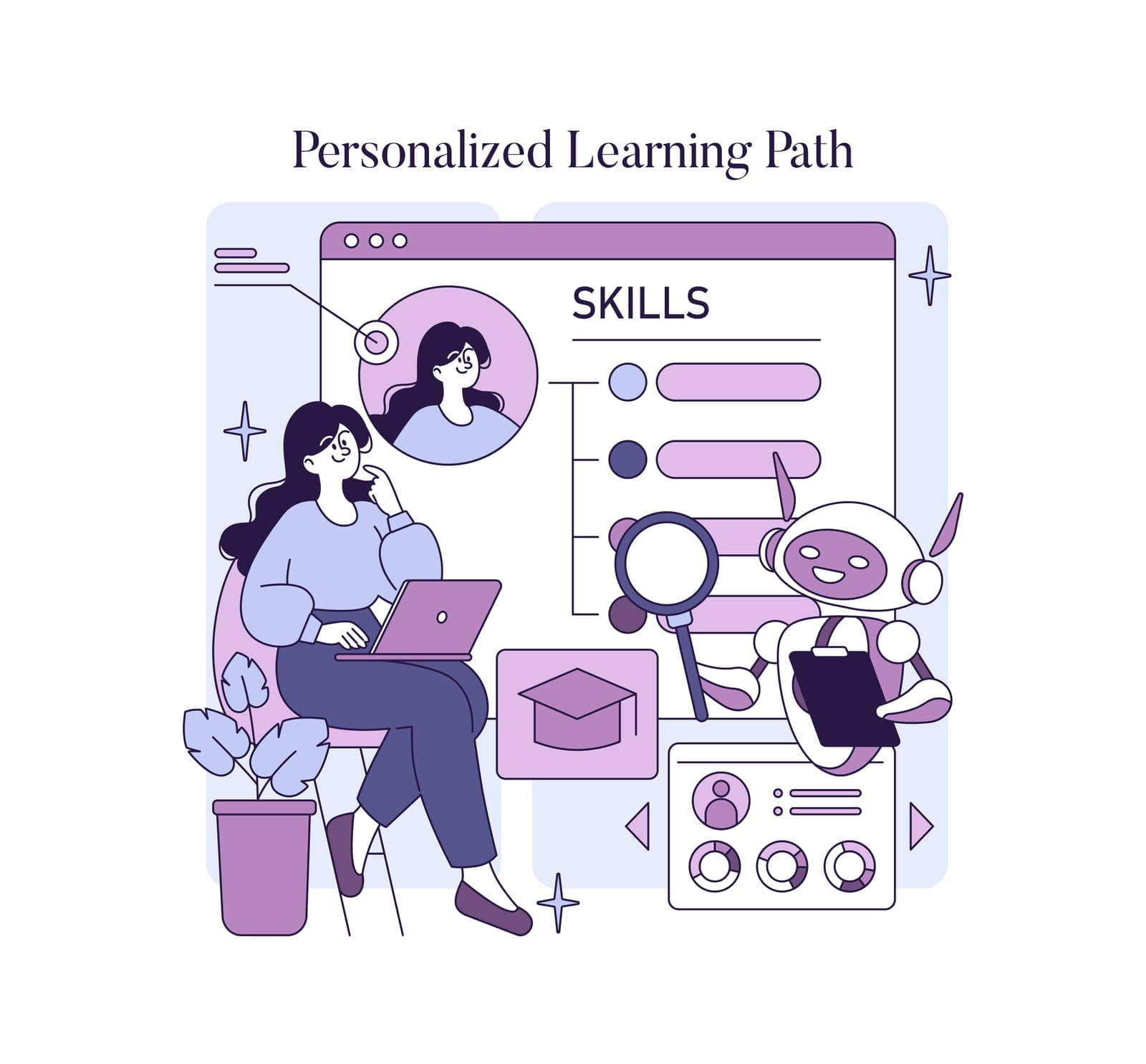
4.1 Role‑based learning paths and personalized plans
Start with role families:
- Frontline and customer‑facing staff
- Managers and team leads
- Specialists (finance, HR, marketing, operations)
- IT and “power users” who support others
For each group, define a learning path:
- Core foundation (for everyone):
- Basic digital literacy, collaboration tools, cybersecurity awareness, data protection basics.
- Role‑specific modules, for example:
- Sales: CRM proficiency, remote selling tools, basic analytics of pipeline and conversion data.
- HR: HRIS usage, digital onboarding, handling employee data securely.
- Finance: Spreadsheet mastery, reporting tools, secure handling of financial data.
- Operations: Workflow tools, basic automation, incident logging and tracking.
Within each path, individual employees can have personalized plans, focusing on:
- Addressing specific weaknesses from their assessments.
- Deepening skills in areas of interest aligned with business needs (e.g., data, low‑code).
4.2 Blended learning: multiple formats for real impact
Use a blended approach to cater to different learning styles and schedules:
- E‑learning modules
- Short, structured courses for foundational topics (e.g., “Using our collaboration suite effectively,” “Cybersecurity basics”).
- Useful for consistent onboarding and global standardization.
- Microlearning
- 3–10 minute videos, job aids, or interactive snippets focusing on one task (e.g., “How to set up MFA,” “Sharing a file securely”).
- Ideal for just‑in‑time learning.
- Live workshops (in‑person or virtual)
- Hands‑on practice with real tools and workflows.
- Opportunity to ask questions, share pain points, and align with your specific policies.
- Peer learning and communities of practice
- “Digital champions” in each team who host short sessions (e.g., “Excel tips at lunch”).
- Share best practices and quick wins on internal channels.
- Mentoring and coaching
- Pair less confident digital users with more experienced peers.
- Managers coach their teams on using tools effectively in the context of their goals.
Many SMEs work with MSPs or digital transformation partners that already deliver “security awareness training,” “scheduled IT health checks and strategic reviews,” and “executive engagement and reporting,” which can be integrated into a broader skills program.
4.3 Just‑in‑time resources and job aids
Make it as easy as possible for employees to do the right thing at the moment of need:
- Step‑by‑step guides with screenshots for common tasks (e.g., scheduling a Teams meeting, encrypting an email).
- Frequently Asked Questions (FAQs) for digital tools and security practices.
- Short “how‑to” videos embedded directly in your intranet or within tools.
- Searchable knowledge base, ideally with simple language and tags by role.
Tie these resources to your support channels:
- When IT or helpdesk teams resolve repeated issues, convert solutions into job aids.
- Use tickets and questions as input for new microlearning content.
4.4 Embedding cybersecurity awareness into all training
Cybersecurity should not be a one‑off annual module; it must be woven into everyday digital training:
- Every course that touches digital tools should include:
- How to use them securely (access control, sharing settings, handling sensitive data).
- Common threats or mistakes related to that tool.
- Clear instructions on what to do if something goes wrong.
- Run regular, bite‑sized sessions:
- Short refreshers on topics like phishing, passwords, safe remote work.
- Table‑top exercises or scenarios for managers on incident response and business continuity.
Given the increasing importance of data protection and business continuity, some organizations partner with providers that offer “annual cybersecurity audits” and “business continuity consulting,” using their findings to shape targeted training for end‑users.

4.5 Securing leadership buy‑in and budget
To gain executive support:
- Link digital skills to strategic objectives
- Show how gaps impact customer experience, revenue, or risk.
- Use examples: slow response times due to poor tool usage, avoidable data errors, security incidents.
- Present a simple business case
- Estimate potential efficiency gains (e.g., reducing time spent on manual tasks, fewer support tickets).
- Factor in risk mitigation (reduced likelihood and impact of security or compliance incidents).
- Start with a pilot
- Propose a focused program for one department or a limited set of skills.
- Measure and report clear outcomes (adoption, error reduction, time savings) to build momentum.
- Include leaders as participants and champions
- Ensure managers and executives visibly participate in training.
- Ask them to model desired behaviors (e.g., using modern tools, respecting data policies) and communicate the importance of digital skills.
4.6 Choosing training vendors/platforms vs building in‑house
You can combine internal and external resources:
Build in‑house when:
- Training involves your specific processes, systems, and policies.
- You have internal experts (IT, power users) who can explain context and nuances.
- You want strong alignment with culture and language.
Use external vendors/platforms when:
- You need high‑quality, up‑to‑date content on generic topics (e.g., basic IT skills, cybersecurity, common office tools).
- You want structured learning paths and assessments without building everything from scratch.
- You need specialized expertise (e.g., cloud security, advanced analytics, regulatory compliance).
Many SMEs leverage MSPs and digital transformation consultants who already offer security training, IT health checks, strategic reviews, and policy documentation to complement internal L&D initiatives.
Selection tips:
- Check whether content is modular so you can mix and match.
- Confirm you can customize or add your own modules.
- Ensure the platform provides analytics (completion, scores, engagement) and integrates with your HR/LMS systems.
- Pilot with a small group before committing long‑term.
4.7 Making training accessible to non‑technical staff
Non‑technical staff often feel intimidated by IT topics. To engage them:
- Use plain language; avoid jargon or explain it in simple terms.
- Focus on practical relevance: “How this helps you do your job faster, safer, with fewer errors.”
- Use familiar analogies and scenarios from their daily work.
- Offer multiple formats (video, text, live sessions) and allow self‑paced learning.
- Provide “office hours” or drop‑in clinics where people can ask questions without judgement.
- Recognize and celebrate progress, not just mastery.

5. Ensuring Effectiveness and Continuity
A digital skills program should evolve with your organization. To ensure it remains impactful:
5.1 Set clear learning objectives and success metrics
For each course or learning path, define specific objectives:
- What should participants be able to do differently afterward?
- How will that support business outcomes?
Examples:
- “After this course, frontline staff will:
- Use the CRM to log all customer interactions and update contact details.
- Generate a standard customer history report without help.”
Translate objectives into metrics such as:
- Learning metrics:
- Enrollment, completion rates, quiz scores.
- Pre‑ and post‑assessment comparisons of skills.
- Behavioral and performance metrics:
- Increased usage of key features in tools (collaboration, CRM, MFA adoption).
- Reduced support tickets for basic issues.
- Fewer errors in data entry or reporting.
- Reduced time to complete specific workflows.
- Risk and compliance metrics:
- Fewer cybersecurity incidents or near‑misses.
- Higher compliance with data handling policies.
Where relevant, align these metrics with broader reviews of your IT environment and digital maturity, such as scheduled IT health checks and strategic reviews.
5.2 Collect feedback and iterate
Treat your program as a product:
- Gather immediate feedback after courses:
- “What was most/least useful?”
- “What’s still unclear?”
- “What would you like to see next?”
- Run periodic focus groups or short interviews:
- Ask how training has influenced daily work.
- Identify barriers (time, relevance, complexity).
- Use analytics:
- Which modules have high drop‑off rates?
- Which resources are most/least used?
Then iterate:
- Simplify or split long courses into shorter modules.
- Add more real‑world examples and hands‑on practice.
- Update content as tools, policies, and threats change.
5.3 Foster a culture of continuous learning and experimentation
Digital skills are not static. Encourage a culture where learning new tools is part of the job:
- Leaders talk openly about their own learning and evolving practices.
- Experimentation is encouraged—within safe boundaries defined by IT and security policies.
- “Failure” in trying new digital workflows is treated as learning, not blame.
- Recognize and reward teams that innovate with existing tools (e.g., using a low‑code platform to streamline a process).
Partnering with providers that emphasize strategic IT consulting, executive IT reviews, and innovation enablement can further embed this culture and connect learning to digital transformation goals.
5.4 Integrate training into onboarding and ongoing development
To make digital skills part of your organizational DNA:
- Onboarding:
- Include a core digital skills module for all new hires: essential tools, security practices, collaboration norms, data protection basics.
- Role‑specific add‑ons for key systems (CRM, ERP, HRIS).
- Regular refreshers:
- Annual or semi‑annual updates on major tools and security threats.
- New feature briefings when your cloud or business systems are updated.
- Career development:
- Include digital competencies in job descriptions, promotions, and career paths.
- Offer optional advanced paths (data analysis, automation, low‑code development) for those who want to upskill.
- Change management for new systems:
- Each major technology change should include a training plan, communication strategy, and reinforcement activities.
- Combine technical rollout with cultural reinforcement (why we’re changing and how it benefits staff and customers).

6. Examples: How Organizations Can Close the Digital Skills Gap
Below are three short, realistic mini‑cases to illustrate how the ideas above can play out in practice.
Example 1: Retail SME modernizing collaboration and security
Context:
A 120‑employee retail company moved from on‑premise email and file servers to a cloud productivity suite. They also engaged an MSP for remote and on‑site IT support, managed antivirus, cloud backup, and data protection compliance support. After the migration, many employees continued old habits—using personal email, saving files locally, and sharing passwords.
Approach:
- HR and IT co‑developed a simple digital competency framework covering:
- Email and calendar usage
- Cloud storage and sharing
- Collaboration tools
- Basic cybersecurity hygiene
- A short self‑assessment identified that many staff were not comfortable with cloud file sharing and MFA.
- The organization implemented a blended training program:
- 30‑minute e‑learning on cloud storage and collaboration.
- Micro‑videos demonstrating how to securely share files, schedule online meetings, and manage permissions.
- Short, team‑level workshops for hands‑on practice.
- Security awareness was integrated into everything:
- Each module emphasized phishing awareness, strong passwords, and safe use of personal devices.
Outcomes (within 6 months):
- Cloud file sharing replaced email attachments in most teams.
- MFA adoption reached nearly all staff, and phishing click‑through rates dropped in simulated tests.
- IT support tickets related to basic email and file issues decreased significantly, freeing IT to focus on higher‑value work.
Example 2: Manufacturing company building data literacy
Context:
A 300‑employee manufacturing firm implemented a new cloud‑based production tracking system and dashboards. Managers were overwhelmed by the data and didn’t use reports to drive decisions; they continued relying on manual spreadsheets and anecdotal observations.
Approach:
- Leadership wanted to improve production efficiency and defect rates. The digital transformation roadmap highlighted data‑driven decision‑making as a key goal.
- HR partnered with operations and IT to create a data literacy learning path for supervisors and managers:
- Basic concepts: types of data, trends, averages, and simple variance.
- Reading and interpreting dashboards tied to production metrics.
- Asking good questions of data and distinguishing signal from noise.
- A task analysis revealed that managers needed, above all, to:
- Monitor production throughput daily.
- Identify recurring issues and address them quickly.
- Training included:
- Hands‑on workshops using the company’s actual dashboards.
- Short, targeted job aids for reading each key report.
- Monthly “data clinics” with an internal analytics champion.
Outcomes (within 9–12 months):
- Managers reported higher confidence in using dashboards.
- Production meetings shifted from opinion‑driven discussions to data‑anchored decisions.
- The company observed a measurable reduction in defect rates and a modest but meaningful increase in throughput, attributed partly to earlier detection and resolution of bottlenecks.
Example 3: Professional services firm using automation and low‑code
Context:
A 90‑employee accounting and advisory firm struggled with manual administrative tasks—timesheet approvals, document collection from clients, and internal requests. Their MSP provided firewall, backup, and security services, but the internal team underused workflow tools and automation capabilities.
Approach:
- Leadership identified “improving operational efficiency and responsiveness to clients” as key goals.
- HR and the operations manager mapped key workflows and found:
- Repetitive email chasing for documents.
- Manual processing of simple, rule‑based approvals.
- The firm developed a role‑based training program:
- For senior associates and managers: basic automation and low‑code capabilities in their cloud platform (e.g., building approval flows, automated reminders).
- For all staff: foundational digital literacy and security awareness around automation (e.g., avoiding automation that bypasses security policies).
- With support from their digital transformation partner, they ran:
- A series of hands‑on workshops where participants built small automations tied to real processes.
- Peer sharing sessions where staff showcased successful workflows.
Outcomes (within 6 months):
- Automated workflows reduced manual chasers and approval delays for standard cases.
- Staff reported saving several hours per week, which they reallocated to client‑facing work.
- Confidence in experimenting with digital tools increased, and the organization began exploring more advanced analytics for forecasting and planning.

7. Bringing It All Together
Empowering your workforce with essential IT training is not an isolated HR initiative. It is a strategic, cross‑functional effort involving HR, L&D, IT, business leaders, and often external partners such as MSPs and digital transformation consultants.
A practical roadmap for small and mid‑sized organizations looks like this:
- Clarify your goals and technology direction
- Identify the digital capabilities your strategy requires in the next 1–3 years.
- Map these to current and planned systems (cloud platforms, business applications, security and compliance requirements).
- Assess where you are today
- Use competency frameworks, self‑assessments, manager input, workflow analysis, and tool analytics.
- Combine quantitative and qualitative data to prioritize gaps.
- Design role‑based, blended learning journeys
- Ensure everyone has basic digital literacy and cybersecurity awareness.
- Provide tailored paths for specific roles in data, automation, and cloud usage.
- Blend e‑learning, microlearning, workshops, peer learning, and job aids.
- Integrate security and compliance throughout
- Make secure behavior a natural part of every digital skill you teach.
- Align training with your policies, audits, and business continuity planning.
- Secure leadership sponsorship and demonstrate value
- Tie training to business outcomes and risk reduction.
- Start with pilots, measure impact, and scale based on results.
- Embed continuous learning into culture and processes
- Incorporate digital skills into onboarding, performance reviews, and career development.
- Regularly refresh content as tools and threats evolve.
- Encourage experimentation and celebrate digital innovation.
By taking this structured, evidence‑informed approach, you can move beyond ad‑hoc “IT training” to build a truly digitally confident workforce—one that uses your technology investments fully, operates securely and compliantly, and adapts quickly as new tools and opportunities emerge.