The Hidden Cybersecurity Risks of Cloud File Sharing

Cloud file-sharing services such as Google Drive, Microsoft OneDrive, Dropbox, and Box have transformed how organizations work. Employees can collaborate across locations, share large files without email attachments, recover earlier versions, and access documents from multiple devices.
These benefits are substantial. Cloud platforms can also support backup, centralized administration, audit logging, and security controls that would be difficult for a small organization to operate independently. However, cloud file sharing does not remove cybersecurity risk. It changes where that risk appears.
The most common problems are rarely caused by the underlying cloud infrastructure alone. They typically arise from identity mistakes, overly broad permissions, public links, unmanaged devices, third-party applications, or misunderstandings about what a sharing option actually does.
A useful way to assess these risks is through three security objectives:
- Confidentiality: preventing unauthorized people from viewing information.
- Integrity: preventing unauthorized alteration, deletion, or corruption.
- Availability: ensuring authorized users can access information when needed.
A single file-sharing incident can affect one or more of these objectives. For example, a public link may compromise confidentiality, while a compromised synchronized account may threaten confidentiality, integrity, and availability simultaneously.
The goal is not to eliminate collaboration. It is to make sharing deliberate, limited, visible, and appropriate to the sensitivity of the information.
Summary of Key Risks
Risk | Typical Cause | Potential Impact | Recommended Controls |
|---|---|---|---|
Public or “anyone with the link” sharing | Convenience, weak defaults, forgotten links | Data leakage, reputational damage, compliance violations | Default-private settings, restricted domains, link expiration, password protection where supported, link inventories, alerts |
Excessive permissions and overprivileged users | Broad group membership, inherited access, administrative convenience | Unauthorized viewing, modification, deletion, or ransomware propagation | Least privilege, role-based groups, separate viewer/editor rights, periodic access reviews, audit logs |
Guest, external, and dormant accounts | Untracked contractors, former partners, inactive accounts | Persistent unauthorized access, data leakage, orphaned files | Guest lifecycle process, expiration, identity verification, offboarding, external-sharing reports |
Accidental sharing and misleading interfaces | Misread dialogs, autocomplete, wrong folder, confusing options | Disclosure to unintended recipients or oversharing of entire folders | User training, confirmation prompts, sensitivity labels, safer defaults, review of recipient and scope |
Unmanaged downloads, local copies, and synchronization | Personal devices, offline access, uncontrolled sync | Data leakage, malware spread, stale copies, loss of control | Device management, endpoint protection, download restrictions where appropriate, encryption, remote wipe, DLP |
Integrations, compromised accounts, and misconfiguration | Excessive app permissions, phishing, weak settings | Mass download, unauthorized changes, ransomware, prolonged compromise | Strong authentication, phishing-resistant MFA, app governance, alerts, configuration reviews, incident response |
Why Cloud File Sharing Is Useful—and Why It Creates Risk
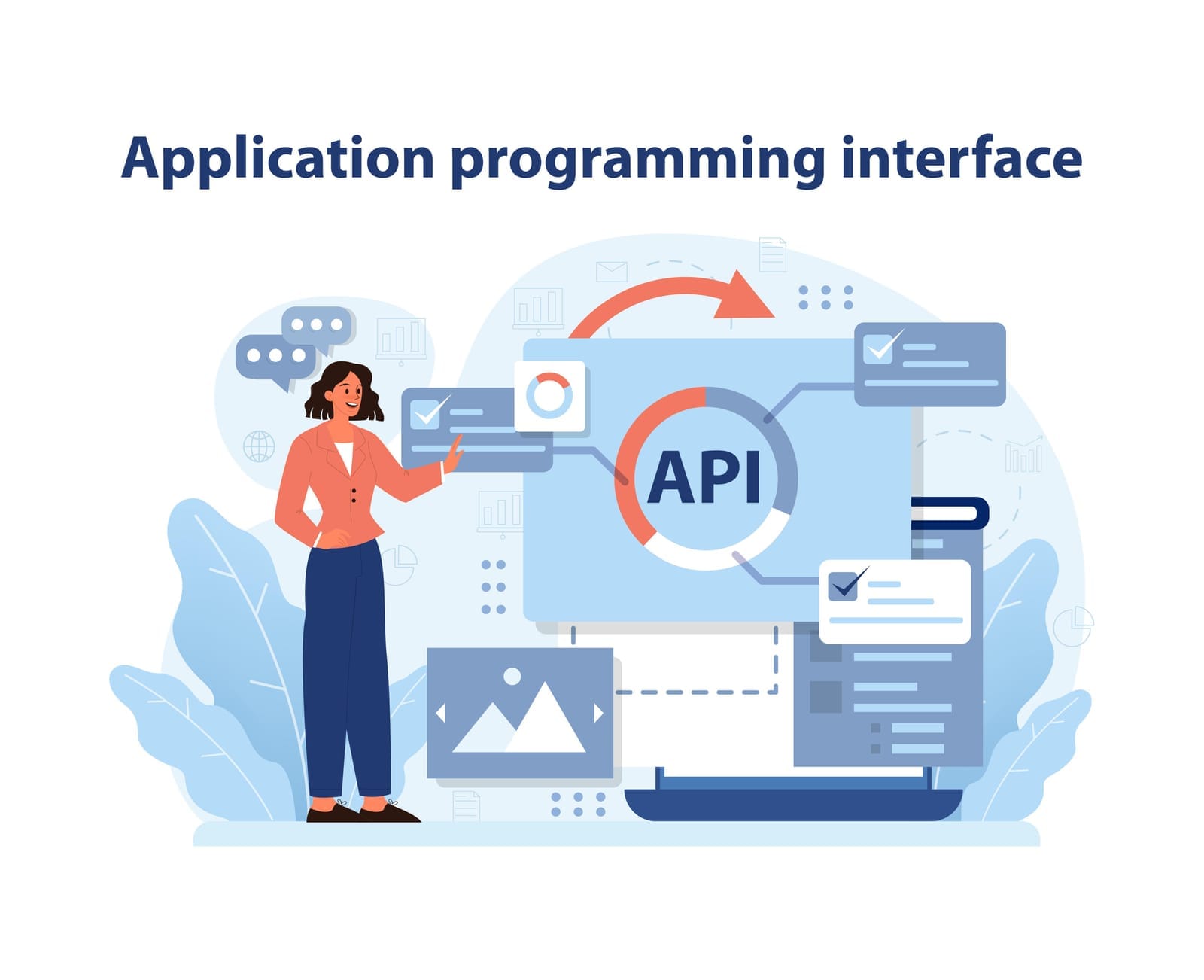
Cloud file sharing centralizes documents in services managed through web applications, desktop clients, mobile applications, and application programming interfaces (APIs). An API is a structured way for software to communicate with another service.
This model enables:
- Real-time collaboration
- Version history and file recovery
- Centralized access management
- Remote and hybrid work
- Easier sharing with customers and suppliers
- Reduced dependence on local file servers and email attachments
At the same time, a cloud file is often accessible through multiple paths:
- A named user account
- A group or team site
- A shared folder
- A public or organization-wide link
- A synchronized laptop or phone
- A third-party application
- An administrator or service account
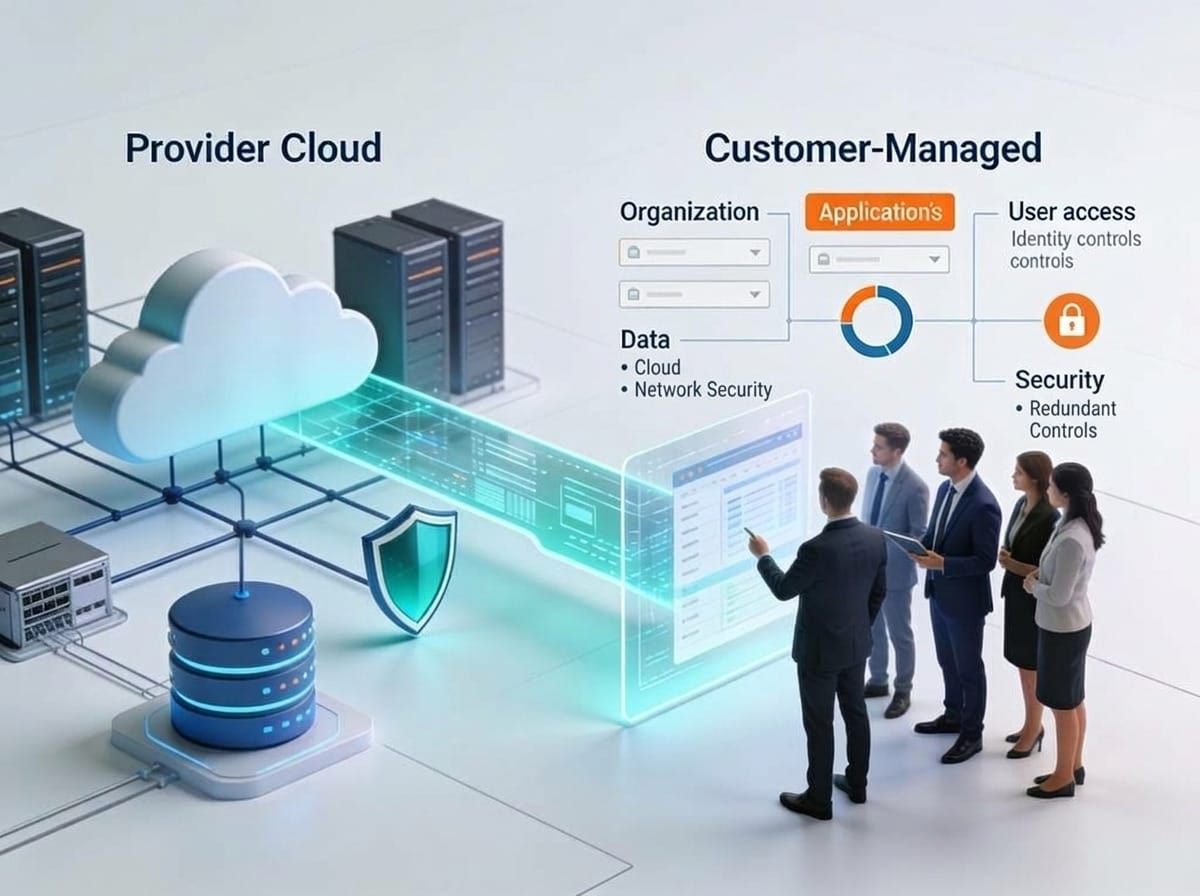
Every additional path can be useful, but it also creates another place where access may be misconfigured or abused. Cloud providers typically secure the underlying platform, including data-center facilities, core infrastructure, service resilience, and many aspects of service availability. Customers generally remain responsible for deciding who can access data, what they can do with it, which devices can synchronize it, and how sharing is configured.
The exact controls vary by provider, subscription, region, and product edition. Administrators should verify current documentation rather than assuming that a feature is available or behaves identically across services.
1. Public or “Anyone With the Link” Sharing
How exposure occurs
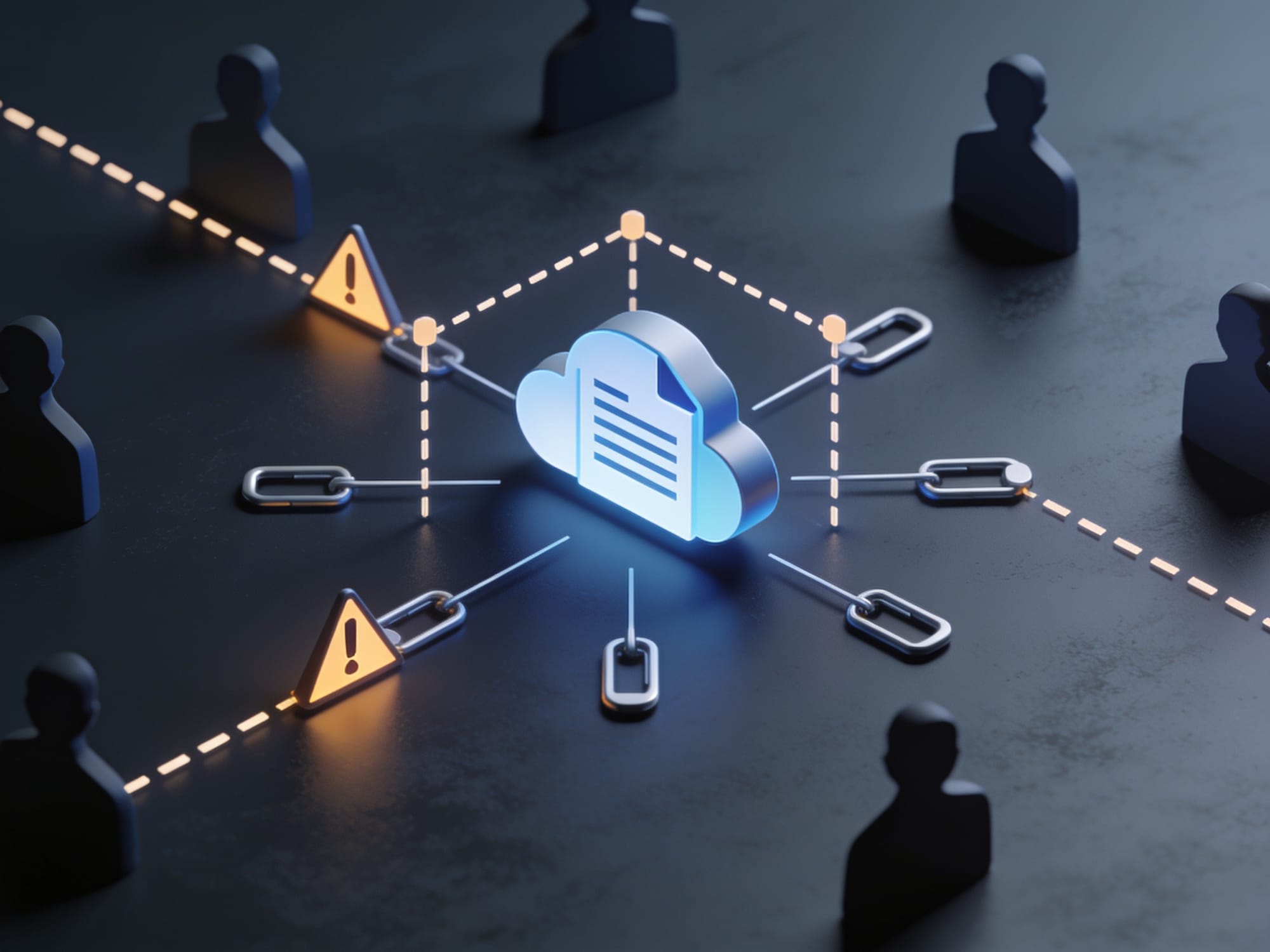
A public link, sometimes called an “anyone with the link” link, allows access without individually naming each recipient. Depending on the service and configuration, possession of the link may be sufficient to view, download, or edit content.
The link may be copied into:
- An email sent to the wrong person
- A public website or online forum
- A support ticket
- A chat message
- A document or presentation
- An external customer portal
Users may also create links for temporary collaboration and then forget to disable them. A link can remain active long after the original business purpose has ended.
Public sharing is not always inappropriate. Marketing material or a public event brochure may be intentionally available to anyone. The risk arises when a link intended for convenience exposes confidential, personal, financial, legal, or operational information.
Potential impact
The primary risk is loss of confidentiality. Consequences may include:
- Exposure of personal or customer information
- Disclosure of contracts, pricing, or intellectual property
- Regulatory or contractual violations
- Unauthorized downloads and redistribution
- Unwanted modification if edit access is enabled
A public editable file also creates an integrity risk. Someone who obtains the link may alter content, insert malicious links, or delete material.
Realistic example
An employee shares a spreadsheet containing customer contact details with a supplier using an “anyone with the link” setting. The supplier forwards the link to a wider mailing list. The organization does not discover the exposure until the spreadsheet appears in an external search result or is reported by a customer.
Preventive controls
- Use default-private sharing wherever possible.
- Prefer named recipients or approved organizational groups.
- Restrict external sharing to approved domains when the platform supports it.
- Use view-only access unless editing is genuinely required.
- Set expiration dates for temporary links where supported.
- Use password protection for links where supported and appropriate.
- Prohibit public links for defined sensitive data categories.
- Apply classification labels or handling rules to sensitive documents.
- Train users to treat links as credentials: anyone who obtains one may be able to use it.
Detective and response controls
- Maintain reports of active external and public links.
- Alert on public sharing of sensitive files or large numbers of files.
- Review access logs for unusual locations, downloads, or sharing changes.
- Disable or revoke exposed links promptly.
- Investigate whether the file was downloaded or redistributed.
- Rotate credentials or remove embedded secrets if the file contained passwords, keys, or tokens.
- Preserve relevant logs for incident review.
2. Excessive Permissions and Overprivileged Users
How exposure occurs
File-sharing platforms commonly support permissions such as viewer, commenter, editor, owner, administrator, or custom roles. Users may also inherit access through groups, shared drives, team sites, or parent folders.
Overprivilege occurs when a person has more access than required for their role. Common causes include:
- Granting edit access when view access is sufficient
- Giving broad folder access instead of sharing one file
- Keeping users in groups after their responsibilities change
- Granting administrative rights for convenience
- Inheriting permissions from a parent folder
- Sharing an entire project repository with a temporary participant
Potential impact
Excessive permissions can affect all three security objectives:
- Confidentiality: users can view information unrelated to their work.
- Integrity: users can alter or delete files.
- Availability: destructive actions or ransomware can affect shared content.
A compromised overprivileged account is especially dangerous. An attacker may use it to download large data sets, alter financial records, delete evidence, or encrypt synchronized files.
Realistic example
A finance employee is added to a broad “Operations” group to access one budget folder. The group also grants access to employee records and acquisition documents. Months later, the employee changes departments, but group membership is not reviewed.
Preventive controls
- Apply least privilege, meaning users receive only the access required to perform their duties.
- Separate viewers, commenters, editors, owners, and administrators.
- Use role-based groups with documented owners.
- Share the smallest practical folder or file scope.
- Avoid using personal accounts as the only owner of business-critical data.
- Limit the number of administrators and use separate administrative accounts.
- Use approval processes for sensitive repositories.
- Protect critical content from deletion or editing where the platform provides such controls.
- Maintain independent backups or recovery options for important information.
Detective and response controls
- Review access lists and group membership periodically.
- Alert on permission escalation, ownership transfers, mass deletion, or unusual downloads.
- Monitor administrative changes and sharing activity.
- Investigate changes made from unfamiliar devices or locations.
- Revoke unnecessary access immediately.
- Restore altered or deleted files using version history or backups where available.
- Disable compromised accounts and examine their recent activity.

3. Guest, External, and Dormant Accounts
How exposure occurs
External collaboration often involves customers, contractors, suppliers, auditors, or business partners. These guests may be invited using accounts outside the organization’s identity system.
Risk increases when:
- External users are not given an expiration date
- Contractors retain access after a project ends
- Guest accounts are duplicated or poorly identified
- Former employees retain access through personal accounts
- Dormant accounts are not disabled
- Files remain owned by a person who has left the organization
- External users share their credentials with others
A dormant account is an account that remains active but is no longer used or monitored. It may be overlooked during ordinary access reviews.
Potential impact
External and dormant accounts can lead to:
- Unnoticed disclosure of confidential data
- Unauthorized access after a relationship ends
- Difficulty determining who accessed a file
- Continued access to sensitive projects
- Compliance problems caused by inadequate access governance
If an external account is compromised, an attacker may appear to be a legitimate collaborator.
Realistic example
A consultant receives access to a shared folder for a six-month implementation project. The project finishes, but the guest account remains active. Several months later, the consultant’s email account is compromised, allowing an attacker to access project documents.
Preventive controls
- Maintain an inventory of guest, external, and service accounts.
- Record the business owner, purpose, sponsor, and expiry date for each external relationship.
- Use time-limited access for temporary projects.
- Require external users to authenticate through an approved identity method where possible.
- Avoid sharing sensitive files with anonymous links when named access is practical.
- Remove access during employee and contractor offboarding.
- Transfer ownership of business data before a user leaves.
- Disable inactive accounts according to documented policy.
- Use separate collaboration areas for external projects.
Detective and response controls
- Generate regular reports on inactive accounts and external access.
- Alert when dormant accounts become active.
- Monitor external downloads, permission changes, and unusual access locations.
- Review guest access with business owners.
- Disable or suspend suspicious accounts while investigating.
- Revoke all project-related access when the engagement ends.
- Check whether the account accessed or downloaded additional information.

4. Accidental Sharing and Misleading Interfaces
How exposure occurs
Many incidents result from ordinary user mistakes rather than malicious intent. Sharing interfaces may contain similar options with very different effects. A user may believe they are sharing one file with one person when they are actually granting access to a folder, group, or anyone with the link.
Common mistakes include:
- Selecting the wrong autocomplete recipient
- Sending a link to an external rather than internal address
- Sharing a parent folder instead of a single file
- Choosing “can edit” instead of “can view”
- Copying an existing broad-access link
- Moving a sensitive file into a publicly shared folder
- Assuming that an email notification proves access is restricted
Potential impact
Accidental sharing can expose information to unintended recipients, causing:
- Confidentiality breaches
- Unauthorized changes
- Disclosure of personal or commercially sensitive information
- Contractual or regulatory violations
- Loss of customer trust
The mistake may remain unnoticed because the legitimate recipient can access the file normally.
Realistic example
An employee intends to send a product quotation to one customer but selects a similarly named contact list. The link grants access to a folder containing quotations for several customers.
Preventive controls
- Use clear folder structures and naming conventions.
- Keep sensitive data in dedicated repositories rather than mixed folders.
- Configure safer sharing defaults.
- Require confirmation for external or broad sharing where supported.
- Train employees to verify the recipient, file name, permission level, and sharing scope.
- Use sensitivity labels or classification indicators.
- Minimize autocomplete ambiguity by maintaining accurate directory data.
- Provide separate procedures for internal, external, and public sharing.
- Encourage users to share a specific file rather than a broad folder.
Detective and response controls
- Monitor external-sharing events and permission changes.
- Use data-loss-prevention (DLP) rules to identify sensitive information leaving approved boundaries. DLP tools are designed to detect and sometimes block or alert on defined types of data movement.
- Send alerts to file owners or security teams for high-risk sharing.
- Periodically scan for sensitive files in publicly accessible locations.
- Revoke incorrect access as soon as it is reported.
- Document the incident and assess whether notification obligations apply.
5. Unmanaged Downloads, Local Copies, and Synchronization
How exposure occurs
Cloud storage does not guarantee that data stays in the provider’s controlled environment. Users may download files, synchronize folders to computers, make offline copies, or export content to other applications.
Copies may exist on:
- Personal laptops
- Unmanaged mobile devices
- Removable media
- Local backup systems
- Temporary download folders
- Email attachments
- Personal cloud-storage accounts
- Collaboration applications
Synchronization creates an additional risk. If malware encrypts files on a synchronized computer, those changes may propagate to cloud storage and other connected devices, depending on the service and account configuration.
Potential impact
This risk can affect:
- Confidentiality: local copies may be lost, stolen, or accessed by another user.
- Integrity: altered local files may synchronize back to shared storage.
- Availability: ransomware may encrypt or delete synchronized content.
- Compliance: the organization may lose control over where regulated data is stored.
Realistic example
An employee synchronizes a customer folder to a personal laptop to work during travel. The laptop is stolen, and the folder contains unencrypted personal information. The cloud account itself was not breached, but the local copy creates the exposure.
Preventive controls
- Require managed, encrypted devices for access to sensitive data.
- Use endpoint protection, which helps detect and block malware and suspicious behavior on devices.
- Apply device-management policies for approved operating systems, screen locks, encryption, and remote wipe.
- Limit downloads, offline access, or synchronization for high-risk repositories where the service supports such restrictions.
- Separate personal and corporate accounts.
- Establish rules for removable media and local storage.
- Use version history, retention, and independent backups for critical data.
- Restrict access from unsupported or high-risk devices.
- Explain that deleting a cloud file does not necessarily delete downloaded copies.
Detective and response controls
- Monitor downloads, synchronization activity, and access from unmanaged devices.
- Alert on unusually large downloads or mass file changes.
- Use endpoint detection and response (EDR), where appropriate, to investigate suspicious device activity.
- Revoke sessions and tokens when a device is lost or compromised.
- Remotely wipe managed devices where available.
- Restore clean versions after ransomware or destructive modification.
- Determine where copies may exist and apply the organization’s incident-response process.
6. Third-Party Integrations, Compromised Accounts, and Misconfigured Settings
How exposure occurs
Cloud file-sharing platforms often connect to productivity tools, document-signing services, automation systems, backup applications, analytics tools, and mobile apps. These integrations may receive permissions to read, create, modify, or delete files.
The risk comes from:
- Granting an application more permissions than necessary
- Installing an unapproved application
- Failing to remove unused integrations
- Phishing or credential theft
- Weak passwords or password reuse
- Inadequate multifactor authentication
- Misconfigured external-sharing policies
- Unrestricted administrative settings
- Long-lived access tokens
A compromised account may be used through a normal browser, mobile app, or API, making the activity more difficult to distinguish from legitimate use.
Potential impact
Possible consequences include:
- Large-scale data download
- Unauthorized modification or deletion
- Ransomware propagation through synchronization or API access
- Persistent access after a password change if sessions or tokens remain active
- Exposure through an insecure third-party service
- Compliance and contractual violations
Realistic example
An employee authorizes an unapproved productivity application to access cloud files. The application is later compromised, allowing an attacker to read files that the employee could access, including documents unrelated to the original task.
Preventive controls
- Require strong authentication, preferably phishing-resistant multifactor authentication (MFA) where supported. Phishing-resistant MFA uses methods designed to prevent attackers from reusing captured passwords or one-time codes, such as hardware security keys or platform-based credentials.
- Use single sign-on and centralized identity management where appropriate.
- Restrict third-party application consent to approved administrators or workflows.
- Review application scopes and grant only necessary permissions.
- Remove unused applications and revoke stale tokens.
- Apply conditional-access or device-based policies where available.
- Maintain secure configuration baselines and review changes.
- Use separate administrative accounts.
- Train users to recognize suspicious login prompts and consent requests.
- Establish an incident-response plan for account compromise.
Detective and response controls
- Alert on anomalous logins, impossible travel patterns, unfamiliar devices, mass downloads, and unusual sharing changes.
- Monitor third-party application authorizations and API activity.
- Review administrative configuration changes.
- Revoke sessions, refresh tokens, and application access during an investigation.
- Reset credentials and require reauthentication.
- Examine audit logs for persistence, data access, and changes.
- Restore modified files and notify affected stakeholders according to the incident plan.
Secure Collaboration Practices
Use least-privilege access
Start with the smallest practical audience and permission level. A person who only needs to read a document should not receive edit access. A project participant should not automatically receive access to the organization’s entire department repository.
Use groups carefully. Group membership should have a clear purpose, owner, and review date.
Keep sharing private by default
Default-private settings reduce the chance that a rushed user unintentionally creates broad access. Allow external or public sharing only when there is a documented business reason.
Where available, restrict sharing to approved organizational domains or named recipients. Confirm how each service treats links, inherited permissions, and external users.
Use expiration dates and password protection
Temporary links should expire. Password protection can add a layer of defense when supported, but it is not a replacement for named access and authentication. Do not send a link and its password through the same channel if a stronger separation is practical.
Review access periodically
Access reviews should cover:
- File and folder permissions
- Group membership
- Guest and external accounts
- Dormant users
- Application integrations
- Owners of important repositories
- Public or organization-wide links
The review frequency should reflect sensitivity and change rate. High-risk repositories generally require more frequent review than ordinary team documents.
Strengthen authentication
Require MFA for cloud accounts, particularly administrators and users with access to sensitive information. Prefer phishing-resistant methods where available. Enforce strong, unique credentials and monitor for suspicious authentication activity.
Authentication helps verify the user, but it does not determine whether that user should access every file. Identity and authorization remain separate responsibilities.
Manage devices and endpoints
Cloud security depends partly on the devices that access the service. Use managed devices for sensitive work, keep operating systems and applications patched, enable encryption, and deploy endpoint protection.
Define how lost devices, personal devices, mobile access, and remote work are handled. A secure cloud configuration cannot fully compensate for an unprotected computer containing synchronized files.
Control downloads, synchronization, and offline access
Not every repository needs the same controls. Sensitive data may require restrictions on offline access, downloads, printing, or synchronization. Less sensitive material may be suitable for normal collaboration.
Document these decisions and communicate them clearly. Controls that block legitimate work without explanation often encourage workarounds.
Enable logging, alerts, and DLP
Audit logs can record events such as sign-ins, sharing changes, downloads, deletions, and administrative actions. Alerts should focus on meaningful indicators, including:
- Public sharing of sensitive files
- Sudden mass downloads
- Unusual geographic or device activity
- Bulk deletion or modification
- New third-party application consent
- Permission escalation
- Dormant account reactivation
DLP tools can help identify sensitive information and detect risky movement. They require accurate policies and tuning; excessive alerts can cause important events to be ignored.
Establish ownership, classification, and retention policies
Every important repository should have an accountable owner. Policies should define:
- What information is sensitive
- Where it may be stored
- Who may share it externally
- How long it should be retained
- When it should be deleted
- How legal holds or regulatory requirements affect deletion
- How ownership transfers when employees leave
Retention and deletion should be deliberate. Keeping unnecessary data indefinitely increases the consequences of an eventual mistake or compromise.
What the Cloud Provider Helps Mitigate—and What Remains Your Responsibility
Cloud providers generally invest heavily in infrastructure security, physical data-center protection, service resilience, hardware maintenance, and availability. They may also provide encryption, version history, audit logging, identity features, and security monitoring.
However, the customer is usually responsible for configuring and using those capabilities correctly. This commonly includes:
- User identity and authentication
- MFA enrollment and enforcement
- File and folder permissions
- Public and external sharing
- Group membership
- Guest and dormant account lifecycle
- Device security
- Endpoint protection
- Third-party application permissions
- Data classification and retention
- Incident response
- Regulatory and contractual obligations
The exact division of responsibility differs by provider and service. Administrators should consult the relevant security and shared-responsibility documentation.
A provider can help keep a service available, but it cannot decide whether a sales contractor should access an acquisition folder. It can offer audit logs, but the customer must configure monitoring and investigate alerts. It can provide recovery features, but the customer must determine whether those features meet its recovery objectives.
A Balanced Approach to Cloud File Sharing
Cloud file sharing is not inherently unsafe, nor is it secure by default in every environment. Its security depends on how identities, permissions, links, devices, applications, and business processes are managed.
The most effective programs combine:
- Preventive controls to reduce the chance of exposure.
- Detective controls to identify suspicious activity.
- Response and recovery controls to contain incidents and restore operations.
- Clear accountability so users know who owns data and administrators know what must be reviewed.
No single setting eliminates every risk. Private defaults do not prevent a compromised account from accessing a legitimate file. MFA does not correct excessive permissions. DLP does not protect an unmanaged laptop after a file has been downloaded. Backups do not prevent data leakage.
Layered controls, sensible policies, regular reviews, and informed users provide a more reliable defense than relying on any one feature.

Final Checklist
For employees
- Confirm the recipient, file, folder, and permission level before sharing.
- Prefer named recipients over public links.
- Use view-only access when editing is unnecessary.
- Do not place confidential information in personal storage or unapproved applications.
- Avoid downloading sensitive files to unmanaged devices.
- Report suspicious login prompts, unexpected sharing notifications, and lost devices promptly.
- Do not reuse passwords, and use MFA when required.
- Remove access or links when a project ends.
For administrators
- Set sharing to private by default.
- Review public, external, guest, and dormant access regularly.
- Enforce least privilege and separate administrative accounts.
- Require strong authentication and phishing-resistant MFA where available.
- Manage devices, encryption, endpoint protection, synchronization, and offline access.
- Govern third-party applications and revoke unused permissions.
- Enable audit logging, meaningful alerts, and DLP policies where appropriate.
- Maintain ownership, classification, retention, backup, and incident-response procedures.
- Test recovery processes and verify provider-specific controls against current documentation.