
MSP vs MSSP vs IT Consultant: Which Does Your SME Need?
Introduction: the short answer
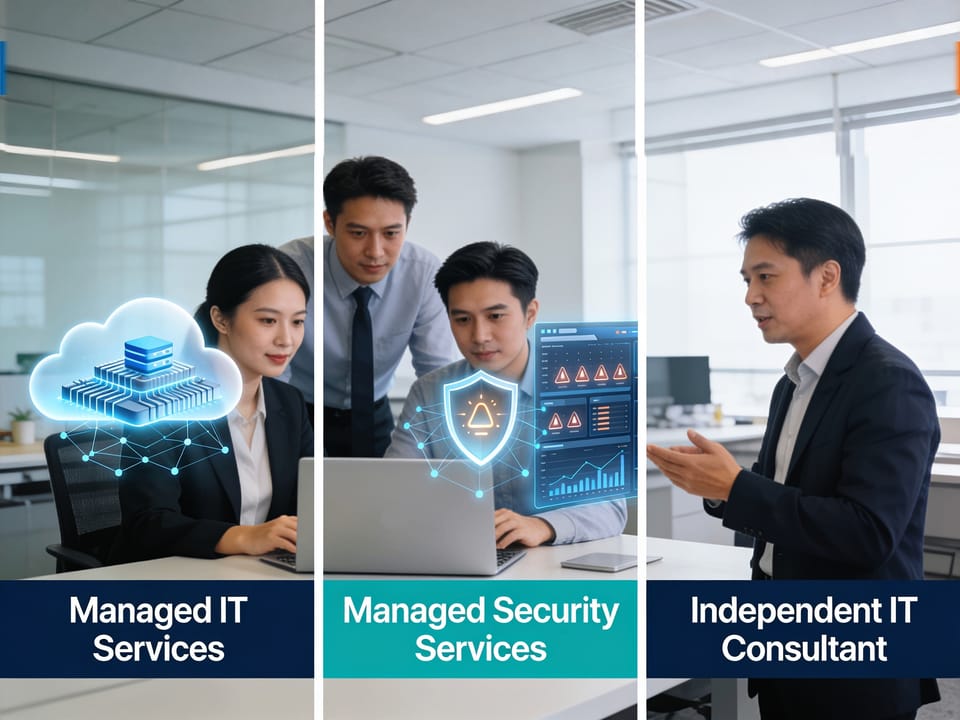
If your SME needs reliable day-to-day technology support, a managed service provider (MSP) is usually the starting point. If your main concern is continuous cybersecurity monitoring, threat detection and incident response, a managed security service provider (MSSP) may be the better fit. If you need expert advice, a technology assessment, migration or defined project, an IT consultant for small business may be appropriate.
Many businesses need more than one capability. For example, an SME might use:
- An MSP for users, devices, cloud administration and network operations
- An MSSP for security monitoring and response
- An IT consultant for a cloud migration, systems redesign or digital transformation project
The terms are useful distinctions, but they are not universally standardized. Some MSPs provide substantial cybersecurity services, some MSSPs manage wider IT functions, and some consultants offer recurring managed services. The practical question is therefore not simply “Which label is best?” but:
Which responsibilities do you need covered, at what service level, by which people and processes?

What is an MSP?
An MSP, or managed service provider, delivers ongoing, proactive management and support for an organization’s technology environment. Rather than waiting for systems to fail, an MSP typically monitors, maintains and improves IT services under an ongoing agreement, moving your business beyond break-fix.
An MSP may manage:
- User support and helpdesk services
- Laptops, desktops and mobile devices
- Operating-system updates and patch management
- Microsoft 365, Google Workspace or other cloud applications
- Cloud infrastructure and backups
- Firewalls, Wi-Fi and networks
- Antivirus or endpoint detection and response tools
- User onboarding and offboarding
- Vendor and licence management
- IT documentation and policy administration
- IT planning and regular service reviews
The exact scope depends on the provider and contract. A basic package may focus on remote support and device monitoring, while a higher-tier agreement may include on-site assistance, compliance support, virtual CIO guidance and vendor management.
How MSPs usually engage and charge
Common MSP pricing models include:
- Per user: A monthly fee for each supported employee
- Per device or endpoint: A fee based on laptops, desktops, servers or other managed devices
- Fixed monthly fee: A predictable charge for a defined scope
- Tiered packages: Different service levels with increasing coverage
- Hybrid pricing: A recurring base fee plus charges for projects, additional users or out-of-scope work
A managed IT agreement may include standard remote support, monitoring, patching and basic security controls. Additional fees may apply to:
- On-site visits
- After-hours support
- Major upgrades or migrations
- New office deployments
- Advanced security services
- Penetration testing
- Compliance audits
- Hardware procurement
- Additional backup capacity
- Work outside agreed support limits
There is no universal MSP price. Costs vary according to geography, user count, device count, technology complexity, service levels, compliance requirements and contract terms. For a step-by-step approach to selecting coverage, see how to choose the right managed IT service plan.
Advantages of an MSP for SMEs
An MSP can help an SME:
- Obtain outsourced IT support without hiring a full internal department
- Improve response consistency and reduce dependence on one individual
- Establish proactive monitoring and maintenance
- Budget for recurring IT operations more predictably
- Access broader expertise than a small internal team may possess
- Improve documentation, onboarding and offboarding processes
- Scale support as the business grows
- Combine operational support with technology planning
A cloud-first MSP may also help shift some IT spending from large upfront infrastructure purchases toward more flexible operating expenditure. The financial outcome depends on the design of the solution and should be assessed over the total contract period.
Limitations and risks
An MSP is not automatically the right answer for every business. Potential concerns include:
- A contract may include less support than the business assumes
- “Unlimited support” may be subject to fair-use rules
- Project work may be excluded from the monthly fee
- A provider may lack expertise in a critical business application
- Response times may be unsuitable for high-impact incidents
- Poor documentation can create dependency on the provider
- Security responsibility may be unclear if the MSP only provides basic controls
- Subcontractors or offshore support teams may affect communication and accountability
An MSP does not guarantee security, uptime, compliance or prevention of breaches. Its effectiveness depends on its people, processes, tools, coverage, subcontractors and contractual commitments. If security is a major driver, this SME-focused overview of managed cybersecurity can help you benchmark coverage.
When an MSP is a good fit
An MSP is often suitable when an SME:
- Has no internal IT staff
- Needs dependable helpdesk and device support
- Wants proactive maintenance instead of reactive troubleshooting
- Has one or two IT employees who need additional capacity
- Needs cloud, network and vendor administration
- Wants a single operational partner for everyday IT
For a plain-English view of what MSPs actually do day to day, see our guide.
Working with an internal IT team
An MSP can complement internal staff rather than replace them. For example, an internal IT employee may handle business applications and user relationships while the MSP provides:
- Level-one or level-two support
- Device management
- After-hours coverage
- Infrastructure administration
- Backup and patch oversight
- Specialist escalation
- Documentation and strategic reviews
Define ownership clearly. A responsibility matrix should identify who handles incidents, approvals, changes, vendors, security alerts and business-critical applications. If you're weighing co-managed models, compare MSP vs in-house IT teams for pros and cons.
Questions to ask an MSP
Before signing, ask:
- What is included in the monthly fee?
- What is explicitly excluded?
- Are support hours unlimited, pooled or capped?
- What are the response and resolution targets?
- Is support available after hours and on public holidays?
- Which devices, applications and cloud services will you manage?
- Who owns the documentation and configuration data?
- What happens when the agreement ends?
- Which security controls are included, and which require another provider?
- How are projects and out-of-scope requests priced?
- Do you use subcontractors, and who remains accountable?
- How will you work with our internal staff?
For more due-diligence prompts, use these seven questions to choose an IT service provider in Singapore.

What is an MSSP?
An MSSP, or managed security service provider, focuses primarily on ongoing cybersecurity monitoring, detection, response and management of security controls.
An MSSP’s security operations may include:
- Security information and event management (SIEM)
- Security monitoring and alert triage
- Managed detection and response (MDR)
- Endpoint detection and response (EDR)
- Firewall and network security monitoring
- Identity and access monitoring
- Email security
- Vulnerability management
- Threat intelligence
- Incident investigation and response coordination
- Security reporting
- Compliance evidence and advisory support
The central difference in the MSP vs MSSP comparison is the primary responsibility:
- An MSP keeps technology services operating.
- An MSSP focuses on identifying and responding to security threats.
The boundary can be blurred. Some MSPs provide managed security as part of their packages, while some MSSPs also offer infrastructure or endpoint management.
How MSSPs usually engage and charge
MSSP pricing may be based on:
- Number of monitored users or endpoints
- Volume of log data
- Number of devices, servers or cloud workloads
- Security tools deployed
- Monitoring coverage and retention period
- Incident-response requirements
- Compliance and reporting obligations
- A tiered service level
An agreement may include continuous alert monitoring, investigation and routine reporting. Additional charges may apply for:
- Major incident response
- Forensic investigation
- Emergency containment
- Penetration testing
- Compliance consulting
- Tool deployment or migration
- Log-storage expansion
- Custom reporting
- Security awareness programmes
Ask whether the service is genuinely staffed and monitored continuously, or whether alerts are reviewed only during business hours.
Advantages of an MSSP for SMEs
An MSSP can provide:
- Access to security specialists and security operations expertise
- More consistent monitoring than a small internal team can provide
- Centralized visibility across endpoints, cloud services and networks
- Structured alert investigation and escalation
- Assistance during security incidents
- Security reporting for management
- Support for risk reduction and audit preparation
- A way to strengthen SME cybersecurity without building a full security operations centre
Limitations and risks
Potential limitations include:
- An MSSP may not manage ordinary IT support
- Alert volume may overwhelm a business if tuning is poor
- Monitoring tools may not cover every relevant system
- The SME may still need to make business decisions during an incident
- Response authority may be limited by the contract
- Security reports may be difficult for non-specialists to interpret
- Integration with the MSP or internal IT team may be weak
- Compliance support may be advisory rather than an assurance of compliance
No MSSP can guarantee that a breach will not occur. Detection and response quality depends on visibility, configuration, analyst expertise, escalation procedures, response authority and the client’s own actions.
When an MSSP is a good fit
An MSSP may be appropriate when an SME:
- Handles sensitive personal, financial or commercial information
- Has elevated cyber-risk or regulatory obligations
- Needs monitoring outside normal office hours
- Has an internal IT team but limited security expertise
- Requires formal incident-response procedures
- Needs stronger visibility across cloud, identity and endpoint systems
- Must provide security evidence to customers, auditors or insurers
Singapore SMEs with PDPA obligations should ensure their partners understand PDPA compliance.
Working with an internal IT team
An MSSP commonly works alongside internal IT by:
- Sending validated alerts to designated staff
- Recommending containment actions
- Escalating high-severity incidents
- Reviewing suspicious activity
- Helping tune security controls
- Supporting incident exercises and reporting
The contract should state who may disable an account, isolate a device, block traffic or contact law enforcement. Ambiguity during an incident can cause avoidable delays.
Questions to ask an MSSP
Ask:
- Is monitoring continuous, and where are analysts located?
- Which systems and log sources are covered?
- How are alerts triaged and prioritized?
- What is the escalation process?
- Can you take containment actions, or only recommend them?
- What are the response-time targets for critical alerts?
- How do you test detection and response procedures?
- How long are logs retained?
- Which security tools are included in the fee?
- Are threat hunting, vulnerability management and incident response included?
- How do you distinguish genuine incidents from false positives?
- What evidence and reports will management receive?
For broader SME-focused security context, explore our cybersecurity insights.

What is an IT consultant?
An IT consultant is an individual or firm engaged for expert advice, assessment, planning, implementation, troubleshooting or project-based work.
Typical assignments include:
- IT strategy and technology roadmaps
- Cybersecurity assessments
- Cloud-readiness reviews
- Cloud migration planning and execution
- Business application selection
- Network redesign
- Backup and disaster-recovery planning
- Systems integration
- Policy and process development
- Technology due diligence
- Troubleshooting complex technical problems
- Project management and change management
Consultants are often engaged for a defined objective, deliverable or period. However, the category is broad: some consultants also provide recurring support or operate as MSPs, MSSPs or specialist managed-service firms.
How consultants usually engage and charge
Common models include:
- Hourly or daily rates: Suitable for advice, troubleshooting or flexible assistance
- Fixed-fee assessment: A defined review with agreed deliverables
- Project-based pricing: A fixed fee or milestone-based fee for a migration or implementation
- Retainer: A recurring fee for access to advice or a set number of hours
- Managed-service agreement: Ongoing services similar to an MSP or MSSP
A consultant’s proposal should define assumptions, deliverables, milestones, dependencies, acceptance criteria and change-control procedures. If independence matters, see how fee-only vs commission-based IT consulting compares in Singapore.
Advantages of an IT consultant
A consultant may be valuable when an SME needs:
- Independent advice before purchasing technology
- Specialist expertise for a short period
- A structured technology assessment
- Help with a complex migration or transformation
- An experienced project lead
- An objective second opinion
- Support that does not justify a permanent hire
A consultant can also help an internal IT team avoid losing focus on routine operations during a major project.
Limitations and risks
Potential concerns include:
- A consultant may not provide ongoing operational support
- Knowledge may leave when the engagement ends
- Project costs can increase if scope is unclear
- Recommendations may be difficult to implement with existing resources
- A consultant may have preferences or commercial relationships that should be disclosed
- Responsibility for post-project support may be unclear
- A technically successful project may still fail if users are not trained
When an IT consultant is a good fit
Consider an IT consultant when your SME is:
- Planning a cloud migration
- Replacing a core business system
- Opening or consolidating offices
- Experiencing a complex technical problem
- Preparing a digital strategy
- Assessing cybersecurity or compliance readiness
- Evaluating proposals from vendors
- Undertaking a transformation programme
If your goal is to boost innovation and growth, see how IT services for SMEs support innovation.
Working with an internal IT team
A consultant may provide temporary specialist capacity while internal staff retain operational ownership. Agree on:
- Knowledge-transfer sessions
- Documentation standards
- Configuration ownership
- Training requirements
- Handover testing
- Post-project support
- Responsibility for unresolved defects
Questions to ask an IT consultant
- What exact problem and outcome will this engagement address?
- What are the deliverables and acceptance criteria?
- What assumptions could affect cost or timing?
- How are scope changes handled?
- Which staff and subcontractors will perform the work?
- What relevant projects and references can you provide?
- Do you receive commissions or referral fees?
- Who owns designs, documentation and configurations?
- What support is available after go-live?
- How will knowledge be transferred to our team or MSP?
- What risks, dependencies and business disruptions should we expect?
- How will success be measured?
MSP vs MSSP vs IT consultant: comparison table
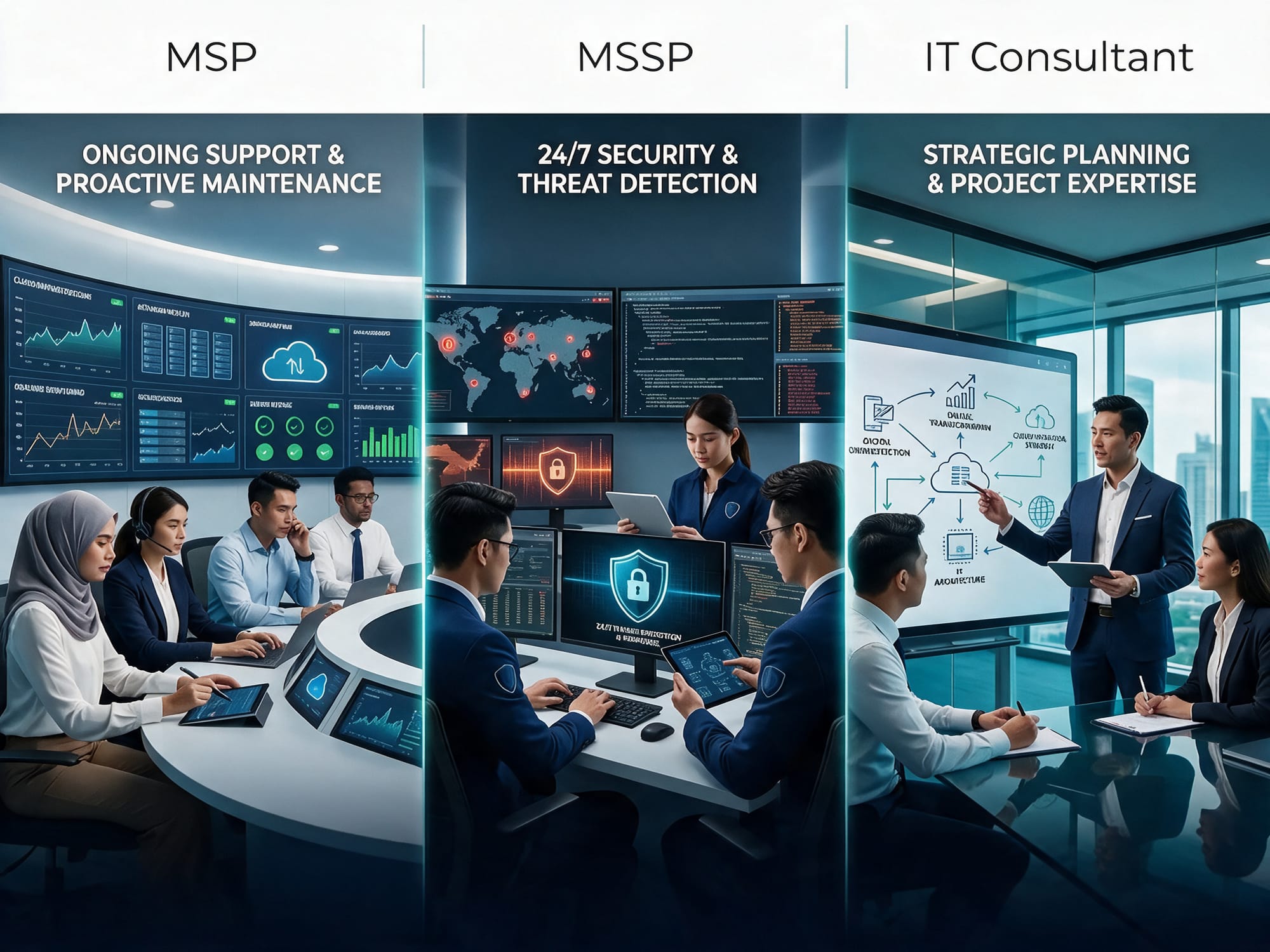
Criterion | MSP | MSSP | IT consultant |
|---|---|---|---|
Primary role | Ongoing IT operations and support | Ongoing cybersecurity monitoring and response | Advice, assessment, planning or projects |
Day-to-day IT operations | Strong fit | Usually limited unless separately offered | Usually not the main role |
Cybersecurity monitoring | Basic to advanced, depending on provider | Core capability | Usually assessment or advisory; recurring monitoring may be available |
Incident response | May coordinate or escalate | Core or specialist capability | Often project-based or advisory |
Strategic planning | Often included in higher tiers | Security strategy focus | Strong for defined strategy engagements |
Projects and migrations | May provide or coordinate them | May support security aspects | Usually a central strength |
Compliance and audit support | Policies, controls and operational evidence may be included | Security evidence and monitoring reports | Gap assessments, advisory and remediation planning |
Availability model | Helpdesk hours, on-call or service desk tiers | Business-hours or continuous security operations | Agreed hours, milestones or availability |
Scalability | Scales users, devices and services | Scales monitoring and security coverage | Scales through specialist resources or project teams |
Cost predictability | Often high under a fixed monthly agreement | Often predictable but scope-dependent | Fixed for defined projects; variable for hourly work |
Flexibility | Moderate; governed by service catalogue | Moderate; governed by coverage and response rules | High within project scope |
Specialist expertise | Broad operational expertise | Deep security expertise | Deep expertise in selected domains |
Internal IT fit | Adds capacity and operational coverage | Adds security capability | Adds temporary or specialist expertise |
Best suited to | Stable, managed IT operations | Elevated security and monitoring needs | Transformation, assessment or complex change |
Services, costs, advantages and limitations: what to look for
Base services versus additional services
Do not evaluate a provider only by its headline monthly fee. Separate the proposal into three categories.
Usually included in a recurring MSP agreement
Depending on the package:
- Helpdesk support
- Device monitoring
- Patch management
- Basic endpoint protection
- Cloud productivity administration
- Backup monitoring
- Routine reporting
- Standard vendor coordination
Often additional or separately scoped
- Major migrations
- New-office deployments
- Hardware installation
- Advanced security monitoring
- Penetration testing
- Compliance audits
- Policy creation
- Large-scale remediation
- After-hours or emergency work
- Extensive on-site support
Commonly included in an MSSP agreement
Depending on scope:
- Security alert monitoring
- SIEM or MDR services
- Alert investigation
- Escalation
- Security reporting
- Routine tuning of monitored controls
Potential extras include forensic investigation, major incident response, tool implementation, threat hunting, compliance consulting and extended log retention.
Evaluating cost predictability
Fixed monthly pricing can make budgeting easier, but predictability depends on contract design. Look for:
- A clear service catalogue
- Defined user and device limits
- Support-hour allowances
- Response-time commitments
- Out-of-scope rates
- Annual price-adjustment rules
- Minimum contract periods
- Licensing and hardware treatment
- Exit and transition fees
A low monthly fee may not be low-cost if essential services are excluded. Compare the total expected cost, not just the base subscription. Also consider what you’re really paying for in managed IT—quality vs quantity.

Which option fits each SME scenario?
1. A small company with no internal IT staff
An MSP is often the most practical primary partner. The business may need one accountable provider for:
- User support
- Devices and software
- Cloud administration
- Backups
- Basic cybersecurity
- Vendor coordination
- Onboarding and offboarding
The SME should confirm whether the MSP has enough security capability or whether an MSSP should monitor high-risk systems separately. An IT consultant may be added for a strategy review or major project.
2. A growing business with one or two IT employees
A co-managed MSP can extend the internal team. The MSP might take responsibility for routine tickets, patching, monitoring, backup administration and after-hours coverage, allowing internal staff to focus on business applications and improvement projects.
An MSSP becomes more relevant if the internal team cannot provide continuous security monitoring. A consultant may help design the operating model, document responsibilities or lead a specific transformation.
3. A regulated business with elevated cybersecurity requirements
This business may need an MSP for operational management and an MSSP for security monitoring, detection and response. An independent consultant can provide a gap assessment, compliance roadmap or project oversight.
The business should map contractual services to its actual obligations. Neither provider type automatically makes an organization compliant. Management remains responsible for governance, risk decisions, policies and implementation.
4. A company undertaking a cloud migration or major technology project
An IT consultant may be the best lead for discovery, architecture, vendor evaluation, migration planning and project delivery. The MSP should be involved early so it can operate the new environment after launch.
An MSSP should review identity, logging, endpoint security, network controls and incident-response arrangements before go-live where the project introduces material cyber-risk.
5. A business needing daily IT support and advanced security monitoring
A combined model is often appropriate:
- MSP: daily support, devices, cloud services, networks and routine administration
- MSSP: continuous security monitoring, detection, investigation and response
- Consultant: periodic assessments, strategic planning or defined projects
One provider may offer all three capabilities, but the SME should verify that each function is genuinely staffed, governed and included in the contract. A single vendor is not automatically simpler if its responsibilities are vague.

Can an SME use more than one provider?
Yes. A multi-provider model can provide better specialist coverage, but it requires coordination.
Before appointing multiple partners, agree on:
- A shared asset and systems inventory
- Ownership of security tools and licences
- Incident escalation paths
- Change-approval procedures
- Documentation standards
- Access permissions
- Backup and recovery responsibilities
- Vendor and subcontractor accountability
- Regular service-review meetings
- A common process for high-severity incidents
Ask each provider to identify dependencies on the others. For example, an MSSP may detect a compromised account, but the MSP may control the identity platform and endpoint. The contract should state who acts and how quickly. A truly vendor-agnostic MSP can also help coordinate multiple vendors without bias.

How to evaluate and select a provider
1. Start with business outcomes
List the outcomes you need, such as:
- Faster support response
- Fewer recurring incidents
- Better security visibility
- Audit readiness
- Reliable backups
- Cloud migration completion
- More predictable IT spending
- Reduced dependence on one employee
2. Document your environment
Record:
- Number of users and locations
- Devices and servers
- Cloud platforms
- Core applications
- Network and internet services
- Backup arrangements
- Sensitive data
- Existing internal IT responsibilities
- Compliance or customer requirements
3. Define service levels
Specify:
- Support hours
- Severity levels
- Response targets
- Escalation procedures
- On-site requirements
- Maintenance windows
- Reporting frequency
- Incident communications
- Restoration or recovery expectations
Response time is not the same as resolution time. Ensure both are understood.
4. Test the provider’s operating model
Ask to see examples of:
- Onboarding plans
- Asset inventories
- Ticket workflows
- Incident runbooks
- Monthly reports
- Security escalation procedures
- Business-continuity arrangements
- Client offboarding processes
5. Examine commercial terms
Check:
- Contract duration
- Renewal terms
- Minimum commitments
- Annual increases
- Licensing treatment
- Hardware and procurement fees
- Project rates
- After-hours rates
- Cancellation provisions
- Data return and access on exit
6. Assess independence and transparency
Ask whether the provider receives commissions, rebates or referral fees. If it procures hardware, software or cloud services, require itemized costs and disclose any markups or procurement fees.
7. Check people and coverage
Find out:
- Who will perform the work
- Where support is delivered from
- Whether subcontractors are used
- How staff turnover is handled
- Whether the named account team is actually available
- How specialist escalation works
- How the provider maintains its own security

Practical decision framework
Use this sequence:
- Do you need continuous operational support?
If yes, evaluate an MSP. - Do you need continuous security monitoring and incident response?
If yes, evaluate an MSSP or an MSP with demonstrably equivalent security operations. - Do you have a defined project, assessment or transformation objective?
If yes, consider an IT consultant. - Do you have internal IT staff?
Consider co-managed services rather than replacing existing capability. - Are security and compliance obligations elevated?
Separate operational support from security responsibilities and verify both. - Will the project change your operating environment?
Involve the future operational provider before implementation begins. - Can one provider cover everything credibly?
Compare an integrated provider with a coordinated multi-provider model.
Decision checklist
Use this checklist when comparing proposals:
Business fit
- The provider understands our industry and business priorities.
- The proposed services address documented business outcomes.
- User, device and location assumptions are accurate.
- Internal and external responsibilities are clearly assigned.
MSP coverage
- Helpdesk hours and channels are defined.
- Supported devices, applications and cloud services are listed.
- Monitoring, patching and backup responsibilities are documented.
- On-site, after-hours and emergency support are explained.
- Onboarding, offboarding and vendor management are covered where needed.
MSSP coverage
- Monitored systems and log sources are specified.
- Monitoring hours and analyst coverage are clear.
- Alert severity and escalation rules are documented.
- Containment authority is defined.
- Incident response, reporting and evidence retention are explained.
Consultant or project coverage
- Deliverables and acceptance criteria are specific.
- Timeline, milestones and dependencies are stated.
- Change-control and additional-fee rules are clear.
- Knowledge transfer and post-project support are included.
- Ownership of documentation and configurations is confirmed.
Commercial terms
- Base fees and additional fees are itemized.
- Per-user, per-device or usage assumptions are clear.
- Project and after-hours rates are stated.
- Contract renewal and price-adjustment terms are understood.
- Exit assistance, data return and transition support are addressed.
Quality and governance
- References are available for comparable customers.
- The provider identifies its people, processes and tools.
- Subcontractors and offshore operations are disclosed.
- Reporting is understandable to non-specialist management.
- Service reviews and improvement actions are scheduled.

FAQs
Is an MSP the same as an IT consultant?
No. An MSP generally provides ongoing operational management and support under a recurring agreement. An IT consultant is more commonly engaged for advice, assessment, troubleshooting or a defined project. Some consultants also provide managed services, so review the actual scope rather than relying on the label.
Is an MSSP better than an MSP for cybersecurity?
Not universally. An MSSP usually offers deeper, more specialized security monitoring and response. Some MSPs offer strong managed security services, while others provide only baseline protection. Compare coverage, analyst expertise, monitoring hours and response authority.
Can one company be both an MSP and an MSSP?
Yes. Provider categories overlap. A company may deliver IT operations, endpoint management and security monitoring. Confirm whether these are operated by dedicated teams and whether the relevant services are included in your agreement.
Does an MSP or MSSP guarantee that we will not be breached?
No. No provider can guarantee breach prevention, compliance, uptime or security. Providers can reduce risk, improve visibility and support response, but outcomes also depend on technology configuration, employee behaviour, management decisions and the agreed service scope.
Should a business with internal IT staff use an MSP?
It may be useful for overflow capacity, specialist skills, after-hours coverage, routine administration or co-managed support. The right model depends on what the internal team wants to retain and what it needs to delegate.
What is the best partner for a cloud migration?
An IT consultant may lead the migration strategy and project, while an MSP prepares to operate the resulting environment. An MSSP can review security architecture, identity, logging and monitoring before and after migration. For a practical checklist on building a secure, scalable and remote-ready environment, start here.
How should SMEs compare pricing?
Compare total expected cost and coverage, not only the monthly headline price. Review included users and devices, service levels, licences, projects, after-hours work, security monitoring, annual increases and exit terms. This guide to choosing the best managed IT service plan can help structure your comparison.

Conclusion
The right technology partner depends on your SME’s priorities:
- Choose an MSP for ongoing IT operations, user support, devices, cloud services and infrastructure management.
- Choose an MSSP for specialist cybersecurity monitoring, detection and incident-response capabilities.
- Choose an IT consultant for expert advice, assessments, migrations and defined transformation projects.
- Combine providers when your operational, security and strategic requirements need different levels of expertise.
For SMEs that prefer one accountable partner, Techease Solutions can cover all three areas through a combined service model. Its managed IT services provide day-to-day MSP capabilities, including remote and on-site support, device monitoring, patch management, cloud administration, backups, firewall and network support, and managed endpoint security. Its cybersecurity services include managed antivirus/EDR, security awareness training, vulnerability and compliance support, and related security management capabilities. For strategic and project-based requirements, Techease’s digital transformation services cover IT strategy, cloud migration, automation, change management, analytics and executive advisory support.
This does not mean every client needs every service, or that one provider automatically replaces all specialist expertise. The appropriate scope should be defined according to your systems, risk profile, compliance obligations and internal capabilities. Techease’s tiered packages and add-on services are designed to let SMEs combine ongoing managed IT support with strategic consulting and transformation work as their needs evolve.
Techease also positions itself as a fee-only, vendor-agnostic provider, with transparent service fees and no reliance on hardware or software vendor commissions. As with any provider, evaluate the actual people, processes, tools, coverage, service levels and contract terms before signing.
Use the checklist in this guide to compare proposals, clarify responsibilities and confirm what is included. If you are unsure whether your business needs an MSP, MSSP, IT consultant or a combination, a structured IT assessment can help identify the most practical starting point.