IT Security for Trading and Logistics Companies With Small Office Teams

Small trading, freight-forwarding, warehousing, and logistics companies are attractive cyber targets because they handle money, customer and supplier information, shipping documents, delivery schedules, and commercially sensitive communications. They also often depend on a small number of people, systems, and external providers.
Attackers do not need to break into a sophisticated data centre. A convincing email, reused password, exposed remote-access account, or changed supplier bank detail may be enough. For these businesses, operational disruption can be as damaging as data theft: a locked mailbox can delay customs documents, a compromised order system can misroute shipments, and an unavailable payment account can interrupt suppliers, wages, or freight bookings.
Good security is therefore not about buying every available tool. It is about reducing the most likely and most damaging failures, preparing for mistakes, and making recovery practical.
Disclaimer: This article provides general information, not legal, regulatory, insurance, or professional security advice. Specific obligations depend on your jurisdiction, contracts, industry, customers, and the type of information you handle. Consult a qualified IT or security professional, insurer, legal adviser, and relevant regulator when specialized advice is needed.

1. Protect email and user accounts first
Email is often the control centre of a small logistics business. It may be used to approve payments, send bills of lading, exchange customs documents, reset passwords, and coordinate drivers, warehouses, agents, and suppliers.
Understand phishing and business email compromise
Phishing is a deceptive message intended to make someone click a link, open a file, disclose a password, or transfer money. The message may appear to come from a manager, customer, shipping agent, bank, or software provider.
Business email compromise occurs when an attacker impersonates or takes control of an account to influence a business transaction. For example:
- A fake “director” asks an employee to make an urgent payment.
- A compromised supplier mailbox sends new bank details.
- An attacker secretly monitors a conversation and intervenes when an invoice is due.
- A criminal creates a lookalike domain, such as replacing one letter in your company’s domain name.
- A mailbox rule silently forwards messages or moves payment-related emails into a hidden folder.
Train staff to pause when a request involves secrecy, urgency, unusual payment instructions, password resets, or a change in normal process. A professional tone and familiar signature do not prove that a message is genuine.
Use strong, unique passwords and a password manager
Every important account should have a different password. Reusing a password means that a breach at one service may expose another.
A password manager stores passwords in an encrypted vault and generates unique passwords. For a small team, a business password manager can also make it easier to share access without sending passwords through email or chat. Choose a reputable service, protect the main account with multi-factor authentication, and establish a recovery process.
Do not keep passwords in spreadsheets, notebooks beside the computer, or shared messaging threads. If a shared credential cannot be avoided temporarily, document who has access and replace it as soon as the system supports individual accounts.
Enable multi-factor authentication
Multi-factor authentication (MFA) requires an additional proof of identity after the password, such as an authenticator-app approval, security key, or one-time code. It reduces the impact of a stolen password, although it does not stop every attack. For example, an attacker may still trick a person into approving a fraudulent login or steal an active session.
Prioritize MFA for:
- Email and cloud administration accounts.
- Banking and payment-provider accounts.
- Accounting, payroll, freight, warehouse, and order-management systems.
- Remote-access tools.
- Password managers.
- Social media or public website administration.
Where possible, prefer phishing-resistant security keys or app-based methods over text messages. SMS is better than no MFA, but it can be exposed through phone-number takeover or message interception.
Check mailbox rules and forwarding
Review mailbox rules, forwarding settings, delegated access, recovery addresses, and connected applications. Remove anything that is not understood or needed.
Pay particular attention to rules that:
- Forward messages outside the company.
- Delete or archive messages containing “invoice,” “payment,” “bank,” or “remittance.”
- Move messages to unusual folders.
- Give another person access to the mailbox.
An administrator should review these settings after a suspected compromise and periodically for high-risk accounts.
Treat payment-change requests as high risk
Never accept new bank details solely because they arrived by email. Verify the request using a trusted, previously known telephone number or another independent channel. Do not use the phone number in the suspicious message or click its links.
Use a documented rule such as:
- The employee receiving the request records it.
- A second person independently verifies it.
- The supplier or customer is contacted using established details.
- The change is approved and recorded.
- The first payment to the new account receives additional review.
This small amount of friction is usually cheaper than recovering a fraudulent transfer.

2. Secure order, shipment, and warehouse systems
Your transport-management, warehouse-management, inventory, customs, customer-relationship, and accounting systems may be provided by different vendors. The risk is not only unauthorized access; it is also an incorrect change made by a legitimate account or a failure in an integration.
Give people only the access they need
Least privilege means giving each person only the permissions required for their job. A warehouse employee may need to view pick lists but not change supplier payment details. A sales user may need customer records but not system administration.
Use separate roles where the system supports them:
- Read-only access for reporting.
- Data-entry access for operational staff.
- Approval access for supervisors.
- Administrative access for a small number of named individuals.
Review permissions when someone changes role and remove them promptly when they leave.
Avoid shared and unsupported accounts
Shared accounts make it difficult to determine who performed an action. They also make offboarding unreliable: changing one password may not remove access from every device or application.
Use named accounts wherever possible. If a legacy system requires a shared account:
- Record who is authorized to use it.
- Restrict its permissions.
- Store the credential in a controlled password manager.
- Enable logging if available.
- Change the password when a user leaves or the credential may have been exposed.
- Plan to replace or isolate the unsupported system.
An unsupported application or operating system no longer receives security fixes from its provider. Replacing it may be expensive, but continuing to expose it to the internet can create substantial risk. Ask the supplier whether updates, extended support, or a safer replacement path is available.
Update systems and integrations
Keep operating systems, applications, plugins, routers, and security products updated. Updates can occasionally interrupt operations, so schedule them during agreed maintenance windows and test important workflows afterward.
Map integrations between systems—for example, order entry to warehouse dispatch, accounting to banking, or email to shipment notifications. For each integration, know:
- What information it transfers.
- Which account or token it uses.
- Whether the connection is encrypted.
- Who can change it.
- How to disable it during an incident.
- Whether failures are logged and alerted.
An integration account should have only the permissions it needs, with credentials stored securely and rotated when staff or suppliers change.
Use audit logs
An audit log is a record of actions such as logins, permission changes, invoice edits, shipment updates, and exports. Logs help investigate questions such as:
- Who changed a consignee address?
- When were bank details edited?
- Was a large customer list downloaded?
- Which account created a new administrator?
- Did a login occur from an unusual location?
Logging is not useful if nobody reviews it. Start with high-risk events and ask the system provider whether alerts can be configured.
Back up business data, not just applications
Identify what must be recoverable: open orders, shipment records, customer and supplier contacts, invoices, rate tables, warehouse data, configuration files, and key documents.
Backups should be:
- Automated where practical.
- Protected from ordinary user deletion.
- Stored separately from the production system.
- Encrypted where appropriate.
- Tested by restoring sample files or a complete service.
- Retained for a period that suits your operational and legal needs.
A backup that has never been restored is an assumption, not a demonstrated recovery capability.

3. Handle customer and supplier records carefully
Trading and logistics firms may hold names, addresses, contact details, identification documents, shipment information, invoices, customs records, pricing, contracts, and tracking data. Some records may contain personal or commercially sensitive information.
Collect and retain only what is needed
Data minimization means collecting and keeping only the information necessary for a defined business purpose. Ask:
- Do we need this field?
- Who needs access?
- How long must we retain it?
- Can we remove or anonymize it sooner?
- Is it being copied into multiple uncontrolled places?
Do not keep identity documents, passport scans, or detailed shipment records indefinitely simply because storage is cheap. Retention requirements may apply to tax, customs, employment, contractual, or regulated records, so obtain local advice before deleting anything.
Set permissions and share securely
Use access groups based on responsibilities rather than granting broad access to everyone. Separate customer-service, finance, warehouse, and management records where practical.
For external sharing:
- Use controlled links with expiration dates.
- Require authentication where supported.
- Set view-only access unless editing is necessary.
- Avoid public links for sensitive documents.
- Confirm the recipient before sending.
- Use encryption or a secure portal where the sensitivity warrants it.
- Remove access when the task is complete.
Email is convenient but easy to misdirect. A short message sent to the wrong address can expose a full shipment file.
Understand privacy obligations
Privacy and data-protection requirements vary by country and by the role your business plays. Obligations may depend on where individuals are located, where data is stored, whether information crosses borders, and whether you act as a controller, processor, or similar role.
Contracts may also require specific security controls or breach-notification timeframes. Review customer and supplier agreements, insurance conditions, and applicable privacy laws. Do not assume that a general security certification or a vendor’s statement automatically satisfies your obligations.
Prepare for a suspected breach
Have a clear route for reporting a suspected disclosure. Staff should know whom to contact without investigating extensively or deleting evidence.
Your response process should identify:
- What information may have been exposed.
- Which systems and recipients are involved.
- When the incident began and was detected.
- What containment steps were taken.
- Whether customers, suppliers, insurers, regulators, or law enforcement may need notification.
- How evidence and decisions will be recorded.
Notification duties are jurisdiction-specific. Obtain legal or regulatory advice quickly where personal data, regulated information, contractual commitments, or cross-border transfers are involved.

4. Make payment fraud harder
Payment fraud often succeeds through process weaknesses rather than sophisticated technology.
Separate requesting, approving, and paying
Where staffing permits, separate these tasks:
- One person prepares a payment.
- A second person verifies and approves it.
- A payment administrator releases it.
- Bank statements are reconciled independently.
In a very small business, complete separation may be impossible. Use compensating controls: dual approval above a threshold, owner review, payment windows, and independent confirmation of new beneficiaries.
Verify changes out of band
Out-of-band verification means confirming a request through a communication method separate from the one that delivered it. For a bank-detail change received by email, call a known contact using an established number. For a request from an executive, speak directly or use a pre-agreed internal channel.
Do not let an attacker define the verification process by supplying a new phone number, QR code, or link.
Set transaction limits and alerts
Ask your bank or payment provider about:
- Daily and per-transaction limits.
- Dual authorization.
- New-beneficiary waiting periods.
- Login and payment alerts.
- Restrictions by user, device, or location.
- Separate user roles for viewing and payment.
- Emergency freezing procedures.
These controls may slow urgent payments, so define an approved emergency process rather than bypassing controls informally.
Protect payment-provider accounts
Use individual accounts, MFA, strong passwords, limited administrator access, and current contact details. Review users and beneficiaries periodically. Remove former employees and old service-provider access.
Cyber insurance may help with some losses, but coverage, exclusions, notification duties, and required controls vary significantly. Treat insurance as risk transfer—not as a substitute for prevention and response planning.
5. Secure devices, Wi-Fi, and remote access
A compromised laptop can provide access to email, documents, saved browser sessions, and operational systems.
Establish a minimum device standard
Business laptops and phones should have:
- Automatic security updates.
- Screen lock after a short period.
- Full-disk encryption.
- Endpoint protection appropriate to the device.
- No routine use of administrator accounts.
- Supported operating systems.
- Remote wipe or device-management capability where practical.
- A method to report loss immediately.
Encryption protects data if a device is lost or stolen, but it does not stop an attacker who is already logged in. Screen locks and MFA remain important.
Control removable media
USB drives can introduce malware or cause data loss. Avoid unknown drives, disable autorun where possible, and use company-approved encrypted media when removable storage is necessary. Keep a record of sensitive files copied to removable devices and delete them when no longer needed.
Secure phones and messaging
Phones used for work should have a passcode, automatic updates, encryption, and the ability to be remotely locked or wiped. Avoid using personal messaging accounts for permanent storage of invoices, customer records, or identity documents.
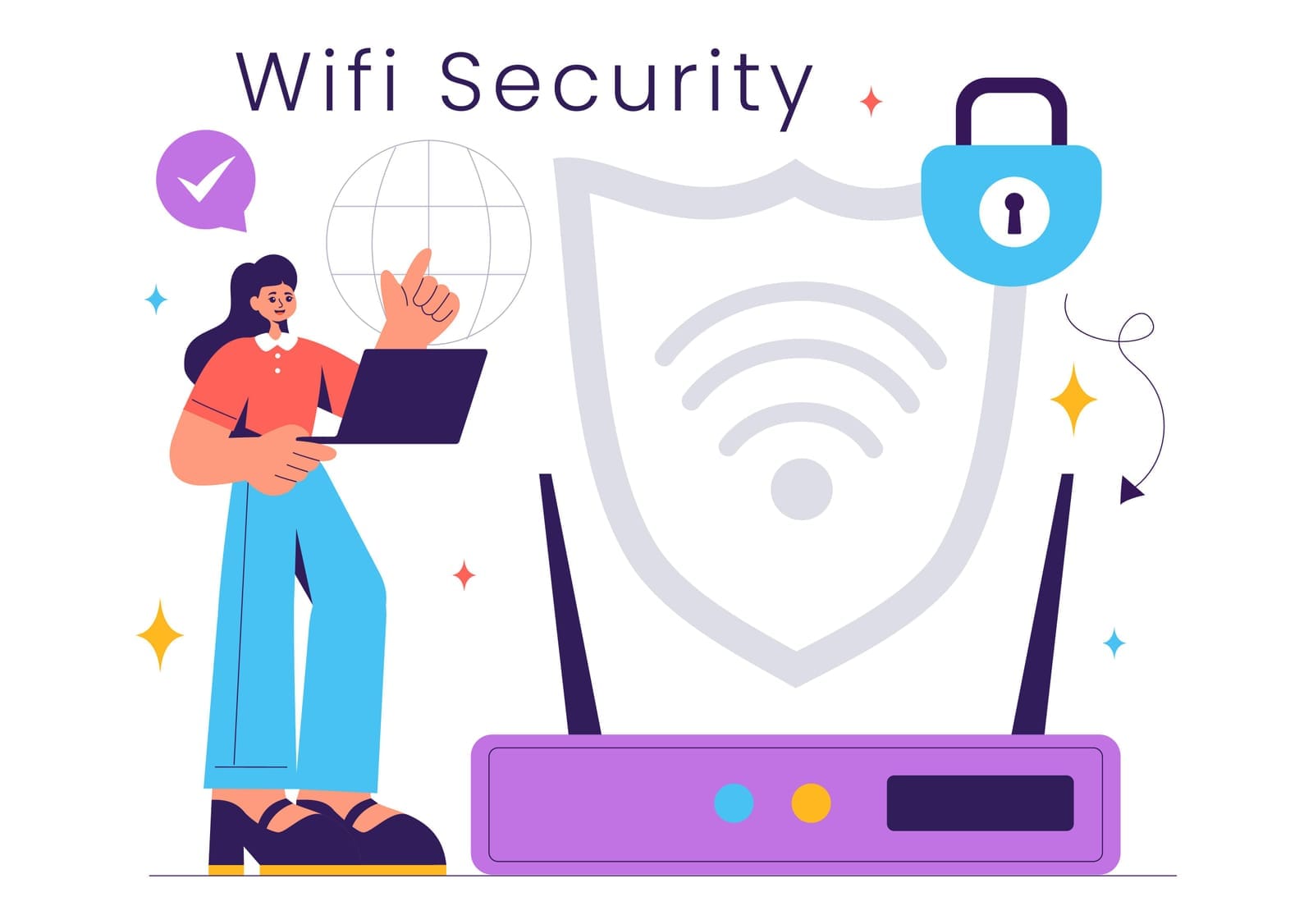
Protect office and home Wi-Fi
Change default router passwords, update router firmware, use modern encryption, and create a separate guest network. Do not expose management interfaces directly to the internet. At home, staff should avoid conducting sensitive work over open public Wi-Fi unless using an approved secure connection.
A VPN creates an encrypted connection to a network or service. It can be useful for particular remote-access designs, but it is not automatically safer merely because it is called a VPN. Zero-trust access generally means checking the user, device, and request each time rather than trusting everything connected to a network. The right approach depends on the systems, provider, and team’s ability to manage it.
Have a lost-device procedure
The person discovering a lost phone or laptop should know to:
- Report it immediately.
- Contact the administrator or IT provider.
- Lock or wipe the device.
- Revoke active sessions and tokens.
- Change relevant passwords if exposure is possible.
- Assess what data was stored locally.
- Record the incident and determine whether notifications are required.

6. Plan for operational continuity
Cybersecurity includes keeping the business functioning during an incident.
Identify critical operations
List the services that must be restored first, such as:
- Email and key contacts.
- Shipment and order records.
- Warehouse dispatch information.
- Customer and supplier communications.
- Banking and payroll.
- Customs and regulatory documents.
- Phone systems and internet access.
For each service, define a realistic recovery priority and a temporary workaround.
Keep essential information available offline
If email or cloud systems are unavailable, staff may still need:
- Key customer and supplier phone numbers.
- Carrier and agent contacts.
- Emergency escalation details.
- Bank and insurer contact information.
- Shipment status templates.
- Manual dispatch and receiving forms.
- Instructions for recording transactions during downtime.
Keep an offline or separately accessible copy, protected from unauthorized access and updated on a defined schedule. Do not create an uncontrolled spreadsheet containing more information than necessary.
Test backups and workarounds
Conduct a small recovery exercise. For example, restore a sample customer file, simulate one day without the order system, or ask staff to process a shipment using a paper form. Record what failed and improve it.
Test whether:
- People know whom to call.
- Backups can actually be restored.
- Temporary records are complete.
- Duplicate entries can be reconciled later.
- Customers and suppliers can be updated.
- Critical approvals can still be performed safely.
Prepare communication plans
Decide in advance who communicates with staff, customers, suppliers, carriers, insurers, regulators, and the media if necessary. Use an alternative communication channel in case company email is unavailable.
Avoid speculation. Communicate confirmed facts, practical instructions, and the next update time. Preserve evidence and coordinate with professional advisers before making legally significant statements.

7. Manage people and suppliers
Technology cannot compensate for unclear responsibilities.
Train staff with realistic examples
Training should be short, recurring, and relevant to daily work. Cover:
- How to inspect sender addresses and links.
- How to report suspicious messages.
- How to verify bank-detail changes.
- Why passwords and MFA approvals must not be shared.
- How to handle customer documents.
- What to do after clicking a suspicious link.
- How to report a lost device.
Do not punish good-faith reporting. Early reporting gives the business more options.
Use joiner–mover–leaver procedures
For each employee or contractor:
Joiner
- Create an individual account.
- Provide only required access.
- Enforce MFA.
- Record issued equipment.
- Explain reporting and payment-verification rules.
Mover
- Review old access when responsibilities change.
- Add new access only when justified.
- Update approval authority and distribution lists.
Leaver
- Disable accounts promptly.
- Revoke sessions, tokens, VPN access, and shared credentials.
- Recover devices and keys.
- Transfer business records appropriately.
- Remove access from suppliers and software platforms.
Control supplier and third-party access
Suppliers may need access to systems for support, customs, warehousing, or integrations. Give them named accounts, limited permissions, time-limited access where possible, and MFA. Avoid permanent administrator access.
Maintain a simple supplier register showing:
- What service is provided.
- What information is accessed.
- Who owns the relationship.
- How access is secured.
- When access was last reviewed.
- What happens if the supplier suffers an incident.
Security questionnaires can help, but answers should be proportionate and verified for critical suppliers. Contracts should address confidentiality, incident notification, data handling, subcontractors, access termination, and recovery expectations where appropriate.

Prioritized security checklist
Do this week
- Turn on MFA for email, banking, remote access, and administrator accounts.
- Identify and disable former employees’ accounts.
- Verify that every user has an individual account where possible.
- Tell staff that bank-detail changes require independent verification.
- Review mailbox forwarding and suspicious rules.
- Check whether critical devices and servers are receiving updates.
- Confirm that backups are running.
- Test restoration of at least a few important files.
- Create a one-page incident contact list.
- Record key customer, carrier, supplier, bank, insurer, and IT contacts offline.
- Ensure laptops and phones use screen locks and encryption where available.
- Change default Wi-Fi and router administrator passwords.
- Establish a simple process for reporting suspicious messages and lost devices.
Do this month
- Inventory email, accounting, order, warehouse, shipment, payment, and remote-access systems.
- Map important integrations and their service accounts.
- Review user permissions using least privilege.
- Replace shared accounts or document controls for unavoidable legacy accounts.
- Set payment limits and dual approval for higher-risk transactions.
- Create a backup and retention schedule suited to your operations.
- Test a small recovery exercise.
- Create a secure document-sharing process.
- Review what customer and supplier information is retained and who can access it.
- Patch or isolate unsupported systems.
- Check that endpoint protection is installed and functioning.
- Review supplier and third-party access.
- Document joiner–mover–leaver steps.
- Confirm contact details and obligations in key customer, supplier, insurer, and technology contracts.
Do this quarter
- Conduct a permission and administrator-access review.
- Review mailbox rules and external forwarding for high-risk accounts.
- Run a phishing-awareness exercise or practical staff workshop.
- Simulate a payment-fraud attempt and test the verification process.
- Restore systems from backups in a planned exercise.
- Test downtime procedures for email, shipment processing, and warehouse operations.
- Review logging and alerts for payment, administrator, login, and data-export events.
- Review Wi-Fi, remote-access, device-management, and lost-device controls.
- Reassess supplier security and remove unused third-party access.
- Update the incident-response and communication plan.
- Review privacy, retention, breach-notification, and contractual requirements with appropriate advisers.
- Revisit the plan after major software, staffing, customer, or operational changes.

If something goes wrong
Use this compact response plan:
- Recognize and report
Tell the designated manager, IT provider, bank, insurer, or security contact immediately. Do not quietly troubleshoot a suspected compromise alone. - Contain carefully
Disconnect an affected computer from networks if instructed, disable a compromised account, revoke sessions, or pause suspicious integrations. Do not destroy evidence. - Protect money and operations
Contact the bank urgently about suspicious payments. Pause unusual transfers, confirm pending payment changes, and move essential work to approved manual procedures. - Preserve information
Record times, messages, account names, transaction references, screenshots, and actions taken. Keep suspicious emails and files where they can be examined safely. - Assess impact
Determine which accounts, devices, systems, records, payments, and suppliers may be involved. - Get specialist advice
Contact a qualified IT/security professional, insurer, legal adviser, relevant regulator, or law-enforcement agency as appropriate. Notification requirements differ by location and incident type. - Communicate clearly
Give staff practical instructions. Contact customers and suppliers through trusted channels when necessary. Avoid unverified claims. - Recover and improve
Restore from known-good backups, reset credentials, remove persistence, monitor for recurrence, and document lessons learned.

Five key takeaways
- Protect email and payment processes first. MFA, unique passwords, mailbox reviews, and independent verification of bank-detail changes provide substantial practical value.
- Limit access and remove shared accounts. Named users, least privilege, audit logs, and timely offboarding make misuse easier to prevent and investigate.
- Treat backups as a recovery capability, not a tick box. A backup must be protected, available, and regularly tested.
- Plan for business interruption. Offline contacts, manual workarounds, recovery priorities, and clear communications can keep operations moving during an outage.
- Make security part of everyday operations. Regular training, supplier reviews, device management, and professional advice where needed are more effective than relying on one product or certification.