
MSP vs In-House IT Team: Which Option Is Right for Your SME?

Introduction
For many small and medium-sized enterprises, IT has moved from being a back-office function to a core part of day-to-day operations. Email, cloud applications, cybersecurity, remote work, customer data, compliance, payments, backups, and internal systems all depend on reliable technology.
At some point, every growing SME faces an important question: should we outsource IT to a Managed Service Provider, build an in-house IT team, or use a combination of both? For a Singapore-specific perspective, see Rethinking IT for Singapore SMEs: Managed Services vs. In-House Teams.
There is no universal answer. An MSP is not automatically cheaper or better. An internal IT team is not automatically more secure or more responsive. The right choice depends on several factors, including:
- Company size
- Number of users, devices, and locations
- Complexity of IT systems
- Budget and cash flow
- Cybersecurity and compliance requirements
- Industry regulations
- Growth plans
- Need for after-hours support
- Internal management capacity
- Desired level of control
For a 15-person professional services firm using mostly cloud tools, an MSP may provide enough coverage without hiring full-time IT staff. For a 200-person manufacturer with specialized systems, factory networks, and strict uptime requirements, an internal IT team may be essential. Many SMEs fall somewhere in between and benefit from a hybrid model.
This article compares MSPs and in-house IT teams fairly across cost, expertise, scalability, cybersecurity, business continuity, response time, and control—so you can make a practical decision for your business.
What Is an MSP?
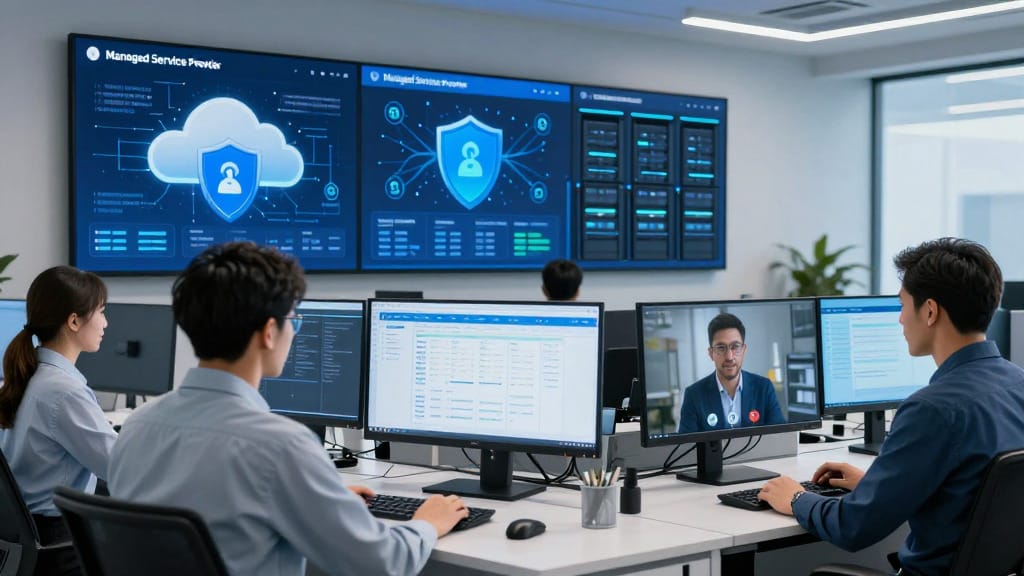
A Managed Service Provider, or MSP, is an external company that manages some or all of your business IT operations under a service agreement. If you're new to MSPs, here's a plain-English guide to what an MSP actually does.
Instead of hiring full-time IT employees, a business contracts an MSP to provide services such as:
- Help desk and user support
- Device monitoring and patch management
- Antivirus or endpoint detection and response
- Cloud backup management
- Microsoft 365 or Google Workspace administration
- Firewall and network support
- Cybersecurity monitoring
- Security awareness training
- Vendor coordination
- IT strategy reviews
- Compliance support
- Disaster recovery planning
- After-hours or emergency support
MSPs typically charge a monthly fee based on the number of users, devices, locations, service scope, or support hours. Some providers offer tiered packages, while others customize pricing based on the business’s environment; for a sense of typical ranges in Singapore, see How Much Do Managed IT Services Cost in Singapore?
The main appeal of an MSP is that it gives SMEs access to a wider range of IT skills without needing to hire multiple specialists internally. A good MSP can help standardize systems, reduce downtime, improve security hygiene, and provide predictable support coverage.
However, MSPs are external partners. They may not know your business as deeply as internal staff, and service quality depends heavily on the provider’s responsiveness, processes, staffing, and service-level agreements.

What Is an In-House IT Team?
An in-house IT team consists of employees hired directly by your company to manage technology operations. Depending on company size, this could mean:
- One IT generalist
- A small help desk team
- A systems administrator
- A network engineer
- A cybersecurity specialist
- An IT manager or CIO
- A full department covering infrastructure, applications, security, and support
In-house IT teams typically handle:
- Day-to-day user support
- New employee onboarding and offboarding
- Device setup and troubleshooting
- Network and Wi-Fi management
- Server and cloud administration
- Business application support
- Cybersecurity policies
- Backup and recovery planning
- Vendor coordination
- IT budgeting and planning
- Technology projects
- Compliance documentation
- Internal process improvement
The main benefit of an internal IT team is proximity to the business. Internal staff can develop deep knowledge of your systems, workflows, culture, users, and operational priorities. They may be better positioned to support specialized systems or business-specific processes.
However, hiring IT employees comes with salary, benefits, recruitment, training, management, coverage, and retention costs. A small internal team may also struggle to cover every technical specialty, especially cybersecurity, cloud architecture, compliance, and after-hours support. If you are weighing day-to-day support versus long-term planning, see IT Support vs. IT Strategy: Why SMEs Need Both.
MSP vs In-House IT: Comparison Table
Category | MSP: Advantages | MSP: Potential Disadvantages | In-House IT: Advantages | In-House IT: Potential Disadvantages |
|---|---|---|---|---|
Cost and total cost of ownership | Predictable monthly fees; can reduce need for multiple specialist hires; often easier to budget | Costs can rise with service scope, users, devices, security needs, or projects; not always cheaper | Direct control over salaries, priorities, and workload; may be cost-effective at larger scale | Salaries, benefits, recruitment, training, tools, software, and management overhead can be significant |
Access to expertise | Access to a team with varied skills such as networking, cybersecurity, cloud, backups, and compliance | Expertise varies by provider; junior help desk may handle first-line support | Deep knowledge of internal systems and workflows; staff become familiar with business priorities | Small teams may lack specialist skills; training and certifications require investment |
Availability and coverage | Can offer extended hours, after-hours support, or 24/7 monitoring depending on plan | After-hours coverage may cost extra; response depends on SLA | On-site presence during business hours; direct access to users and systems | Coverage gaps during leave, illness, turnover, or outside office hours |
Scalability | Can scale support as users, devices, and locations grow; useful for fast-changing SMEs | Scaling may increase monthly fees; provider capacity matters | Team can be shaped around company needs over time | Hiring takes time; scaling requires recruitment, onboarding, and management |
Response time and issue resolution | Ticketing systems, remote tools, and documented processes can improve consistency | May feel less personal; urgent issues depend on prioritization and SLA | Immediate internal communication; strong knowledge of recurring issues | Small teams may become overloaded; response slows when priorities compete |
Cybersecurity, compliance, and risk | MSPs may provide monitoring, patching, endpoint protection, backups, security training, and compliance support | Not all MSPs are security specialists; responsibility must be clearly defined | Internal team can align security with business processes and risk appetite | Security expertise may be limited if the team is small; risk of over-reliance on one person |
Business continuity and disaster recovery | Can manage backups, recovery plans, monitoring, and documentation | Quality depends on testing, tools, and contract scope | Internal team understands critical systems and operational dependencies | DR planning may be delayed due to daily support workload |
Control, company knowledge, and cultural fit | Provides external perspective and structured processes | Less direct control over staff and priorities; may not fully understand culture | Strong cultural fit, direct accountability, and deep company knowledge | Internal teams may become reactive or siloed without external benchmarking |

Detailed Comparison by Category
1. Cost and Total Cost of Ownership
Cost is often the first factor SMEs consider, but it should not be reduced to a simple monthly fee versus salary comparison.
An MSP usually charges a recurring fee. This can make IT spending more predictable, especially for businesses that want to avoid hiring multiple specialists. Depending on the plan, the fee may include support hours, device monitoring, patching, antivirus or endpoint protection, backup, cloud administration, and strategic reviews.
However, MSP pricing varies significantly. Costs depend on:
- Number of users
- Number of devices
- Locations
- Support hours
- Cybersecurity requirements
- Backup volume
- Compliance needs
- Cloud environment complexity
- On-site support requirements
- Project work outside the monthly agreement
Before comparing in-house costs, it's worth understanding pricing models — see our take on transparent tiered pricing. An in-house IT team has a different cost profile. Beyond salaries, employers must consider benefits, recruitment fees, training, certifications, software tools, hardware, management time, and coverage for leave or turnover. If the company needs multiple specialties — such as network engineering, cybersecurity, cloud administration, and help desk support — the cost can increase quickly.
For smaller SMEs, an MSP may provide broader coverage at a more manageable monthly cost. For larger SMEs with constant IT demand, in-house staff may become more economical or strategically valuable. The total cost of ownership depends on the size and complexity of your environment.
2. Access to Expertise and Specialist Skills
Modern IT requires a wide range of skills. A single IT generalist may be able to handle laptops, printers, Wi-Fi, email, and basic troubleshooting, but may not be an expert in cybersecurity, cloud architecture, compliance, endpoint detection, firewall configuration, backup testing, and disaster recovery.
An MSP can provide access to a broader team. This is especially useful for SMEs that need multiple skills but cannot justify hiring separate specialists. A provider may have technicians, engineers, security analysts, cloud administrators, and virtual CIO-style advisors.
That said, not all MSPs offer the same depth of expertise. Some are strong in help desk support but weaker in security strategy. Others specialize in regulated industries or complex infrastructure. SMEs should evaluate the provider’s qualifications, escalation process, documentation standards, and experience with similar businesses.
In-house IT teams, by contrast, build deep familiarity over time. They understand which systems are business-critical, which departments need priority support, and how technology affects operations. This contextual knowledge can be difficult for an external provider to replicate fully.
The trade-off is breadth versus depth of business knowledge. MSPs often provide broader technical coverage. Internal teams often provide deeper organizational understanding.
3. Availability and Coverage, Including After-Hours Support
IT issues do not always happen during office hours. A server may fail overnight. A user may be locked out before an important client meeting. A cybersecurity alert may occur on a weekend.
MSPs often offer monitoring and support options beyond normal business hours. Some provide 24/7 monitoring, after-hours help desk, or emergency escalation. This can be valuable for SMEs with remote staff, international customers, shift operations, or critical systems. If you're coordinating distributed teams, here are essential IT tools for managing remote teams.
However, after-hours support is not always included by default. It may depend on the contract, plan level, service-level agreement, or additional fees. Businesses should clarify exactly what is covered. Understand why service limits can protect quality in Why “Unlimited Support” Isn’t Always Better.
In-house IT teams offer strong availability during working hours, particularly when staff are on-site or closely embedded in business operations. Employees may get faster face-to-face support, and internal IT staff may better understand urgency.
But small internal teams can have coverage gaps. If the only IT person is on leave, sick, or unavailable, support may be delayed. Providing after-hours coverage internally can also lead to burnout unless properly staffed and compensated.

4. Scalability as the Business Grows
Growth creates IT pressure. New employees need devices, accounts, security access, application licenses, and support. New offices need networks, Wi-Fi, firewalls, and connectivity. New compliance requirements may demand better documentation and controls.
MSPs are often well suited to scaling support up or down. If your business grows from 20 to 50 users, an MSP can adjust the agreement, onboard new endpoints, and expand monitoring. This flexibility can be useful for companies with seasonal staffing, rapid hiring, acquisitions, or changing technology needs.
However, scalability is not unlimited. If an MSP is understaffed or poorly managed, service quality may decline as your needs grow. Pricing may also increase as more users, devices, and services are added.
In-house teams can also scale, but hiring takes time. Recruiting skilled IT staff can be challenging, and new hires need onboarding. For fast-growing SMEs, relying only on internal hiring may create bottlenecks. For common scaling pitfalls, see Overcoming Hidden IT Challenges: How Techease Fuels SME Growth.
A practical approach is to use internal IT for business-critical coordination while using an MSP to absorb growth in help desk, monitoring, backup, or cybersecurity.
5. Response Time and Issue Resolution
Response time is not just about speed. It is also about prioritization, communication, documentation, and permanent resolution.
An MSP typically uses a ticketing system to track requests, assign priority, and escalate issues. This can create consistency and accountability. Remote monitoring tools can also detect problems before users report them.
However, an MSP may support many clients. If the service agreement is unclear, your issue may be handled according to standard priority levels rather than your internal sense of urgency. This is why service-level agreements matter. SMEs should ask:
- What is the target response time?
- What is the escalation process?
- What qualifies as urgent?
- Is on-site support included?
- Are support hours limited?
- Who manages recurring issues?
- How are major incidents handled?
In-house IT can respond quickly when staff are available and nearby. Internal teams often know which users, systems, or departments require urgent attention. They may also identify root causes based on recurring patterns.
The downside is capacity. If one internal IT person is dealing with a network outage, onboarding new employees, and resolving user tickets at the same time, response times can suffer. For what you’re really paying for in responsiveness, read Quality vs. Quantity in Managed IT: What You're Really Paying For.
6. Cybersecurity, Compliance, and Risk Management
Cybersecurity is one of the most important areas in the MSP versus in-house decision. SMEs face risks from phishing, ransomware, weak passwords, unpatched devices, misconfigured cloud systems, lost laptops, insider threats, and vendor breaches. For recent takeaways, see our IT security lessons for SMEs in 2025.
An MSP may provide services such as:
- Patch management
- Managed antivirus or endpoint detection
- Firewall support
- Backup management
- Cloud security configuration
- Security awareness training
- Account administration
- Compliance support
- Vulnerability management
- Basic penetration testing or security reviews
This can be valuable for SMEs that do not have dedicated security staff.
However, outsourcing IT does not mean outsourcing responsibility. Business owners and managers still need to understand risk, approve policies, fund security improvements, and ensure compliance obligations are met. Not every MSP is a cybersecurity specialist, and the scope of responsibility must be clearly defined.
In-house IT teams may be better positioned to align security with business processes. They can work closely with HR, finance, operations, and leadership to manage access, approvals, data handling, and employee behavior.
But small internal teams may lack advanced cybersecurity expertise. If security is only one of many responsibilities, important tasks like patching, backup testing, incident response planning, and log review may be delayed.
For regulated industries, the decision should consider both technical controls and governance. You may need documentation, audit trails, policies, risk assessments, access reviews, and vendor management—not just antivirus software.
7. Business Continuity and Disaster Recovery
Business continuity is about keeping the company running during disruptions. Disaster recovery is about restoring systems and data after an incident. For a step-by-step overview, see Essential IT Disaster Recovery Strategies for Singapore SMEs.
Common scenarios include:
- Hardware failure
- Accidental file deletion
- Ransomware
- Cloud account compromise
- Internet outage
- Office disruption
- Power failure
- Natural disaster
- Key employee departure
- Failed software update
MSPs often help implement and monitor backups, cloud recovery, endpoint protection, and documented recovery procedures. They may also conduct periodic reviews or tests, depending on the agreement.
However, not all backup arrangements are equal. A backup that has never been tested may fail when needed. SMEs should ask:
- What data is backed up?
- How often are backups taken?
- Where are backups stored?
- How quickly can systems be restored?
- Has recovery been tested?
- Who is responsible during an incident?
- Are cloud platforms included?
- Are laptops and endpoint data included?
Not sure whether to choose on-prem or cloud backups? Here’s a beginner’s guide to data backup solutions.
In-house IT teams often understand which systems matter most to operations. They may know, for example, that a finance system must be restored before a file archive, or that a production scheduling tool is more urgent than a general application.
The best disaster recovery plans usually combine technical knowledge with business prioritization. Whether using an MSP or internal IT, leadership should be involved.
8. Control, Company Knowledge, and Cultural Fit
Control is one of the strongest arguments for an in-house team. Internal IT staff are employees. They report directly to management, attend internal meetings, understand company politics, and experience the same business pressures as everyone else.
This can lead to stronger alignment, faster informal communication, and better cultural fit. Internal staff may also be more invested in long-term process improvement.
MSPs provide external structure and perspective. They may bring standardized processes, documentation, monitoring tools, and knowledge from supporting other businesses. This can help SMEs move away from ad hoc problem-solving.
But MSPs may not fully understand internal culture or business priorities unless communication is strong. A provider may solve the technical issue correctly but miss the operational nuance.
For this reason, successful MSP relationships require governance. There should be regular reviews, clear reporting, assigned contacts, documented responsibilities, and open communication about business priorities. For contract language that protects your interests, see key vendor contract clauses every SME should watch.
Pros and Cons of MSPs
Pros of MSPs
Predictable monthly cost
MSPs often provide recurring pricing, making budgeting easier compared with unpredictable break-fix support.
Access to broader expertise
A provider may offer help desk, networking, cybersecurity, cloud, backup, and compliance knowledge under one agreement.
Scalable support
As the business grows, an MSP can often add users, devices, services, and support coverage without the delays of hiring.
Monitoring and proactive maintenance
Many MSPs use tools to monitor devices, apply patches, manage endpoint protection, and identify issues before they become major problems. Learn why moving beyond break-fix matters in this guide for Singapore SMEs.
Reduced dependence on one employee
An MSP can reduce key-person risk, especially for SMEs that would otherwise rely on a single IT generalist.
After-hours options
Depending on the provider and plan, MSPs may offer extended support, emergency response, or monitoring outside normal business hours.
Cons of MSPs
Less direct control
The MSP’s staff are not your employees. You manage the relationship through contracts, service agreements, and reviews.
Variable service quality
Provider capability, responsiveness, documentation, and communication can vary widely. Here’s why transparent, service-first partners matter: how traditional IT providers profit off commissions.
Potential scope limitations
Not everything may be included. Projects, on-site visits, emergency work, compliance tasks, or advanced security services may cost extra.
Less internal context
An MSP may take time to understand business-specific workflows, internal politics, and operational priorities.
Dependency on vendor relationship
If the MSP underperforms, changing providers can be disruptive unless documentation and access are well managed.
Pros and Cons of In-House IT
Pros of In-House IT
Deeper business knowledge
Internal IT staff understand company systems, users, workflows, and culture.
Direct control and accountability
Priorities can be set internally without relying on an external provider’s queue or contract scope.
Strong on-site presence
For businesses with physical infrastructure, specialized equipment, or frequent hands-on support needs, internal staff can be valuable.
Closer collaboration
Internal IT can work directly with leadership, finance, HR, operations, and department heads.
Better fit for complex environments
Companies with custom applications, manufacturing systems, or sensitive internal processes may benefit from dedicated internal expertise.
Cons of In-House IT
Higher fixed cost
Salaries, benefits, recruitment, training, tools, and management overhead can be significant.
Limited specialist coverage
A small team may not cover every area, especially cybersecurity, cloud architecture, compliance, and disaster recovery.
Coverage gaps
Leave, illness, turnover, and after-hours needs can create support gaps.
Recruitment and retention challenges
Hiring and keeping skilled IT professionals can be difficult, especially for SMEs competing with larger employers.
Risk of overload
Internal teams can become reactive if they are constantly handling user tickets and urgent issues.

Is a Hybrid Model the Best Option?
For many SMEs, the best solution is not MSP versus in-house IT. It is both.
A hybrid IT model combines internal staff with an external MSP. This allows the business to keep strategic control and business knowledge internally while outsourcing specialized, repetitive, or after-hours functions.
For example, an SME might use internal IT for:
- Business application ownership
- Department-level technology planning
- Executive support
- On-site coordination
- Vendor decision-making
- Internal policy enforcement
- IT budgeting and prioritization
For scope examples, see our Managed IT Services (MSP) page. The MSP might handle:
- Help desk overflow
- Device monitoring
- Patch management
- Managed antivirus or endpoint detection
- Cloud backup
- Firewall support
- Microsoft 365 or Google Workspace administration
- Security awareness training
- After-hours support
- Disaster recovery testing
- Compliance documentation support
- Vendor coordination
- Penetration testing or security assessments
A hybrid model can be especially effective when the business has one or two internal IT employees who are stretched too thin. The MSP can take over routine monitoring, backup checks, and first-line support, freeing internal staff to focus on higher-value projects.
However, hybrid models require clear roles. Without clarity, tasks can fall between the cracks. The business should define:
- Who owns help desk tickets?
- Who approves new users and access?
- Who manages backups?
- Who monitors security alerts?
- Who handles incidents?
- Who communicates with leadership?
- Who manages vendors?
- Who maintains documentation?
- Who is accountable for compliance evidence?
When responsibilities are well defined, hybrid IT can offer the best of both worlds: internal context plus external capability.

When an MSP Makes Sense
An MSP may be the right fit if your business:
1. Is too small for a full IT department
If you have a limited number of employees but still need reliable support, hiring multiple IT specialists may not be practical. An MSP can provide access to a team without building a department from scratch.
2. Wants predictable IT spending
If you want to move away from unpredictable emergency repairs or ad hoc support bills, an MSP contract may provide clearer monthly budgeting.
3. Needs broader expertise
If your business needs help with cybersecurity, cloud systems, backups, patching, compliance, and user support, an MSP may provide broader coverage than one internal hire.
4. Has limited internal IT management capacity
If leadership does not have time or expertise to manage IT employees, an MSP can provide structured processes, reporting, and support management.
5. Requires monitoring and proactive maintenance
If your current IT approach is reactive—only fixing problems after they occur—an MSP can help implement monitoring, patching, endpoint protection, and backup routines.
6. Needs after-hours support
If your team works across time zones or outside normal office hours, an MSP with extended support may be useful.
7. Is growing quickly
If hiring is increasing, offices are expanding, or cloud systems are becoming more complex, an MSP can help scale support faster than internal recruitment alone.

When an In-House IT Team Makes Sense
An in-house IT team may be the better choice if your business:
1. Has complex or specialized systems
Manufacturing, logistics, healthcare, finance, engineering, and other industries may rely on specialized software, hardware, or operational systems that require deep internal knowledge.
2. Needs constant on-site support
If your business depends heavily on physical infrastructure, production equipment, local servers, or hands-on troubleshooting, internal IT may provide faster practical support.
3. Requires tight control over priorities
If technology decisions must be closely aligned with daily operations and leadership priorities, internal IT can offer more direct control.
4. Has enough scale to justify dedicated staff
As a company grows, the volume of IT work may justify full-time employees. At a certain point, internal staff can become more efficient for day-to-day coordination.
5. Has high regulatory or data sensitivity requirements
Some businesses prefer to keep certain responsibilities internal due to legal, contractual, or risk considerations. Even then, external specialists may still support security assessments or compliance projects.
6. Wants IT to drive strategic transformation
If technology is central to your competitive advantage, internal leadership may be important. For example, companies building proprietary systems or data platforms may need dedicated internal expertise.
How to Decide Which Option Is Right for Your SME
Before choosing, take a structured approach.
1. Map your current IT environment
List your:
- Users
- Devices
- Locations
- Cloud platforms
- Business applications
- Servers
- Network equipment
- Security tools
- Backup systems
- Compliance obligations
- Vendors
- Current pain points
This gives you a realistic view of what must be supported. If SaaS licenses and tools are multiplying, this guide to navigating SaaS sprawl can help.
2. Identify business-critical systems
Not every system has the same importance. Determine which systems affect revenue, customer service, operations, compliance, or safety.
Ask:
- What systems can we not operate without?
- How long can we tolerate downtime?
- What data must be protected?
- What would happen if email, accounting, CRM, or file storage became unavailable?
- Which departments need priority support?
3. Calculate total cost, not just monthly cost
For MSPs, consider:
- Monthly service fee
- Setup or onboarding fees
- Project fees
- After-hours support
- On-site support
- Security add-ons
- Backup storage
- Compliance support
- Contract terms
For in-house IT, consider:
- Salary
- Benefits
- Recruitment
- Training
- Certifications
- Tools and software
- Management time
- Coverage during leave
- Additional specialist consultants
- Staff turnover risk
Actual costs vary depending on location, business size, service scope, and security requirements.
4. Assess cybersecurity maturity
Consider whether you have:
- Multi-factor authentication
- Regular patching
- Endpoint protection
- Secure backups
- Tested recovery plans
- User security training
- Access control procedures
- Incident response plans
- Vendor risk management
- Compliance documentation
If gaps exist, determine whether internal staff, an MSP, or a hybrid model is best positioned to close them.
5. Consider growth plans
If you expect to grow, open new offices, adopt new cloud platforms, or face new compliance requirements, choose a model that can scale.
A very lean IT setup may work today but become a bottleneck in 12–24 months.
6. Decide what should stay internal
Even if you outsource IT support, some responsibilities should remain with business leadership, such as:
- Risk appetite
- Budget approval
- Compliance accountability
- Data ownership
- Business priorities
- Vendor selection
- Policy approval
Outsourcing execution does not remove leadership responsibility.
7. Evaluate providers or candidates carefully
If considering an MSP, ask about:
- Service scope
- Response times
- Escalation process
- Security capabilities
- Tooling
- Documentation
- Reporting
- Client references
- Industry experience
- Contract flexibility
- Data handling
- Exit process
If hiring internally, assess:
- Technical capability
- Communication skills
- Business understanding
- Documentation habits
- Security awareness
- Ability to manage vendors
- Strategic thinking
- Fit with company culture

Conclusion
The choice between an MSP and an in-house IT team is not simply a question of outsourcing versus hiring. It is a business decision about cost, risk, control, expertise, scalability, and operational resilience.
An MSP can be a strong option for SMEs that need broad technical expertise, predictable monthly support, proactive monitoring, cybersecurity services, and flexible scalability without building a full internal department.
An in-house IT team can be the right choice for businesses that need deep company knowledge, direct control, constant on-site support, or specialized understanding of complex internal systems.
For many SMEs, a hybrid model offers the most practical balance. Internal staff can focus on business alignment, strategy, and high-priority systems, while an MSP supports help desk, monitoring, cybersecurity, backups, cloud management, and after-hours coverage.
The best decision depends on your company’s size, complexity, budget, regulatory obligations, risk tolerance, and growth plans. Rather than asking, “Which option is cheaper?” a better question is:
Which IT model gives our business the right level of support, security, flexibility, and control for where we are today — and where we plan to go next?