
Google Workspace Security Checklist for Singapore Businesses
Google Workspace can help Singapore SMEs work productively from anywhere, but cloud productivity also concentrates valuable email, customer information, financial records and intellectual property in one environment. Security therefore depends not only on Google’s platform controls, but also on how your organisation configures identities, sharing, applications, administrators and recovery processes.
Google operates the underlying service under a shared-responsibility model. Your organisation remains responsible for user accounts, permissions, data-handling decisions, devices, administrator practices and compliance obligations. The exact controls available depend on your Workspace edition, purchased add-ons, device-management configuration and Google’s current product documentation. Verify availability before designing a control around a particular feature.
This checklist is a practical starting point—not a guarantee of security or PDPA compliance.
Quick-start: top 10 actions
- Require 2-Step Verification for every user.
- Use passkeys or security keys for administrators and other high-risk users where feasible.
- Maintain separate everyday and administrator accounts.
- Review super administrator accounts and retain at least two trusted administrators.
- Restrict external sharing and link-sharing by default.
- Establish ownership and membership rules for shared drives.
- Review OAuth applications and block or restrict untrusted apps.
- Turn on and regularly review relevant security and administrator audit logs.
- Create an offboarding process covering account suspension, data transfer and access removal.
- Test account recovery and incident-response procedures.
1. Identity and access protection
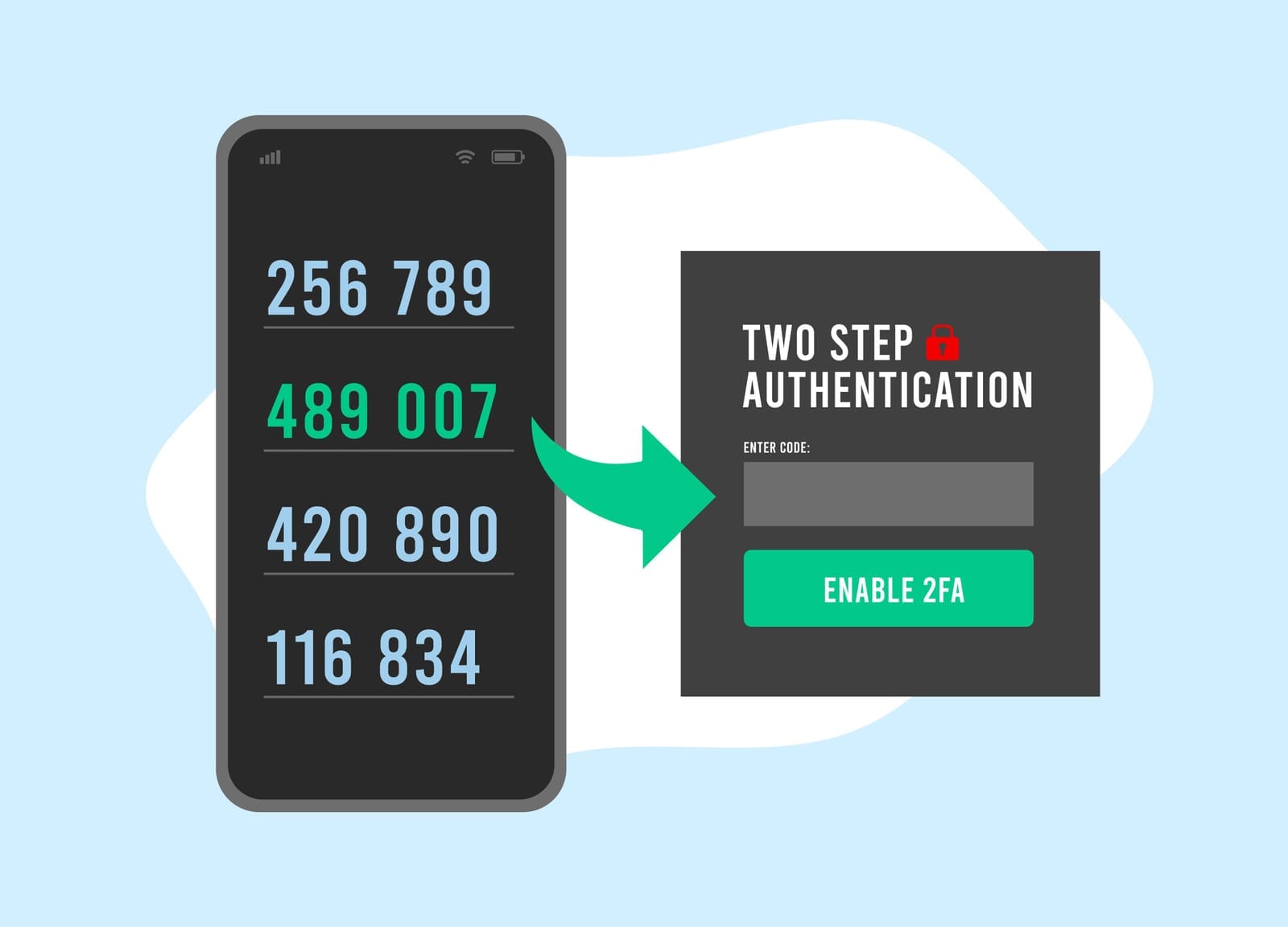
1.1 Enforce 2-Step Verification
Security objective: Reduce the risk of account takeover when a password is stolen or reused.
Recommended action: Require 2-Step Verification (2SV) for all users. Google 2SV can use methods such as security keys, passkeys, Google Prompt, authenticator applications or other supported verification methods. Prefer phishing-resistant methods—particularly passkeys or FIDO2 security keys—for super administrators, administrators, finance staff, senior executives and users handling sensitive information.
Do not treat SMS as the preferred method where stronger options are practical. Retain a controlled enrolment and recovery process for users who lose a device or security key.
Owner: Workspace administrator, with approval from the business owner or security lead.
Frequency: Configure once, review monthly during rollout, and review exceptions at least quarterly.
Edition/dependency: 2SV is generally available for Google Workspace accounts, but enforcement options and advanced authentication policies can vary by edition and organisational configuration. Security-key enforcement and context-aware controls may depend on edition or add-on. Check current Google Admin Help documentation on 2-Step Verification.
Common pitfalls: Enforcing 2SV without a recovery procedure can lock out legitimate users. Another common mistake is allowing permanent exceptions that are never reviewed.
1.2 Apply strong authentication policies
Security objective: Make authentication resistant to phishing, credential stuffing and password reuse.
Recommended action: Set and communicate minimum password expectations, prohibit password sharing, and use Google’s supported password and authentication controls. Consider requiring security keys or passkeys for privileged accounts. Where your edition supports it, use context-aware access or related access policies to consider device state, location and risk before allowing access.
Do not rely on passwords alone for service accounts, shared mailboxes or administrative access. Avoid shared user accounts; assign individual identities so actions can be attributed.
Owner: Workspace administrator and security lead.
Frequency: Review quarterly and whenever there is a major change to identity policy.
Edition/dependency: Context-aware access, endpoint management and some advanced authentication controls vary by edition, operating system and device enrolment. Review the current Google Workspace feature comparison and Context-Aware Access documentation.
Common pitfalls: A policy that is too strict can encourage unsafe workarounds. Test it with pilot users and document exceptions.

1.3 Review suspicious-login alerts
Security objective: Detect unusual access before an attacker can cause extensive harm.
Recommended action: Review Google security alerts and investigate suspicious login activity, unusual device access, changes to recovery information and other high-risk events. Define an escalation process: confirm the user, suspend or secure the account where appropriate, revoke sessions or tokens, reset credentials and investigate related activity.
Owner: Workspace administrator or managed security provider.
Frequency: Alerts should be triaged promptly; perform a formal review at least weekly for SMEs without 24-hour monitoring.
Edition/dependency: Available alerts and investigation capabilities vary by edition. Some investigation tools require supported editions such as Enterprise plans. See Google Workspace security investigation tools.
Common pitfalls: Treating an alert as proof of compromise—or ignoring it as a false positive—can both be harmful. Record the investigation and outcome.
1.4 Manage sessions and devices
Security objective: Limit access from lost, stolen, unmanaged or compromised devices.
Recommended action: Review signed-in sessions and remove unfamiliar or stale sessions. Establish a process for lost devices: suspend the user if necessary, revoke sessions, reset credentials and remove the device from management.
For company-owned devices, consider endpoint management, screen-lock requirements, encryption, operating-system updates and remote wipe capabilities where supported. Separate personally owned devices from company-managed devices through a documented bring-your-own-device policy.
Owner: IT administrator; users report lost devices immediately.
Frequency: Review device inventory monthly; review access after personnel changes and security incidents.
Edition/dependency: Basic mobile management is available in some Workspace editions, while advanced endpoint management and device approval controls depend on edition and device platform. See Google endpoint management.
Common pitfalls: Enrolling devices without defining who can access them creates a false sense of control. Device management does not automatically secure personal applications or every local copy of a file.
2. File-sharing and data protection
2.1 Set sensible internal and external sharing defaults
Security objective: Prevent accidental disclosure of personal data, confidential business information and commercially sensitive documents.
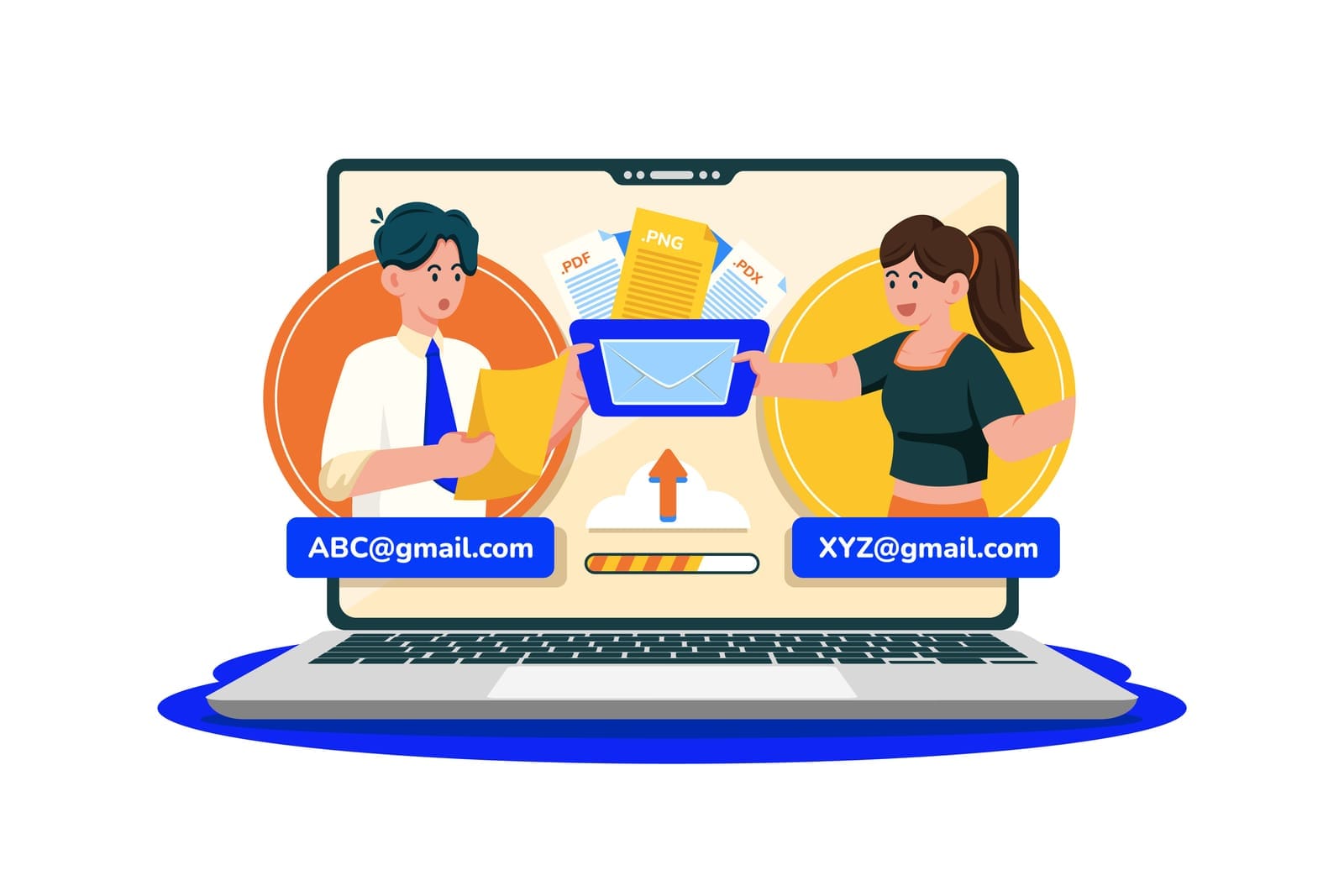
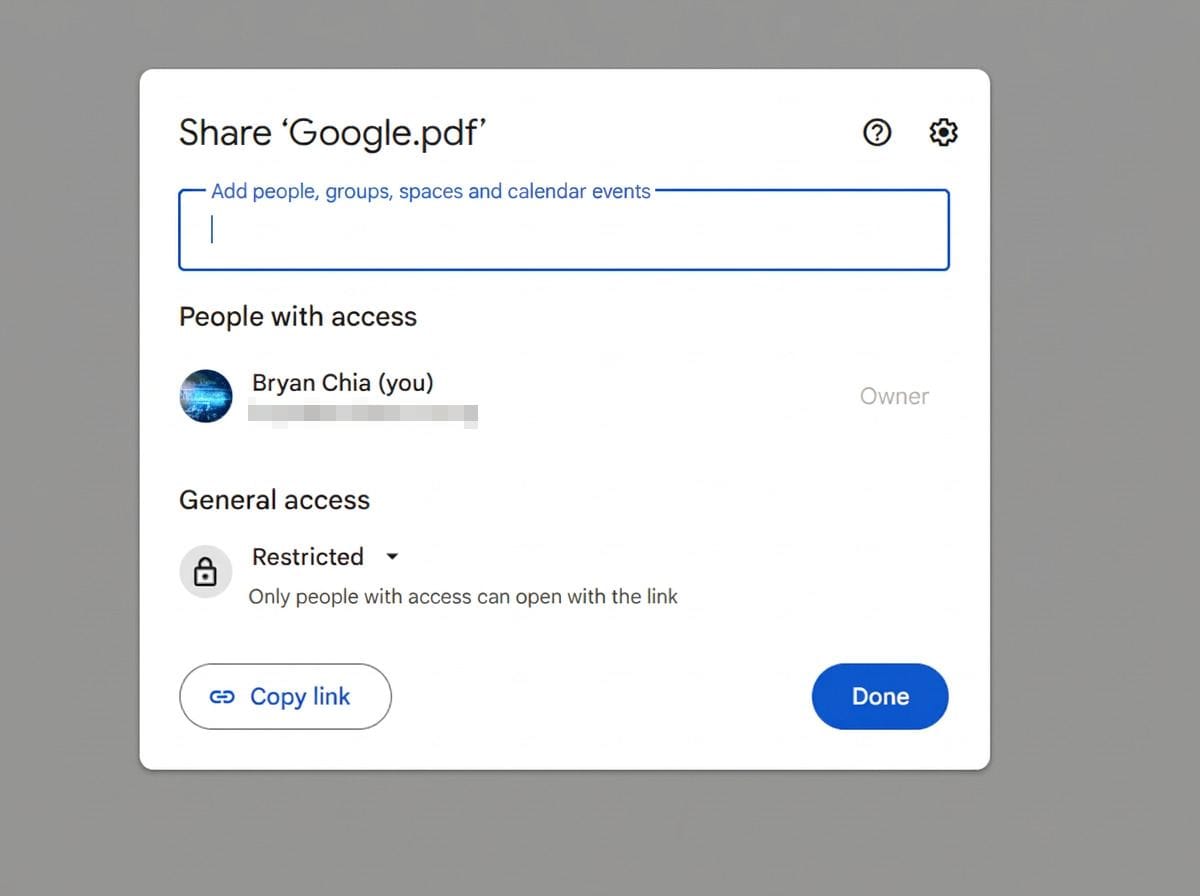
Recommended action: Decide which users and organisational units may share files externally. Where practical, restrict external sharing to approved domains or require an explicit business reason. Limit link-sharing and prefer named-user access. Review whether users can make files public or accessible to “anyone with the link”.
Use sensitivity-based rules: public information may be broadly shareable; customer, employee, financial and confidential information should normally be restricted to named users or approved groups.
Owner: Workspace administrator, with data owners and management approval.
Frequency: Review quarterly and whenever business requirements or regulatory risks change.
Edition/dependency: Sharing controls differ between Drive, shared drives and other Workspace services. Some advanced data-protection controls depend on edition. Consult Google Drive sharing settings.
Common pitfalls: Blocking all external sharing may push staff towards unsanctioned personal accounts. Provide an approved process for legitimate external collaboration.
2.2 Govern shared drives
Security objective: Ensure business files remain owned and accessible by the organisation rather than by individual employees.
Recommended action: Create shared drives by business function or project, appoint accountable data owners, define membership roles and remove inactive members. Restrict who can create shared drives and who can add external members. Use groups where practical so membership can be managed centrally.
Document rules for managers, content managers, contributors and viewers. Avoid giving users more access than their role requires.
Owner: Workspace administrator and business data owners.
Frequency: Review membership monthly for sensitive drives and quarterly for other drives; review at project closure.
Edition/dependency: Shared-drive features and administrative restrictions depend on Workspace edition and organisational settings. See Google shared-drive administration.
Common pitfalls: A shared drive can become a permanent dumping ground. Use naming, ownership, retention and archive rules from the beginning.
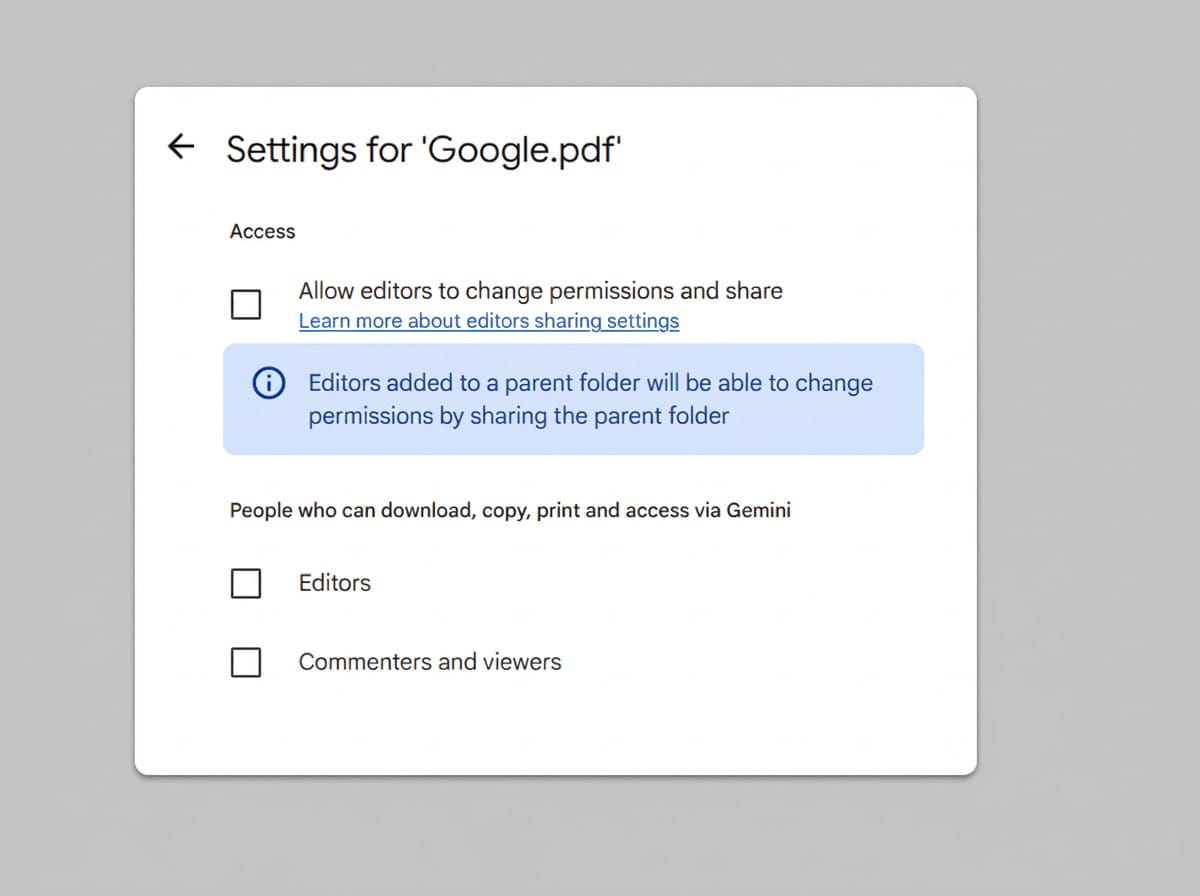
2.3 Restrict downloading, printing and copying where appropriate
Security objective: Reduce uncontrolled duplication of sensitive information.
Recommended action: For particularly sensitive Drive files, consider limiting viewers’ and commenters’ ability to download, print and copy. Combine this with appropriate sharing permissions and data classification.
These controls reduce casual copying but do not prevent screenshots, photographing a screen, transcription or use of other tools. They should support—not replace—access control and staff training.
Owner: File owner or data owner, supported by IT.
Frequency: Review when files change classification or recipients change.
Edition/dependency: Availability and behaviour depend on the Google Workspace application, file type, user role and current product capabilities. Check Google Drive sharing and permission guidance.
Common pitfalls: Restricting downloads can prevent legitimate work and encourage users to create uncontrolled copies elsewhere.
2.4 Consider data-loss prevention
Security objective: Detect or prevent inappropriate disclosure of sensitive information.
Recommended action: Identify information requiring special handling—for example, NRIC numbers, financial details, health information, customer records or confidential contracts. Where your edition supports it, configure DLP rules for Drive, Gmail or other relevant services. Begin with monitoring or warnings, tune false positives, then consider blocking high-confidence violations.
Document who receives alerts and how incidents are handled.
Owner: Security lead and Workspace administrator, with legal or compliance input.
Frequency: Review rules monthly during implementation and at least quarterly thereafter.
Edition/dependency: DLP coverage, rule types and investigation features vary significantly by edition and service. Check Google Workspace DLP documentation.
Common pitfalls: Overly broad rules generate alert fatigue. Test against representative data before blocking business activity.
2.5 Establish retention and legal-hold rules
Security objective: Retain information for legitimate business or legal purposes while avoiding unnecessary storage.
Recommended action: Define retention schedules for email, Drive files, chats and other records. Where your edition includes Google Vault, configure retention rules and legal holds based on documented requirements. Ensure retention rules do not conflict with operational deletion, contractual commitments or legal advice.
Retention is not the same as backup. Decide separately how the organisation will recover from accidental deletion, ransomware, malicious activity or a provider outage.
Owner: Records owner, legal/compliance adviser and Workspace administrator.
Frequency: Review at least annually and when legal, contractual or operational requirements change.
Edition/dependency: Google Vault is available only with certain Workspace editions or as an add-on. See Google Vault documentation.
Common pitfalls: Keeping everything forever increases exposure and may conflict with the organisation’s retention policy. Deleting everything immediately may undermine investigations or statutory obligations.

3. Third-party applications and APIs
3.1 Review OAuth applications
Security objective: Prevent third-party applications from obtaining excessive or unnecessary access to Workspace data.
Recommended action: Review applications that users have authorised through OAuth. Pay attention to access to Gmail, Drive, Contacts, Calendar and user profiles. Remove access for applications that are unused, unsupported, duplicated or no longer approved.
Create an application register containing the app name, business owner, requested scopes, purpose, vendor, approval date and review date.
Owner: Workspace administrator with application owners.
Frequency: Review quarterly and whenever a high-risk application is introduced or retired.
Edition/dependency: OAuth app controls and reporting vary by edition. See Google API controls and app access control.
Common pitfalls: Blocking an application without identifying its business owner can interrupt operations. Conversely, approving an app only because it is popular does not establish that its requested scopes are appropriate.
3.2 Restrict untrusted applications
Security objective: Prevent users from authorising unknown or risky applications.
Recommended action: Configure app-access controls to classify applications as trusted, limited or blocked, using the least access necessary. Require review before users can authorise applications that request sensitive or restricted scopes.
Where supported, use domain-wide delegation cautiously. A service account or application with broad delegated access can be more dangerous than an individual user token.
Owner: Workspace administrator and security lead.
Frequency: Review quarterly and after major application changes.
Edition/dependency: App-access control, security investigation and API management capabilities may depend on edition and configuration. Verify current Google documentation.
Common pitfalls: Approving an entire vendor or application category may grant access to more applications than intended. Prefer specific, reviewed applications where practical.
3.3 Apply least privilege to APIs
Security objective: Limit the impact of a compromised application or service identity.
Recommended action: Grant only the API scopes and administrative permissions required for the documented purpose. Remove unused credentials, service accounts, tokens and delegated access. Require an owner and expiry or review date for exceptions.
Owner: Application owner and Workspace administrator.
Frequency: Review monthly for high-risk integrations and quarterly for all others.
Edition/dependency: Controls may involve Google Cloud project settings as well as Workspace settings. See Google Cloud IAM best practices.
Common pitfalls: “Read and write all data” is often selected for convenience. Ask the vendor whether narrower scopes are available.

4. Administrator permissions
4.1 Use separate administrator accounts
Security objective: Prevent ordinary email, browsing and application activity from exposing privileged credentials.
Recommended action: Give each administrator a separate named admin account, used only for administration. Keep a standard user account for daily work. Protect admin accounts with phishing-resistant MFA and avoid using them to read routine email or browse unfamiliar websites.
Maintain at least two trusted super administrators, but keep the total number as small as operationally practical.
Owner: Business owner and Workspace administrator.
Frequency: Review monthly and whenever an administrator joins, changes role or leaves.
Edition/dependency: Core account and admin-role functionality is broadly available, while advanced controls vary by edition.
Common pitfalls: A shared “admin” account prevents accountability and complicates recovery. A single super administrator creates a dangerous single point of failure.
4.2 Use role-based administration
Security objective: Reduce damage caused by excessive privileges or administrator compromise.
Recommended action: Use predefined or custom administrator roles where supported. Give helpdesk staff only the permissions required for their work. Separate user administration, device management, security investigation, reporting and billing responsibilities where feasible.
Record role assignments and require approval for privilege elevation.
Owner: Workspace administrator and management.
Frequency: Review quarterly and after organisational changes.
Edition/dependency: Custom roles and granular permissions vary by edition and console capability. See Google administrator roles.
Common pitfalls: Copying a broad role for convenience can create privilege creep. Start with a narrow role and add permissions only when needed.
4.3 Review audit logs, alerts and changes
Security objective: Detect unauthorised administrative actions and maintain accountability.
Recommended action: Review administrator activity, login events, changes to security settings, new OAuth approvals, group changes, sharing-policy changes and account actions. Establish a change-management record for material changes, including the requester, approver, implementation date, testing and rollback plan.
Owner: Security lead or delegated reviewer who is independent of the change where practical.
Frequency: Review critical alerts promptly, logs weekly and access/change records monthly.
Edition/dependency: Log retention, alerting and investigation depth vary by edition. See Google Workspace Admin audit logs.
Common pitfalls: Collecting logs without assigning someone to review them provides little protection. Also check time zones when correlating events.
4.4 Recertify administrator access
Security objective: Remove privileges that are no longer justified.
Recommended action: At least quarterly, ask management and role owners to confirm every administrator, role, group and privileged application. Remove dormant accounts and downgrade users whose duties have changed.
Owner: Business owner, IT manager and security lead.
Frequency: Quarterly; immediately after departures or reorganisations.
Edition/dependency: Can be performed manually in all editions; workflow and reporting support may vary.
Common pitfalls: Treating approval as a rubber stamp. Provide reviewers with the role’s purpose and recent activity.
5. Account recovery and business continuity
5.1 Protect recovery information
Security objective: Ensure legitimate users can recover accounts without creating an attacker-controlled back door.
Recommended action: Establish rules for recovery email addresses and phone numbers. For administrators, use controlled organisational or nominated recovery methods rather than personal details that the business cannot manage. Review recovery information when staff change roles or leave.
Owner: Workspace administrator and individual users, with administrative oversight.
Frequency: Review at onboarding, role change and offboarding; conduct a broader review quarterly.
Edition/dependency: Recovery options and administrator controls can vary. Follow current Google account recovery guidance.
Common pitfalls: Using one shared recovery email or phone number for multiple privileged accounts creates a single point of compromise.
5.2 Maintain a recovery procedure and backup administrators
Security objective: Restore administrative control if a super administrator is unavailable or compromised.
Recommended action: Document how to contact Google support, verify ownership, use backup administrators and secure emergency credentials. Keep emergency procedures offline or in a separately protected system. Test the procedure without weakening normal security.
Owner: Business owner and IT manager.
Frequency: Test at least annually and after major changes.
Edition/dependency: Support channels and recovery procedures depend on the account and subscription. Verify current Google guidance.
Common pitfalls: A procedure that has never been tested may fail when time is critical. Do not store emergency credentials in the same Workspace account that may be inaccessible.
5.3 Offboard employees promptly
Security objective: Prevent former employees or contractors from retaining access to company data.
Recommended action: At the time of departure, suspend or otherwise disable the account, revoke sessions and application access, remove group and shared-drive membership, recover company devices and transfer or preserve business data according to policy. Review forwarding rules, delegates, mobile devices and third-party tokens.
Coordinate with HR and the manager before the departure date, while preserving evidence where required.
Owner: HR, IT administrator and the employee’s manager.
Frequency: Every departure; audit the process quarterly.
Edition/dependency: Data transfer, Vault retention, mobile management and investigation capabilities depend on edition and configuration. See Google’s employee offboarding guidance.
Common pitfalls: Suspending the account but leaving access through an OAuth application, shared drive or delegated mailbox.

5.4 Plan for export, retention and recovery
Security objective: Preserve business continuity while respecting retention and data-protection requirements.
Recommended action: Document what happens to a departing user’s email, Drive files, Calendar data and other business records. Decide whether data is transferred, retained, exported or deleted. Use an approved export or backup process and restrict access to exported data.
A backup should be tested by restoring representative files and mail—not merely by confirming that a job completed.
Owner: IT manager, records owner and business continuity lead.
Frequency: Test restoration at least annually; review after major service or policy changes.
Edition/dependency: Google’s native retention and export features differ from third-party backup products. Vault is not a complete backup service.
Common pitfalls: Exporting sensitive data to an unmanaged laptop or retaining exports indefinitely.
5.5 Test incident response
Security objective: Contain compromise quickly and communicate consistently.
Recommended action: Maintain a plan covering suspected account takeover, malware, data disclosure, lost devices, insider misuse and service outage. Include decision-makers, technical steps, evidence preservation, customer/vendor communications and escalation to legal or compliance advisers.
Run a tabletop exercise using a realistic scenario, such as a compromised finance account sending a malicious payment instruction.
Owner: Business owner, IT/security lead and relevant management.
Frequency: Exercise at least annually and after a significant incident.
Edition/dependency: No special Workspace edition is required, but useful investigation and alerting capabilities may depend on edition.
Common pitfalls: Focusing only on technical containment and forgetting business communications, regulatory assessment and evidence preservation.

6. Singapore-specific considerations under the PDPA
The Personal Data Protection Act (PDPA) applies to organisations in Singapore in relation to personal data, subject to its scope and applicable exceptions. Google Workspace settings can support an organisation’s security programme, but they do not by themselves ensure PDPA compliance.
Your organisation should consider the following areas:
- Accountability: Assign responsibility for personal-data governance, document policies and train staff. The PDPC’s Accountability obligation guidance and related resources explain the organisation’s responsibilities.
- Protection: Use reasonable security arrangements appropriate to the data and risks. MFA, least privilege, controlled sharing, device security, monitoring and incident response may contribute to this obligation.
- Retention: Do not retain personal data longer than necessary for legal or business purposes. Workspace retention settings should reflect a documented retention policy rather than being configured in isolation.
- Access and correction: Establish a process to respond to applicable access and correction requests. Workspace search, export and audit capabilities may assist, but the organisation must determine the applicable scope and response process.
- Breach management: Maintain a process to assess suspected breaches, contain them, preserve evidence and determine whether notification obligations apply. The PDPC’s Guide on Managing and Notifying Data Breaches should be consulted for current requirements and decision-making guidance.
- Data transfers and vendors: Understand where data is processed, the contractual arrangements in place and the organisation’s responsibilities when using cloud providers and third-party applications.
Google’s security controls help protect the service, but the customer organisation decides who may access data, what is shared, how long information is retained and how incidents are handled. Obtain legal or compliance advice for your particular data flows, sector, contracts and circumstances. Also check current PDPC guidance because regulatory guidance and product documentation may change.

Consolidated implementation table
Area | Action | Owner | Frequency | Edition/dependency | Evidence of completion |
|---|---|---|---|---|---|
Identity | Enforce 2SV and phishing-resistant MFA for privileged users | Workspace admin | Continuous; quarterly review | Edition and authentication options vary | Enforcement report; exception register |
Identity | Review suspicious logins and security alerts | IT/security lead | Promptly; weekly review | Alert and investigation features vary | Alert tickets and investigation notes |
Devices | Review sessions and managed devices | IT admin | Monthly | Endpoint-management edition and device platform | Device inventory; revoked-session record |
Sharing | Restrict external and link-sharing | Workspace admin/data owners | Quarterly | Drive and edition controls vary | Policy screenshots; sharing report |
Shared drives | Review members and roles | Data owners/IT | Monthly or quarterly | Shared-drive controls vary | Membership export; owner sign-off |
Data protection | Configure and tune DLP rules | Security lead | Monthly during rollout; quarterly | DLP depends on edition/service | Rule register; test results |
Retention | Approve retention and legal-hold rules | Records/legal/IT | Annually | Vault requires supported edition/add-on | Approved schedule; Vault configuration |
Applications | Review OAuth apps and scopes | IT/security lead | Quarterly | App-access controls vary | Application register; approval records |
Administration | Separate admin accounts and use least privilege | Business owner/IT | Monthly and quarterly recertification | Role granularity varies | Admin list; role approvals |
Monitoring | Review admin audit logs and changes | Security reviewer | Weekly/monthly | Log access and retention vary | Review checklist; change tickets |
Recovery | Maintain backup admins and recovery procedure | Business owner/IT | Test annually | Support and recovery options vary | Exercise report |
Offboarding | Suspend account, revoke access and handle data | HR/IT/manager | Every departure | Transfer/Vault/mobile features vary | Offboarding checklist |
Continuity | Test export and restoration | IT/business continuity | Annually | Native and third-party tools differ | Restore test evidence |
PDPA | Review accountability, retention and breach process | Management/legal/compliance | Annually and on change | Depends on data and circumstances | Policy review; training records |

A practical 30-day implementation plan
Days 1–5: establish ownership and visibility
- Name a Workspace security owner and business data owners.
- Export or document users, super administrators, delegated accounts, groups, shared drives and third-party applications.
- Identify sensitive information held in Gmail and Drive.
- Record your Workspace edition, add-ons and device-management capabilities.
- Begin an exception register for users or systems that cannot immediately meet the standard.
Days 6–10: secure identities
- Create separate administrator accounts.
- Reduce the number of super administrators to the operational minimum.
- Require 2SV for administrators, then roll it out to all users.
- Enrol passkeys or security keys for privileged users where feasible.
- Review recovery email addresses, phone numbers and active sessions.
Days 11–15: control sharing and devices
- Set external-sharing and link-sharing defaults.
- Review shared-drive membership and assign accountable owners.
- Remove stale users and groups.
- Define lost-device and personally owned-device procedures.
- Enable available endpoint-management controls and test them with a small pilot group.
Days 16–20: review applications and data
- Review OAuth applications and revoke unnecessary access.
- Restrict untrusted applications and document approved integrations.
- Identify personal data and confidential information requiring stronger controls.
- Configure DLP monitoring or warnings where supported.
- Approve retention rules and determine whether Vault or a separate backup service is required.
Days 21–25: improve administration and offboarding
- Create role-based administrator assignments.
- Start a weekly audit-log and alert review.
- Introduce change records for security-policy changes.
- Document employee onboarding and offboarding.
- Test account suspension, session revocation, data transfer and device removal.
Days 26–30: test and improve
- Run a tabletop exercise for a compromised administrator or finance account.
- Test restoration of representative email and Drive data.
- Review the PDPA implications of your data flows with an appropriate adviser.
- Obtain management sign-off on residual risks and exceptions.
- Publish a short user guide covering phishing, 2SV, external sharing and reporting lost devices.
Disclaimer
This article provides general operational guidance and is not legal, compliance or security advice for a specific organisation. Google Workspace features, editions and administrative interfaces may change. Confirm current details in Google’s official documentation and obtain advice from a qualified Singapore legal, privacy or cybersecurity professional before relying on a control for regulatory, contractual or sector-specific requirements.
References
- Google Workspace Admin Help
- Google Workspace feature comparison
- Google 2-Step Verification guidance
- Google endpoint management
- Google Drive sharing controls
- Google Workspace DLP
- Google Vault
- Google app-access controls
- Google administrator roles
- Google Workspace audit logs
- PDPC: Advisory Guidelines on Key Concepts in the PDPA
- PDPC: Guide on Managing and Notifying Data Breaches