
EDR vs Traditional Antivirus: Which Is Right for Your SME?

If you run a small or medium-sized business, you’re stuck between two tough realities:
- Cyberattacks are getting more frequent and more sophisticated.
- Your budget, time, and in-house IT expertise are limited.
You’ve probably already got “antivirus” on your laptops and PCs. But now you keep hearing about “EDR,” “endpoint protection,” or “next‑gen AV,” and it’s not clear what’s actually necessary for a business your size.
This article breaks down, in plain language, what traditional antivirus (AV) and Endpoint Detection and Response (EDR) actually do, how they differ, and how to choose the right mix for your SME.
1. What Is Traditional Antivirus (AV)?
Traditional antivirus is often what people mean when they say, “We’re protected; we have antivirus installed.”
At a high level, antivirus software is designed to prevent and remove known malicious software (malware) such as viruses, worms, Trojans, and some types of ransomware.
How traditional AV works
Modern AV is more capable than it used to be, but its core mechanisms usually include:
1. Signature-based detection
Every piece of known malware has a sort of digital fingerprint called a signature. AV vendors collect these signatures and send frequent updates to your devices.
- When a file is opened, downloaded, or executed, the AV checks it against this list.
- If there’s a match, it flags or blocks the file.
2. Heuristic and behavior-based checks (basic level)
Because attackers constantly create new malware variants, AV also uses simple behavioral rules. For example:
This helps catch new or slightly changed malware that doesn’t exactly match a known signature.
- “If a program suddenly tries to encrypt hundreds of files in seconds, that might be ransomware.”
- “If a Word document tries to launch a hidden PowerShell script, that looks suspicious.”
3. Scheduled and on-access scanning
- On-access (real‑time) scanning: Files are scanned when you open, run, or download them.
- Scheduled scans: Full system scans run daily or weekly to find anything that slipped through earlier.
4. Basic response actions
When AV detects something:
- It can quarantine the file (isolate it so it can’t run).
- It may delete or automatically block it.
- It logs what happened for basic reporting.
What traditional AV is good at
- Blocking known malware and common threats that match existing signatures.
- Providing “set and forget” protection for small environments that don’t have dedicated security staff.
- Running with low overhead and minimal user interaction once configured.
Where traditional AV struggles
Attackers have shifted tactics, so many modern attacks are designed specifically to bypass simple AV:
- Fileless attacks – Malware that runs entirely in memory or abuses built‑in tools like PowerShell or WMI without dropping obvious files on disk.
- Living-off-the-land attacks – Using legitimate tools (e.g., remote administration utilities) in malicious ways.
- Targeted ransomware and advanced threats – Multi‑stage attacks that quietly move around your network before detonating.
- Post‑breach visibility – AV might block a file but often can’t show you how it got there, what it did, or what else might be compromised.
In other words: traditional AV is essential, but it’s no longer enough on its own to deal with the full spectrum of modern attacks.

2. What Is Endpoint Detection and Response (EDR)?
If antivirus is like a security guard checking IDs at the door, EDR is more like a full security operations team monitoring cameras, reviewing logs, and investigating suspicious behavior inside the building.
Endpoint Detection and Response (EDR) focuses on detecting, investigating, and responding to advanced threats on endpoints (laptops, desktops, servers) — especially after an attacker has gotten a foothold.
How EDR works (high level)
- Continuous monitoring and data collection
- EDR agents installed on endpoints collect a wide range of data in real time, for example:This data is sent to a central platform, often cloud-based.
- Processes that start and stop
- Files created, modified, or deleted
- Network connections made by applications
- User logins and privilege changes
- Use of system tools like PowerShell, registry changes, etc.
- EDR agents installed on endpoints collect a wide range of data in real time, for example:This data is sent to a central platform, often cloud-based.
- Behavioral and analytics-based detection
- Instead of relying mainly on known signatures, EDR uses:
- Behavioral analytics: Looks for patterns that resemble attack techniques (e.g., lateral movement, credential theft, privilege escalation).
- Machine learning and threat intelligence: Identifies suspicious activity even when exact malware samples haven’t been seen before.
- Correlation: Connects multiple small events into a bigger picture (e.g., “This user logged in from a new country, then ran a script, then tried to access a server they’ve never used before.”)
- This makes EDR far better at detecting unknown, sophisticated, and fileless threats.
- Instead of relying mainly on known signatures, EDR uses:
- Threat hunting and investigation
- EDR tools let security teams:
- Search across all endpoints for specific indicators of compromise (e.g., registry keys, file hashes, command lines).
- Reconstruct attack timelines: See what happened before, during, and after an alert.
- Pivot from one clue to another (e.g., “Show me every machine where this process ran or this user logged in.”)
- EDR tools let security teams:
- Active response capabilities
- When something suspicious is found, EDR can:
- Isolate the device from the network while keeping a secure management channel.
- Kill malicious processes and block malicious executables.
- Roll back changes in some cases (e.g., undo file encryption using snapshots, depending on the solution).
- Provide data for forensic analysis and compliance reporting.
- When something suspicious is found, EDR can:
What EDR is good at
- Detecting advanced attacks that bypass traditional AV, including fileless and living-off-the-land attacks.
- Providing deep visibility into what’s happening on endpoints across your environment.
- Enabling faster, more effective incident response when something goes wrong.
- Supporting proactive threat hunting rather than just reactive blocking.
Where EDR can be challenging for SMEs
- Requires more expertise: Someone needs to interpret alerts, investigate incidents, and tune the system.
- More time-consuming: It generates more data and more alerts than simple AV.
- Typically higher cost: Licensing plus potential costs for managed services or in-house security staff.
- Process maturity: Works best when your organization has at least some defined incident response processes.
This is why many SMEs pair EDR with a managed service (like MDR – Managed Detection and Response) or use a managed IT provider to monitor and act on EDR alerts for them.
3. Modern Reality: AV, EDR, “Next‑Gen,” and EPP
The market is confusing because product names have evolved:
- Traditional AV – Often focused mainly on signatures and basic behavior checks.
- Next‑gen AV – Uses machine learning and more advanced behavioral analysis to detect both known and unknown malware. Often cloud-based.
- Endpoint Protection Platform (EPP) – A broader suite that may include next‑gen AV, application control, device control, basic firewalling, and sometimes light EDR features.
- EDR – Deep visibility, detection, and response capabilities focused on investigation and containment.
- XDR – Extended Detection and Response, which adds data from email, cloud services, network, etc., on top of endpoint data.
For your SME, the key takeaway is:
- Many modern “antivirus” products now include some EDR-like features, but not all are equal.
- You should focus on capabilities, not labels:
- Does it only detect and block, or can it also investigate and respond?
- Does it provide continuous monitoring and forensics, or just scanning?
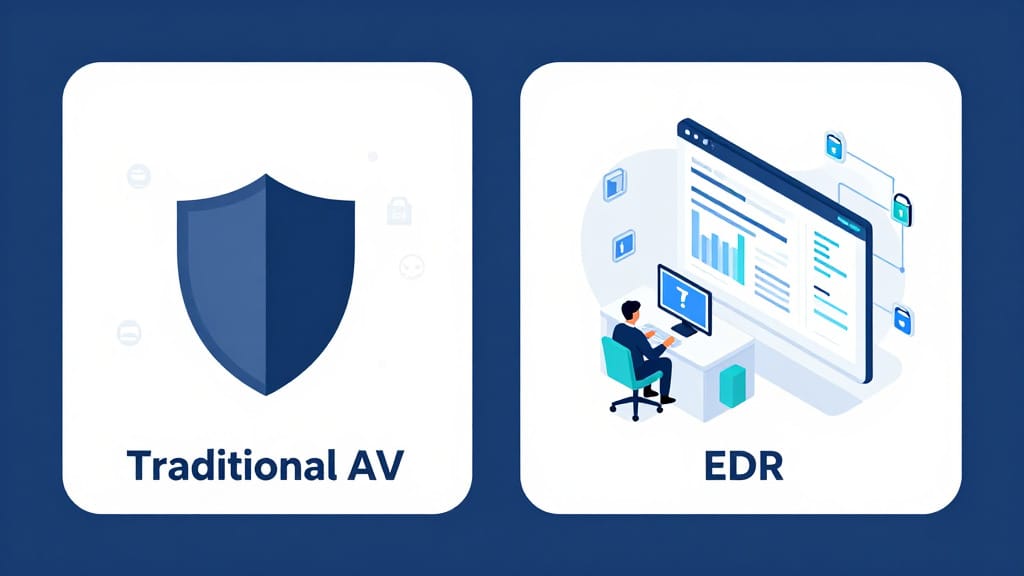
4. EDR vs Traditional AV: Practical Comparison for SMEs
Detection capabilities
Traditional AV:
- Strong at:
- Known viruses, Trojans, common commodity malware.
- Limited for:
- Unknown / zero-day threats that don’t match signatures.
- Fileless attacks that live in memory or abuse legitimate tools.
- Complex multi-stage attacks.
EDR:
- Strong at:
- Detecting behavior patterns consistent with modern attack techniques (e.g., credential dumping, lateral movement).
- Fileless / script-based attacks using PowerShell, WMI, etc.
- Correlating separate events across time and endpoints to reveal a broader attack.
For ransomware and other high-impact threats, EDR generally provides earlier and more reliable detection, especially for new or targeted strains.
Response capabilities
Traditional AV:
- Quarantine or delete malicious files.
- Block known bad websites or URLs (if it includes web filtering).
- Basic logs and alerts, often limited forensic detail.
EDR:
- Isolate endpoint from the network while still allowing remote investigation.
- Kill malicious processes and block further execution.
- In some solutions, roll back malicious changes (e.g., restore from snapshots).
- Provide detailed timelines and evidence to:
- Identify patient zero (the first infected device).
- Understand how the attacker got in.
- Confirm that the threat has been fully eradicated.
If you ever suffer a serious incident, that investigation and response capability can be the difference between a quick recovery and weeks of disruption.
Resource requirements (skills, time, budget)
Traditional AV:
- Easy to deploy and manage for small teams.
- Suitable for environments where nobody is watching alerts daily.
- Lower license cost per device.
- Minimal training required.
EDR:
- Needs someone (internal or external) to:
- Review alerts and triage them.
- Investigate suspicious activity.
- Take response actions.
- More complex to configure and tune (e.g., reducing false positives).
- Typically higher licensing costs, plus possible costs for MDR/managed security services.
For many SMEs, the deciding factor is:
Do we have, or can we afford, people and services to actually use EDR effectively?
Integration with your wider security stack
Traditional AV:
- May integrate with:
- Basic management consoles.
- Some firewalls and email gateways.
- Generally not deeply integrated into SIEM (security information and event management) tools in smaller environments.
EDR:
- Designed to feed endpoint data into:
- SIEM and XDR platforms.
- Security operations centers (SOC) or MDR services.
- Often plays a central role in:
- Incident response playbooks.
- Compliance reporting and audits.
If you’re building a more mature security program, EDR becomes a key building block that connects endpoints with your wider security operations.

5. Realistic SME Scenarios and Recommendations
Scenario 1: 10-person professional services firm (accounting, legal, consultancy)
- Mostly office work on laptops.
- All systems are cloud-based (Microsoft 365, accounting SaaS, cloud CRM).
- No dedicated IT staff; maybe an external IT support company.
- Compliance risks exist but are relatively straightforward.
Recommendation: Modern AV / EPP as a baseline, EDR optional (but nice-to-have via a managed provider).
Why:
- You absolutely need strong next‑gen AV/EPP on all devices to block common malware and phishing-related malware.
- Full-blown EDR can be overkill if nobody will manage it.
- If your IT provider offers managed EDR as part of a broader security package at a reasonable price, it’s worth considering; otherwise, prioritize:
- Good AV/EPP
- Strong backup
- Multi-factor authentication (MFA)
- Security awareness training
Scenario 2: 40-person manufacturing or logistics company with on-prem systems
- Mix of office PCs and PCs connected to production systems.
- Some legacy applications and file servers on-site.
- Limited IT team (maybe 1–2 IT generalists).
- Increasing ransomware risk due to exposed remote access and older systems.
Recommendation: Combination of modern AV/EPP + EDR (possibly managed).
Why:
- Legacy systems and on-prem servers are prime targets for ransomware and lateral movement.
- You need EDR to:
- Detect suspicious lateral movement and privilege escalation.
- Investigate anomalies across multiple devices.
- If your IT team can’t run EDR themselves, look for a managed EDR/MDR service so incidents don’t go unnoticed.
Scenario 3: 80-person healthcare, financial, or legal organization with strict compliance
- Handles sensitive personal, financial, or health data.
- Subject to data protection laws and industry regulations.
- Mix of office staff, remote workers, and maybe branch locations.
- Compliance reporting and incident documentation are important.
Recommendation: EDR + modern AV/EPP as an integrated platform.
Why:
- You face higher regulatory risk and are more likely to be targeted.
- You need:
- Advanced detection (beyond AV) for sophisticated threats.
- Detailed incident evidence for audits and breach-response obligations.
- EDR’s visibility and forensics capabilities support both security and compliance needs.

Scenario 4: 25-person startup with fully remote workforce
- All staff work from home on laptops.
- Heavy use of cloud services (code repositories, collaboration tools, cloud infrastructure).
- Limited IT/security team, but tech-savvy leadership.
Recommendation: Strong next‑gen AV/EPP on all devices + cloud-focused protections, plus EDR if paired with a managed service.
Why:
- Remote work expands your attack surface (home networks, personal devices, etc.).
- Good AV/EPP is non-negotiable for all endpoints.
- EDR adds value by:
- Detecting compromised laptops quickly.
- Providing visibility into what happened if a developer’s machine is breached.
- If you can’t monitor EDR in-house, use a managed EDR service or choose a platform that bundles EDR with MDR.
Scenario 5: 20-person retail or hospitality business with point-of-sale (POS) systems
- Mix of POS terminals, a few office computers, and maybe a small back-office server.
- Limited IT; often relies on third-party vendors for POS and network equipment.
- Main concerns are business continuity and card data security.
Recommendation: At minimum, robust AV/EPP everywhere; EDR if mandated by compliance or offered by your IT/MSP as a managed add-on.
Why:
- Malware on POS terminals can be devastating, but your environment is relatively simple.
- Strong AV/EPP with application control and locked-down configurations may be enough if managed properly.
- EDR is beneficial where:
- Payment card industry or other requirements recommend it.
- Your managed service provider can actually monitor and respond on your behalf.

6. How to Decide: Practical Guidance for SMEs
When choosing between traditional AV, EDR, or a combination, ask yourself:
- What’s at risk?
- Do you handle sensitive or regulated data (financial, health, legal, IP)?
- Would downtime from ransomware or a breach be business‑critical?
- What’s our attack surface?
- Do we have remote workers, on-prem servers, legacy systems, or exposed remote access?
- Are we using only cloud SaaS with minimal internal infrastructure?
- Who will run this?
- Do we have IT/security staff who can monitor and respond to EDR alerts?
- If not, can we afford a managed service that handles this?
- What’s our budget—and what’s the cost of doing nothing?
- AV/EPP is generally cheaper, but offers less depth.
- EDR costs more, but can potentially reduce the impact and cost of a serious incident.
A simple starting point
- If you are a very small, low-risk SME with limited IT support:
- Start with robust, modern AV/EPP on every endpoint, plus backups and MFA.
- If you have on-prem systems, legacy apps, or compliance obligations:
- Plan for a combination of AV/EPP + EDR, ideally with managed monitoring.
- If your business relies heavily on technology and handles sensitive or high-value data:
- Treat EDR as essential, not optional, and ensure someone (internal or external) is accountable for using it properly.

Conclusion
Traditional antivirus is still a critical security layer for SMEs, but it was designed for a world where most threats were simple, known pieces of malware. Today’s attackers use fileless techniques, living-off-the-land tools, and targeted ransomware campaigns that often slip past basic AV.
EDR doesn’t replace antivirus—it extends it. AV focuses on prevention, while EDR adds detection, visibility, and response. For many SMEs, the right move isn’t “AV vs EDR,” but rather:
- Modern AV/EPP everywhere, plus EDR where risk and resources justify it.
If your SME is small, with simple cloud-based operations and limited risk, get the best AV/EPP you can, lock down your environment, and invest in backups and user training.
If you have on-prem systems, sensitive data, or higher compliance and operational risks, EDR (ideally with a managed service) becomes a smart, often necessary, investment to ensure that when—not if—something slips past your defenses, you can see it, understand it, and respond before it becomes a business crisis.