Seasonal Tech Planning: How to Prepare Your IT Infrastructure for Peak Business Periods

Seasonal peaks can make or break the year for many SMEs.
Whether it’s year-end sales, festive campaigns, school enrolment periods, tax season, or major product launches, your business relies on IT and cloud systems to handle sudden spikes in traffic, transactions, and support requests.
If your systems slow down, crash, or get hit by a cyberattack at the wrong moment, the impact is immediate:
- Lost sales and revenue
- Damaged customer trust
- Stressed staff and overtime firefighting
- Potential compliance and data protection issues
To quantify how serious a single outage can be, see our 2024 insights on the true cost of IT downtime for Singapore SMEs.
Seasonal tech planning is about making sure your IT infrastructure, people, and processes are ready before the rush hits. This is especially important for SMEs that don’t have a large in-house IT team and rely on Managed IT Services (MSP) or IT Department-as-a-Service (ITD-aaS) partners like Techease Solutions.

1. Assessing Readiness for Peak Periods
Before you upgrade anything, start with a structured review. Think of this as an “IT health and capacity check” ahead of your busy season.
1.1 Review past peaks and incidents
Look back at the last 12-24 months:
- When did you see the highest traffic or transaction volume? (e.g., Black Friday, year-end closing, campaign launches)
- What went wrong?
- Website or app slowdowns or timeouts
- POS terminals freezing
- Staff unable to access CRM/ERP
- Email or chat tools becoming unreliable
- What workarounds did your team improvise on the spot?
If you have monitoring tools or reports from your MSP, pull performance and incident logs from those peak periods. This gives you real data to plan with instead of guessing.
An MSP like Techease Solutions can support this by running scheduled IT health checks and strategic reviews to surface trends, bottlenecks, and weak points before they become critical.
1.2 Understand your current capacity limits
Work with your internal IT lead or MSP to answer:
- Servers & cloud resources
- How much CPU, memory, and storage are you using during normal vs peak periods?
- What are your current limits (e.g., database size, API rate limits, max sessions)?
- Network
- Is your internet bandwidth sufficient for peak traffic, cloud usage, and remote work?
- Are there known bottlenecks at specific branches or retail locations?
- Support capacity
- How many IT support tickets can your team realistically handle per day?
- How quickly are incidents resolved under normal conditions vs peak?
If you use a managed IT services plan with device monitoring and patch management, your provider can usually generate a capacity report and highlight where you’re close to the red line.
1.3 Identify your “must not fail” systems
Not all systems are equally critical. In a peak period, some can wait; others absolutely cannot go down.
Common “Tier 1” systems for SMEs include:
- E-commerce platform & payment gateways
- POS systems for retail and F&B
- CRM (sales pipeline, customer data, support history)
- ERP or accounting systems for orders, stock, invoicing, and closing
- Communication tools: email, Teams/Slack, VOIP/phone, customer chat
- Key line-of-business apps (booking systems, logistics portals, practice management, etc.)
For each critical system, document:
- What is the business impact if it fails? (lost sales per hour, compliance risk, etc.)
- How long can you tolerate downtime? (minutes, hours)
- What backup or workaround exists? (manual process, alternative channel, offline method)
Your MSP or ITD-aaS partner can help classify and prioritise these systems during a vCIO-style review or quarterly IT strategy session.
2. Scaling Cloud Resources Safely and Efficiently
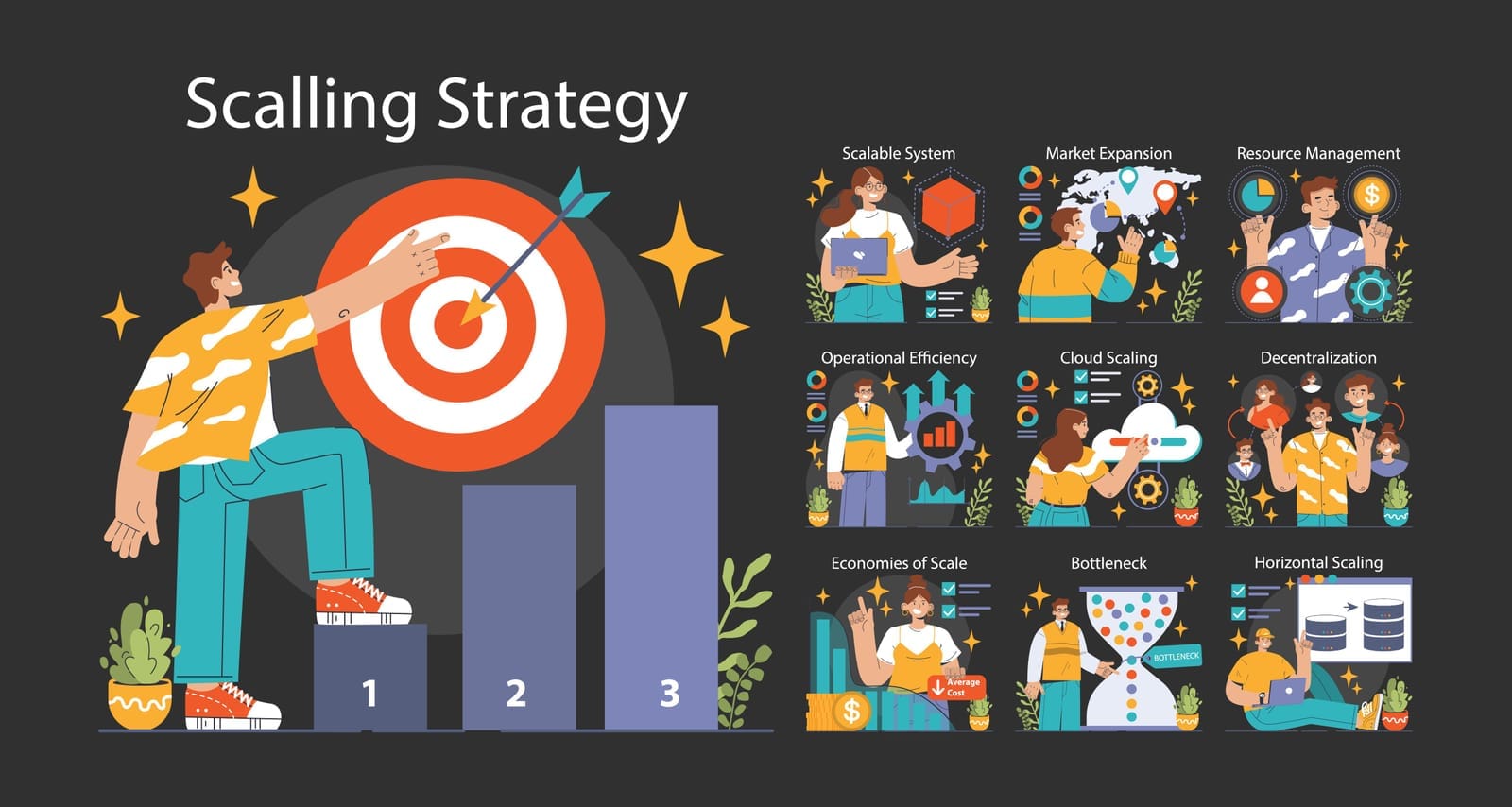
For many SMEs, core systems now sit in the cloud: SaaS platforms, cloud-hosted websites, and virtual servers. The good news is that cloud can scale up for peak — if you configure it correctly. Not sure whether a cloud-first or cloud-smart approach fits your growth? See our guide to Cloud-First vs Cloud-Smart planning for Singapore SMEs.
2.1 Use autoscaling and load balancing
Key techniques to discuss with your IT team or MSP:
- Autoscaling
- Automatically adds more server instances when traffic, CPU, or memory usage passes a threshold.
- Prevents slowdowns when campaigns go better than expected.
- Load balancing
- Distributes traffic across multiple servers instead of overloading one.
- Improves both performance and resilience (if one server fails, others take over).
- Content Delivery Networks (CDNs)
- Caches static content (images, scripts, videos) closer to your customers.
- Reduces load on your origin server and speeds up page loads globally.
For an e-commerce SME running big year-end promotions, this can be the difference between a smooth, fast checkout and a site that collapses under load.
2.2 Do capacity planning based on realistic scenarios
Work through a few “what if” scenarios:
- Expected visitors per day and per hour during your campaign
- Expected conversion rate and number of concurrent users
- Peak transactions per minute for checkout, POS, or bookings
- Additional back-office workload (order processing, customer support, reporting)
Translate these into resource needs:
- Database read/write operations
- Number of app server instances
- Required bandwidth and latency
- Storage growth for logs, backups, and new data
Your MSP can help you model and test this — often as part of cloud migration and automation initiatives or digital strategy work.
2.3 Control costs while scaling
It’s easy to overspend by over-provisioning “just in case”. Equally, under-provisioning can cost you more in lost revenue than the savings.
To balance:
- Use tiered environments:
- Scale up only critical production systems.
- Keep non-essential test/dev environments smaller or paused.
- Implement usage alerts and budgets in your cloud provider.
- Use autoscaling with sensible limits, not “infinite” scale.
- Plan a scale-down schedule right after the peak to avoid leaving extra capacity running unnecessarily.
An MSP with transparent, service-based pricing and vendor independence can help you choose cost-effective options rather than pushing specific vendor upsells. Here’s how defined packages with clear limits deliver better value than open-ended support.
3. Tightening Cybersecurity Before High-Risk Periods
Attackers know that businesses are under pressure during holidays and big campaigns. They also know staff are busy and more likely to click on a phishing email or approve a suspicious request.
This makes peak periods a prime time for phishing, ransomware, and fraud attempts. Stay updated on the top cybersecurity threats facing Singapore SMEs in 2025.
3.1 Strengthen your security basics
Review and tighten the following at least 4-6 weeks before your peak:
- Managed Antivirus / Endpoint Detection & Response (EDR)
- Ensure all endpoints (laptops, POS, servers) have up-to-date protection.
- Use managed EDR where possible so threats are monitored and responded to, not just detected.
- Multi-Factor Authentication (MFA)
- Enforce MFA for email, VPN, key SaaS apps, admin portals, and payment systems.
- Patch management
- Apply the latest security patches to operating systems, applications, network devices, and firewalls.
- Device monitoring and patch management services from an MSP ensure this stays consistent.
- Backups & recovery testing
- Confirm that critical systems and data are being backed up (and encrypted).
- Test restore processes — not just “yes, we’re backing up” but “we can recover within X hours”.
If you’re choosing between on‑prem and cloud backups, see our beginner’s guide to data backup solutions (on‑prem vs cloud).
Many SMEs rely on their MSP’s cloud backup and security & compliance advisory services to maintain this baseline.
3.2 Train your people for high-risk periods
Human error is still the biggest security risk.
Before your busy season:
- Run security awareness training focused on:
- Spotting phishing and fake payment requests
- Handling urgent-looking emails asking for refunds, gift cards, or bank changes
- Safe handling of customer data and payment information
- Share a “high-risk reminders” checklist with all staff.
Plans that include security awareness training for employees make it easy to deliver this in a structured way.
3.3 Prepare an incident response plan
If something does happen, you don’t want to decide what to do in the middle of a crisis.
Document:
- Who to call first (internal lead, MSP emergency line, key vendors)
- Clear roles and responsibilities (who talks to customers, who talks to vendors, who makes decisions)
- Technical runbooks for likely incidents:
- Ransomware detected on a workstation
- Website under DDoS attack
- Compromised email account
- Lost/stolen laptop with customer data
Your MSP can help you create and test these runbooks and escalation paths as part of security & compliance advisory and data protection compliance support (e.g., PDPA). Learn the practical steps in our essential PDPA compliance guide for SMEs.

4. Preparing IT Support and Service Channels
When business volume goes up, IT issues and “how do I…?” questions also go up. Having enough IT support during peak is just as important as having server capacity.
4.1 Plan support staffing and coverage
Consider:
- Extended business hours or weekend coverage during peak
- Backup resources from your MSP for overflow or complex issues
- On-site vs remote support model:
- Retail/F&B with POS may need on-site support on standby.
- Mostly-remote or SaaS businesses may rely primarily on remote support.
Techease Solutions, for example, offers remote and on-site IT support with different tiers of included hours and visits per month, which can be aligned to your seasonal needs.
4.2 Clarify support channels and SLAs
Make it easy for staff to get help quickly:
- Define primary channels: helpdesk portal, email, phone, or chat.
- Publish response targets (e.g., urgent outages responded to within 15-30 minutes).
- Educate your team on:
- What is considered “urgent” vs routine
- How to log tickets with complete information (saves time for all)
If you use a managed IT plan that includes helpdesk and remote support hours, ensure everyone knows how to access it.
4.3 Use monitoring and proactive checks
Proactive monitoring lets you spot issues before they hit customers.
Work with your MSP to ensure:
- Device monitoring & alerts are set up for:
- High CPU/memory usage
- Low disk space
- Failing backups
- Network device issues
- Scheduled IT health checks are completed before peak:
- Validate system performance
- Check logs for recurring issues
- Confirm patch and backup status
These services are typically included in MSP offerings such as device monitoring & patch management and scheduled IT health checks and strategic reviews.

5. Coordinating with Vendors and MSPs
You likely depend on multiple third parties: cloud platforms, SaaS tools, payment gateways, telcos, and your MSP. During peak, you need them aligned and ready.
5.1 Use your MSP as a central coordinator
A strong MSP or ITD-aaS partner can provide IT vendor management, becoming your single point of contact for:
- Telcos and internet providers
- Cloud and hosting providers
- Security vendors and firewall providers
- Line-of-business application vendors (POS, ERP, CRM, etc.)
This reduces the “vendor blame game” when something goes wrong and ensures someone is accountable for pulling all the pieces together. When assessing providers, watch for these common IT vendor red flags and key questions.
5.2 Conduct a pre-season strategy review
Schedule a seasonal planning session 4-8 weeks before your peak:
Topics to cover:
- Capacity
- Will current servers, cloud resources, and network bandwidth handle projected load?
- Do we need temporary upgrades or configuration changes?
- Security posture
- Are all critical endpoints covered by managed AV/EDR?
- Are MFA and access controls enforced?
- Any outstanding vulnerabilities or patch gaps?
- Backup and recovery
- What is our Recovery Time Objective (RTO) and Recovery Point Objective (RPO) for critical systems?
- When did we last test a full recovery?
- Contingency plans
- If primary systems fail, what is the backup process?
- Are there manual or offline workflows for key functions (e.g., taking orders, accepting payments)?
- Who authorises switching to fallback modes?
For a deeper dive, review our guide to IT disaster recovery and business continuity for Singapore SMEs.
Many MSP plans, especially Professional and Premium tiers, include regular vCIO reviews or strategic sessions that are ideal for this sort of seasonal planning.

6. Creating a Repeatable Seasonal Playbook
One of the best investments you can make is turning seasonal planning into a repeatable, documented process instead of a scramble every year.
6.1 Document policies, checklists, and timelines
Your seasonal playbook should include:
- Key dates and milestones
- When marketing campaigns go live
- Cut-off dates for major changes or deployments before peak — and apply sound IT change management
- Dates for pre-peak reviews, tests, and training
- Roles and responsibilities
- Internal leads for IT, operations, finance, marketing
- MSP contacts and escalation paths
- Vendor emergency contacts
- Technical and operational checklists
- Capacity, security, backup, and support readiness steps
- Communication plans for staff and customers if issues arise
Your MSP can help formalise this into IT policy documentation and simple runbooks that your team can follow.
6.2 Example seasonal checklist for SMEs
Use this as a starting template and adapt it to your business.
Pre-Peak (4-8 weeks before)
- Review last year’s incidents and performance
- Confirm seasonal sales/campaign calendar and traffic projections
- Meet with MSP for pre-season IT health check and strategy review
- Validate capacity:
- Cloud autoscaling and load balancing configured
- Network bandwidth and firewall capacity checked
- Confirm:
- Backups running and tested
- Patch status across servers, workstations, and POS
- Managed AV/EDR active and updated
- Enforce or verify MFA on critical systems
- Run security awareness training, focused on seasonal scams
- Finalise incident response plan and emergency contacts
- Align support hours and escalation with MSP (remote/on-site coverage)
During Peak
- Enable enhanced monitoring and alerts for critical systems
- Keep a daily log of:
- Incidents, slowdowns, or near-misses
- Traffic and transaction metrics vs projections
- Hold short internal check-ins (15-20 minutes) with key teams and MSP as needed
- Communicate clearly with staff about any known issues or changes
- Avoid major changes or deployments unless essential and coordinated
Post-Peak (within 2-3 weeks after)
- Meet with MSP for a post-peak review:
- What worked well
- What failed or nearly failed
- What needs to change for next year
- Analyse:
- Ticket volume and response times
- System performance and security incidents
- Update:
- Checklists, runbooks, and policies based on lessons learned
- Capacity assumptions and cost models
- Scale down any temporary cloud capacity that is no longer needed
- Plan medium-term improvements (e.g., system upgrades, automation, additional training)

Bringing It All Together
Seasonal tech planning is not just an IT exercise — it’s a core business risk and revenue protection strategy for SMEs.
By:
- Reviewing your past peaks and current capacity
- Scaling cloud resources smartly
- Tightening cybersecurity before attackers move in
- Ensuring support channels are ready and staffed
- Coordinating closely with vendors and your MSP
- And capturing everything in a repeatable seasonal playbook
… you dramatically reduce the risk of outages, data breaches, and chaos during your most important business periods.
If you don’t have a large in-house IT team, this is exactly where a managed services partner like Techease Solutions can help — through:
- Remote and on-site IT support
- Device monitoring & patch management
- Managed Antivirus/EDR and cloud backup
- Security awareness training and data protection compliance support
- Scheduled IT health checks, vCIO strategic reviews, and vendor management
If you’re deciding whether to outsource or build in-house, here’s a helpful comparison: Managed IT Services vs building your own IT team.
Now is the best time — before your next big campaign or busy season — to get proactive.
Consider:
- Scheduling an IT health check and seasonal strategy review with your current IT provider or MSP.
- If you don’t have one, exploring a managed IT services plan that includes monitoring, backup, security, and strategic guidance tailored to SMEs.
A few hours of planning today can save you days of firefighting, and protect your peak-season revenue, tomorrow.