Holiday Checklist: How to Keep Your Business Data Safe While the Office is Closed

When the office is quiet and most of your team is on leave, your business data often becomes more vulnerable, not less. Attackers know that response times are slower, fewer people are watching the systems, and changes may be rushed before everyone signs off for the holidays. A bit of preparation now can prevent data loss, downtime, and compliance headaches later.
This practical Christmas checklist is written for business owners and IT managers who want clear, non-technical steps to keep systems safe while the office is closed — especially for SMEs using managed IT services and cloud tools. It aligns with common MSP best practices such as proactive monitoring, managed antivirus/EDR, cloud backups, firewall/network support, and scheduled IT health checks and strategy reviews.

1. Pre-Holiday IT Security Checklist (Step-by-Step)
Step 1: Confirm Remote & On-Site IT Support Arrangements
Clarify who is “on duty” over the holidays
- Decide: Will you rely on your internal IT team, your Managed Service Provider (MSP), or a mix of both?
- Confirm coverage hours (e.g., 24/7 monitoring, business hours only, or “best effort”) (for context on balancing coverage with quality, see why defined service limits can protect your business).
Document how staff can get help
- Set a single point of contact: helpdesk email, phone number, or ticketing portal.
- Make sure this information is shared with key managers and reception or security desk.
Arrange on-site support, if needed
- For critical locations (e.g., server room, manufacturing floor), agree in advance how quickly someone can be dispatched on-site for outages or physical incidents (water leaks, power failures, etc.).
Test the process
- Before the break, raise a non-urgent test ticket or call to confirm the process works and response times are acceptable.
Step 2: Ensure Device Monitoring & Patch Management Are Up-to-Date
Proactive device monitoring and patch management are your first line of defense against many attacks—and are core to what MSPs deliver.
Check monitoring coverage
- Confirm that all servers, workstations, and key network devices (firewalls, switches, Wi-Fi controllers) are enrolled in your monitoring system.
- Make sure alerts are still going to the right people (e.g., no ex-employees in alert groups).
Apply critical updates before the break
- Patch operating systems (Windows, macOS, Linux) and key business applications (browsers, VPN clients, productivity suites).
- Prioritize critical security patches released in the last 1–2 months.
Avoid big, untested changes right before closing
- Don’t roll out major upgrades (e.g., OS version changes) the day before you shut down — if something breaks, no one will be around to fix it. If a change must proceed, follow formal IT change management to reduce risk.
- Instead, focus on security patches that have already been tested internally or by your MSP.
Confirm patch schedules and reboots
- Ensure out-of-hours maintenance windows are set, and critical servers are allowed to restart if required.
- For devices that will be left on (e.g., servers), verify that automatic patching is active and monitored.

Step 3: Verify Antivirus & Endpoint Protection (Including EDR)
Managed antivirus and Endpoint Detection and Response (EDR) help detect and block malicious activity, especially when staff are away.
Confirm protection is installed and current
- Check that all company machines (including laptops and remote PCs) have:
- Active antivirus/EDR
- Real-time protection enabled
- Up-to-date signatures/definitions
Review recent detections
- Ask your IT team or MSP for a report of:
- Recent malware detections
- Repeated detections on the same device
- Devices not checking in
Tighten policies for the holiday period
- Consider temporarily:
- Blocking risky categories (e.g., unknown executables, macros from untrusted sources)
- Enforcing stricter web filtering for company devices
Confirm alerting and escalation
- Make sure high-severity AV/EDR alerts:
- Are sent to monitored mailboxes or dashboards
- Have a defined response process (e.g., automatic isolation, then human review)
Step 4: Confirm Cloud Backup & Recovery Are Working
Cloud backup and recovery are essential if something goes wrong while you’re away — ransomware, accidental deletions, or hardware failures.
Review backup status for all critical systems
- Servers (file servers, application servers, domain controllers)
- Cloud services (e.g., Microsoft 365/Google Workspace backups, SaaS apps with integrated backup)
- Key databases (ERP, CRM, accounting)
Check for recent successful backups
- Confirm at least the last 7–14 days show successful backups for key workloads.
- Investigate any failures or warnings before the office closes.
Test a restore (even a small one)
- Restore a sample file or mailbox to verify that:
- Backups are usable
- IT or your MSP knows the restore process
- Document how to perform emergency restores and who is authorized to request them.
Understand your Recovery Time and Recovery Point
- RTO: How long it will take to restore critical systems.
- RPO: How much data you might lose (e.g., last 4 hours, last day).
- Check if these meet your business’ tolerance over the holiday period.
Step 5: Review Firewall & Network Security
Firewalls and network configuration are central to preventing unauthorized access, especially when offices are largely unattended.
Check firewall rules and remote access
- Review VPN and remote desktop access:
- Remove any unused or temporary access (e.g., ex-vendors).
- Ensure multi-factor authentication (MFA) is enabled for remote access.
- Confirm geo-blocking or access restrictions where appropriate (e.g., blocking logins from countries you don’t operate in).
Update firewall and network device firmware
- Apply security fixes to:
- Firewalls
- Routers
- Wi-Fi access points
- Schedule these changes at low-impact times and confirm devices come back online.
Verify logging and intrusion detection
- Ensure firewall logs are:
- Being collected and retained
- Monitored directly by IT or via an MSP/security provider
- If you use IDS/IPS, confirm it’s active and alerting properly.
Physically secure network equipment
- Lock server rooms and network cabinets.
- Limit keycard access to essential personnel only over the break.
- Confirm that power and cooling monitoring is working.

Step 6: Send Employee Security Awareness Reminders
Human error remains one of the biggest risks—especially when staff are relaxed, traveling, or checking email on personal devices. Security awareness training and reminders are critical before the break.
Send a short, clear pre-holiday email covering:
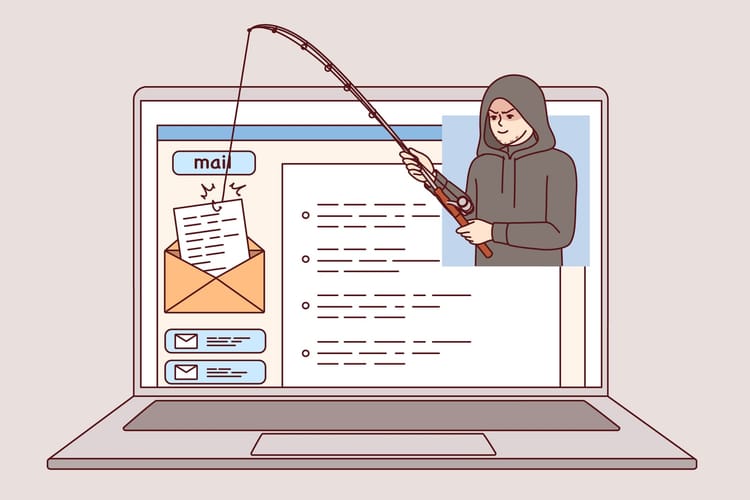
Phishing and scam warnings
- Highlight common seasonal scams:
- Fake delivery notices
- Gift card scams
- “Urgent” finance or HR requests
- Remind staff: Never approve payments or share sensitive data based only on email/WhatsApp; verify via a separate channel.
Remote work hygiene
- Use company VPN when accessing sensitive systems.
- Avoid using public Wi-Fi for confidential work unless using a secure VPN.
- Lock devices when unattended and avoid sharing them with friends/family.
Password and MFA reminders
- Strong, unique passwords for work accounts.
- MFA is non-negotiable for email, VPN, finance systems, and admin portals.
Clear “what to do if something seems wrong”
- Who to contact and how (helpdesk email/phone) if:
- They click a suspicious link
- Lose a device
- Notice unusual account activity
Step 7: Confirm Compliance with Data Protection Regulations (e.g., PDPA, GDPR)
If you handle personal data, you must stay compliant even when the office is closed. Many MSPs support PDPA and other data protection compliance needs as part of their services.
Review data handling and retention basics
- Ensure personal data access is limited to those who truly need it.
- Confirm data retention rules are being followed (e.g., no unnecessary old data lying around).
Check incident response obligations
- Under regulations like PDPA or GDPR, certain breaches must be reported within strict timelines (if you don’t have a process yet, learn how to create an incident response plan that actually works).
- Make sure you know:
- Who is your Data Protection Officer (DPO) or equivalent.
- How to contact them during the holidays.
- Your basic steps if a breach is suspected (contain, assess, notify).
Secure data at rest and in transit
- Verify disk encryption on laptops and mobile devices.
- Ensure sensitive files shared externally are:
- Encrypted where appropriate
- Password-protected and not shared via public links
Review access for leavers and temporary staff
- Disable accounts for ex-employees or contractors before the break.
- Remove shared credentials and generic accounts where possible.
Step 8: Compile Contact Information for Critical IT Vendors & Support
Vendor management is a key part of a solid IT strategy. During a holiday incident, you don’t want to be searching for support numbers.
Create a simple “IT Emergency Contact Sheet”
Include:
- Internal IT leads (name, mobile, email).
- Managed Service Provider (MSP) helpdesk and escalation contacts.
- Internet service providers (with account numbers).
- Cloud and SaaS vendors (support portals, premium support contacts).
- Key hardware vendors for servers, firewalls, and storage.
Share and store it securely
- Provide a copy to senior management and on-duty staff.
- Store a version:
- In a secure cloud folder
- Printed and locked in a known location (for when systems are down)
Verify support contracts and SLAs
- Confirm that your SLAs cover the holiday period and know:
- Response times
- Escalation paths
- Any additional after-hours charges

2. Maintaining Business Continuity Over the Holidays
Even with strong security, things can still go wrong. A basic continuity and disaster recovery plan helps you respond quickly and minimize impact.
A. Set Up Emergency Escalation Procedures
Define what counts as an “emergency”
- Complete outage of email or key line-of-business systems.
- Suspected or confirmed data breach.
- Ransomware or major malware outbreak.
- Loss of critical facilities (e.g., server room overheating).
Map out a simple escalation path
- Service desk → On-call IT engineer → IT manager → Business owner/Director.
- Document how each level should be contacted and under what circumstances, and tie this into your broader incident response plan.
Align with your MSP
- Review and agree on:
- Who authorizes major decisions (e.g., shutting down a system).
- How quickly they will respond to different incident severities.
B. Establish Clear Communication Plans
Decide communication channels
- Primary: Email and ticketing system (if available).
- Backup: Phone/SMS/secure messaging in case email is down.
Prepare templates in advance
- Internal notification: “We’re currently experiencing a system issue; here’s what we know and what to do.”
- External client notice (if needed): Short, factual update that doesn’t share sensitive details but reassures stakeholders you’re handling it.
Avoid confusion and rumor
- Nominate a single spokesperson (e.g., IT manager or operations director) to approve any mass communications.
C. Plan for Reduced Staff and Key Person Risk
Ensure at least two people know every critical process
- System restarts
- Vendor logins
- Incident triage tasks
Avoid single points of failure
- Don’t let one person be the only holder of key passwords, encryption keys, or vendor contacts.
- Use a secure password manager with shared vaults and emergency access where needed.

3. Real-World Examples & Common Pitfalls to Avoid
Example 1: The “Quick Change Before Christmas” Outage
A company pushed a major firewall change on Christmas Eve to “get it done before year-end.” No one was around when it blocked VPN access for remote staff, including those on call. They spent two days working with the ISP and MSP to regain access.
Avoid it by:
- Freezing major configuration changes in the last few business days before closure.
- Only applying tested and necessary security patches.
Example 2: Unmonitored Backups That Never Actually Worked
An SME believed they had cloud backups running. When ransomware hit over the New Year break, they discovered:
- Backups had been failing for weeks.
- No one checked the reports.
They had to pay for expensive emergency recovery—and still lost recent data.
Avoid it by:
- Regularly checking backup reports and testing small restores.
- Making someone clearly responsible for backup verification before holidays.
Example 3: Lost Laptop with Customer Data
An employee traveling during the holidays lost a work laptop containing unencrypted customer information. The company had to report a data breach under local regulations and notify affected customers, damaging trust.
Avoid it by:
- Enforcing full-disk encryption on all laptops.
- Training staff what to do immediately if a device is lost (report, remote wipe, password resets).
Common Pitfalls to Watch For
- Relying on “default” security settings instead of reviewing them with your IT team or MSP.
- Leaving admin accounts enabled for staff or vendors who no longer work with you.
- Weak or no MFA on email, VPN, and key SaaS tools.
- No clear person in charge of IT or security decisions while leadership is away.
- Treating security as “IT’s problem only” instead of a shared business responsibility.

4. Don’t Forget: Schedule a Post-Holiday IT Health Check
Once the holiday season is over, plan a structured IT health check and review—ideally with your internal IT team and/or your MSP. Many managed IT providers include scheduled IT health checks and strategic reviews as part of their service.
Your post-holiday review should cover:
System and security logs
- Any unusual login attempts?
- Any alerts that were missed or delayed?
Backup and restore readiness
- Confirm backups remained successful throughout the break.
- Test another small restore, especially for critical systems.
Patch and vulnerability status
- Check for new vulnerabilities disclosed over the holidays.
- Plan the next patch cycle accordingly.
Incident and near-miss review
- Did anything go wrong, even if minor?
- What processes, training, or tools can you improve before the next holiday or major closure?
Strategy discussion
Consider whether to enhance:
- Proactive device monitoring and managed EDR
- Cloud backup and disaster recovery
- Security awareness training
- Data protection compliance measures and documentation
Taking a few structured steps before the office closes—and reviewing them systematically afterward—can dramatically reduce your risk. Use this checklist as a yearly (or even quarterly) tradition to keep your business secure, compliant, and resilient, so you and your team can enjoy the holidays with genuine peace of mind.