
From Legacy To Modern: Upgrading Critical Business Applications Without Disruption
For many small and mid-sized businesses, “that old system in the corner” still runs the show—whether it’s ERP, inventory, billing, or a custom tool built a decade ago. It works… mostly. Until it doesn’t.
This article walks you through how to modernize those critical applications without bringing your operations to a halt. The focus is practical and step‑by‑step, assuming you have limited internal IT resources and very low tolerance for downtime.
1. What Are “Legacy Applications” and Why Do They Matter?
What is a legacy application?
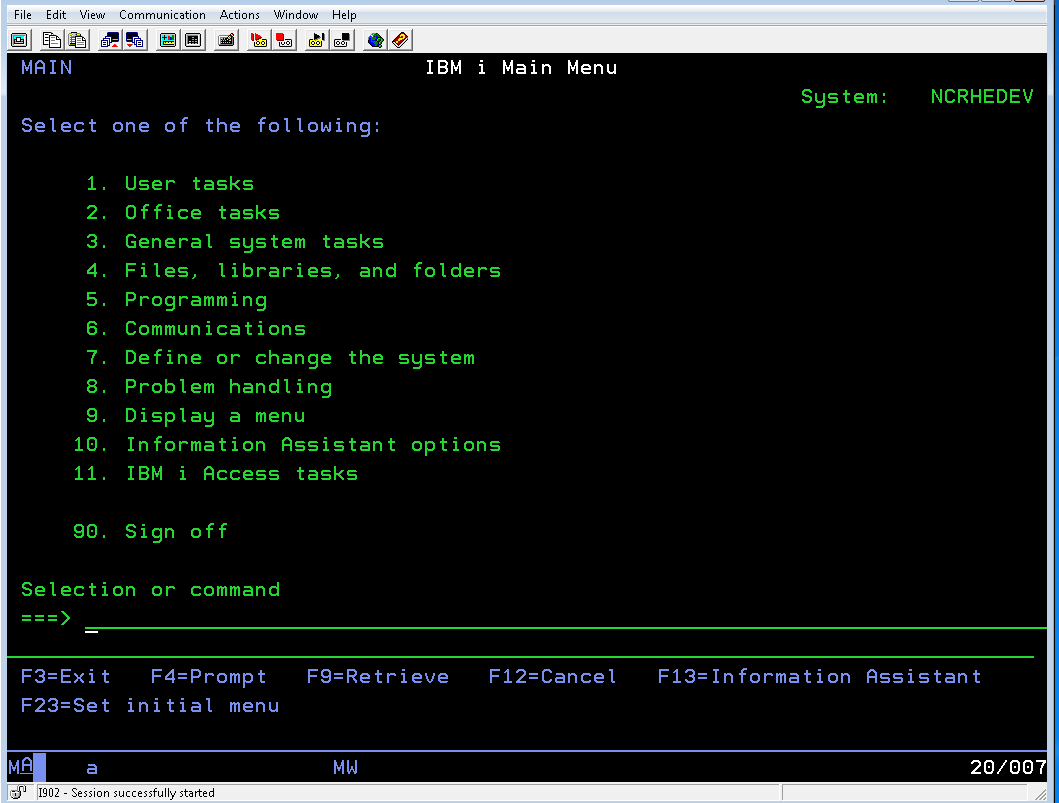
A “legacy application” isn’t just “old software.” Typically it’s one or more of the following:
- Age & technology stack
- Built 8–15+ years ago
- Runs on outdated operating systems (e.g., unsupported Windows Server or old Linux distributions)
- Uses old frameworks (.NET Framework 2.0, classic ASP, VB6, PowerBuilder, FoxPro, etc.)
- Support status
- Vendor has ended mainstream or extended support
- Security patches are rare or non‑existent
- The original developer (for custom apps) is no longer available
- Infrastructure constraints
- Only runs on‑premise servers or even desktop machines under someone’s desk
- Difficult or impossible to virtualize or move to cloud environments
- Integration limits
- No modern APIs; relies on file drops, manual exports, or direct database access
- Hard to integrate with cloud apps, analytics tools, or automation platforms
None of this means the application is “bad.” It may still be mission‑critical. But it does mean risk is accumulating.

Risks of staying on legacy systems
For SMEs, the real question is: What’s the risk of doing nothing?
- Security exposure
- Unsupported OS and software = unpatched vulnerabilities.
- Legacy protocols and weak encryption make it easier for attackers to gain access.
- Antivirus and endpoint tools may no longer fully support the platform.
- Scalability & performance limits
- As transaction volumes grow, the system slows down or becomes unstable.
- Hardware upgrades help only marginally if the architecture itself can’t scale.
- Vendor & skills risk
- Vendor might discontinue the product or drastically reduce support.
- Only one or two people know how the system works; if they leave or retire, you’re stuck.
- Compliance and data protection
- Older systems often don’t support modern data protection standards or regional privacy laws.
- Audit trails, role-based access controls, and encryption-at-rest may be missing or limited.
- Hidden cost
- Increasing downtime and ad‑hoc fixes consume staff time.
- Hardware maintenance and support for outdated platforms is expensive.
- You miss out on productivity gains from newer tools (automation, better reporting, remote access).
The good news: you can modernize without chaos
Modernizing a critical application does not have to mean a risky “big bang” cutover. With the right approach, especially a cloud‑first, phased strategy that shifts spend from large up‑front hardware purchases (CAPEX) to more flexible operational spending (OPEX), you can improve security, resiliency, and agility with carefully managed risk.

2. Assessment & Planning: Know What You Have Before You Move
Before touching any code or servers, you need a clear picture of your current environment.
Step 1: Inventory your applications and dependencies
Create a simple but structured inventory. For each application, capture:
Basic information
- Name and purpose (e.g., “Order Management System – handles orders from web and retail”)
- Business owner (who relies on it most)
- Technical owner (internal IT, external MSP, vendor)
Technical details
- Where it runs:
- Server name / IP, on‑prem vs cloud
- OS and version
- Technology stack:
- Programming language, framework, runtime
- Database type and version (SQL Server, MySQL, Oracle, Access, flat files)
- Integrations:
- Other apps it reads/writes to (e.g., CRM, accounting, warehouse)
- Integration methods (APIs, file shares, direct DB connections, scheduled jobs)
Operational & compliance aspects
- Typical usage patterns (24/7? office hours? peak times?)
- Data types handled (customer PII, financial, health, etc.)
- Regulatory constraints (e.g., PDPA, GDPR, sector‑specific rules)
- Existing backup & disaster recovery approach (full/incremental, frequency, location)
A spreadsheet or lightweight tool is enough. The key is completeness, not perfection.
Step 2: Evaluate criticality and risk
For each application, assess:
- Business criticality
- If it’s down, what happens?
- “Inconvenience” (internal reporting)
- “Operational impact” (order processing slows)
- “Business‑stopping” (cannot invoice, cannot ship, cannot serve customers)
- If it’s down, what happens?
- Technical & security risk
- Is OS/software out of support?
- Any known security gaps?
- Is it frequently failing or requiring manual intervention?
- Change risk
- How complex are the integrations?
- How much of the business logic is undocumented?
- Is there in‑house knowledge or only external/vendor expertise?
- Cost & ROI
- Current cost: hardware, support contracts, staff time for fixes.
- Potential benefits: time saved, reduced downtime, better insights, new capabilities.

Step 3: Prioritize what to modernize first
Avoid trying to “fix everything at once.” Instead:
- Exclude:
- Low‑value, low‑risk tools that can wait.
- Very complex systems with limited benefit; these might come later or be retired.
- Candidates to do first:
- High‑risk but not the most complex systems (good ROI for early wins).
- Systems that are critical but have well‑understood processes and decent documentation.
- Leave for later:
- Extremely critical and highly complex systems with poor documentation—these may benefit from learning gained in earlier projects.
Score each app on criticality, risk, and potential ROI, then sort. Aim to pick 1–3 initial candidates.
Step 4: Build a modernization roadmap and get buy‑in
Your roadmap should cover:
- Phases
- Phase 1: Discovery & quick wins (e.g., rehosting or simple upgrades)
- Phase 2: Core system modernization (ERP/CRM/Order Management)
- Phase 3: Optimization (automation, analytics, user experience improvements)
- Timelines
- Keep them realistic and flexible; plan around business cycles (avoid peak season cutovers).
- Resources
- Internal team roles (business owner, IT lead, power users).
- External partners (MSP, consultants) for architecture, migration, and ongoing support.
- Success measures
- Examples: reduced downtime, faster response times, better security posture, improved user satisfaction.
Communicate this roadmap in business terms (risk reduction, cost management, agility) to owners, finance, and key department heads. Their support will be crucial for testing, training, and go‑live windows.

3. Modernization Approaches: Choosing the Right Strategy
There is no one‑size‑fits‑all approach. Most SMEs end up using a mix of strategies across different applications.
Main strategies in plain language
Rehosting (“lift‑and‑shift”)
- Move the application as‑is from old hardware to a newer platform (often cloud infrastructure).
- Minimal code changes; mostly infrastructure work.
Good for:
- Reducing hardware risk quickly.
- Gaining basic cloud benefits (resilience, backups, remote access).
Trade‑offs:
- You still carry technical debt.
- May not fully solve performance or functionality gaps.
Replatforming
- Move to a new platform (e.g., newer OS/database or managed cloud service) with minor optimizations but no major code rewrite.
- Example: upgrading the database version and moving it to a cloud‑managed DB service.
Good for:
- Improving performance and maintenance without a rewrite.
- Gaining features like automated backups, scaling, and better observability.
Trade‑offs:
- Some code/configuration changes required.
- Testing effort is non‑trivial.
Refactoring / re‑architecting
- Modify the application code more significantly to improve structure, modularity, or to break into smaller services.
- Often combined with adopting modern frameworks or patterns.
Good for:
- Long‑term core systems that you want to invest in.
- Unlocking major scalability and integration improvements.
Trade‑offs:
- Highest complexity and cost.
- Needs strong technical leadership and extensive testing.
Replacing with SaaS or COTS
- Retire the custom/legacy app and adopt a modern off‑the‑shelf (Commercial Off‑The‑Shelf) or SaaS solution.
- Example: Moving from a custom CRM to a cloud‑based CRM.
Good for:
- Standard business functions (CRM, HR, accounting) that don’t need extreme customization.
- Reducing internal maintenance burden and gaining ongoing improvements.
Trade‑offs:
- Data migration, user retraining, process adjustments.
- Recurring subscription costs (though often offset by reduced maintenance and hardware).
Retiring
- Shut the application down entirely, possibly keeping read‑only access to historical data.
Good for:
- Reports or tools that are rarely used or duplicated elsewhere.
- Freeing up time and infrastructure.
Trade‑offs:
- Need clear confirmation that there’s no critical dependency.
- Need an archival plan for any necessary records.

Criteria for choosing an approach
Consider:
- Budget
- Tight budget, urgent risk: start with rehosting or simple replatforming.
- Strategic investment possible: refactoring or SaaS replacement for key systems.
- Risk tolerance
- Very low outage tolerance: phased migration, parallel runs, and minimal‑change approaches.
- Higher tolerance and strong testing ability: more aggressive refactoring.
- Time constraints
- Need quick risk reduction (e.g., OS going end‑of‑support): lift‑and‑shift first, refactor later.
- No urgent deadline: you can invest in more thorough redesigns.
- Business fit
- If your needs are relatively standard: SaaS is often faster and safer.
- If your processes are highly unique and strategic: refactoring a custom solution might be justified.
Hybrid approaches
Most real‑world projects mix strategies:
- Phased migration
- Move components in stages (database first, then application servers, then integrations).
- Strangler pattern
- Run the legacy system and new components side‑by‑side, gradually routing more functionality to the new system until the old one can be turned off.
- Parallel systems
- Legacy system continues to operate while the modern system is built and tested with real data in the background.
This staged approach is particularly valuable for SMEs that must avoid disruption but still advance toward a modern, cloud‑first architecture.
4. Ensuring Continuity and Minimizing Disruption
This is where most SMEs feel the most risk. The key is to design for rollback and contingency from day one.
Parallel runs and gradual cutovers
- Parallel run
- Run the new system in parallel with the old one for a defined period.
- Initially, only a subset of users or transactions go through the new system.
- Gradual cutover
- Start with non‑critical functions or a small department.
- Gradually increase the scope (more users, more functions).
- Keep the legacy system read‑only for a period once you’ve fully switched over, as a safety net.
This approach allows you to compare outputs (e.g., invoices, reports, stock levels) and spot discrepancies before fully committing.
Feature toggles / staged rollouts
Even in SMEs, feature toggling can be simple and powerful:
- Enable or disable new features by configuration instead of deploying new code.
- Roll out features to:
- Internal testers first
- One branch or region
- Then to everyone
If issues appear, you can turn off the feature without rolling back the entire system.
Data migration planning
Data is where many modernization efforts stumble. Plan it carefully:
- Data assessment
- Identify all data sources (databases, spreadsheets, file shares).
- Clean up: remove duplicates, archive irrelevant history, standardize formats.
- Migration design
- Decide migration pattern:
- Big bang: all at once during a window (e.g., weekend). Higher risk, but simpler.
- Incremental: data synced regularly, then a final small cutover. Lower risk, more complexity.
- Decide migration pattern:
- Data sync and validation
- Use tools or scripts to:
- Regularly synchronize changes from legacy to new system during parallel run.
- Reconcile record counts, key metrics, and critical balances (inventory, AR/AP, etc.).
- Use tools or scripts to:
- Rollback strategy
- Define:
- How long you can run on the old system if the migration fails.
- How to cleanly re‑attempt migration without double‑processing data.
- Define:
Document the rollback trigger points (e.g., “If reconciliation variance exceeds X% after 4 hours, revert to legacy”).

Robust backup, testing, and rollback plans
Before any cutover:
- Backups
- Full system + data backups of legacy environments.
- Tested restores (don’t just trust that backups exist; verify you can restore them).
- Test environment
- Use a non‑production environment to:
- Rehearse data migration.
- Perform performance testing under simulated loads.
- Run end‑to‑end business process tests with key users.
- Use a non‑production environment to:
- Rollback plans
- Clearly define:
- Who decides to roll back.
- What “rollback” means technically (DNS change, revert to old DB snapshot, etc.).
- How to communicate rollback to users.
- Clearly define:
Communication plans (internal and customers)
Technical success isn’t enough if users feel blindsided.
- Internal communication
- Share:
- High‑level plan, key dates, expected benefits.
- What will change for each role (screens, workflows, logins).
- How to get help (support contacts, training sessions, quick reference guides).
- Share:
- External communication (if customer‑facing systems are affected)
- Inform customers about:
- Planned maintenance windows (if any).
- New features or changes they’ll see.
- Contingency options (e.g., alternate ordering channels during a short window).
- Inform customers about:
Being transparent builds trust and reduces resistance to change.

5. Security, Compliance, and Reliability
Modernization is your chance to raise your security and reliability baseline.
Security considerations
- Access control
- Implement role‑based access:
- Ensure users have only the access they need.
- Separate admin and user accounts.
- Integrate with centralized identity (e.g., directory services, SSO) where possible.
- Implement role‑based access:
- Data protection
- Encrypt data at rest and in transit.
- Review where sensitive data is stored and minimize unnecessary copies.
- Implement secure key/credential management (no passwords hard‑coded).
- Patch management
- Ensure servers, applications, and endpoints have a defined patching schedule and are monitored for missing patches.
- Use managed endpoint protection (EDR/AV) and keep definitions up‑to‑date.
- Security awareness
- Remember that user behavior is a major risk factor.
- Use training to reinforce how to handle data and access in the new environment.
Compliance and data protection
If you handle customer data, especially in regulated industries or under data protection laws:
- Map data flows in the modernized system (who collects, stores, processes, and accesses what).
- Ensure logging and audit trails are enabled for:
- Access to sensitive data.
- Administrative actions.
- Work with compliance or legal advisors to:
- Update data processing notices and policies as necessary.
- Ensure cross‑border data transfers (if using cloud services) comply with local regulations.
Modern architectures often make compliance easier, not harder, by providing better tools for encryption, logging, and policy enforcement.
Monitoring, observability, and incident response
Don’t wait until after go‑live to think about operations.
- Monitoring & alerting
- Track:
- Uptime and response times.
- Error rates and failed transactions.
- Resource utilization (CPU, memory, DB performance).
- Set alerts for thresholds that indicate trouble before users are impacted.
- Track:
- Logging
- Enable centralized logging of application and infrastructure events.
- Ensure logs are retained for a reasonable period and are searchable.
- Incident response
- Define:
- How incidents are detected (monitoring, user reports).
- Who responds and how they’re notified.
- Playbooks for common issues (e.g., degraded performance, partial outage, data sync lag).
- Define:
6. Practical Examples: Modernization in the Real World
Example 1: Moving an on‑premise ERP to a modern cloud platform
Starting point & pain points
A 150‑employee distribution company runs its ERP on an aging on‑prem server:
- OS out of support; vendor warns of end of life.
- Frequent slowdowns during month‑end.
- Remote branches use VPN that’s unreliable.
- Audit raised flags about patching and physical security of the server room.
Chosen approach
- Replatforming + partial SaaS replacement
- Core ERP functions rehosted and upgraded to a cloud infrastructure.
- Reporting and analytics offloaded to a SaaS BI tool.
- Integrations with e‑commerce and warehouse systems modernized via APIs.
How disruption was minimized
- A pilot branch moved first:
- Their transactions were processed via the new environment.
- Parallel runs allowed comparison of stock levels and financial postings.
- Incremental data migration:
- Historical data migrated in batches.
- Ongoing transaction data synced nightly, then switched to near real‑time during final cutover.
- Clear communication and training:
- Key finance and operations users trained in advance.
- Helpdesk and IT support on standby during go‑live week.
Outcomes
- Performance:
- Month‑end processing time reduced from hours to under 30 minutes.
- Security & compliance:
- Systems now patched regularly; access integrated with centralized identity.
- Stronger audit trails and easier reporting for compliance reviews.
- Cost & agility:
- No more ad‑hoc hardware replacement costs.
- Easier to spin up test environments and trial new features.
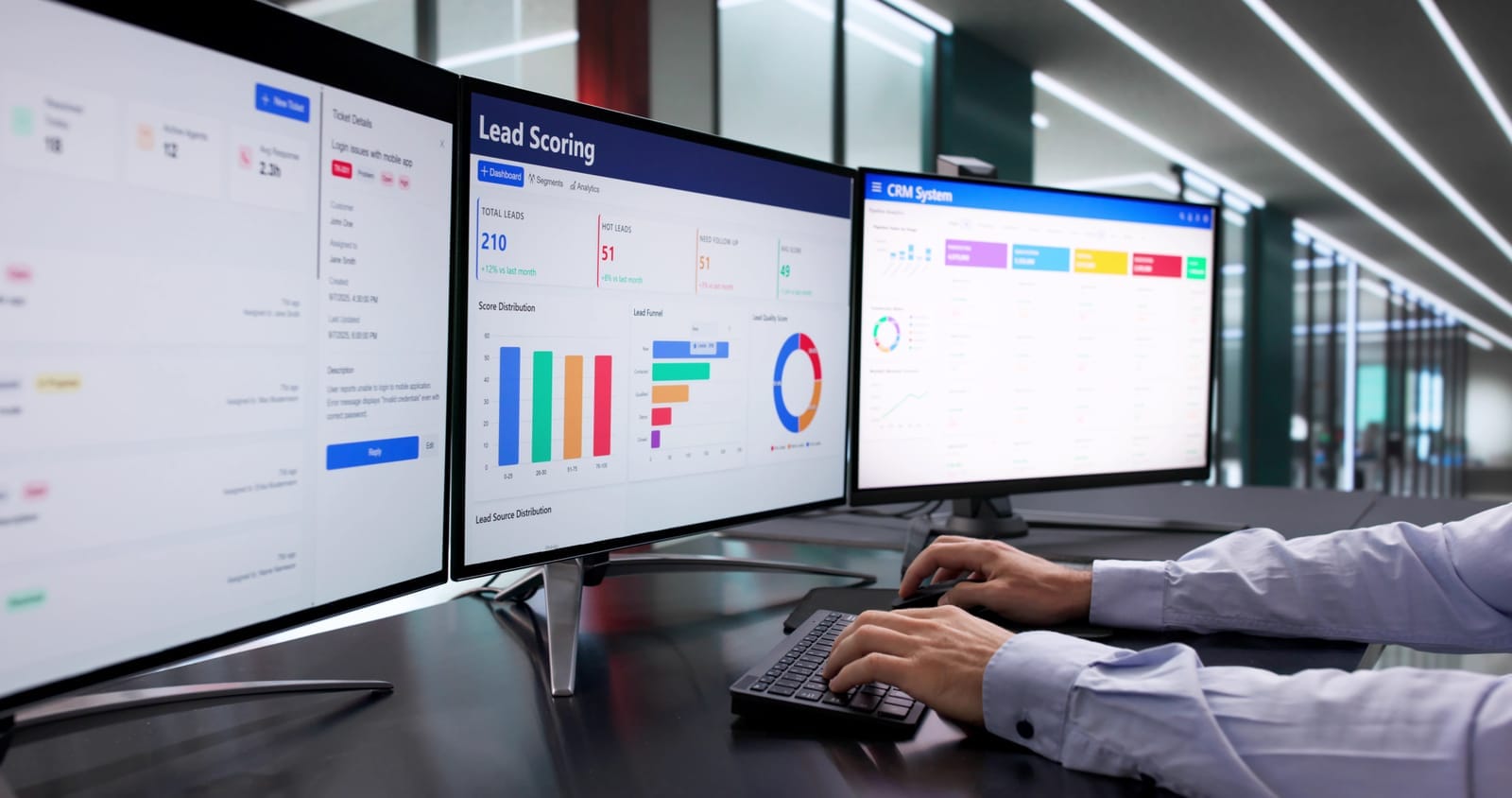
Example 2: Replacing a custom CRM with SaaS without sales downtime
Starting point & pain points
A 60‑person B2B services firm uses a custom CRM built 12 years ago:
- Only one external contractor knows the codebase.
- No mobile access; field sales rely on emailed spreadsheets.
- Poor reporting; leadership lacks visibility into pipeline.
- General manager worried about “what if the CRM server dies?”
Chosen approach
- Replace with SaaS CRM
- Standard features met 95% of requirements out‑of‑the‑box.
- Remaining 5% handled with configuration and light extensions.
- Integration added to existing email and calendar systems.
How disruption was minimized
- Read‑only legacy CRM:
- Legacy system kept read‑only during transition to prevent data fragmentation.
- Staged rollout:
- A small group of “power users” from sales and marketing used the new CRM for 4 weeks while the rest stayed on legacy.
- Feedback used to refine fields, workflows, and dashboards.
- Data migration & validation:
- Old accounts, contacts, and opportunities cleaned and deduplicated before import.
- Spot checks by sales managers confirmed data accuracy.
- Soft cutover:
- New opportunities created only in the new CRM from a defined date.
- Historical opportunities available for lookup but not editing in the legacy system.
Outcomes
- Adoption:
- Sales team adopted quickly thanks to better UX and mobile access.
- Risk reduction:
- Removed dependency on one contractor and a fragile server.
- Business value:
- Management gained unified pipeline visibility; more accurate forecasting.
- Faster onboarding for new sales staff.

7. Conclusion & Next Steps
Modernizing critical business applications is not an all‑or‑nothing gamble. With a structured, phased approach, SMEs can reduce risk, improve security, and increase agility—without major outages.
Key principles to remember
- Start with assessment and prioritization, not technology decisions.
- Choose modernization strategies per application: rehost, replatform, refactor, replace, or retire.
- Design for continuity: parallel runs, staged rollouts, robust backups, and clear rollback plans.
- Use modernization to improve security, compliance, and reliability, not just “move to the cloud.”
- Communicate clearly with stakeholders and involve power users early.
Actionable next steps
- Create a basic application inventory
- List your top 10–20 applications with owners, platforms, integrations, and criticality.
- Identify 1–3 candidate systems for near‑term modernization
- Focus on those with high risk and reasonable complexity.
- Engage stakeholders
- Discuss risks and opportunities with business owners, finance, and operations.
- Define your first project
- Decide: rehost, replatform, refactor, replace, or retire?
- Outline timelines, testing, parallel runs, and rollback plans.
- Consider external support where needed
- Managed IT and digital transformation partners can assist with:
- Cloud migration and automation.
- Security, compliance, and ongoing monitoring.
- Change management, training, and executive reporting.
- Managed IT and digital transformation partners can assist with:

Quick Checklist: From Legacy to Modern with Minimal Disruption
- Inventory all critical applications and their dependencies
- Assess business criticality, technical risk, and ROI for each
- Prioritize 1–3 systems for initial modernization
- Select an appropriate strategy (rehost / replatform / refactor / replace / retire)
- Design data migration, validation, and rollback plans
- Set up test environments and conduct thorough end‑to‑end testing
- Plan parallel runs and staged cutovers where feasible
- Implement security, backup, and monitoring for the new environment
- Communicate clearly with internal teams (and customers if affected)
- Review outcomes and lessons learned; refine roadmap for the next wave
If you’d like, share a brief description of one of your legacy applications (what it does, where it runs, and your main pain points) with us, and we can suggest a concrete modernization path tailored to your situation. Contact us today!