
Why SMEs Should Choose an MSP That Understands PDPA Compliance
Running an SME in Singapore is already challenging: tight margins, talent shortages, and intense competition. On top of that, you’re expected to protect your customers’ and employees’ personal data under the Personal Data Protection Act (PDPA). If you need a quick refresher on what that entails, see our essential PDPA 2025 guide for SMEs.
Many SME owners know the PDPA exists but see it as a “legal issue” handled by HR, finance, or an external lawyer. In reality, a large part of PDPA compliance is about how your IT is set up, used, and managed day-to-day. That’s where a good managed service provider (MSP) can make a real difference.
This article explains, in practical terms, why you should choose an MSP that understands PDPA and how their technical and operational practices can support your compliance efforts. It is not legal advice; instead, it focuses on technology, processes, and habits that help you align with PDPA requirements.
1. PDPA in Plain Language – And What It Means for Your IT
The Personal Data Protection Act (PDPA) is Singapore’s main data protection law. In simple terms, it governs how organisations collect, use, disclose, and protect “personal data” – any data that can identify an individual, such as:
- Names and NRIC/FIN numbers
- Mobile numbers and email addresses
- Home and office addresses
- Employment details, salary information
- Health information, claims data, and more
If your SME handles customer details, employee records, membership databases, or marketing contact lists, the PDPA applies to you.
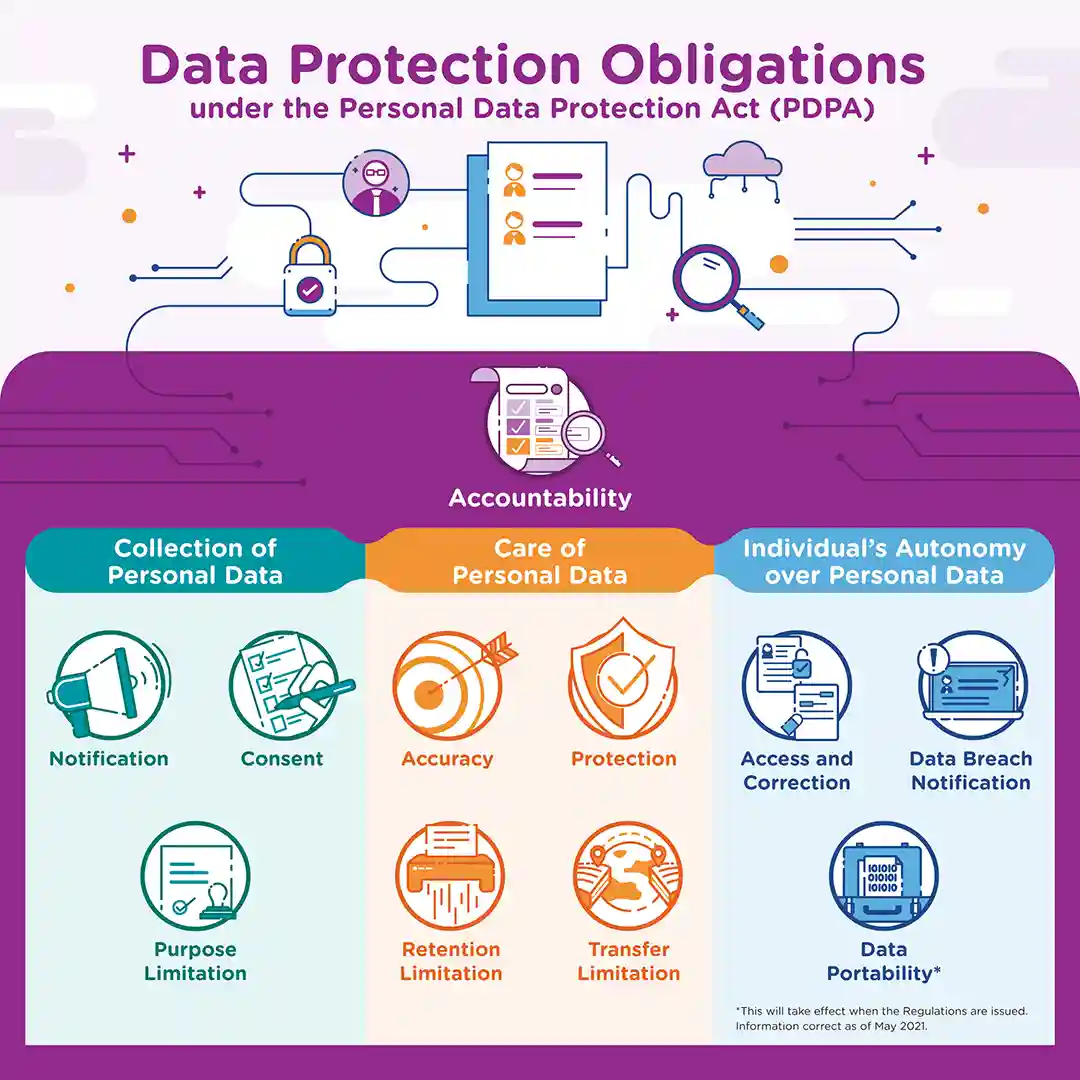
From an IT point of view, PDPA basically expects you to:
- Only collect data you actually need
- Use it for clear, stated purposes
- Keep it accurate and up to date
- Protect it from unauthorised access or loss
- Not keep it longer than necessary
- Dispose of it securely when no longer needed
- Respond properly if there is a data breach
Want more clarity on ownership and retention policies behind these points? See our Data Governance for SMEs: Ownership, Retention, and Compliance.
Why your MSP can’t “guarantee” PDPA compliance
No MSP can honestly promise that you will be “100% PDPA compliant” just by hiring them. Compliance is ultimately your organisation’s responsibility and involves:
- How your staff behave (e.g., not sharing passwords—and using a company‑wide password manager—and not emailing spreadsheets of customer data to personal accounts)
- How your management makes decisions about what data to collect and why
- Your contracts and notices to customers and employees
- Your internal policies and training
However, a PDPA-aware MSP can:
- Design and manage your IT in ways that make PDPA-aligned practices the default
- Reduce your risk of data breaches and accidental leaks
- Help you detect and respond quickly if something goes wrong
- Provide the documentation and evidence you may need to show you took “reasonable” steps to protect data
Put simply: a good MSP can’t do the legal work for you, but they can make the technical and operational side of PDPA far easier, more consistent, and less risky. If you’re unsure what an MSP actually covers, here’s a plain-English explainer: What MSPs Really Do.
2. Managed IT and Your PDPA Obligations
Many SMEs still treat IT as a “break-fix” function: call someone only when something breaks. Under PDPA, that mindset is risky. Data protection is an ongoing responsibility, not a one-time project. If you're weighing the shift, here’s why proactive IT management beats break‑fix.
A managed service provider (MSP) offers ongoing IT services for a fixed fee, such as:
- Monitoring your systems and networks
- Applying updates and security patches
- Backing up your data
- Managing your users, devices, and cloud services
- Providing helpdesk support to your staff
Here’s how that supports your PDPA responsibilities.
2.1 Access controls
PDPA expects that only authorised people can access personal data. In IT terms, that means:
- User accounts with passwords (not shared logins)
- Different levels of access for different roles
- Locked-down admin rights (not everyone is an “administrator”)
An MSP can:
- Set up and maintain proper user accounts across your systems (email, file servers, cloud apps, line-of-business systems)
- Ensure that only staff who need access to personal data (e.g., HR, sales, customer service) can reach it
- Review access rights periodically and tighten them when necessary
To further reduce exposure, consider network segmentation so critical data lives on tighter zones with stricter controls.
2.2 Data retention
PDPA expects you not to keep personal data longer than necessary for business or legal purposes.
An MSP can help by:
- Implementing retention rules in your email and file systems
- Setting up archive storage for data you must keep (e.g., for regulatory reasons)
- Helping you separate “active” data from “archived” and “disposable” data
- Automating deletion schedules where appropriate, under your guidance
2.3 Secure disposal
When personal data is no longer needed, PDPA expects you to dispose of it securely. That includes:
- Files stored on servers and in cloud apps
- Data on laptops, desktops, external hard drives, and USB sticks
- Data on printers, copiers, and network-attached storage
An MSP can:
- Provide secure data wiping for old PCs, laptops, and servers before disposal or resale
- Help you set and enforce rules against using unapproved storage devices
- Assist in managing end-of-life for hardware so that no personal data is left behind on discarded equipment
With a managed IT approach, these activities become part of your normal operations, not random one-off tasks when someone remembers.
3. Secure Access and Identity Management: Who Can See What?
Many data issues start with simple mistakes: a former employee’s email account never disabled, a shared folder “opened up” to everyone, or a weak password guessed by an attacker.
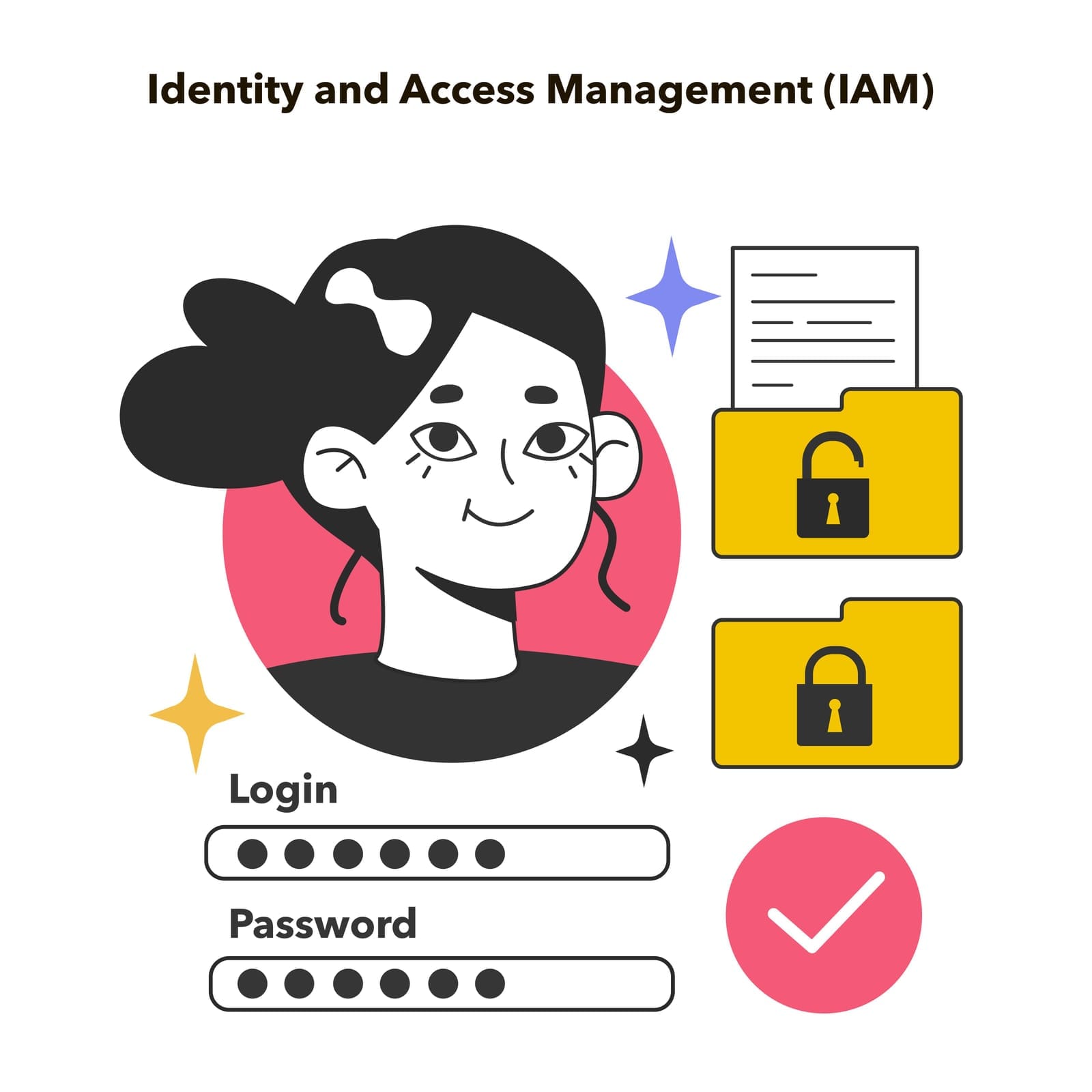
A PDPA-aware MSP will focus heavily on “identity and access management” – controlling who can log in, to what, and under what conditions.
3.1 Role-based access control (RBAC)
Role-based access means users get access based on their job role, not personal requests or office politics.
For example:
- HR staff can see employee records, but not full customer financial data
- Sales staff can see customer contact and deal information, but not HR files
- Finance can access payment records but not detailed health information
Your MSP can:
- Work with you to define roles and access groups (e.g., HR, Sales, Operations, Management)
- Implement these groups consistently across systems (file shares, CRM, HR systems, accounting software)
- Ensure that adding a user to a role automatically gives the right access, without having to individually adjust dozens of permissions
3.2 Multi-factor authentication (MFA)
MFA requires users to prove their identity with something more than just a password—typically a code sent to their phone, an authenticator app, or a hardware token. This drastically reduces the risk of account compromise.
A PDPA-aware MSP can:
- Enable MFA for email, VPN, remote access, and critical business apps
- Help users set it up and provide simple guides so it’s not overwhelming
- Use conditional access (e.g., stricter checks when logins come from overseas or unknown devices)
This protects your personal data even if a password is guessed, stolen, or reused from another site that was hacked. If you're comparing platform options, see our Microsoft 365 vs Google Workspace guide for MFA and security controls.
3.3 Least-privilege access
“Least privilege” means giving each user only the minimum access they need to do their job—no more.
Instead of:
- Everyone being a “local admin” on their laptops
- Shared “admin” accounts for systems
- Broad “Full Control” permissions on shared folders
Your MSP should:
- Lock down admin rights and limit them to IT and designated power users
- Create separate admin accounts for IT staff (not used for day-to-day work)
- Regularly review permissions and remove unnecessary access
This reduces the damage if an account is compromised or a user makes a mistake.
3.4 Account provisioning and deprovisioning
One of the biggest practical PDPA risks is old accounts left active after someone leaves the company.
A PDPA-aware MSP will:
- Have a clear process for new hires (provisioning): creating accounts, assigning licenses, and granting access based on role
- Have a strict process for leavers (deprovisioning): disabling accounts immediately, revoking remote access, and transferring ownership of files and email
- Help you maintain an up-to-date list of active staff, contractors, and their access rights
This is an area where IT and HR must work together; a good MSP will help you align your HR onboarding/offboarding with IT processes.
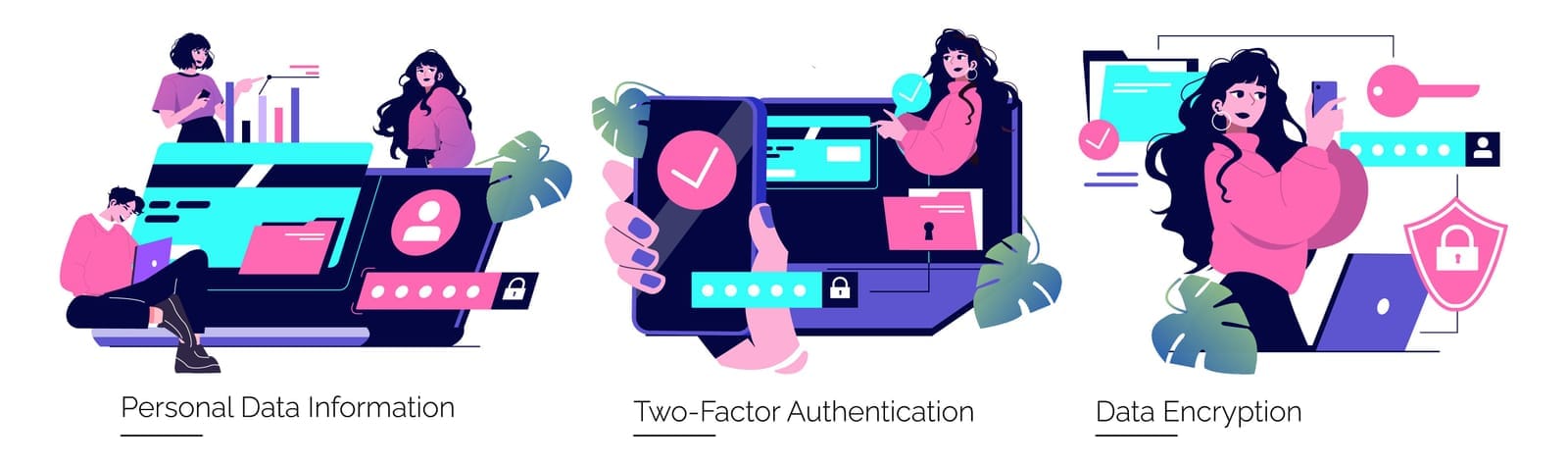
4. Data Handling and Storage: Protecting the Information You Hold
Once you’ve controlled who can access personal data, you also need to protect where and how it’s stored. This includes servers, cloud services, endpoints (laptops, mobiles), and backups.
4.1 Encryption
Encryption scrambles data so that it can’t be read without a key. There are two key types relevant to SMEs:
- Encryption at rest – for data stored on disks and devices
- Encryption in transit – for data sent over networks (e.g., HTTPS, secure email options)
A PDPA-aware MSP can:
- Enable disk encryption on company laptops and desktops (e.g., BitLocker, FileVault) to protect data if a device is lost or stolen
- Recommend cloud services that use strong encryption for data at rest and in transit
- Advise on secure email and file transfer methods if staff need to send sensitive personal data externally
These controls are part of modern cybersecurity managed services tailored for SMEs.
4.2 Backups
Backups are not just about business continuity—they are also part of responsible data protection. You must be able to recover personal data if it’s lost due to hardware failure, ransomware, or human error.
Your MSP should:
- Implement regular, automated backups for key systems: on-premise servers, cloud services (e.g., Microsoft 365, Google Workspace), and critical applications
- Use the 3-2-1 rule where practical: 3 copies of data, on 2 different media, with 1 copy offsite or in the cloud
- Protect backups with encryption and access controls
- Test restore procedures regularly so you know backups actually work
Not sure whether to keep backups on‑prem, in the cloud, or both? See Cloud vs On‑Prem Backup for Singapore SMEs.
4.3 Secure file sharing
Many SMEs still share files by emailing Excel sheets or using free file-sharing tools that are not designed for business or data protection.
A PDPA-aware MSP will:
- Help you adopt secure file-sharing platforms with access control and audit trails (e.g., SharePoint, OneDrive, secure portals)
- Set rules limiting external sharing (for example, no anonymous links, or time-limited links)
- Educate staff on when and how to share files containing personal data
4.4 Data minimisation
PDPA encourages you not to collect or keep more data than you reasonably need. While this starts as a business and legal decision, IT plays a key role in making it real.
Your MSP can support data minimisation by:
- Helping you identify where personal data is stored across your systems (“data mapping”)
- Helping to consolidate multiple spreadsheets and databases into more controlled systems
- Implementing retention policies so old data is archived or deleted
The less unnecessary data you hold, the less you have to protect and the lower your risk if something goes wrong.
4.5 Secure disposal of data and devices
When devices reach end-of-life, or when you clear out old systems, dumping them without proper wiping can expose years of personal data.
A PDPA-aware MSP should:
- Offer secure wiping and disposal services for hard drives, SSDs, and other storage
- Provide certificates or reports confirming that data has been securely erased
- Ensure that deleted files from active systems are removed in line with your retention policies (not left in “recycle bins” for years)

5. Breach Readiness and Incident Response: Preparing for the “When”, Not Just the “If”
No matter how careful you are, incidents still happen: lost laptops, phishing attacks, misdirected emails, or compromised accounts. PDPA includes breach notification requirements to the Personal Data Protection Commission (PDPC) and, in some cases, to affected individuals.
An MSP cannot replace legal advice on when and how to notify, but it can significantly improve your ability to detect, contain, and investigate incidents.
5.1 Monitoring and detection
You can’t respond to a breach you don’t know about. A PDPA-aware MSP will:
- Monitor key systems and security tools (firewalls, antivirus/EDR, email security, cloud security alerts)
- Set up alerts for suspicious activities, such as unusual logins, mass file deletions, or data exfiltration attempts
- Review security logs regularly instead of only after something goes wrong
The goal is to catch problems early, before they turn into full-scale breaches. For context on the latest attack patterns SMEs faced, read our 2025 security lessons for SMEs.
5.2 Incident response plans
Many SMEs do not have an incident response plan until after the first major incident. PDPA expectations favour organisations that prepare in advance.
Your MSP can help you:
- Draft a practical incident response procedure from an IT perspective: who to call, what to check, how to isolate systems, how to reset passwords, etc.
- Define what counts as a “security incident” versus an inconvenience
- Integrate IT response with your internal communication and legal/PDPA response steps
When something happens, your MSP should know their role and act quickly. For a broader recovery playbook, see our IT disaster recovery and business continuity guide for Singapore SMEs.
5.3 Logs and forensic support
When there is a suspected breach, one of the first questions is: “What exactly happened, and whose data was affected?”
Without proper logging, you may not be able to answer these questions, which can complicate PDPA breach assessments and notifications.
A PDPA-aware MSP will:
- Enable and retain relevant logs (access logs, admin activity logs, changes to critical settings, etc.)
- Help you store logs securely for an appropriate period
- Assist in reviewing logs to understand the scope and impact of an incident
While they are not digital forensic experts in every case, a good MSP can support or coordinate with specialists if necessary.
5.4 Supporting PDPC breach notification processes
When a significant incident occurs, you may need to assess whether it is a “notifiable data breach” under PDPA, and if so, notify the PDPC and affected individuals within the required timelines.
The legal assessment is typically done by your management and/or legal advisors. However, your MSP supports this process by:
- Providing technical information about what was compromised (systems, accounts, data types)
- Estimating how many records or individuals may be affected
- Explaining whether data was encrypted or otherwise protected
- Confirming containment measures taken and planned remediation steps
The more clearly your MSP can provide this information, the easier it is for you and your advisors to decide on next steps.

6. Documentation and Evidence of Compliance: Showing That You Took Reasonable Steps
PDPA is not only about doing the right thing; it’s also about being able to show that you took reasonable precautions if something goes wrong.
Documentation may sound boring, but it’s crucial. A PDPA-aware MSP can help you maintain the technical and operational records that support your data protection story.
6.1 Policies and standard operating procedures (SOPs)
You need clear, written guidelines on how your company handles personal data. These are typically drafted internally or with consultants, but the MSP plays a key role in the parts that involve IT.
Your MSP can help:
- Translate policies into practical IT settings (e.g., password rules, device policies, email retention)
- Draft or review IT-related SOPs such as “New staff IT onboarding”, “Leaver process”, “Granting temporary access to confidential data”, “Reporting an IT incident”
- Keep these SOPs updated when systems or tools change
6.2 Asset inventories
An asset inventory is a record of what IT assets you have: devices, servers, applications, and sometimes even data stores (where personal data lives).
A PDPA-aware MSP will:
- Maintain a list of your company devices (laptops, desktops, servers, network equipment)
- Help you track which staff are assigned which devices
- Keep a record of key software and cloud services in use, especially those involving personal data
This helps you understand where personal data might be stored and what you need to secure or review.
6.3 Access logs and change logs
Access logs track who accessed what, and when. Change logs track what configuration or permission changes were made, by whom.
Your MSP should:
- Ensure that critical systems (file servers, cloud storage, business apps) have logging enabled where possible
- Help you retain logs for an appropriate period (not necessarily forever, but long enough to investigate incidents)
- Document key configuration and permission changes, especially those affecting access to personal data
If there’s ever a dispute or investigation, these records can be vital in demonstrating your diligence.
6.4 Regular reports and reviews
PDPA compliance is not “set and forget.” A PDPA-aware MSP will offer regular reporting on:
- Security patch status
- Backup success/failure
- Security incidents or alerts seen and resolved
- User access reviews (who has what access, and whether it’s still appropriate)
These reports give management visibility and help you make informed decisions about risks and investments. To set clear expectations around responsiveness, here’s how to read MSP SLAs on response and resolution times before you sign.

7. Vendor Due Diligence: Questions to Ask a Potential MSP
Choosing the right MSP is itself part of your PDPA responsibility. The MSP is effectively a “data intermediary” handling personal data on your behalf, so you must ensure they are trustworthy and competent.
Here is how to assess a potential MSP from a PDPA perspective. Use these seven questions to choose the right IT provider in Singapore as a companion checklist.
7.1 PDPA knowledge and experience
Ask:
- How familiar are you with Singapore’s PDPA, and how does it influence your standard practices?
- Do you support other clients with PDPA-related requirements? Can you describe how?
- How do you handle data breach situations with your clients?
You’re not looking for a law lecture, but for evidence that they understand PDPA basics and have applied that understanding in real-life situations.
7.2 Certifications and frameworks
While certifications are not everything, they provide some assurance that the MSP follows structured security practices.
Look for or ask about:
- ISO/IEC 27001 (information security management) – if they have it, or if they align with its principles
- Cybersecurity frameworks or standards they follow (e.g., CIS Controls, NIST CSF)
- Vendor certifications (Microsoft, cloud providers, security vendors) showing they are competent in the tools they propose
Even if they don’t have every certificate, they should be able to describe their security framework clearly.
7.3 Data protection practices
Drill into their internal practices:
- How do you protect our data that you access or store (e.g., backup data, remote monitoring data)?
- Do your staff use MFA and strong access controls for remote support tools?
- How do you manage admin passwords and privileged access?
- Where will our data be stored (geographically and in terms of cloud providers)?
You want to be confident that the MSP itself is not a weak link.
7.4 Service-level agreements (SLAs) and contracts
Your contract and SLAs should explicitly cover data protection expectations.
Discuss and review:
- Response times for security incidents
- Responsibilities for backups, monitoring, and security updates – and what is included or excluded
- Confidentiality obligations and how they handle subcontractors (if any)
- Rights to access logs and reports about your systems
While your lawyer should review the contract, you should also understand operationally what the MSP is and is not responsible for.
7.5 Support for audits and assessments
At some point, you may conduct an internal or external PDPA review or security assessment.
Ask the MSP:
- How do you support clients undergoing PDPA or security audits?
- Can you provide documentation, reports, and technical details when needed?
- Are there additional fees for this support, and how are they structured?
A cooperative, transparent MSP makes audit processes far less painful.

8. Conclusion: Checklist for Choosing a PDPA-Aware MSP
To wrap up, here is a practical checklist you can use when evaluating or re-evaluating your MSP from a PDPA standpoint. You don’t need to be technical to use it—treat it as a discussion guide.
8.1 Governance and understanding
- The MSP can clearly explain what PDPA means for IT in simple language
- They acknowledge that they cannot “guarantee” compliance but can support your efforts
- They have experience working with Singapore businesses subject to PDPA
8.2 Access and identity management
- They implement role-based access controls for your users
- MFA is enabled for critical systems and remote access
- They follow least-privilege principles and avoid unnecessary admin rights
- There is a clear, documented process for onboarding and offboarding staff (accounts created/disabled promptly)
8.3 Data handling and storage
- Laptops, desktops, and servers holding personal data use disk encryption
- There is a well-designed backup strategy (with tested restores)
- Secure file-sharing tools and practices are in place, especially for personal data
- They support data minimisation and retention policies in your IT systems
- Old devices and storage are securely wiped before disposal
8.4 Breach readiness and incident response
- Security monitoring and alerting are in place for key systems
- There is a documented incident response procedure involving the MSP
- Logging is enabled for important systems, and logs are kept for a reasonable period
- They can help you quickly understand what happened and what data was affected in an incident
8.5 Documentation and evidence
- They maintain an up-to-date asset inventory of your devices and key systems
- There are regular reports on patching, backups, incidents, and access reviews
- They help translate your policies into practical IT configurations and SOPs
8.6 Vendor reliability and transparency
- They can describe their own security practices, including MFA and access control for their staff
- They are open about where data is stored and which third parties they use
- Their contract and SLAs clearly define security responsibilities and response expectations
If staying flexible matters, here’s what a vendor‑agnostic MSP means for SMEs.
Next steps for your SME:
- Review your current MSP (or internal IT setup) against the checklist above.
- Identify gaps that increase your PDPA-related risk—especially around access controls, backups, logging, and incident response.
- Discuss these gaps with your MSP and ask for a plan to close them, with clear timelines and costs.
- If you’re considering a new MSP, use these points as part of your evaluation and selection process.
PDPA compliance is not just a legal requirement; it’s also about maintaining the trust of your customers, employees, and partners. Choosing an MSP that truly understands and supports PDPA is one of the most impactful steps you can take to protect that trust while keeping your IT reliable, efficient, and aligned with your business goals.