
What Is a Vendor-Agnostic MSP and Why Should SMEs Care?
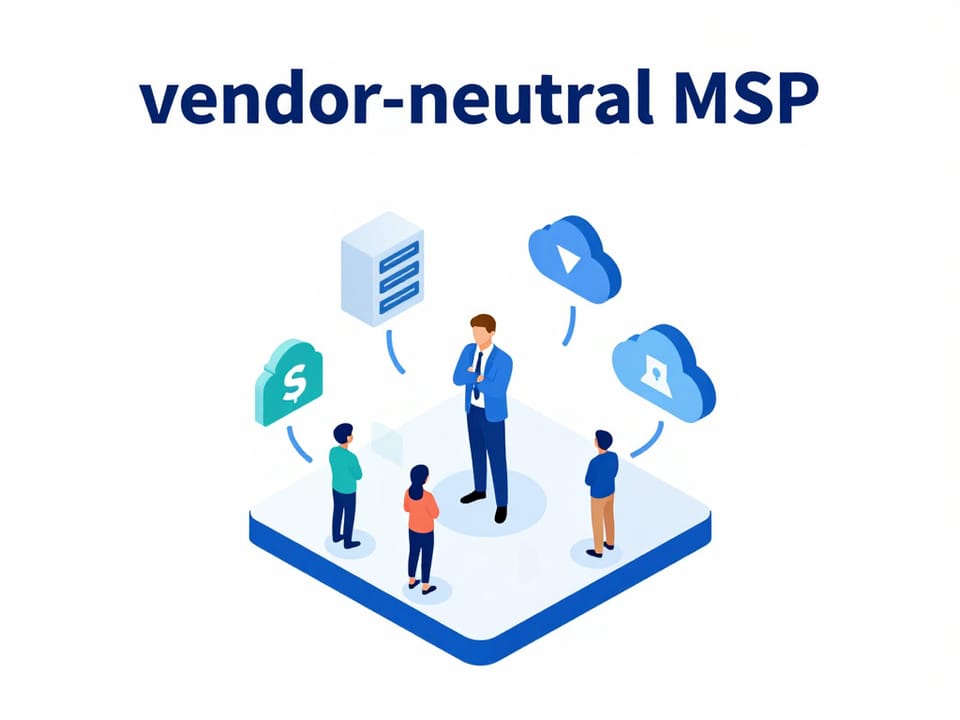
Managed IT can feel like a black box for small and medium‑sized businesses. You know you need reliable systems, secure data, and tools that help your team work efficiently—but you don’t necessarily want to become an IT expert to get there.
That’s where Managed Service Providers (MSPs) come in.
An MSP is a company that looks after your IT systems for you on an ongoing basis, usually for a fixed monthly fee. Instead of hiring a full in‑house IT team, you “outsource” much of that responsibility to specialists who monitor, maintain, and improve your technology environment.
But not all MSPs work the same way behind the scenes. Some are tied closely to particular technology vendors. Others take a vendor‑agnostic approach: they work for you, not for the hardware or software manufacturers. They stay independent of vendor incentives so they can recommend the mix of tools that best serves your goals and budget, rather than pushing a single brand because it pays them more commission.
For SMEs, this difference can have a major impact on costs, flexibility, and long‑term risk.
In this article, we’ll break down what a vendor‑agnostic MSP is, how they differ from vendor‑aligned providers, and what that means in practical terms for your business.

1. What Is a Vendor‑Agnostic MSP?
First: what is an MSP?
A Managed Service Provider (MSP) is an external company that manages some or all of your IT systems and services on a proactive, ongoing basis. Instead of only calling an IT person when something breaks, an MSP:
- Monitors your systems (servers, laptops, cloud services, networks)
- Keeps them secure and up to date
- Responds to support requests from your staff
- Helps plan upgrades and changes to your technology
You typically pay a predictable monthly fee based on the number of users, devices, or the scope of services.
What does “vendor‑agnostic” mean?
A vendor‑agnostic MSP is one that:
- Is not financially dependent on selling products from any one hardware or software vendor
- Does not have its business model built around hitting sales quotas for specific brands
- Chooses and recommends products based on fit, value, and your requirements, not on back‑end incentives
In practical terms, this means:
- They can mix and match tools from different suppliers
- They can compare options without bias toward a particular brand
- They can change course if a better or more cost‑effective solution appears
This is in contrast to many traditional IT providers that rely heavily on commissions, rebates, and special incentives from big brands (for example, major manufacturers of servers, storage, and networking equipment). Those incentives can subtly or directly influence what they recommend.
Why this matters specifically for SMEs
SMEs often operate with:
- Limited budgets: Every extra license or unnecessary feature chips away at margins.
- Lean teams: There’s rarely a dedicated CIO to challenge recommendations.
- Rapid change: Growth, new markets, or regulatory changes can quickly shift IT needs.
A vendor‑agnostic MSP is better positioned to:
- Right‑size solutions to your current stage of growth
- Avoid over‑engineering (and over‑spending)
- Keep your options open as your business evolves
In short: vendor‑agnostic means more flexibility, more transparency, and a higher chance that your IT setup is truly aligned to your business—not someone else’s sales targets.

2. Vendor‑Agnostic vs Vendor‑Aligned / Single‑Vendor MSPs
To understand the difference, it helps to look at how each type of MSP typically operates.
Vendor‑aligned or single‑vendor MSPs
A vendor‑aligned MSP builds its services largely around a single vendor or a very small set of vendors. For example:
- A provider that sells almost exclusively one brand of servers, storage, and networking
- A cloud‑focused MSP that insists all workloads must be on a single hyperscale cloud platform
- A security‑focused provider that pushes one security suite across every customer, regardless of industry or size
Behind the scenes, these providers often:
- Participate in partner programs that offer higher margins, rebates, or marketing funds if they sell more of that vendor’s products
- Have sales targets or tiers with the vendor (e.g., “Gold Partner” status), which can be tied to volume of sales
- May receive spiffs (special bonuses) for selling certain licenses or hardware bundles
To be clear: this doesn’t mean vendor‑aligned MSPs are unethical or incompetent. In many cases, they genuinely believe their chosen stack is the best for most clients. And there are benefits to this focus, which we’ll discuss later.
However, it does mean their default recommendation is often: “Use more of Vendor X.”
Vendor‑agnostic MSPs
A vendor‑agnostic MSP, on the other hand:
- Does not rely on any one vendor for the bulk of its revenue
- Designs IT environments using the right tool for the job, which may come from different vendors
- Uses transparent, service‑based pricing, getting paid for their expertise and ongoing service, not for pushing particular products
For example, a vendor‑agnostic MSP might recommend:
- Microsoft 365 for email and collaboration
- A third‑party backup tool that works across Microsoft 365 and on‑premises servers
- A separate security provider that offers better value or features for your risk profile
- Cloud infrastructure from one provider for production systems and another for backup or specialized workloads
Their loyalty is to your business requirements—budget, risk, performance—rather than to maintaining a specific vendor status level.
Key differences at a glance
Vendor‑aligned / single‑vendor MSPs:
- Pros:
- Deep expertise in one technology stack
- Potentially streamlined support (one main vendor)
- Strong vendor escalation paths for complex issues
- Cons:
- Recommendations may be biased toward that vendor
- Higher risk of vendor lock‑in
- Less flexibility to choose best‑of‑breed tools from different providers
Vendor‑agnostic MSPs:
- Pros:
- More objective recommendations
- Can mix vendors to balance cost, features, and risk
- Better positioned to avoid unnecessary purchases and lock‑in
- Cons:
- May have slightly less depth in some very niche vendor‑specific features
- Vendor relationships can be more spread out, requiring strong internal processes to manage many tools
For SMEs, the big questions are usually: “Are we overspending? Are we stuck? Do we really need all this?” That’s where vendor‑agnostic MSPs tend to shine.

3. How Vendor‑Agnostic MSPs Help SMEs Avoid Key Pitfalls
3.1 Avoiding overspending
IT spending can easily creep up without anyone noticing:
- New tools are layered on top of old ones
- Licenses are left active for staff who’ve left
- “Enterprise” features are paid for but never used
A vendor‑agnostic MSP is structured to focus on value optimization — not on maximizing product sales — so you can optimize your IT spending. Here’s how that translates into practice:
Right‑sizing licenses
Instead of defaulting to the most expensive license tier from a favored vendor, a vendor‑agnostic MSP will:
- Map your actual needs (user roles, features used, compliance requirements)
- Choose license levels that match those needs
- Regularly review license usage to downgrade or reassign where possible
Example: In Microsoft 365, not every user needs the full suite with advanced security and analytics. Some staff might only require email, basic Office apps, and Teams. A vendor‑agnostic MSP will segment users and align license types accordingly.
Eliminating redundant tools
When you’re working with multiple vendors over time, it’s common to end up with overlapping tools:
- Two different file‑sharing solutions
- Multiple security products doing similar things
- Separate backup tools for each system
A vendor‑agnostic MSP reviews your environment holistically and asks:
- “Where are we paying twice for similar features?”
- “Can we consolidate 3 tools into 1 without losing important capabilities?”
- “Is there a simpler, more cost‑effective option that still meets requirements?”
Because they are not locked into pushing a certain vendor’s bundle, they can genuinely assess whether a cheaper or consolidated alternative makes sense.
Choosing cost‑effective alternatives
Sometimes, the “big name” product isn’t the best fit for an SME. A vendor‑agnostic MSP might recommend:
- A more affordable backup solution that still meets your recovery time objectives
- A cloud provider with better pricing for your specific workload pattern
- A mid‑market security tool that offers 90% of the features at a fraction of the cost
Again, the focus is on cost‑to‑value, not on hitting sales quotas.
3.2 Reducing the risk of vendor lock‑in
Vendor lock‑in happens when your business becomes so dependent on one vendor’s ecosystem that:
- Switching becomes technically difficult, operationally painful, or prohibitively expensive
- You feel forced to accept price increases or license changes because there’s “no way out”
Vendor‑agnostic MSPs work to lower this risk by:
Designing with portability in mind
They’re more likely to:
- Favor open standards and well‑supported platforms
- Avoid highly proprietary features unless there is a strong case
- Separate data storage, applications, and identity (login) systems in a way that makes it easier to migrate later
For example:
- Using backup tools that can restore data to multiple environments (on‑premises, different clouds)
- Structuring your email and document systems so that exports and migrations are feasible
Keeping options open across vendors
A vendor‑agnostic MSP might, for instance:
- Run some services on one cloud and others on another, based on cost and capability
- Use security tools that support multiple platforms (e.g., Windows, macOS, mobile) without forcing a single hardware vendor
- Recommend CRM or ERP systems that integrate with various other tools, not just one ecosystem
This multi‑vendor thinking keeps your negotiation power intact and reduces the chance that one vendor’s business decision can derail your strategy.
3.3 Preventing unnecessary tools and licenses
A common scenario in SMEs is buying technology before clearly defining the problem it should solve. Marketing materials make tools look essential, and it can seem safer to buy “just in case.”
Vendor‑agnostic MSPs counter this by:
Assessing needs before buying
They start with questions such as:
- What business outcome are we trying to achieve?
- What processes are broken or inefficient today?
- What risks are we trying to mitigate (e.g., ransomware, data loss, compliance)?
Only then do they look at tools. This approach avoids:
- Buying advanced security features that don’t get properly configured
- Purchasing new collaboration platforms when existing ones can be configured to solve the issue
- Paying for automation or analytics features that no one has time to use
Consolidating overlapping products
Over time, different departments may purchase their own tools—marketing, finance, HR—leading to overlap. A vendor‑agnostic MSP can help by:
- Auditing all existing tools and licenses
- Mapping features to business needs
- Proposing a simpler stack, where fewer tools do more of the work
This not only cuts direct subscription costs but also reduces training and support overhead.

4. Practical Examples for SMEs
Let’s look at how vendor‑agnostic thinking plays out in typical SME IT areas.
4.1 Productivity and collaboration: Microsoft 365 vs Google Workspace (and beyond)
Many SMEs choose between Microsoft 365 and Google Workspace for email, calendars, and document collaboration. A vendor‑aligned MSP might push one platform consistently.
A vendor‑agnostic MSP will:
- Evaluate how your team works today (desktop apps vs browser, document workflows, existing tools)
- Consider regulatory or industry requirements (e.g., specific compliance standards)
- Possibly support both platforms if you’re in transition, and plan a phased migration
They may also:
- Integrate third‑party tools where appropriate (e.g., project management, e‑signature, CRM)
- Right‑size license levels (e.g., not everyone needs premium analytics or phone system add‑ons)
4.2 Cloud services: choosing the right mix
Cloud decisions can lock in significant long‑term cost and risk.
A vendor‑agnostic MSP might:
- Use one cloud provider for core infrastructure (servers, databases)
- Use another provider’s specific services if they’re better suited (e.g., for analytics, AI, backup)
- Keep some workloads on‑premises if it’s more cost‑effective or necessary for regulatory reasons
Rather than pushing an “all‑in” move to a single cloud, they’ll balance:
- Performance needs
- Data location requirements
- Cost over time (not just first‑year promotions)
- Ability to move or diversify later
4.3 Cybersecurity tools: layered but not bloated
Security is an area where it’s easy to overspend and under‑use.
A vendor‑agnostic MSP will typically:
- Start with core controls: endpoint protection, email security, multi‑factor authentication, backups, basic monitoring
- Choose tools that integrate well across your environment, even if that means mixing vendors
- Avoid stacking multiple tools that all claim to solve the same problem (e.g., several different endpoint security products)
They’ll also consider the human side:
- Is there a clear plan to configure, monitor, and respond to alerts?
- Does your staff receive security awareness training that fits your culture?
The goal is strong, practical security—not the most expensive suite on the market.
4.4 Backup and disaster recovery
Vendor‑agnostic MSPs approach backup and recovery by:
- Starting from recovery objectives:
- How quickly do key systems need to be restored?
- How much data loss is acceptable (minutes, hours, days)?
- Selecting tools that:
- Work across your systems (on‑prem, cloud, SaaS like Microsoft 365)
- Allow recovery in different locations (e.g., another cloud, another office)
- Avoiding reliance on a single vendor’s built‑in backup if it doesn’t meet your risk profile
This might mean:
- Using one backup solution for on‑premises servers
- A different, specialized tool for cloud app backups
- Regular testing to ensure backups can actually be restored in realistic scenarios
4.5 Business applications (CRM, ERP, line‑of‑business tools)
When evaluating or integrating business applications, a vendor‑agnostic MSP will:
- Focus on whether the tool supports your processes and data flows
- Consider integration with your existing systems (email, finance, reporting)
- Help you avoid:
- Buying a large, complex system when a smaller, targeted solution would suffice
- Getting locked into a platform with poor export capabilities or limited integration options
They may propose:
- A cloud‑based CRM that integrates with your email and phone systems
- A lightweight ERP that covers your manufacturing or inventory needs without unnecessary modules
- Use of open APIs and standard data formats to keep options open for the future

5. How to Evaluate Whether an MSP Is Truly Vendor‑Agnostic
Many providers use “vendor‑agnostic” as a marketing term. How can you tell if they really operate that way?
Here are practical questions and red flags to watch for.
5.1 Questions to ask potential MSPs
“How do you make money?”
- Look for: A clear explanation that most revenue comes from service fees, not from reselling specific vendors’ products.
- Clarify: Do they receive commissions, rebates, or bonuses based on hitting sales targets with specific vendors? How material is that to their business?
“Which vendors are you partnered with, and why?”
- It’s normal and often useful for MSPs to have vendor partnerships.
- Look for: A broad mix of partners and a clear explanation of how they choose them (e.g., reliability, support quality, integration capabilities), not just “they give us the highest margin.”
“Can you describe situations where you recommended against your usual vendor?”
- A truly vendor‑agnostic MSP should have concrete examples where the “default” choice wasn’t right for the client and they proposed an alternative instead.
“How often do you review our environment and suggest changes?”
- Vendor‑agnostic MSPs typically offer ongoing reviews aimed at optimizing cost, performance, and risk—not just selling new products.
- Ask how they identify redundant tools and unused licenses.
“How do you help us avoid vendor lock‑in?”
- Look for: Design principles and practices (use of open standards, data portability, multi‑vendor support) rather than vague assurances.
5.2 Signs they may be more vendor‑aligned than vendor‑agnostic
- All proposed solutions consistently come from one vendor or a very small set, even when your environment is diverse.
- Conversations quickly turn into product pitches, rather than starting from your business problems.
- They downplay or dismiss alternatives without a clear, fact‑based comparison.
- Contract terms or support arrangements effectively tie you to one vendor’s ecosystem (e.g., they won’t support systems that aren’t from their preferred vendor).
5.3 What a truly vendor‑agnostic approach looks like in practice
In day‑to‑day interactions, you’ll notice that a vendor‑agnostic MSP:
- Talks about outcomes first: uptime, security, user experience, compliance
- Provides options: typically at least two viable approaches, with transparent pros, cons, and costs
- Is willing to integrate with tools you already use, not just rip and replace with their preferred brand
- Regularly reviews your stack to reduce complexity and cost, not just add more products over time

6. Trade‑Offs and Limitations: A Balanced View
Vendor‑agnostic MSPs offer clear benefits, but it’s important to understand potential trade‑offs.
6.1 Where vendor‑aligned MSPs can have an edge
- Deep specialization: A provider tightly aligned with one vendor may have:This can be advantageous if:
- More engineers with advanced certifications in that ecosystem
- Easier escalation paths within the vendor for complex problems
- Early access to features and roadmaps
- Your business has already standardized heavily on that vendor
- You need advanced, niche capabilities from that platform
- Streamlined environments: A single‑vendor stack can be simpler to manage and support in some scenarios, especially if your needs are well‑served by that ecosystem and you’re comfortable with the trade‑offs.
6.2 How vendor‑agnostic MSPs address these gaps
Good vendor‑agnostic MSPs recognize that they can’t be equally deep in every tool on the market. They typically respond by:
- Focusing on a curated set of trusted vendors in each category, not “anything and everything”
- Developing deep expertise in those selected tools while still remaining open to new options when justified
- Building strong relationships with multiple vendors, so they can escalate issues and get support across different platforms
The key is that they choose these vendors based on fit and value for clients, not purely on commission structures.

7. Key Takeaways for SME Decision‑Makers
7.1 Summary of benefits
For SMEs, working with a vendor‑agnostic MSP can mean:
- Better cost control
- Right‑sized licenses tailored to user needs
- Fewer redundant tools and overlapping products
- More cost‑effective options considered, not just “big brand by default”
- Lower risk of being trapped
- IT environments designed to reduce vendor lock‑in
- Easier paths to migrate or diversify in the future
- Continued negotiation power with vendors
- IT aligned with your business, not with vendor quotas
- Recommendations based on your objectives and budget
- Transparent, service‑based pricing that focuses on delivering ongoing value
- A partner whose primary loyalty is to your success, not to hitting a manufacturer’s targets
- Greater flexibility over time
- Ability to adopt new tools when they genuinely add value
- Less disruption when vendors change pricing, features, or product direction
7.2 Practical next steps: questions to ask your current or potential MSP
If you’re evaluating MSPs—or already working with one—here are 5 practical actions you can take:
Ask for a clear explanation of their revenue model
- “What percentage of your revenue comes from service fees versus product resales or vendor incentives?”
- “Do you receive bonuses for hitting sales targets with specific vendors? How does that affect what you recommend?”
Request a technology and license audit
- Ask them to:
- List all major tools and platforms you’re paying for
- Identify unused or under‑used licenses
- Highlight overlapping or redundant tools
- Then ask for a plan to simplify and optimize.
Discuss vendor lock‑in explicitly
- “Where are we most exposed to vendor lock‑in today?”
- “If we wanted to change a major platform (email, CRM, cloud) in 2–3 years, how hard would that be?”
- “What design changes can we make now to keep our options open?”
Demand clear, business‑level options for major decisions
- For any significant IT investment (new platform, major upgrade), expect at least:
- Two or three options from different vendors
- Plain‑language pros and cons
- A total cost of ownership view over several years
Review their ongoing engagement model
- “How often will you proactively review our environment for cost savings and risk reduction?”
- “How will you communicate recommended changes, and how do you ensure they’re in our best interest?”

Conclusion
Technology should be a strategic asset for SMEs, not a confusing, expensive burden. MSPs can play a vital role in making that a reality—but the way they choose and recommend vendors matters.
A vendor‑agnostic MSP focuses on:
- Your business goals and constraints
- Transparent, service‑based pricing rather than hidden product incentives
- Recommending the best mix of tools for your needs, whether that’s all from one vendor or from several
By reducing overspending, lowering the risk of vendor lock‑in, and preventing unnecessary purchases, a vendor‑agnostic partner helps you get more value from every dollar you invest in IT.
As you consider your next steps—whether renewing an MSP contract, switching providers, or engaging one for the first time—use the questions and criteria in this article to guide your conversations. The right partner should be willing and able to explain how their incentives align with yours, and demonstrate that they work for you—not for the vendors.