
The IT Handover Problem: What Happens When Your Only Technical Employee Leaves?

For many small businesses, “IT” is not a department. It is one capable employee, a contractor, or an owner who knows how everything works.
That arrangement may be efficient while the person is available. It becomes a serious business risk when they resign, take extended leave, become unavailable, or leave unexpectedly.
The problem is not simply that nobody knows the Wi-Fi password. A departing technical employee may be the only person who understands:
- Which systems the business relies on
- Where business data is stored
- How applications connect to one another
- Which vendors control important accounts
- How backups are performed
- What to do when a critical service fails
- Which administrative accounts still exist
- Why a system was configured in a particular way
A proper handover is therefore a business-continuity exercise, not just an administrative task. The goal is to reduce dependence on one person, preserve essential knowledge, recover organizational control, and ensure that another authorized person can operate or restore critical services. For a wider continuity view, see our Singapore SME guide to IT disaster recovery and business continuity.
Documentation helps, but it does not make an organization secure by itself. Access controls, tested backups, sound processes, appropriate monitoring, and competent support remain necessary. If you are formalising practices, this overview of IT policy documentation for scaling can help set expectations.
This guide presents a practical approach for small businesses and nontechnical managers.

1. Why Single-Person IT Dependency Is Risky
Service outages become harder to resolve
If the only technical employee leaves, an outage may last longer because nobody knows:
- Who manages the affected service
- Which vendor to contact
- What the normal configuration should be
- Whether a recent change caused the problem
- Which workaround is safe
- How the service affects other systems
A simple problem can become a prolonged interruption when the person with the necessary context is unavailable.
Institutional knowledge disappears
Institutional knowledge is the practical understanding built through experience. It includes details that may never have been written down:
- A legacy application requires a particular service to run
- A vendor account is registered under an old email address
- A firewall rule exists for a specific business process
- A backup job fails unless a particular device is online
- A former employee still has access to a system
- A manual step is required before month-end processing
When this knowledge is lost, the replacement may have to rediscover it through trial and error.
Incident response is delayed
An incident may involve malware, suspicious login activity, lost equipment, accidental deletion, or a compromised account. The first response often depends on knowing:
- Which accounts have administrative privileges
- How to disable access
- Where logs can be found
- Which systems contain sensitive information
- Which vendors should be notified
- How to preserve evidence
- Who has authority to make emergency changes
Uncertainty during an incident can increase disruption and make containment more difficult. To reduce first-response delays, consider empowering non‑IT staff to spot security risks early.
Compliance and contractual obligations may be missed
Depending on the business, systems may contain personal, financial, health, customer, employee, or commercially sensitive information. The organization may also have contractual requirements relating to security, retention, availability, or breach notification.
A handover gap can cause missed renewals, incomplete records, weak access controls, or delayed responses to customers and regulators.
Legal, privacy, employment, and regulatory requirements vary by jurisdiction and industry. They should be reviewed with qualified legal, privacy, HR, or compliance professionals where applicable. No single handover process satisfies every organization’s obligations. Non‑technical owners can use this IT compliance audit checklist to prepare the essentials.
Unauthorized access may remain active
A departing employee may have access through:
- Personal administrator accounts
- Shared accounts
- Recovery email addresses
- Authentication applications
- SSH keys or API keys
- Vendor portals
- Remote-access tools
- Cloud consoles
- Physical keys or access cards
Even if the employee leaves on good terms, access should be reviewed and removed according to a controlled offboarding process. This protects both the business and the departing employee by establishing a clear, documented boundary. Unmanaged tools and ad‑hoc messaging can also widen exposure—see the hidden risks of shadow IT and WhatsApp workflows.

2. What Systems Documentation Should Contain
Good documentation should allow an informed replacement, managed service provider, or senior manager to understand the environment without relying on informal conversations.
It should answer five basic questions:
- What exists?
- Who owns and administers it?
- How does it support the business?
- What depends on it?
- How is it operated, secured, backed up, and recovered?
Applications and business systems
For each important application, record:
- Application name and purpose
- Business process supported
- Users or departments that depend on it
- System owner
- Technical administrator
- Vendor and support contact
- Subscription or licence details
- Account owner and billing contact
- Data stored or processed
- Integrations with other systems
- Authentication method
- Configuration location
- Renewal date
- Backup and export arrangements
- Recovery procedure
- Known limitations or workarounds
Examples include accounting software, customer relationship management systems, payroll applications, email, file storage, e-commerce platforms, line-of-business software, and communication tools.
Infrastructure
Infrastructure means the technical foundation on which systems operate. Document, as relevant:
- Servers and virtual machines
- Cloud accounts and subscriptions
- Operating systems
- Storage systems
- Network switches and wireless access points
- Firewalls and routers
- Internet connections
- Printers and specialist devices
- Domain names and DNS
- Public-facing services
- Remote-access services
- Monitoring and alerting tools
- Hardware locations and serial numbers
For each item, include its purpose, owner, location, administrator, support arrangement, warranty status, and dependencies.
Network components and configurations
A nontechnical manager does not need every command or configuration line. They do need a clear operational overview:
- Internet service provider
- Main network equipment
- Office locations and connectivity
- Wireless network names and intended use
- Guest-network arrangements
- Firewall ownership
- Remote-access method
- Important inbound or outbound connections
- Network diagrams
- IP address ranges, where relevant
- Location of configuration backups
- Procedure for replacing failed equipment
Sensitive network details should not be placed in a broadly accessible document. Store them in an appropriately protected system.
Data locations and ownership
Record where business data lives:
- Email and calendars
- Shared drives
- Cloud file storage
- Local computers
- Servers
- Databases
- SaaS applications
- Mobile devices
- Archives
- Backup repositories
For each location, identify the data owner, users with access, retention expectations, backup method, and deletion or recovery process.
Operating procedures
Document routine and exceptional procedures, such as:
- Creating and removing user accounts
- Onboarding employees
- Offboarding employees
- Provisioning laptops and phones
- Applying updates
- Reviewing alerts
- Approving access
- Restoring a file
- Restoring a system
- Responding to a suspected compromise
- Renewing a domain or certificate
- Escalating a vendor issue
- Replacing failed hardware
Instructions should be written for someone who is competent but unfamiliar with the environment. Avoid unexplained acronyms and describe the intended outcome of each procedure. For smoother day‑one access, see our guide to seamless IT onboarding.

3. Separate General Documentation from Sensitive Information
Not every piece of documentation should be accessible to every employee.
Documentation that can usually be broadly accessible
Subject to the organization’s circumstances, general staff may need access to:
- A list of business applications
- Service owners and support contacts
- Basic outage-reporting instructions
- High-level system dependencies
- User onboarding and offboarding procedures
- Approved software
- Business continuity instructions
- Location of non-sensitive policies
This information should still be protected against unauthorized external access.
Information that requires stronger protection
Restrict access to:
- Passwords
- Recovery codes
- Encryption keys
- Private keys
- API keys
- Administrator usernames
- Security configurations
- Firewall rules
- Detailed network diagrams
- Vulnerability information
- Backup credentials
- Personal or confidential data
- Incident records
- Vendor security documentation
Store secrets in an organization-controlled password manager or secrets-management system. Do not place passwords in plain-text spreadsheets, general documents, email messages, chat conversations, or personal note applications.
Documentation should identify where a secret is stored—not reproduce the secret in an unrestricted register.

4. Credential and Access Recovery
Access recovery should be planned before the employee’s final day. It should not depend on asking the departing person to reveal passwords informally.
Use organization-controlled accounts
Where possible:
- Administrative accounts should be owned by the business.
- Vendor accounts should use organization-controlled email addresses.
- Personal email addresses should not be the sole recovery method.
- Each administrator should have an individual account.
- Shared administrative accounts should be minimized and documented when unavoidable.
- Access should be granted according to job responsibilities.
An organization-controlled account is one that the business can access, recover, and manage independently of a particular employee.
Use a password manager
A business password manager provides protected storage for credentials and can control who may view or use them. It should be administered by the organization, not by one individual’s personal account.
A suitable process includes:
- Establish an organization-owned password-manager account.
- Create separate user accounts for authorized administrators.
- Transfer business credentials into protected vaults.
- Record ownership and intended use for each credential.
- Enable MFA for the password manager.
- Store recovery methods securely.
- Remove the departing person’s password-manager access during offboarding.
- Rotate credentials when necessary.
Do not email passwords, store them in plain text, share personal accounts, or bypass MFA or other security controls to “make the handover easier.”
Review MFA and recovery methods
For every critical account, check:
- Who receives MFA prompts?
- Which phone numbers are registered?
- Which authentication devices are enrolled?
- Where are recovery codes stored?
- Is a personal email address the recovery address?
- Are backup administrators registered?
- Are old devices or tokens still active?
- Are service accounts exempt from MFA, and if so, why?
Recovery methods can be as powerful as passwords. They must be transferred to the organization or replaced. For a practical control set spanning MFA, backups and access controls as companies grow, see our startup security roadmap.
Change access deliberately
Not every credential needs to be changed immediately, but priority should be given to:
- Super-administrator accounts
- Email and identity platforms
- Cloud infrastructure
- Domain and DNS accounts
- Firewall and remote-access systems
- Backup systems
- Financial and payroll services
- Source-code repositories
- Public websites
- Vendor portals
- Monitoring and security tools
The appropriate sequence depends on the technology and departure circumstances. If there is a dispute, suspected misuse, or security incident, seek professional advice before taking actions that could destroy evidence or interrupt operations.
Offboard immediately at departure
At the agreed departure time:
- Disable the user’s accounts.
- Revoke active sessions and tokens.
- Remove VPN and remote-access permissions.
- Remove MFA devices and recovery methods.
- Revoke API keys, SSH keys, certificates, and app passwords.
- Remove access from vendor portals.
- Collect company equipment and access cards.
- Review forwarding rules and delegated access.
- Preserve records required for legal, HR, or security purposes.
- Rotate shared or emergency credentials where appropriate.
The organization should coordinate this with HR and management. Employment, privacy, monitoring, and evidence-handling requirements may vary.

5. Create a Complete Vendor and Contract Register
A business may lose control of services because an account is tied to an employee’s email address or because nobody knows when a contract renews.
Create a vendor register containing, at minimum:
- Vendor name
- Service provided
- Business owner
- Technical owner
- Account owner
- Account email address
- Vendor support contact
- Contract or subscription reference
- Start and end dates
- Renewal date
- Notice or cancellation period
- Billing method
- Cost centre or budget owner
- Service-level commitments, if any
- Data stored or processed
- Data-processing responsibilities
- Subcontractors, where relevant
- Dependencies on other vendors
- Export or migration options
- Cancellation procedure
- Escalation procedure
- Documentation location
Also record whether the vendor owns the underlying account or whether the business does. The business should retain control of critical domains, cloud environments, identity systems, backups, websites, and data repositories.
A vendor register is not merely a purchasing record. It is an operational control that helps the business understand what could fail, who can help, and how to exit or escalate. When evaluating providers, watch for these IT vendor red flags and questions to ask.

6. Map Dependencies Across the Business
A dependency map shows how people, processes, systems, vendors, and data connect.
This is important because a system that appears minor may support a critical process. For example, a domain registrar may control email authentication, website access, and password recovery for other services.
Start with key business processes:
- Taking orders
- Serving customers
- Processing payments
- Paying employees
- Delivering products
- Managing inventory
- Communicating internally
- Meeting reporting or contractual obligations
Then identify the dependencies supporting each process. To right‑size resilience on the network side, here’s how to judge how much redundancy an SME really needs.
Example dependency table
Business process | System or asset | Data involved | Vendor | Depends on | Primary owner | Fallback |
|---|---|---|---|---|---|---|
Customer orders | E-commerce platform | Customer and order data | Online platform vendor | Domain, payment gateway, internet | Operations manager | Manual order capture |
Payroll | Payroll application | Employee and salary data | Payroll provider | Identity account, bank details | Finance manager | Provider-assisted processing |
Internal communication | Email and collaboration suite | Business communications | Cloud provider | Domain, DNS, identity, MFA | Operations manager | Phone and temporary messaging |
File access | Cloud file storage | Business documents | Cloud provider | Identity, MFA, internet | Department owners | Offline working copies |
Website | Web hosting | Public content | Hosting vendor | Domain, DNS, code repository | Marketing manager | Holding page |
For more complex environments, a visual diagram may show data flows, network boundaries, integrations, and recovery order. Keep diagrams current and protect detailed versions because they may reveal security-sensitive information.
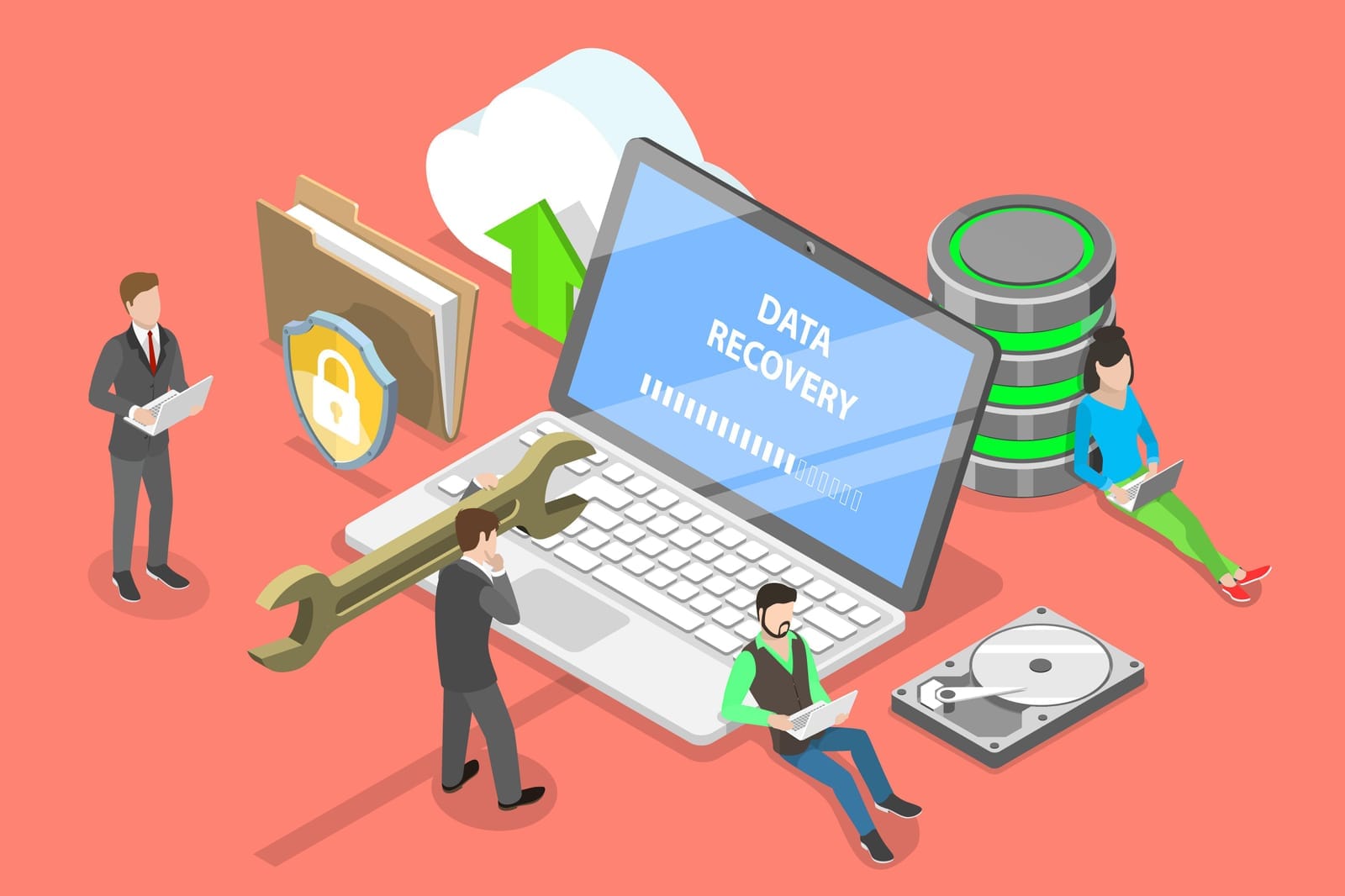
7. Backups and Recovery: Prove That They Work
A backup is not proven merely because a dashboard says “successful.” The organization must know whether it can recover the data or service within a timeframe the business can tolerate.
Verify backup coverage
For each important system, ask:
- What is backed up?
- What is not backed up?
- How often does backup run?
- How long are backups retained?
- Are backups protected from accidental deletion or ransomware?
- Are backups separated from the production environment?
- Are backups encrypted where appropriate?
- Who receives failure alerts?
- Can the business access the backup without the departing employee?
- Does the backup include configurations, licences, keys, and dependencies?
Some SaaS services provide limited recovery features rather than a full independent backup. Confirm what the service actually covers.
Define recovery objectives
Two useful concepts are:
- Recovery Point Objective (RPO): How much recent data the business can afford to lose. An RPO of four hours means the business aims to recover to a point no more than four hours old.
- Recovery Time Objective (RTO): How long the business can tolerate the service being unavailable.
These are business decisions, not just technical settings. A small business may accept different objectives for email, payroll, a public website, and a production system. To quantify potential impact and set realistic targets, see the 2024 downtime cost report for Singapore SMEs.
Document recovery steps
Recovery instructions should state:
- Who is authorized to start recovery
- Which vendor or administrator must be contacted
- Where backup copies are located
- What order systems should be restored in
- How to restore a file, account, database, or complete service
- How to validate recovered data
- How to communicate status to staff and customers
- When to involve legal, privacy, or insurance advisers
Test restores
A restore test means recovering data or a service into a controlled location and confirming that it is usable.
Test, as appropriate:
- Individual file restoration
- User or mailbox recovery
- Database restoration
- Application restoration
- Configuration recovery
- Full or partial system recovery
Record the date, scope, result, problems found, and corrective actions. A failed restore test is valuable information: it identifies a weakness while normal operations are still available.

8. A Phased IT Handover Workflow
The following checklist can be adapted to an employee, contractor, managed service provider, or emergency handover.
Phase 1: Prepare
- Appoint a business owner for the handover.
- Identify a technical successor or external support provider.
- Agree the handover timeline and final access date.
- Review employment, privacy, contractual, and legal requirements.
- Identify systems that cannot be interrupted.
- Establish an organization-controlled password manager.
- Create a secure handover workspace.
- Define who can approve access and major changes.
- If you prefer to engage an external partner as the successor, our managed IT services for SMEs outline how a managed approach handles ownership, access, backups and response.
Phase 2: Capture knowledge
- Inventory applications, infrastructure, networks, data stores, and devices.
- Create or update the IT handover register.
- Document critical business processes and dependencies.
- Record vendor and contract information.
- Document routine maintenance and monitoring.
- Document backup schedules and retention.
- Write recovery procedures.
- Record known risks, technical debt, unsupported systems, and pending renewals.
- Conduct walkthroughs, not just document exchanges.
- Record demonstrations where appropriate and store them securely.
Phase 3: Transfer access
- Confirm business ownership of critical vendor accounts.
- Create individual accounts for incoming administrators.
- Enable MFA.
- Transfer credentials into the organization-controlled password manager.
- Update recovery email addresses, phone numbers, and devices.
- Transfer certificates, keys, API tokens, and service-account ownership.
- Confirm access to domains, DNS, cloud platforms, backups, and security tools.
- Avoid sharing personal accounts or bypassing controls.
- Record each transfer and its approver.
Phase 4: Validate
- Test login using the new administrator accounts.
- Confirm that critical services operate normally.
- Test a representative backup restore.
- Verify monitoring and alert delivery.
- Confirm vendor support access.
- Check that documentation matches the live environment.
- Review privileged access.
- Confirm that emergency contacts are reachable.
- Resolve or formally accept outstanding gaps.
Phase 5: Employee departure
- Disable accounts at the agreed time.
- Revoke sessions, tokens, VPN access, keys, and certificates.
- Remove MFA devices and recovery methods.
- Remove access from vendors and external tools.
- Collect company equipment.
- Change selected shared or emergency credentials.
- Preserve records required by HR, legal, or security processes.
- Confirm completion with the handover owner.
Phase 6: Post-handover review
- Review unresolved risks within the first week.
- Check upcoming renewals and payment methods.
- Perform a privileged-access review.
- Test a recovery procedure again after any major change.
- Obtain an independent assessment if the environment is complex or regulated.
- Create a remediation plan with owners and due dates.
- Schedule the next documentation review.

9. Prioritize Risks Instead of Trying to Fix Everything at Once
Small businesses rarely have the time or budget to document every device immediately. Start with systems whose failure or compromise would cause the greatest harm.
Assess each system using four questions:
Business impact
What happens if the system is unavailable?
- Does revenue stop?
- Can staff work around it?
- Are customers affected?
- Is payroll, payment processing, or delivery affected?
- Could the business breach a contract?
Security exposure
How exposed is the system?
- Is it accessible from the internet?
- Does it contain sensitive information?
- Does it have administrator access?
- Is it old or unsupported?
- Are MFA and logging available?
Recoverability
How difficult would recovery be?
- Is there a current backup?
- Has restoration been tested?
- Is the vendor responsive?
- Are recovery credentials controlled?
- Is specialist knowledge required?
Legal or regulatory obligations
Does the system support obligations relating to personal data, financial records, employment records, health information, or customer contracts?
These obligations vary. Identify them with appropriate professional advice rather than assuming that a generic checklist is sufficient.
A simple rating—high, medium, or low—can be enough to create an initial priority list. High-priority systems usually include identity and email, backups, domains and DNS, financial systems, critical production applications, remote access, and systems containing sensitive data.

10. Build Resilience After the Handover
A successful handover is the beginning of resilience, not the end.
Cross-train at least one other person
The backup person does not need to become a system administrator. They should know:
- Which systems are critical
- Where documentation is stored
- How to contact support
- How to approve emergency actions
- How to report an incident
- How to access the password manager under controlled procedures
Review access periodically
At least periodically, review:
- Privileged users
- Former employees
- Contractors
- Vendor accounts
- Shared accounts
- MFA devices
- Recovery methods
- API keys and service accounts
The frequency should reflect the organization’s size, risk, staff turnover, and industry.
Use documented change management
Record significant changes, including:
- What changed
- Why it changed
- Who approved it
- When it changed
- What was tested
- How to reverse it
This prevents the environment from gradually becoming undocumented again. If you’re introducing new platforms as part of the cleanup, here’s how to roll out new IT systems to non‑technical staff without chaos.
Keep vendor ownership with the business
Critical services should use organization-controlled email addresses, billing information, and recovery methods. Vendors may administer systems, but the business should retain ownership and the ability to change providers. If you’re weighing different delivery models, this guide explains IT outsourcing versus managed IT services for SMEs.
Run tabletop exercises
A tabletop exercise is a discussion-based rehearsal. For example:
“The email platform is unavailable, the technical administrator cannot be reached, and a suspicious login has been detected. What do we do in the first hour?”
Use the exercise to identify missing contacts, unclear authority, inaccessible credentials, and unrealistic recovery assumptions.
Schedule updates
Documentation should be reviewed:
- After major technology changes
- After a new vendor is added
- After an incident or recovery test
- During employee onboarding and offboarding
- At least periodically even when nothing appears to have changed
Assign an owner and review date to each important document.

Sample Minimum IT Handover Register
The following register is a practical starting point. Do not put passwords or recovery codes directly into it.
Asset/system | Owner | Purpose | Administrator | Vendor | Dependencies | Backup/recovery method | Renewal date | Criticality | Documentation location |
|---|---|---|---|---|---|---|---|---|---|
Email and identity platform | Operations | Email, login, MFA | Named administrator | Cloud provider | Domain, DNS, MFA | Provider recovery and tested export where applicable | 15 Mar 2027 | High | Secure IT knowledge base |
Domain and DNS | Operations | Website and email addressing | Named administrator | Registrar | Email, website, certificates | Registrar account recovery; DNS export | 02 Nov 2026 | High | Secure IT knowledge base |
Accounting system | Finance | Invoicing and financial records | Finance manager | Application vendor | Identity, bank integration | Vendor retention plus scheduled export | 30 Jun 2027 | High | Finance procedure library |
File storage | Department owners | Business documents | IT administrator | Cloud provider | Identity, MFA, internet | Version history and independent backup | 01 Feb 2027 | High | Secure IT knowledge base |
Firewall and remote access | Operations | Network security and remote work | IT administrator | Network vendor | Internet service, MFA | Configuration backup and replacement procedure | Support ends 31 Dec 2026 | High | Restricted network documentation |
Payroll service | HR/Finance | Payroll processing | Finance manager | Payroll provider | Identity, employee data | Provider recovery and approved exports | 31 Jan 2027 | High | Restricted HR documentation |
Customer platform | Sales | Customer and order management | Sales operations | SaaS vendor | Email, payment integration | Vendor recovery and periodic export | 10 Sep 2027 | Medium/High | Sales operations library |
The exact fields should be expanded for larger, more regulated, or technically complex organizations.

Final Takeaway
The IT handover problem is a concentration-of-knowledge problem. When one person is the only individual who understands the environment, the business has an operational dependency whether or not it appears on the balance sheet.
A practical response does not require writing a thousand-page technical manual. It requires:
- A reliable inventory
- Clear ownership
- Protected credentials
- Organization-controlled vendor accounts
- Mapped dependencies
- Tested recovery procedures
- A controlled offboarding process
- Ongoing review and cross-training
Start with the systems that could stop the business, expose sensitive information, or be difficult to recover. Capture enough knowledge for an authorized replacement to operate safely, escalate intelligently, and restore critical services.
If the environment is complex, highly sensitive, or subject to sector-specific obligations, involve an appropriately qualified IT, cybersecurity, legal, privacy, HR, or compliance professional. The objective is not perfect documentation. It is a business that can continue operating when one technical person is no longer available. For an ongoing model that prevents knowledge concentration and firefighting, consider moving beyond break‑fix to proactive IT management.