Ransomware Readiness Checklist for Singapore Businesses: Can You Recover in 24 Hours?
Ransomware can disrupt more than files. It can stop invoicing, delay deliveries, interrupt customer service and expose sensitive information. Singapore SMEs are not immune: attackers often target businesses with limited IT resources, relying on weak passwords, unprotected remote access or untested backups. For current attack patterns in Singapore, see our overview of the top 2025 cybersecurity threats to SMEs.
A 24-hour recovery target is useful because it turns a general security concern into a business question:
If our main systems became unavailable today, could we restore the most important operations by tomorrow?
The answer does not need to be “everything is back to normal”. It should mean that your most critical services are operating safely, even if less important systems take longer.
Use the checklist below with your business owner, operations lead and IT provider or managed service provider (MSP).
Quick scorecard
Score each item:
- 1 — Not in place
- 2 — Partially in place
- 3 — Fully in place and tested
Keep evidence for each score. A policy that nobody has tested should not receive a full score.
1. Backups and recovery
Can we restore critical data without relying on the affected network?
Score: 1 / 2 / 3
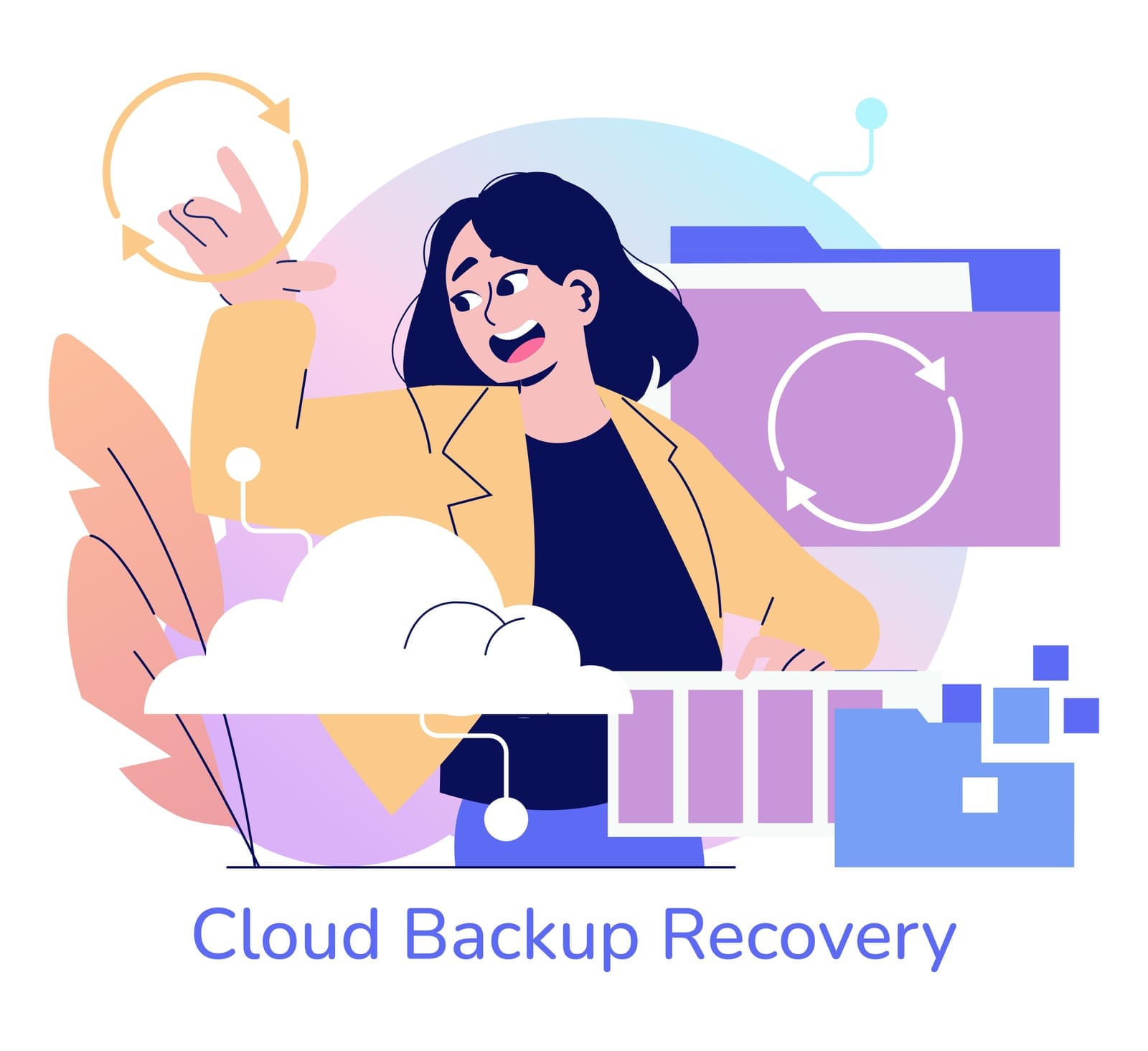
Backups are your main recovery control—but only if attackers cannot delete or encrypt them and your team knows how to restore them.
Check that you have:
- Backups running at a frequency that matches the business impact of data loss.
- At least one backup separated from normal administrator access, such as an offline or immutable copy.
- A documented restoration process.
- A tested restore of important files, applications and systems.
- Clear Recovery Point Objectives (RPOs): how much recent data the business can afford to lose.
- Clear Recovery Time Objectives (RTOs): how quickly each critical system must be available.
Fix immediately if your score is low:
- List your five most important systems and data sets.
- Confirm that at least one backup cannot be altered or deleted using ordinary administrator credentials.
- Perform a small restore test this week, then schedule a full recovery drill.
Warning: A backup report saying “successful” does not prove that recovery will work. If you're evaluating backup architectures, compare cloud vs on‑prem and hybrid options for SMEs here.
2. Access and identity
Do all important accounts use strong authentication, and are administrator rights controlled?
Score: 1 / 2 / 3
Attackers commonly exploit stolen passwords and excessive privileges. Multi-factor authentication (MFA) can significantly reduce the risk of a password alone being enough to enter an account.
Check that you have:
- MFA enabled for email, cloud services, remote access, backup consoles and administrator accounts.
- Separate administrator and ordinary user accounts.
- No shared administrator passwords.
- A process for removing access when staff leave or change roles.
- Regular reviews of privileged accounts.
- Strong, unique passwords stored securely (consider a company password manager).
Fix immediately if your score is low:
- Enable MFA first for administrators, email and remote access.
- Remove unused accounts and shared administrator logins.
- Ask your IT provider to review who can access backups and security tools.
3. Endpoint and email protection
Are laptops, desktops and servers monitored and protected against suspicious activity?
Score: 1 / 2 / 3
Ransomware may enter through a malicious email, stolen credentials or an unpatched device. Basic antivirus alone may not provide enough visibility to detect unusual encryption or account activity.
Check that you have:
- Centrally managed endpoint protection or detection and response capability.
- Automatic security updates for operating systems and common applications.
- Email filtering for malware, suspicious attachments and impersonation attempts (see our simple explainer of SPF, DKIM and DMARC).
- Controls that inspect or block risky links and file types.
- A way to isolate an infected device quickly.
- Logging and alerts that someone reviews.
Fix immediately if your score is low:
- Confirm that every company device is covered—not only office computers.
- Turn on automatic updates where practical.
- Ask your MSP how quickly it can isolate a suspected infected device and who receives alerts after hours.
4. Network and cloud security
Can one compromised account or device reach everything?
Score: 1 / 2 / 3
If systems are flat and broadly connected, ransomware can spread quickly. Cloud services also need protection: files may be encrypted or deleted through a compromised user account.
Check that you have:
- Separate networks for staff devices, servers, guest Wi-Fi and sensitive systems where appropriate (see this SME guide to network segmentation).
- Secure remote access, with MFA and no unnecessary direct exposure to the internet.
- Regular review of firewall and VPN accounts.
- Cloud storage protections such as version history, retention controls and restricted sharing.
- Separate administrative access for cloud services.
- Monitoring for unusual downloads, logins or mass file changes.
Fix immediately if your score is low:
- Disable unused remote-access accounts and services.
- Review external sharing and administrator access in your major cloud platforms.
- Ask your IT provider whether critical servers, backups and user devices are unnecessarily connected.
5. Incident response plan
Do staff know what to do in the first hour of a ransomware incident?
Score: 1 / 2 / 3
Confusion costs time. A short, practical playbook helps people contain the incident without accidentally destroying evidence or spreading the attack. For a step-by-step primer, see our first 24 hours incident response guide for SMEs.
Your plan should include:
- Who has authority to declare an incident.
- Who disconnects devices or disables accounts.
- Contact details for your IT team or MSP, cloud providers and key vendors.
- Legal and privacy contacts.
- Cyber insurer and incident-response contacts, if applicable.
- A process for preserving logs and evidence.
- Internal and external communication responsibilities.
- Escalation routes to relevant authorities or regulators when appropriate.
Fix immediately if your score is low:
- Create a one-page response plan and store a copy offline.
- Print an emergency contact list; do not rely only on the affected email system.
- Run a 30-minute discussion using the scenario: “Several users cannot access files and a ransom note appears.”

6. Business continuity
Can we keep essential operations running while IT systems are unavailable?
Score: 1 / 2 / 3
Recovery is not only an IT exercise. The business may need to process orders, serve customers, pay staff and communicate while systems are being restored. For a deeper walkthrough, see our Singapore SME disaster recovery and business continuity guide.
Check that you have:
- A list of critical business services and their owners.
- A priority order for restoring systems.
- Manual or temporary workarounds for essential processes.
- Alternative communication channels.
- A customer and supplier communication plan.
- Offline access to essential contact details and procedures.
Fix immediately if your score is low:
- Identify the three business activities that must continue within 24 hours.
- Write down how each could operate manually for one or two days.
- Prepare simple staff, customer and supplier communication templates.
7. Training and awareness
Do staff know how to spot and report suspicious activity?
Score: 1 / 2 / 3
Technology cannot prevent every social-engineering attempt. Employees should know how to challenge unusual payment requests, report suspicious emails and raise concerns quickly. To build capabilities, explore our essential IT training approach for closing the SME digital skills gap.
Check that you have:
- Security awareness training for new and existing staff.
- Refresher training at a regular cadence.
- Guidance on phishing, passwords, MFA prompts and urgent payment requests.
- A simple reporting method.
- Occasional simulated phishing or other practical exercises.
- Extra training for finance, HR and senior executives.
Fix immediately if your score is low:
- Give staff a short briefing on phishing and suspicious MFA prompts.
- Establish one clear reporting channel.
- Test the process with a safe, approved simulation and focus on learning—not blame.
8. Vendors and third parties
Could an MSP, software provider or supplier help us recover quickly?
Score: 1 / 2 / 3
Your business may depend on an MSP, cloud platform, accounting system, payroll provider or logistics partner. Their controls and response times can affect your recovery. If you're evaluating partners, start with our practical guide to managed IT services for Singapore SMEs.
Check that you have:
- A current list of important vendors and services.
- Contracts that address security responsibilities and incident notification.
- Clear support contacts and escalation procedures.
- Confirmation of backup and recovery arrangements for hosted services.
- A record of which party owns data, accounts and recovery decisions.
- A plan for operating if a key provider is unavailable.
Fix immediately if your score is low:
- Ask critical providers how they would support a ransomware incident.
- Confirm emergency contacts and response hours.
- Review whether your contracts provide useful notification and recovery commitments.
9. Legal, regulatory and insurance readiness
Do we know what to do if personal data may have been affected?
Score: 1 / 2 / 3
A ransomware incident may involve personal data being accessed, copied or made unavailable. Under Singapore’s Personal Data Protection Act (PDPA), organisations should assess whether an incident is a notifiable data breach and meet applicable notification obligations where required. The exact response depends on the facts and should be confirmed with qualified legal or privacy professionals.
Check that you have:
- An owner for privacy and breach assessment.
- An up-to-date record of the personal data you hold and where it is stored.
- A process for investigating whether data was accessed or exfiltrated.
- Awareness of possible notification requirements to the Personal Data Protection Commission and affected individuals.
- Cyber insurance details, exclusions and notification conditions, if insured (learn what typical cyber insurance covers).
- A record of approved legal, forensic and communications contacts.
Fix immediately if your score is low:
- Ask your legal adviser or privacy lead to review your breach-response process.
- Check your cyber insurance policy before an incident occurs; some policies require use of approved providers.
- Keep incident records, decisions and timelines carefully.
This is general guidance, not legal advice. Sector-specific obligations may also apply.

10. Government and sector guidance
Do we use recognised guidance rather than relying on ad hoc decisions?
Score: 1 / 2 / 3
Singapore’s Cyber Security Agency (CSA) provides cybersecurity guidance and resources relevant to organisations. Businesses should also consider guidance from their sector regulator, industry body and technology providers. For ongoing SME-focused tips, browse our cybersecurity insights.
Fix immediately if your score is low:
- Review relevant CSA Singapore guidance for ransomware, incident response and basic cyber hygiene.
- Ask your MSP to map current controls against a recognised framework.
- Consider the NIST Cybersecurity Framework as a plain-language structure: identify, protect, detect, respond and recover.
Your score: what does it mean?
Add your scores out of 30.
- 24–30: Good foundation
You may be able to recover key operations quickly, but validate this with a realistic exercise. - 16–23: Material gaps
Prioritise backups, MFA, response contacts and critical-system recovery. - 10–15: High recovery uncertainty
Start with basic containment and recovery controls, involving your IT provider or MSP.
The total is only an indicator. A single serious weakness—such as backups that cannot be restored or an exposed administrator account—can undermine otherwise strong controls.
The 24-hour recovery reality check
Recovering everything within 24 hours is unrealistic for many SMEs. A more useful goal is:
Restore the systems and processes that keep the business operating safely, while containing the incident and investigating what happened.
Potentially realistic within 24 hours
Depending on your preparation and the nature of the incident, you may be able to restore:
- Core email and communication.
- Access to essential customer or order information.
- A priority accounting, payroll or operations system.
- Clean user accounts and devices for key staff.
- Temporary manual processes.
- Customer and supplier communications.
May take longer
These activities can require additional time:
- Restoring a large file server or complex application.
- Rebuilding compromised servers.
- Investigating whether data was stolen.
- Confirming that the attacker has been removed.
- Recovering systems dependent on a third-party provider.
- Completing legal, regulatory, insurance and customer assessments.
Set realistic RTOs and RPOs
For each critical system, document:
- RTO: “How quickly must this be usable?”
- RPO: “How much data can we afford to lose?”
For example, a customer-ordering system may need a same-day RTO and a short RPO, while an archive may tolerate a longer recovery period. The correct targets depend on your operations, contracts and customer expectations.

Fix-now action plan for Singapore SMEs
If resources are limited, begin here.
1. Turn on MFA for high-value access
Start with:
- Email.
- Cloud administration.
- Remote access and VPN.
- Backup systems.
- Finance and payroll platforms.
Prioritise administrator accounts and do not approve unexpected MFA prompts. For a low-cost, high-impact roadmap, see our guide to affordable cybersecurity priorities for Singapore SMEs.
2. Build and test a protected backup
Maintain a backup copy that attackers cannot easily alter or delete. Then perform a restore test using real business data, with sensitive information handled appropriately.
Record:
- What was restored.
- How long it took.
- What failed.
- Who is responsible for fixing the gaps.
3. Create a one-page ransomware response plan
Include:
- First actions to contain the incident.
- Decision-makers.
- MSP, cloud, legal, insurer and vendor contacts.
- Alternative communication methods.
- Evidence-preservation instructions.
- Escalation and notification considerations.
Keep a copy offline.
4. Identify critical operations and workarounds
Choose the three to five services that must resume first. Assign an owner, RTO and RPO to each, then document a temporary manual process.
5. Run a tabletop exercise
Ask a small group to work through this scenario:
“At 9:00 a.m., multiple staff cannot open files. A server displays a ransom note. Email is still working, but the finance system is unavailable.”
Discuss who makes decisions, who contacts the MSP, how systems are isolated, how customers are informed and how clean recovery is confirmed.

Conclusion: preparedness is a business capability
A 24-hour recovery goal is not a promise that every system will be restored overnight. It is a commitment to understand what matters most, protect recovery options and practise the decisions your team will need to make.
For a practical next step:
- Revisit this checklist at least quarterly.
- Review results with your IT provider or MSP.
- Test restores instead of relying on backup reports.
- Update contacts whenever staff or vendors change.
- Use a recognised framework such as the NIST Cybersecurity Framework to organise improvements in simple stages.
- Review relevant CSA Singapore and sector guidance as your business changes.
The best time to discover that recovery will take a week is during a planned exercise—not during a real incident.