
IT Support for Retail and F&B Businesses: POS, Wi-Fi, Payments and Downtime Risks

For a shop, café, bar, or restaurant, technology is part of the operating floor. A point-of-sale (POS) system records sales, printers send orders to the kitchen, payment terminals complete transactions, and Wi‑Fi connects staff devices, back-office systems, and guests.
When these systems work, they are easy to overlook. When they fail, queues form, orders are missed, staff improvise, and customers may leave. Reliable IT support cannot eliminate every outage, but it can reduce preventable failures, speed up diagnosis, and help the business recover safely.
A commercially neutral support partner should recommend solutions based on your operations, budget, and existing providers—not push a particular brand or platform. Vendor-agnostic advice can reduce unnecessary lock-in and help businesses choose technology that fits their needs.
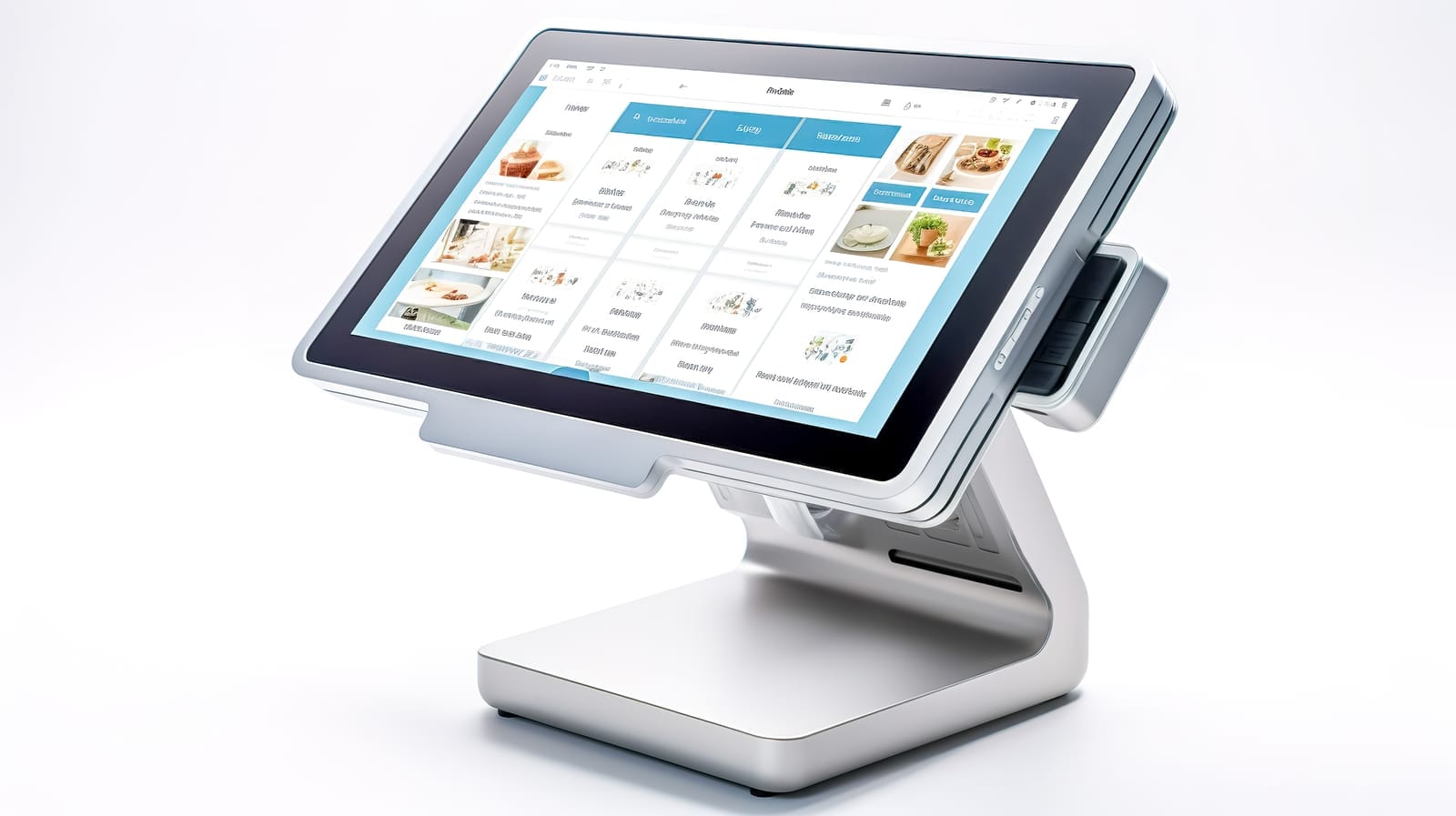
POS systems: more than the till
A POS environment usually includes much more than a touchscreen terminal. Depending on the business, it may contain:
- POS terminals, tablets, or computers
- Cash drawers, barcode scanners, customer displays, and receipt printers
- Kitchen display systems and order printers
- Stock, purchasing, loyalty, and employee-management applications
- Back-office computers and reporting systems
- Cloud services and integrations with accounting, delivery, booking, or e-commerce platforms (if you use third‑party integrations, learn how to vet and secure them)
Problems can occur at any layer. A printer may be out of paper, a scanner may be incorrectly configured, or a POS application may become slow after an update. A network change can prevent terminals from communicating with a back-office server. An integration may send incomplete menu, stock, or order information.
Common warning signs include:
- Transactions taking noticeably longer than usual
- Orders not appearing on kitchen printers or displays
- Duplicate or missing tickets
- Reports that do not match terminal or bank records
- Frequent application crashes or forced restarts
- Devices that have not received updates or are running out of storage
- Staff relying on undocumented workarounds
The financial impact of POS downtime is not limited to lost sales—see our 2024 downtime impact insights for typical cost ranges in Singapore. A shop may be unable to process purchases or check stock. A café may have to rewrite orders, causing delays and waste. In a restaurant, a missing kitchen ticket can result in incorrect meals, refunds, poor reviews, and disrupted table turnover.
It is also important to distinguish POS availability from payment availability. The POS may be working while payment terminals cannot connect. Conversely, a payment terminal may work while the POS integration is unavailable, requiring careful manual reconciliation.

Payment terminals and processing
Payment problems are often described simply as “the internet is down,” but several different failures can produce similar symptoms:
- A local switch, access point, router, or cable has failed.
- The payment terminal has lost its network connection.
- The payment processor or payment platform is unavailable.
- The acquiring bank or wider payment network is experiencing an issue.
- The POS-to-terminal integration is misconfigured or unavailable.
- Transactions are timing out because systems cannot confirm their status.
The distinction matters. Restarting a router will not resolve an acquiring-bank outage, and contacting the payment provider will not repair a damaged network cable. Support staff should establish whether other business devices are online, whether the issue affects one terminal or all terminals, and whether the POS itself is functioning.
Transaction timeouts require particular care. A timeout does not always mean that a payment failed; it may mean the result was not returned to the POS. Staff should avoid repeatedly submitting the same transaction without following the provider’s procedure, as this can create duplicate charges or customer confusion.
Reconciliation is another risk. At the end of a shift, the POS totals, terminal totals, refunds, cancellations, and bank settlement records should be compared according to the procedures agreed with the relevant providers. IT support can help preserve system availability and evidence, but payment disputes and settlement questions may need to be handled by the payment provider or acquiring bank.
Do not assume that offline payments, stored transactions, alternative payment methods, or manual card details will be available or safe to use. These features depend on the POS and payment providers, contractual terms, security controls, and local requirements. Any fallback process should be explicitly supported and tested before it is needed.

Business Wi‑Fi and guest Wi‑Fi
A busy venue may have many wireless devices: POS terminals, handheld ordering devices, staff phones, printers, music systems, cameras, laptops, and guest smartphones. Treating all of them as one network creates unnecessary risk and can make troubleshooting harder.
Normally, businesses should separate:
- Operational devices such as POS terminals, printers, kitchen systems, and back-office equipment.
- Business users and systems such as staff computers and administrative applications.
- Guest Wi‑Fi for customers.
Network segmentation means using controls that limit which devices can communicate with one another. Guest Wi‑Fi should not have access to payment terminals, POS systems, staff devices, or other operational resources. The exact design depends on the equipment and applications, but the principle is straightforward: customers should receive internet access, not access to business-critical systems. For configuration tips and guest-access best practices, see our guide to optimising business Wi‑Fi for speed, stability, and guest access.
Good wireless planning should consider:
- Coverage across counters, dining areas, kitchens, storage rooms, and outdoor spaces
- Capacity during busy periods, not just signal strength when the venue is quiet
- Interference from neighbouring networks, kitchen equipment, walls, and building materials
- Separate credentials and appropriate password management
- Secure encryption and current device configuration
- Guest privacy and isolation between guest devices
- The effect of wireless roaming on handheld POS or ordering devices
A café that has excellent Wi‑Fi near the entrance may still have dead spots in the kitchen. A restaurant may have enough signal for browsing but insufficient capacity for dozens of guests and several handheld ordering devices. Testing should take place during realistic operating conditions.
Staff should know which network each device belongs to and whom to contact when connectivity fails. Sharing one password across all systems also makes it harder to remove access when an employee leaves or a credential is exposed.
Internet outages, failover, and service continuity
A second internet connection can improve resilience (how much redundancy does an SME really need?), but it is not the same as complete business continuity.
- Broadband redundancy means having more than one possible connection, such as two wired services or a wired service plus 4G/5G.
- Automatic failover means a dual-WAN router or similar device switches traffic to the secondary connection when the primary appears unavailable.
- Service continuity means that the specific applications and operating procedures required by the business continue to function during the incident.
A second wired connection may use a different provider or infrastructure, but its independence should be confirmed rather than assumed. A 4G/5G backup can be useful where mobile coverage is reliable, although capacity, signal quality, data limits, and congestion should be considered. A dual-WAN router can manage the connections, but it must be configured and maintained correctly.
Failover does not guarantee that a cloud POS, payment terminal, VPN, delivery integration, or other service will continue working. The application may require fixed addresses, specific firewall rules, provider-approved connectivity, or a particular network path. A payment terminal may also use a separate connection from the POS.
Testing should cover a realistic transaction, printing, order transmission, reporting, and reconciliation—not merely whether a laptop can browse the web. A backup connection that has never been tested may not be a dependable fallback. For broader recovery planning beyond connectivity, see our Singapore SME guide to IT disaster recovery and business continuity.
Cybersecurity and payment-card responsibilities
Retail and F&B businesses handle valuable systems and information, even if they do not consider themselves technology companies. Practical controls include:
- Multi-factor authentication (MFA): require a second verification method for important accounts.
- Patching: keep operating systems, POS applications, routers, access points, and endpoint security tools updated according to provider guidance.
- Least privilege: give each user only the access needed for their role.
- Secure remote support: use approved tools, strong authentication, logging, and time-limited access where possible.
- Backups: protect important configuration and business data, and test restoration rather than assuming backups work.
- Endpoint protection: use suitable protection on supported computers and devices.
- Network segmentation: restrict communication between guest, operational, and administrative systems.
- Account management: remove departed staff promptly and avoid shared administrator accounts.
- Physical security: protect terminals, routers, networking cabinets, and back-office devices from tampering.
Payment-card security obligations require careful scoping. Applicable PCI DSS responsibilities depend on the business model, payment setup, technology architecture, providers, and the relevant assessment scope. An IT support company can help implement controls and coordinate technical work, but its services are not a substitute for formal compliance advice or requirements from payment providers and acquiring institutions.
Monitoring, maintenance, and support
Proactive support is more useful than waiting for a busy Saturday-night failure (here’s why SMEs benefit from moving beyond break‑fix). A suitable service may include remote monitoring of supported devices, patch coordination, alert review, preventive maintenance, and scheduled IT health checks. Managed IT services can also include endpoint protection, cloud administration, firewall support, security awareness training, vendor management, and data-protection support, depending on the plan.
A support provider should maintain:
- An asset inventory covering terminals, printers, routers, switches, access points, and key applications (see our guide to IT asset lifecycle management)
- Documented network diagrams and configurations
- Contact details and escalation routes for POS, payment, ISP, and software vendors
- A record of warranties, licences, renewal dates, and supported versions
- Standard procedures for common failures
- Defined response and escalation times
- Change records showing what was modified and why
For a multi-site operator, central documentation is particularly valuable. If a new venue is opened or a terminal is replaced, the provider should be able to reproduce the approved configuration without relying on one person’s memory.
A support agreement might cover remote assistance, on-site response, monitoring, patch management, incident coordination, backup checks, security controls, documentation, and regular service reviews. Confirm what is included, what is chargeable, the hours of coverage, and which third-party services remain the customer’s responsibility.

Key risks and mitigations
Risk | Likely impact | Recommended mitigation |
|---|---|---|
POS application or terminal outage | Lost sales, queues, manual errors | Monitoring, tested support procedures, maintained hardware, documented fallback process |
Payment terminal timeout | Duplicate attempts, customer disputes, delayed reconciliation | Identify transaction status before retrying; follow provider procedures |
Network misconfiguration | POS, printers, or payment devices cannot communicate | Documented configuration, segmentation, controlled changes, support escalation |
Poor Wi‑Fi coverage or capacity | Slow ordering, disconnected handhelds, unhappy guests | Site survey, capacity planning, separate networks, periodic testing |
Internet service failure | Cloud services and integrations may be unavailable | Independent backup connection, compatible failover, tested transactions |
Unpatched or over-permissioned devices | Increased likelihood or impact of security incidents | Patching, MFA, least privilege, endpoint protection, secure remote access |
Missing documentation | Longer recovery and dependence on one employee | Asset inventory, diagrams, vendor contacts, recovery procedures |
Unchecked backups | Data or configuration may not be recoverable | Automated backups where appropriate, monitoring, restoration tests |
A simple downtime checklist
When an incident occurs, avoid making multiple unrecorded changes at once. Use a short checklist:
- Name the incident owner. Identify who coordinates staff, IT support, POS support, payment support, and management.
- Record the symptoms and time. Note which sites, terminals, printers, networks, and applications are affected.
- Check the scope. Test whether the problem affects one device, one network area, the whole site, or several locations.
- Separate the layers. Determine whether local devices communicate, whether the internet is available, and whether the external service responds.
- Contact the correct provider. Escalate to IT, the ISP, POS vendor, payment provider, or acquiring bank based on the evidence.
- Protect order accuracy. If orders must be written down, use numbered forms and confirm them verbally to reduce duplicates.
- Handle payments safely. Follow only procedures approved by the POS and payment providers. Do not improvise card-handling methods.
- Communicate clearly. Tell staff what is affected, what they should do, and who is authorised to make decisions.
- Set customer expectations. Explain delays honestly and consistently without making unsupported promises.
- Reconcile afterwards. Compare orders, payments, refunds, and settlements; document the cause and corrective actions.
Offline or fallback procedures may be available for some systems, but they must be supported by the relevant POS and payment providers and tested in advance. They may also carry specific security, contractual, or reconciliation requirements.

Conclusion
Technology resilience in retail and F&B is not about buying the most expensive equipment or promising zero downtime. It is about understanding dependencies, separating critical systems, maintaining accurate documentation, monitoring warning signs, and having tested procedures for when something fails.
A shop needs its sales and stock systems to remain usable. A café needs reliable ordering, payment, and Wi‑Fi. A restaurant needs tickets, terminals, kitchen systems, and communications to work together. The right IT support arrangement helps each business identify its actual risks, coordinate multiple vendors, and recover without unsafe improvisation.
What to ask an IT support provider
- Which POS, payment, network, and back-office systems will you support directly?
- How will you distinguish a local network fault from a POS, payment, ISP, or acquiring-bank issue?
- What monitoring and preventive maintenance are included?
- How will you separate guest Wi‑Fi from POS and operational systems?
- Can you design and test a second internet connection or failover arrangement?
- What happens if cloud POS or payment services do not work over the backup connection?
- How do you handle MFA, patching, least privilege, endpoint protection, and secure remote access?
- Will you maintain an asset inventory, network documentation, vendor contacts, and recovery procedures?
- What response and escalation times apply during trading hours and outside them?
- Which PCI DSS or other compliance responsibilities are outside your service, and who should provide formal compliance advice?