
How to Build a Discreet IT Support Model for a Small Family Office

Introduction
A small family office needs IT support that is responsive, dependable, and appropriately discreet. That does not mean operating in secrecy or treating technology as an informal personal service. It means creating a controlled support model in which sensitive information is exposed only when necessary, responsibilities are clear, and important actions can be verified and reviewed.
The challenge is often one of scale. A small office may have only a few employees, a mixture of office and home working arrangements, several external advisers, and no full-time IT manager. Yet it may still handle financial records, identity documents, personal correspondence, travel information, investment materials, and confidential communications.
The right answer is not necessarily a large technology department. It is a well-defined operating model supported by suitable technology, sound contracts, documented procedures, and trustworthy people. A managed IT provider can help with monitoring, support, cybersecurity, cloud administration, backups, and strategic planning, provided its role and access are carefully governed. A provider that offers transparent, vendor-neutral advice and clearly defined service packages may be useful, but price and responsiveness should not replace due diligence.
This article describes a practical model for obtaining IT support while minimizing unnecessary exposure of personal information. It is not a substitute for legal, regulatory, tax, employment, cybersecurity, or forensic advice. Requirements vary by jurisdiction and should be reviewed with qualified professionals.
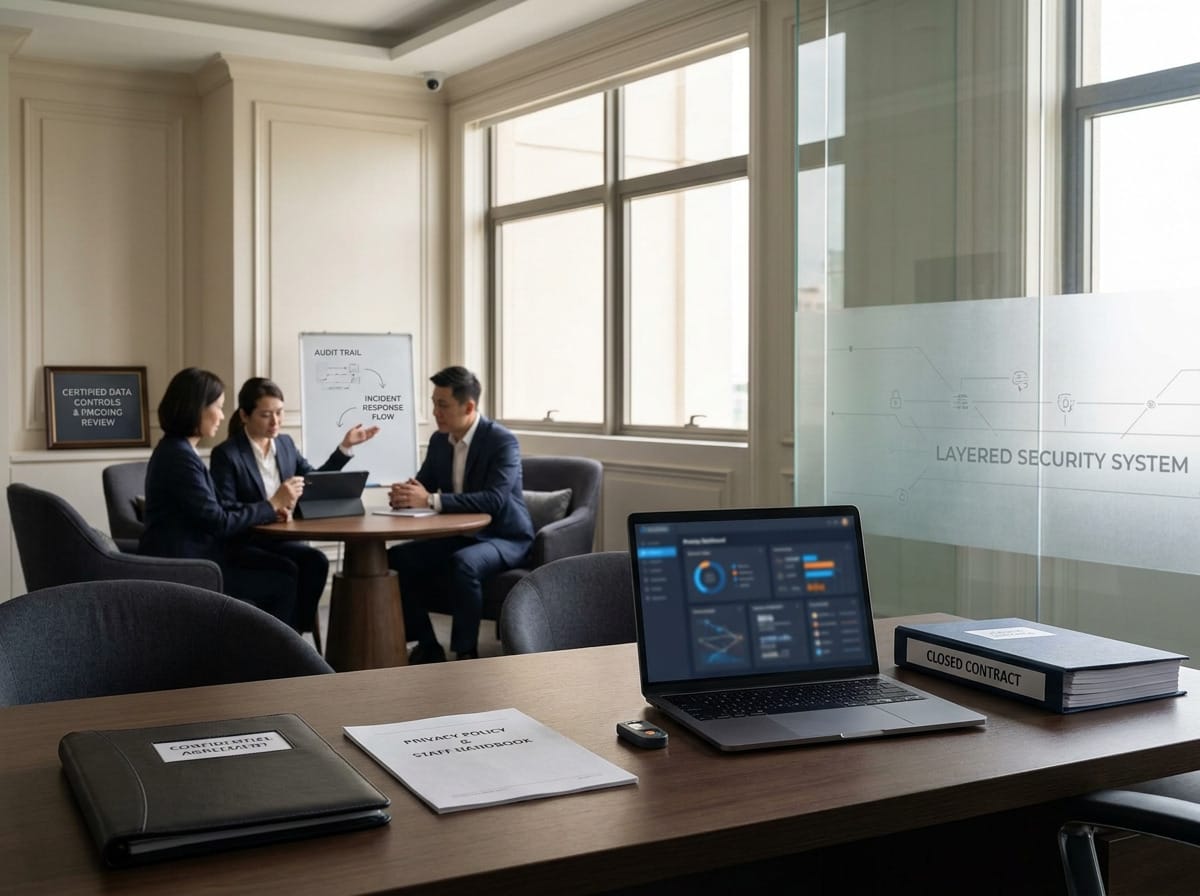
1. Treat Confidentiality as a System, Not a Promise
A provider may be professional, discreet, and trustworthy. Those qualities matter, but they are not sufficient on their own. Confidentiality should be supported by several mutually reinforcing measures:
- Contracts and confidentiality agreements
- Data-processing obligations
- Internal policies
- Technical access controls
- Staff training
- Monitoring and review
- Clear incident procedures
Confidentiality agreements
Every IT provider, employee, contractor, and relevant subcontractor should be bound by written confidentiality obligations. The agreement should address:
- What information is considered confidential
- How information may be used
- Who may access it
- Whether subcontractors may be involved
- How information must be protected
- What happens when the engagement ends
- How suspected breaches must be reported
- Whether information must be returned or securely deleted
Avoid relying on a generic agreement that does not reflect the actual relationship. An IT provider may see user names, email addresses, device locations, application details, access logs, backup records, and support tickets. The agreement should recognize that technical metadata can itself be sensitive.
Data-processing responsibilities
If the provider stores, accesses, or processes personal information on the family office’s behalf, the parties may need a formal data-processing arrangement. This may cover:
- Permitted processing activities
- Security measures
- Use of subcontractors
- Cross-border transfers
- Data retention and deletion
- Assistance with data-subject requests or investigations
- Breach notification
- Audit or assurance rights
The correct requirements depend on the jurisdictions involved and the types of personal information handled. Legal and data-protection professionals should review these arrangements where appropriate.
Background checks
Background checks may be appropriate for personnel who will have privileged access or regular physical access to the office. They must be lawful, proportionate, and consistent with employment and privacy requirements. A check is not a guarantee of trustworthiness, and the absence of a check does not prove that someone is unsuitable. It is one element of a broader control framework.
Need-to-know access
A support technician may need to know that a device is malfunctioning without needing to read the contents of the user’s documents or communications. Access should therefore be limited to what is necessary for the task.
For example:
- A technician troubleshooting a laptop may need device-management access.
- A network specialist may need firewall and router access.
- An administrator managing email may need directory privileges but not routine access to mail content.
- A backup operator may need to confirm that backups are completing without browsing backed-up documents.
Technical controls should reflect these distinctions wherever practical.
2. Create Named Contacts and Clear Accountability
A discreet support model should feel personal without becoming dependent on one person. Assign a primary contact and a backup contact, but ensure both operate within documented procedures.
Define the support structure
A simple structure might include:
- Primary support contact: Coordinates normal requests and knows the environment.
- Backup contact: Provides coverage during leave, illness, or conflicts of interest.
- Technical escalation contact: Handles complex infrastructure or security issues.
- Senior account contact: Manages service quality, commercial matters, and major incidents.
- Family-office decision-maker: Approves sensitive changes and determines business priorities.
The family office should know the names, roles, business contact details, and working hours of these individuals. Personal mobile numbers should not be the only route to support.
Set service expectations
The support agreement should define:
- Normal service hours
- After-hours coverage
- Response targets
- Target resolution times, where realistic
- What qualifies as an emergency
- How incidents are reported
- Who may approve sensitive work
- When escalation occurs
- What is excluded from the service
Response time means how quickly the provider acknowledges or begins work. It does not necessarily mean the issue will be resolved within that period. This distinction should be explicit.
For example:
- A routine software issue may receive a response during business hours.
- A suspected account compromise may receive immediate triage.
- A failed backup may be handled urgently but may not require an overnight emergency response.
- A physical-security concern may require coordination with office management, building security, or law enforcement rather than IT alone.
Authenticate emergency requests
Urgent requests can create opportunities for impersonation. Before disabling an account, transferring funds-related access, changing a recovery address, or granting administrator rights, the provider should verify the request through an approved channel.
Useful safeguards include:
- A named requestor list
- A call-back to a known number
- A second-person confirmation for high-risk actions
- A pre-agreed emergency code or process
- Written confirmation through an approved system
- A requirement to document who authorized the action
Do not treat a message marked “urgent” as sufficient authentication. An attacker may know names, travel plans, job titles, or recent events.
3. Control Privileged Access Carefully
Privileged access means the ability to change systems, create accounts, alter security settings, access logs, or bypass ordinary restrictions. It should be limited, monitored, and periodically reviewed.
Use separate administrator accounts
Administrators should not use the same account for ordinary email, web browsing, and administrative work. A separate administrator account reduces the chance that a phishing attack against everyday activity immediately becomes a system-wide compromise.
The family office should also avoid shared administrator accounts. Each person should have an individually attributable identity.
Apply least privilege
Least privilege means granting only the access required for a defined task. Consider separate roles for:
- User support
- Device management
- Identity and access management
- Network administration
- Backup administration
- Security monitoring
- Application administration
- Financial or specialist systems
A technician who can reset a password may not need authority to create a new administrator account. A network administrator may not need access to document repositories.
Use multi-factor authentication
Multi-factor authentication, or MFA, requires more than a password—for example, a hardware security key, authenticator application, or approved biometric method. MFA should be used for:
- Administrator accounts
- Cloud administration
- Remote-support platforms
- Email and identity systems
- Password managers
- Backup systems
- Financial or other high-impact applications
MFA is not foolproof. Recovery procedures must be protected too, since attackers may target backup email addresses, phone numbers, or helpdesk processes.
Use time-limited access where feasible
For sensitive systems, access can be granted only for the duration of an approved task. This is sometimes called just-in-time access. If that is not available, the provider can use a documented approval and removal process.
A practical example is granting a technician administrator access for a scheduled server change, recording the authorization, and confirming that access has been removed afterward.
Log and review privileged activity
The family office or provider should retain logs showing:
- Who accessed a system
- When access occurred
- What changes were made
- Which account or device was affected
- Whether the activity was approved
- Whether the session involved remote control
Logs should be protected from unauthorized alteration and reviewed periodically. High-risk events—such as new administrator creation, changes to MFA, unusual data exports, or disabling security controls—should generate alerts or receive prompt review.
Distinguish types of access
These categories should not be treated as interchangeable:
- Remote-support access: Ability to view or control a device for troubleshooting.
- Administrator access: Ability to change system configuration, accounts, or security settings.
- Sensitive-data access: Ability to read confidential files, communications, financial records, or personal information.
A remote-support tool may provide more access than intended if poorly configured. Sessions should require user approval where practical, display a clear indicator, record the technician, and end automatically when the task is complete.

4. Maintain Documentation and Continuity
A provider cannot support an environment reliably if nobody has an accurate picture of it. Documentation also protects the family office if the provider becomes unavailable, a key employee leaves, or an incident occurs.
Maintain a living inventory
The inventory should include:
- Laptops, desktops, phones, tablets, and other devices
- Operating systems and security status
- Cloud applications
- User and administrator accounts
- Network equipment and configurations
- Internet and telecommunications services
- Firewalls and remote-access tools
- Backup systems and retention settings
- Licenses and renewal dates
- Vendors and support contracts
- Physical locations
- Critical dependencies
- Recovery priorities
Avoid placing highly sensitive information in an unnecessarily broad document. The inventory itself should be protected, access-controlled, and reviewed.
Document recovery procedures
Recovery documentation should explain:
- Which systems are critical
- Who can authorize recovery
- Where backups are stored
- How backup integrity is tested
- How accounts are recovered
- Which vendors must be contacted
- What sequence systems should be restored in
- How to operate if the office is temporarily unavailable
A backup is not the same as a recovery capability. Backups should be tested periodically, including restoration of representative files or systems. The family office should understand the difference between a backup copy, a synchronized copy, and an independently recoverable copy.
Ensure the family office retains control
The provider may maintain documentation, but the family office should have its own secure access. At minimum, the office should retain:
- Current system documentation
- Provider and vendor contacts
- Contracts and renewal dates
- Administrative ownership details
- Recovery procedures
- Backup information
- A current list of authorized personnel
Do not allow a provider to be the sole holder of passwords, recovery codes, configuration files, or critical vendor relationships. These materials should be held in a secure password manager or documentation platform controlled by the family office, with carefully managed emergency access.

5. Establish Practical Response Procedures
A small office benefits from a short, clear incident guide. It should explain what to do without requiring staff to diagnose the problem themselves.
Normal support
For ordinary requests, use a ticketing system or approved support email. The ticket should record:
- Requestor
- Date and time
- Device or account affected
- Description of the issue
- Business impact
- Actions taken
- Resolution
- Any follow-up required
Staff should avoid including unnecessary personal or confidential information in tickets. A description such as “cannot connect to the approved document portal” is usually better than copying the contents of a sensitive file.
Suspected account compromise
If an account may have been compromised:
- Contact support using a known channel.
- Do not continue responding to suspicious messages.
- Preserve relevant messages, alerts, and timestamps.
- Consider disconnecting the affected device if instructed.
- Do not delete evidence or reset everything without coordination.
- Ask the provider to review sign-ins, forwarding rules, MFA changes, and recent activity.
- Escalate to legal, privacy, cybersecurity, or law-enforcement advisers where appropriate.
An IT provider can help contain and investigate a technical event, but it may not be qualified to determine legal reporting duties, regulatory notification requirements, or evidentiary issues.
Lost or stolen device
The procedure should cover:
- Who must be contacted
- How quickly the device should be reported
- Whether the device can be locked or erased remotely
- How credentials and tokens will be revoked
- Whether local authorities, insurers, or affected parties must be notified
- How a replacement device will be issued
A device should not be assumed secure merely because it has a password. Full-disk encryption, strong authentication, device management, and timely revocation reduce risk.
Malware or suspicious activity
Staff should know how to report:
- Unexpected pop-ups
- Unusual login alerts
- Files being renamed or encrypted
- Security warnings
- New applications they did not install
- Unusual device behavior
They should not attempt to “clean” a system with random tools, repeatedly reboot an affected device, or forward suspicious files to personal accounts unless instructed. Evidence can be lost, and the problem may spread.
Data exposure
If confidential information may have been sent to the wrong recipient or exposed through a shared link:
- Preserve the original message and relevant logs.
- Do not conceal or alter the record.
- Ask the provider to revoke access or disable the link.
- Confirm who may have accessed the information.
- Notify the designated decision-maker.
- Consult legal or privacy advisers about obligations.
- Record decisions and timelines.
Physical-security concerns
IT support may be involved when a device, server, access card, or network cabinet is tampered with. Physical-security incidents may also require building management, security professionals, insurers, or law enforcement. IT should not be expected to handle every aspect of a physical incident.
Maintain an incident record
For significant events, keep a controlled record of:
- What was reported
- When it was reported
- Who was involved
- What was verified
- Which actions were authorized
- What evidence was preserved
- Who was notified
- What was resolved
- What remains uncertain
- What improvements are required
A post-incident review should focus on learning rather than blame. It may identify a need for better MFA, clearer approval procedures, improved training, or a change in vendor responsibilities.

6. Separate Personal and Office Systems
Family offices often support people who work across homes, offices, travel locations, and personal devices. That flexibility can create hidden connections between environments.
Where practical, separate:
- Office and personal identities
- Office and personal devices
- Office and home networks
- Office and smart-home systems
- Office and personal password managers
- Office and personal backup arrangements
- Administrative boundaries
- Communications used for business approval
Separation reduces the chance that a compromise in one environment spreads directly to another. For example, a smart-home device should not sit on the same unrestricted network as office laptops or network storage.
Use separate identities
A person may have one identity for office systems and another for personal services. Separate identities help with:
- Access reviews
- Offboarding
- Logging
- Revocation
- Limiting accidental sharing
- Avoiding unnecessary provider access
The same person may still be able to use both environments, but the accounts should not be assumed to have the same permissions.
Use separate devices where feasible
A dedicated, managed office laptop is easier to secure than a personal device containing unmanaged applications, family accounts, and unknown browser extensions. If personal devices must be used, establish minimum requirements such as encryption, screen locking, supported software, device management, and prompt reporting of loss.
Segment networks
Network segmentation means placing systems into separate network zones with controlled communication between them. A guest or smart-device network should not automatically reach business systems. The design should match the office’s size and complexity; excessive complexity can become difficult to maintain.
Separate password managers and backups
A password manager can protect credentials when properly configured, but the family office should define who controls the vault, how emergency access works, and how former staff or providers are removed.
Backups should also have clear ownership. Personal backups, office backups, and shared family records may have different retention, access, and legal requirements.
Separation is a risk-reduction measure, not a guarantee. Shared email addresses, shared devices, remote access, common cloud accounts, and synchronized files can still create links between environments. Those connections should be identified and reviewed.

7. Select and Govern the Provider
A provider should be evaluated as a long-term operational partner, not merely as a source of technical labor.
Perform due diligence
Before appointment, consider:
- Company registration and ownership
- Relevant experience
- Client references
- Staff qualifications
- Security policies
- Use of subcontractors
- Professional and cyber insurance
- Financial stability
- Incident history, where available
- Service locations and cross-border access
- Support coverage and escalation arrangements
References should be specific. Ask clients whether the provider was responsive during a serious incident, maintained documentation, respected boundaries, and handled staff changes effectively.
Require secure remote access
The provider should explain:
- Which remote-support tools it uses
- How sessions are authenticated
- Whether MFA is required
- Whether users approve sessions
- What is logged
- Where logs are stored
- How access is revoked
- How emergency access is controlled
- Whether subcontractors can connect
Avoid permanent, unrestricted remote access where a safer alternative is practical.
Define breach notification and retention
The agreement should state:
- How quickly suspected incidents must be reported
- What information the initial notice should contain
- How investigation updates will be provided
- How evidence and logs will be preserved
- How long support records are retained
- When data must be deleted or returned
- How deletion is verified
- What happens to backups after termination
Define offboarding
Offboarding should be planned before the relationship begins. It should cover:
- Revocation of provider accounts
- Transfer of documentation
- Return or deletion of data
- Transfer of licenses and vendor relationships
- Handover of configurations
- Rotation of shared secrets
- Review of active remote sessions
- Confirmation of remaining subcontractor access
- Final access and asset review
Clarify responsibilities
A responsibility matrix can show who owns each activity. For example:
Activity | Family office | IT provider | Specialist adviser |
|---|---|---|---|
Approve administrator access | Approves | Implements | Advises if needed |
Monitor devices | Oversees | Performs | — |
Determine legal notification | Decides with counsel | Provides technical facts | Legal counsel |
Restore backups | Authorizes | Performs | May assist |
Review quarterly risks | Participates | Reports | Advises where engaged |
This prevents assumptions that “IT will handle it” when a matter actually requires legal, insurance, compliance, or executive judgment.

Minimum Viable Model Checklist
A small family office can begin with the following practical baseline:
- Written confidentiality and data-processing terms
- Named primary and backup support contacts
- Documented support hours, response targets, and escalation paths
- Verified emergency-request procedure
- Separate administrator accounts
- MFA for privileged and critical accounts
- Individual accounts rather than shared administrator credentials
- Remote-support sessions logged and controlled
- Current inventory of devices, systems, vendors, and licenses
- Secure documentation accessible to the family office
- Tested backups and documented recovery procedures
- Short incident-response guide
- Clear separation between office and personal systems where practical
- Provider due diligence, references, and insurance review
- Subcontractor and cross-border access controls
- Defined data-retention, breach-notification, and offboarding terms
- Quarterly review of access, devices, backups, and open risks
This is a starting point, not a complete security program. Higher-risk environments may need independent assessments, specialist monitoring, penetration testing, formal business-continuity planning, or dedicated privacy advice.

A Simple Operating Rhythm
The model becomes more reliable when reviewed regularly:
Monthly
- Review open support issues
- Check backup status and failed jobs
- Confirm new and departed users
- Review major security alerts
- Check license and renewal deadlines
Quarterly
- Review privileged accounts
- Confirm provider and subcontractor access
- Test representative file restoration
- Update the system inventory
- Review incident trends
- Hold a short IT risk and strategy meeting
Annually
- Review contracts and insurance
- Reassess the provider
- Test a recovery scenario
- Refresh staff security training
- Review network separation
- Confirm that documentation and emergency contacts remain current
A lightweight operating rhythm is often more valuable than a complex policy that nobody follows.

Conclusion
Discreet IT support is not about avoiding visibility at all costs. It is about ensuring that visibility is limited, justified, controlled, and accountable. A small family office can achieve this by combining clear contracts, named contacts, least-privilege access, MFA, secure documentation, tested backups, defined incident procedures, and sensible separation between personal and office systems.
The family office should retain ownership of decisions, documentation, and critical access even when day-to-day technical work is outsourced. The provider should be able to explain not only how it fixes problems, but also how it authenticates requests, protects support records, manages privileged access, handles subcontractors, reports incidents, and supports an orderly exit.
No single safeguard guarantees confidentiality. Strong protection comes from overlapping controls, competent people, regular review, and a culture in which staff can report concerns early. Legal, tax, regulatory, employment, insurance, and data-protection requirements vary by jurisdiction; qualified professionals should be consulted when those issues arise.
Five questions to ask a prospective IT-support provider
- Who specifically will support us, who covers them, and how are urgent requests authenticated before sensitive actions are taken?
- What access will your staff and subcontractors receive, how is it limited, how long does it last, and what activity is logged and reviewed?
- How do you handle suspected account compromise, lost devices, malware, data exposure, and evidence preservation—and when do you involve legal or cybersecurity specialists?
- What documentation, backups, recovery procedures, breach-notification terms, retention rules, and offboarding support are included in the engagement?
- Can you provide relevant references and explain your insurance, staff screening, remote-access controls, subcontractor governance, and experience supporting organizations that require discretion?