
Cloud vs On‑Prem for Data‑Heavy SMEs: Finding the Right Balance Between Control, Cost, and Compliance

For a data-heavy small or medium-sized business, the question is rarely “Is cloud better than on-premises?” A more useful question is:
Which deployment model gives each workload an acceptable balance of cost, control, performance, resilience, compliance, and operational effort?
“Cloud” generally means using computing, storage, databases, networking, or software delivered by a third-party provider over a network. “On-premises” means the business owns or leases infrastructure operated at its own premises or in a dedicated colocation facility. “Hybrid cloud” combines both, with workloads or data connected across environments.
No model is automatically cheaper, safer, more resilient, or more compliant. Outcomes depend on architecture, configuration, contracts, operating processes, skills, workload characteristics, and jurisdiction.
This article provides a practical framework for choosing among predominantly on-premises, predominantly public cloud, and hybrid architectures. For a strategic overview of choosing cloud-first versus cloud-smart, see this guide for Singapore SMEs.

1. Start with the Workload, Not the Deployment Model
A business may not need one answer for its entire IT environment. A transactional database, analytics platform, backup repository, and legacy application can have very different requirements.
For each workload, document:
- What data it processes and how sensitive that data is
- Required availability and recovery time
- Performance and latency requirements
- Data volumes and growth rate
- Peak and normal demand
- Integration dependencies
- Regulatory, contractual, or customer restrictions
- Required retention period and deletion rules
- Internal skills available to operate it
- Migration and exit complexity
Two terms are particularly important:
- Recovery time objective (RTO): the maximum acceptable time to restore service after an incident.
- Recovery point objective (RPO): the maximum acceptable amount of data loss, measured in time.
A system with a four-hour RTO and 24-hour RPO may need a very different design from one requiring near-continuous availability and almost no data loss.

2. Total Cost of Ownership: More Than the Monthly Cloud Bill
A fair comparison requires a multi-year total cost of ownership (TCO) model. TCO includes both direct expenditure and the cost of operating and eventually changing the environment. It also helps to understand transparent, tiered pricing models that improve predictability over time.
Capital expenditure versus operating expenditure
Capital expenditure (CapEx) is spending on assets expected to provide value over several years, such as servers, storage arrays, networking equipment, backup appliances, and facility improvements.
Operating expenditure (OpEx) is recurring spending, such as cloud consumption, software subscriptions, support contracts, electricity, connectivity, monitoring, and managed services.
Cloud often shifts spending toward OpEx, but this does not guarantee lower overall cost. On-premises infrastructure may offer more predictable costs after purchase, while cloud may provide flexibility but introduce usage-based charges.
On-premises cost categories
A realistic on-premises model should include:
- Server, storage, networking, and backup hardware
- Hardware warranties and support contracts
- Hardware refreshes and spare equipment
- Rack space, power, cooling, and physical security
- Internet connectivity and redundant circuits
- Hypervisor, operating system, database, backup, and security licensing
- IT staff time for administration, patching, monitoring, and troubleshooting
- Disaster recovery infrastructure and off-site replication
- Physical access controls and environmental monitoring
- Hardware disposal and secure data destruction
- Colocation fees, if infrastructure is hosted externally
A small business may own fewer servers than a large enterprise, but that does not eliminate the need for resilience. A single server, storage device, or internet connection can become a critical single point of failure.
Public-cloud cost categories
Cloud TCO should include:
- Compute, storage, database, and managed-service charges
- Minimum commitments and reserved-capacity arrangements
- Backup snapshots and long-term archival storage
- Data-transfer charges, including outbound egress
- Private connectivity, VPNs, and network appliances
- Monitoring, logging, security, and vulnerability-management tools
- Managed database and analytics-service premiums
- Support plans
- Migration consulting, data transfer, and application remediation
- Costs of duplicated environments for development, testing, and disaster recovery
- Idle, orphaned, or overprovisioned resources
- Exit costs, including data extraction and application redevelopment
Cloud costs can be predictable when resources are rightsized, governed, and committed appropriately. They can also be highly variable when workloads scale unexpectedly, retain excessive data, generate large logs, or move substantial data between regions or providers.
Hybrid cost categories
Hybrid environments often combine the cost structures of both models:
- On-premises infrastructure and facilities
- Cloud subscriptions and consumption
- Dedicated connectivity or site-to-site VPNs
- Replication and synchronization tools
- Identity integration
- Centralized monitoring and security tooling
- Staff capable of operating both environments
- Additional testing for cross-environment failure scenarios
- Architectural and governance overhead
Hybrid may be economically sensible when it avoids moving large, stable datasets or permits gradual modernization. It is not automatically a cost-saving compromise.
3. Security and the Shared-Responsibility Model
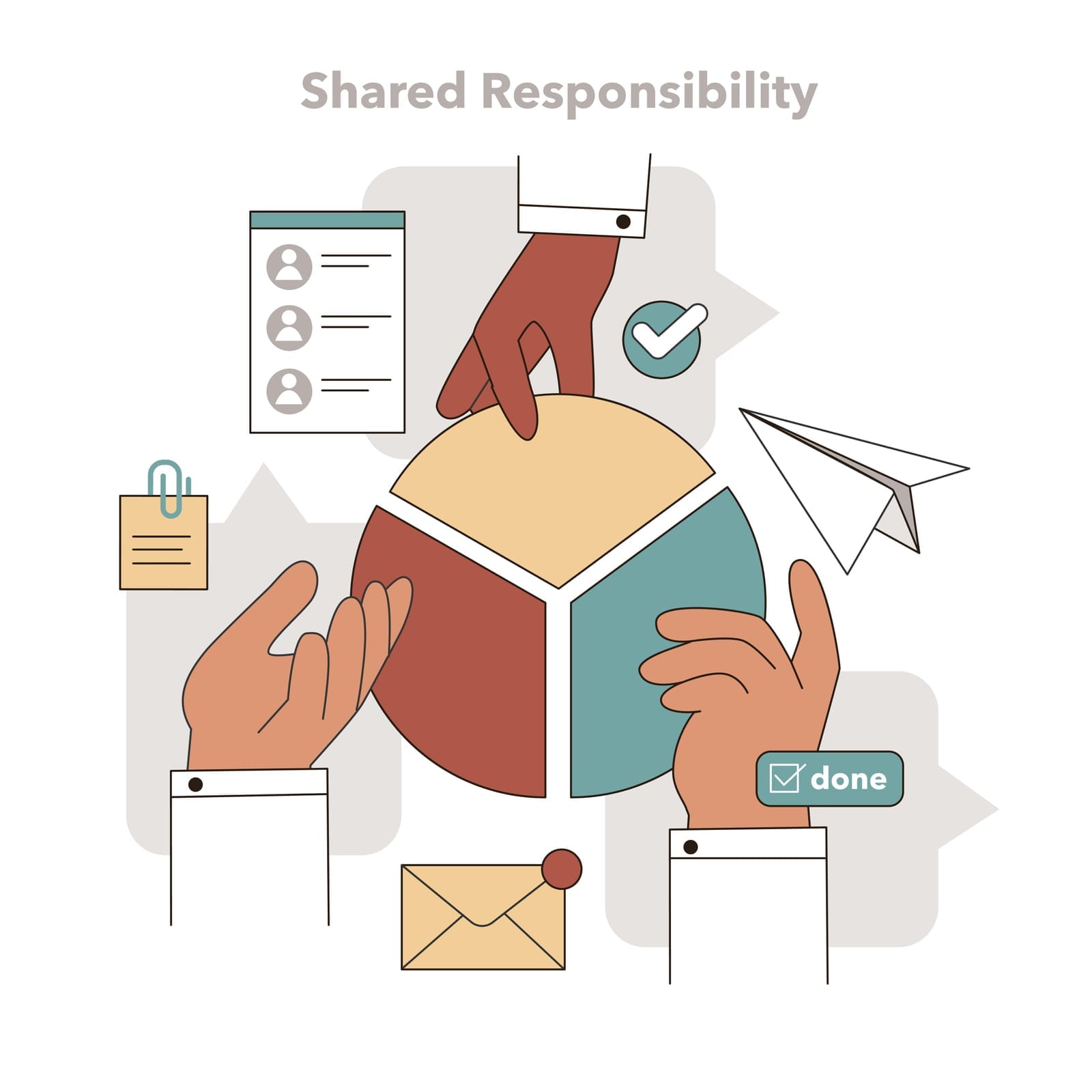
In public cloud, the provider and customer share security responsibilities. The provider may secure the physical facilities, hardware, and foundational platform. The customer remains responsible for some combination of identities, permissions, network configuration, data protection, operating systems, applications, and workload settings.
The exact boundary varies by service:
- With infrastructure-as-a-service, the customer generally manages more of the operating system and application stack.
- With managed databases or platform services, the provider manages more infrastructure, but the customer still controls data, identities, configuration, and access.
- With software-as-a-service, the provider operates most of the platform, but the customer must still manage users, data, permissions, retention, and integrations.
On-premises does not remove shared responsibility. Responsibility is simply concentrated more heavily within the business and its suppliers. A company still depends on hardware manufacturers, software vendors, internet providers, backup suppliers, and potentially a colocation operator.
Practical security controls should include:
- Identity and access management (IAM): central control over users, roles, authentication, and permissions
- Multi-factor authentication for administrative and remote access
- Least privilege, meaning users and systems receive only the access they need
- Separate administrative accounts
- Network segmentation between users, servers, databases, backups, and management systems
- Encryption in transit and at rest
- Secure key management, including controlled key access, rotation, and recovery procedures
- Endpoint detection and response or equivalent endpoint protection
- Centralized logging with protected retention
- Vulnerability and patch management
- Tested backup and recovery procedures
- Data-loss prevention (DLP), where appropriate, to detect or restrict unauthorized data movement
- Incident-response procedures and regular exercises
Cloud providers offer sophisticated controls, but those controls must be configured and monitored. On-premises gives direct control over infrastructure but may leave a small IT team responsible for a wider range of tasks. If you’re deciding whether you need an MSP, MSSP, or an IT consultant to help manage these responsibilities, see our comparison.

4. Compliance: Residency, Sovereignty, and Actual Compliance
Compliance is not a property that can be purchased simply by selecting a cloud region or a server room.
Three concepts should be distinguished:
Data residency
Data residency refers to the physical or geographic location where data is stored or processed. A business may require data to remain in a particular country or region.
Data sovereignty
Data sovereignty concerns the laws and governmental authority that may apply to data because of its location, the provider’s legal structure, the organization handling it, or other connecting factors. Data stored locally may still be subject to obligations arising from the provider, parent company, contractual relationships, or cross-border access.
Compliance
Compliance means meeting applicable legal, regulatory, contractual, and internal requirements. It may depend on:
- Where the business operates
- Where customers and employees are located
- The type of data involved
- Industry-specific obligations
- Data transfers and remote administration
- Retention and deletion practices
- Access controls and audit trails
- Supplier contracts and subcontractors
- Incident reporting processes
- Evidence that controls operate effectively
For example, GDPR applies in relevant circumstances involving the European Economic Area and certain organizations or processing activities; UK GDPR applies within the relevant UK legal framework. HIPAA is a United States healthcare framework, not a universal cloud requirement. PCI DSS applies to relevant payment-card environments and organizations within its scope. Legal applicability must be assessed for the specific business and data flow.
A provider’s certification or compliance report can be useful evidence, but it does not make the customer automatically compliant. The customer must understand the provider’s scope, configure services correctly, maintain operating procedures, and obtain appropriate contractual commitments. For PDPA-specific considerations when selecting partners, this overview explains why your MSP’s PDPA fluency matters.
Before selecting a platform, review:
- Permitted locations for storage, processing, and support access
- Subprocessors and supply-chain dependencies
- Contractual data-processing terms
- Retention, deletion, and legal-hold capabilities
- Audit logs and access-reporting features
- Encryption and customer-managed key options
- Backup and disaster-recovery locations
- Cross-border transfer mechanisms
- Breach notification commitments
- Exit and secure deletion provisions
- Independent assurance reports relevant to the service
Where personal data, health data, financial information, regulated records, or sensitive intellectual property is involved, obtain advice from qualified legal, regulatory, privacy, and security professionals.

5. Performance, Latency, Bandwidth, and Data Gravity
Latency is the delay between a request and a response. For interactive applications, even modest network delay can affect user experience. Data gravity describes the tendency for large or heavily integrated datasets to attract dependent applications and services, making relocation increasingly difficult.
Cloud can work well when:
- Users are distributed geographically
- The application is designed for network access
- Data volumes are manageable over available connections
- Managed services reduce processing and administration effort
- Demand varies significantly
- Analytics can run near the data
On-premises or hybrid designs may be more suitable when:
- Equipment must respond within strict and predictable latency limits
- Operations must continue during internet outages
- Specialized hardware is required
- Large datasets would be expensive or slow to transfer
- Existing systems communicate through local protocols
- A manufacturing, laboratory, or operational system depends on local control
- Data is generated continuously at a site and only summarized information needs to leave it
Test actual performance rather than relying on a provider’s general service description. Measure upload and download capacity, latency, packet loss, peak utilization, replication time, and the effect of encryption or compression.
6. Scalability, Availability, and Recovery
Cloud platforms can provide access to elastic capacity, multiple availability zones, managed backups, and geographically separate recovery options. However, these features cost money and require correct configuration.
On-premises environments may deliver stable performance and predictable local access. Achieving comparable resilience may require duplicate hardware, separate facilities, redundant connectivity, off-site backups, and tested recovery procedures.
Hybrid architectures can place latency-sensitive systems locally while using cloud for backup, analytics, collaboration, or recovery. The risk is that recovery may depend on complex connectivity, compatible versions, valid credentials, and staff who understand both environments.
For every critical workload, define:
- RTO and RPO
- Acceptable data loss
- Required availability
- Backup frequency and retention
- Recovery location
- Dependencies required during recovery
- Restoration testing frequency
- Who is authorized to declare a disaster
- How the business will operate during prolonged outage
A backup is not a recovery strategy until restoration has been tested. For a practical SME-focused approach to disaster recovery and business continuity, see this guide.
7. Portability, Interoperability, and Exit Planning
Vendor lock-in occurs when moving away from a provider becomes difficult, expensive, or operationally risky. Lock-in is not always unacceptable: a managed service may provide substantial business value. It should, however, be understood and deliberately accepted.
Assess:
- Whether data can be exported in documented, usable formats
- Whether applications depend on proprietary APIs
- Whether database schemas and stored procedures are portable
- Whether encryption keys can be recovered independently
- Whether backups can be restored outside the provider
- Whether identity and logging data can be retained after exit
- How long extraction would take
- What egress charges apply
- Whether a replacement platform has been identified
- Whether contracts support termination, transition assistance, and secure deletion
For important workloads, maintain an exit plan before migration. This can include periodic export tests, infrastructure-as-code templates, documented dependencies, open standards, containerization where appropriate, and a second-provider or on-premises recovery design.

8. Comparing the Three Approaches
Decision criterion | Predominantly on-premises | Predominantly public cloud | Hybrid cloud |
|---|---|---|---|
Cost model | Higher upfront CapEx; recurring facilities, licensing, support, and staffing costs | Primarily OpEx; usage-based costs, subscriptions, egress, and managed-service charges | Combined CapEx and OpEx; duplicated connectivity and management costs are possible |
Control | Direct control over hardware, location, and configuration | Strong logical control, but physical infrastructure is provider-managed | Direct control for local workloads plus provider controls for cloud workloads |
Security | Responsibility concentrated in the business and its suppliers | Shared responsibility with provider; configuration errors remain a major risk | Shared responsibility across environments; more interfaces to secure |
Compliance | Physical location may be easier to constrain, but evidence and processes remain necessary | Broad regional choices and audit evidence may be available; contracts and configuration matter | Can retain sensitive workloads locally, but cross-border flows and access paths become complex |
Performance | Predictable local latency and bandwidth | Excellent when architecture and connectivity fit; internet and inter-region latency must be assessed | Local performance for selected workloads, cloud scale for others; network path becomes critical |
Scalability | Requires procurement and capacity planning | Rapid elasticity is possible, subject to service limits and cost controls | Scale can be allocated by workload, but capacity must be managed in two environments |
Availability and recovery | Resilience requires duplicate infrastructure and tested off-site recovery | Multiple zones and managed recovery options may be available, for additional cost and configuration effort | Flexible recovery patterns, but cross-environment dependencies can complicate restoration |
Portability | Hardware and software still create dependencies, but physical control may aid migration | Managed and proprietary services can increase lock-in; export and egress must be tested | May preserve alternatives, but integration can make the overall architecture harder to move |
Skills and operations | Requires infrastructure, facilities, backup, security, and recovery expertise | Reduces some infrastructure work but requires cloud architecture, IAM, FinOps, and provider governance | Requires skills across both models, plus integration and monitoring expertise. If you're weighing an MSP versus building an in-house team, this comparison for SMEs may help. |
Best fit | Stable, local, specialized, offline, or highly latency-sensitive workloads where ownership is justified | Variable demand, collaboration, managed services, development/test, and scalable analytics | Mixed requirements, staged modernization, local processing with cloud backup or analytics |

9. Workload Guidance: A Risk-Based View
Commonly strong cloud candidates
A workload may be a reasonable cloud candidate when it has:
- Variable or seasonal demand
- A requirement for rapid scaling
- Distributed users or collaboration needs
- A preference for managed databases, queues, analytics, or application services
- Short-lived development and test environments
- A need for standardized remote access
- Limited tolerance for buying hardware ahead of demand
- A clear migration path and manageable data-transfer volume
These characteristics are indicators, not guarantees. A cloud migration can still fail if the application is poorly designed, costs are uncontrolled, or compliance requirements are not understood.
Workloads that may justify on-premises or hybrid deployment
A workload may warrant local or hybrid treatment when it involves:
- Strict latency or deterministic response requirements
- Specialized hardware or local accelerators
- High and predictable data-transfer volumes
- Offline or intermittently connected operation
- Legacy software that cannot be safely re-platformed
- Local operational technology or equipment integration
- Data sovereignty or contractual restrictions that limit external processing
- Large datasets whose movement would be costly and disruptive
- Existing infrastructure with substantial useful life and strong utilization
The relevant question is not “Can this run in cloud?” Most workloads technically can. The question is whether moving it improves the business risk and cost profile.

10. Workload-Placement Decision Tree
Use the following as a starting point for each workload.
- Is the data or processing subject to a legal, contractual, or customer restriction?
- Yes: identify permitted locations, access paths, subprocessors, retention rules, and encryption requirements. Consider on-premises, approved cloud regions, or hybrid.
- No: continue.
- Does the workload require strict local latency, offline operation, specialized hardware, or direct equipment integration?
- Yes: retain locally or use a hybrid design unless testing proves cloud performance and continuity are acceptable.
- No: continue.
- Is demand variable, seasonal, or expected to grow quickly?
- Yes: evaluate public cloud or a cloud-connected hybrid design.
- No: continue.
- Would a managed service materially reduce operational burden?
- Yes: compare its price, lock-in, security model, portability, and service limits.
- No: compare on-premises and cloud infrastructure TCO.
- Will large volumes of data move frequently across environments or regions?
- Yes: model bandwidth, egress, latency, replication, and failure behavior carefully.
- No: continue.
- Can the business meet the required RTO, RPO, security controls, and audit obligations?
- No: redesign or reject the option.
- Yes: continue.
- Can the business export the data, rebuild the service, and operate during provider failure or exit?
- No: create an exit plan before proceeding.
- Yes: proceed to pilot and validation.
Simple scoring checklist
Score each option from 1 to 5:
- TCO over three to five years
- Cost predictability
- Security manageability
- Compliance evidence and contractual suitability
- Performance and latency
- Scalability
- Availability and recovery
- Portability
- Internal skills required
- Migration and exit complexity
Weight criteria that are critical to the business. For example, a regulated workload may assign compliance and auditability a much higher weight than elasticity. A real-time operational system may weight latency and offline resilience most heavily.
A high total score should not override a “fail” on a mandatory requirement such as prohibited data location, unacceptable RPO, or inability to meet a legal obligation.

11. Example: A Data-Heavy SME Makes Four Decisions
Consider a 120-person engineering and services company with several terabytes of project data, customer records, operational data, and a legacy application.
Database
The database supports a customer portal and internal workflows. Demand is moderate but peaks during monthly reporting.
The company might evaluate a managed cloud database because automated patching, backups, read replicas, and scaling could reduce administration. Before choosing it, the team should test application compatibility, latency, backup restoration, encryption, access controls, export formats, and egress costs. For traditional, data‑heavy SMEs, a cloud‑first (but not cloud‑only) approach can keep critical systems resilient while modernizing where it makes sense.
A hybrid option could retain the primary database locally while sending sanitized or replicated data to cloud analytics. This may preserve latency but add synchronization and governance complexity.
Analytics platform
The analytics workload runs heavily during reporting periods and may expand as the company adds data sources.
A scalable cloud analytics platform may be attractive because usage is variable and managed services can reduce infrastructure administration. The company should control retention, query costs, access permissions, and data movement. Sensitive data may need masking or tokenization before entering the analytical environment.
Backup environment
The business should avoid treating backups as simply another copy in the same environment. A cloud backup repository may provide geographic separation and immutable retention, while a local cache can support faster restoration of frequently needed files.
The design should be tested against ransomware, credential compromise, provider outage, accidental deletion, and loss of connectivity. For a comparison of cloud vs on‑prem and hybrid backup approaches for SMEs, see this guide.
Legacy application
The legacy application controls a local operational process and cannot run reliably without a specialized interface. It has predictable demand and must continue operating during internet disruption.
Retaining it on-premises, while connecting it securely to cloud services where appropriate, may be justified. The company should isolate it, restrict administrative access, monitor it, maintain tested backups, and create a modernization or replacement roadmap.
The resulting architecture is hybrid—not because hybrid is inherently superior, but because each workload has different constraints.

12. A Phased Migration and Validation Approach
Migration should be treated as a controlled change program rather than a one-time infrastructure purchase.
Phase 1: Discovery
Create an inventory of:
- Applications, servers, databases, storage, and integrations
- Data owners and business owners
- Data volumes, growth, and access patterns
- User locations and connectivity
- Licensing and support dependencies
- Current RTO, RPO, backup, and recovery arrangements
- Regulatory and contractual requirements
- Known single points of failure
Map data flows. Identify where data is created, copied, transformed, backed up, accessed, and deleted.
Phase 2: Classification
Classify data by sensitivity and business impact. Categories might include public, internal, confidential, personal, regulated, or mission-critical.
For each classification, define:
- Permitted storage and processing locations
- Encryption requirements
- Access approval and review
- Retention and deletion
- Logging and monitoring
- Backup requirements
- Supplier restrictions
For practical steps on ownership, retention and policy design, see our data governance guide for SMEs.
Phase 3: Business-case and architecture design
Compare options using three- to five-year TCO, risk, performance, resilience, and exit criteria.
Document:
- Target architecture
- Network paths
- Identity model
- Security boundaries
- Backup and disaster recovery
- Data-transfer assumptions
- Provider responsibilities
- Operational ownership
- Rollback design
Phase 4: Pilot
Choose a representative but non-critical workload. The pilot should test more than deployment:
- Realistic data volumes
- User access
- Performance under load
- Backup and restoration
- Monitoring and alerting
- Cost behavior
- Integration
- Data export
- Failure scenarios
Phase 5: Security and compliance validation
Before production use:
- Review IAM roles and privileged access
- Confirm encryption and key-management design
- Validate network segmentation
- Test logging and alerting
- Review provider contracts and subprocessors
- Confirm data locations and support-access paths
- Perform vulnerability assessments
- Obtain legal or compliance review where necessary
- Record evidence for audits
Phase 6: Migration
Use staged migration where possible:
- Prepare the target environment.
- Synchronize or copy data.
- Validate integrity and completeness.
- Run parallel processing if practical.
- Switch users or application traffic during an agreed window.
- Monitor errors, latency, cost, and security events.
- Keep the original environment available until acceptance criteria are met.
Phase 7: Monitoring and optimization
Measure:
- Availability and latency
- Resource utilization
- Backup success and restoration time
- Security events
- Data-transfer volumes
- Monthly cost and unexpected usage
- Access-review completion
- Compliance exceptions
- Supplier incidents
Cloud environments need cost governance. On-premises environments need capacity, hardware lifecycle, and facilities governance. Hybrid environments need both. If SaaS usage is growing, this playbook on managing SaaS sprawl can help control licenses, costs, and security.
Phase 8: Rollback and exit
Define rollback triggers before migration. Examples include:
- Data integrity failure
- Unacceptable performance
- Security control failure
- Cost exceeding approved thresholds
- Inability to meet RTO or RPO
- Material compliance concern
Document how to reverse the change, restore the source system, reconcile transactions, and communicate with users and customers.

13. Five Common SME Mistakes
13.1. Comparing only the purchase price with the monthly cloud bill
This ignores staffing, refreshes, connectivity, migration, egress, backups, recovery, licensing, and exit costs.
Better approach: build a workload-level TCO model over at least three years, with sensitivity analysis for growth and usage.
13.2. Assuming a provider’s compliance claim transfers automatically
A provider may have relevant assurance, but the customer remains responsible for configuration, access, retention, contracts, and operating procedures.
Better approach: map requirements to specific controls, responsibilities, evidence, and contractual terms.
13.3. Moving data without mapping dependencies
Applications may depend on local databases, file shares, identity services, fixed IP addresses, or low-latency connections.
Better approach: document data flows and integrations before choosing a target architecture. See common cloud migration mistakes to avoid related pitfalls.
13.4. Building hybrid by accident
Hybrid often begins with a reasonable exception and grows into an unmanaged collection of VPNs, replicated datasets, separate monitoring tools, and inconsistent policies.
Better approach: define why each workload is in each environment, who operates it, and how identity, logging, backup, and governance work across the boundary.
13.5. Neglecting exit and recovery testing
A platform can appear successful until the business must restore data, change providers, or operate during an outage.
Better approach: test restoration, export, failover, and rollback before they are needed.
14. Practical Controls for Any Model
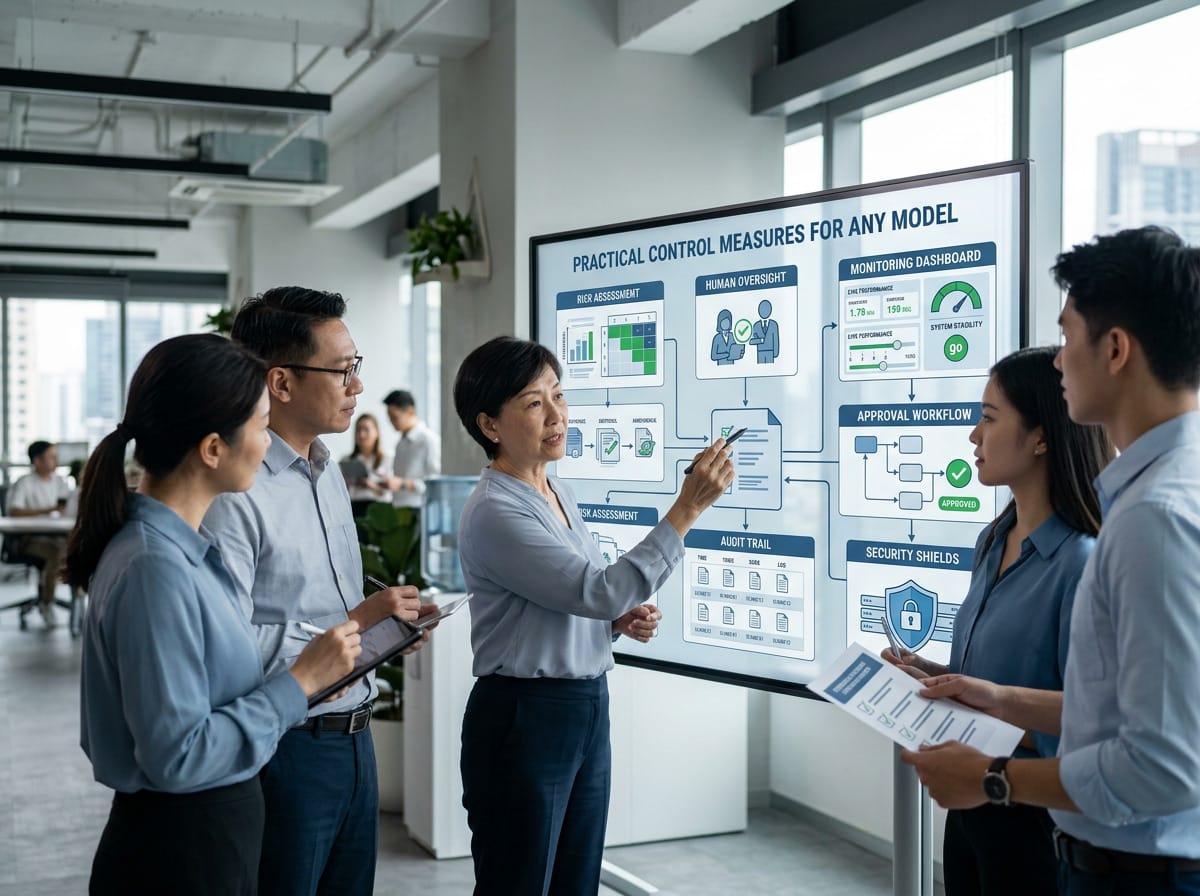
Regardless of deployment choice, establish a baseline control set:
- Inventory assets, applications, data stores, and owners.
- Use centralized IAM and multi-factor authentication.
- Apply least privilege and review privileged access regularly.
- Segment networks and isolate backup systems.
- Encrypt data in transit and at rest.
- Manage keys separately from the data where practical.
- Centralize security and administrative logs.
- Protect logs from unauthorized alteration and define retention.
- Patch operating systems, applications, firmware, and cloud services.
- Use DLP or equivalent controls for sensitive data movement.
- Maintain immutable or otherwise protected backups.
- Test restoration against realistic failure scenarios.
- Define incident response, escalation, and notification procedures.
- Review suppliers, subprocessors, support access, and contract terms.
- Maintain documented RTOs, RPOs, and recovery runbooks.
- Test provider exit, data export, and rollback assumptions.
- Train staff to recognize phishing, credential theft, and unsafe data handling.
Controls should be proportionate to business risk. A small organization does not need every enterprise tool, but it does need clear ownership and evidence that important controls work. On a fixed budget, prioritize controls that actually reduce risk with the help of this affordable cybersecurity guide for Singapore SMEs.

Conclusion: Choose the Balance, Not the Label
Predominantly on-premises deployment can provide direct control, predictable local performance, and continuity for specialized or offline workloads—but it requires investment in infrastructure, skills, resilience, and lifecycle management.
Predominantly public cloud can offer elasticity, managed services, distributed access, and reduced responsibility for physical infrastructure—but costs, configuration, identity, data transfer, provider dependency, and exit planning require active management.
Hybrid cloud can match different workloads to different environments and support gradual modernization. It can also introduce duplicated tooling, network dependencies, inconsistent governance, synchronization risks, and higher operational overhead.
The right answer is usually workload-specific. Begin with data classification, business impact, RTO and RPO, performance testing, a complete TCO model, compliance analysis, and an explicit exit plan. Then pilot the riskiest assumptions before committing to a broad migration.
Where personal data, regulated information, critical infrastructure, cross-border processing, or material contractual obligations are involved, obtain professional legal, regulatory, privacy, and security advice. This article provides a decision framework, not a substitute for jurisdiction-specific advice.
Before You Decide
- Have we inventoried applications, data, integrations, and owners?
- Have we classified data by sensitivity and business impact?
- Have we documented RTO, RPO, retention, and deletion requirements?
- Have we compared three- to five-year TCO, including migration, egress, recovery, staffing, and exit?
- Have we tested latency, bandwidth, data-transfer volume, and offline requirements?
- Do we understand the shared-responsibility boundary?
- Have we reviewed residency, sovereignty, jurisdiction, subprocessors, and contracts?
- Are IAM, encryption, segmentation, logging, backup, key management, and DLP controls defined?
- Have we tested restoration, export, rollback, and failure scenarios?
- Is there a named owner for ongoing operations and supplier oversight?
- Have legal, compliance, privacy, or security specialists reviewed high-risk workloads?