
Choosing the Right File Storage for a Digital Agency: NAS, Cloud or Hybrid?
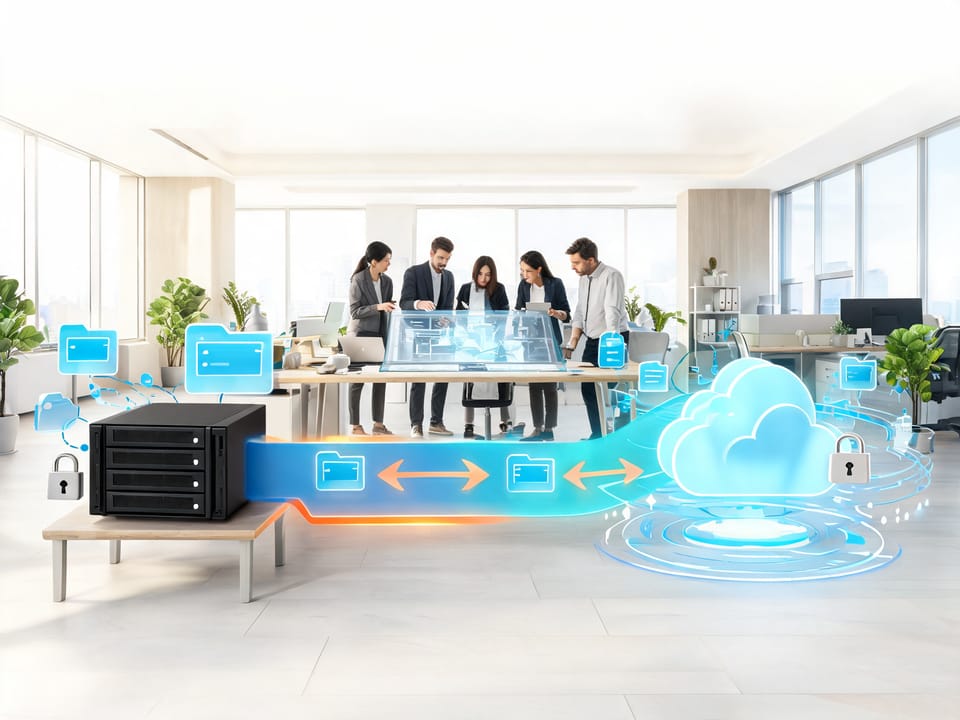
Digital agencies rarely have ordinary file-storage requirements. A single project may include high-resolution photographs, layered design files, raw video, audio sessions, animation assets, exports, project documents, and multiple client-review versions. These files are often large, actively edited, confidential, and shared by people working across different locations.
The central question is not simply whether to choose a network-attached storage (NAS) appliance or a cloud service. It is how to design a storage system that balances performance, collaboration, recoverability, security, cost, and administrative effort.
This article compares three approaches:
- NAS: file storage located on the agency’s premises or in a controlled office or data-centre environment.
- Cloud storage: storage hosted and operated by a third-party provider and accessed over the internet.
- Hybrid storage: a deliberate combination of local and cloud storage, with defined roles for each.
No option is universally superior. The right choice depends on the agency’s file volume, workflow, team location, budget, compliance obligations, internet connectivity, and technical capability.
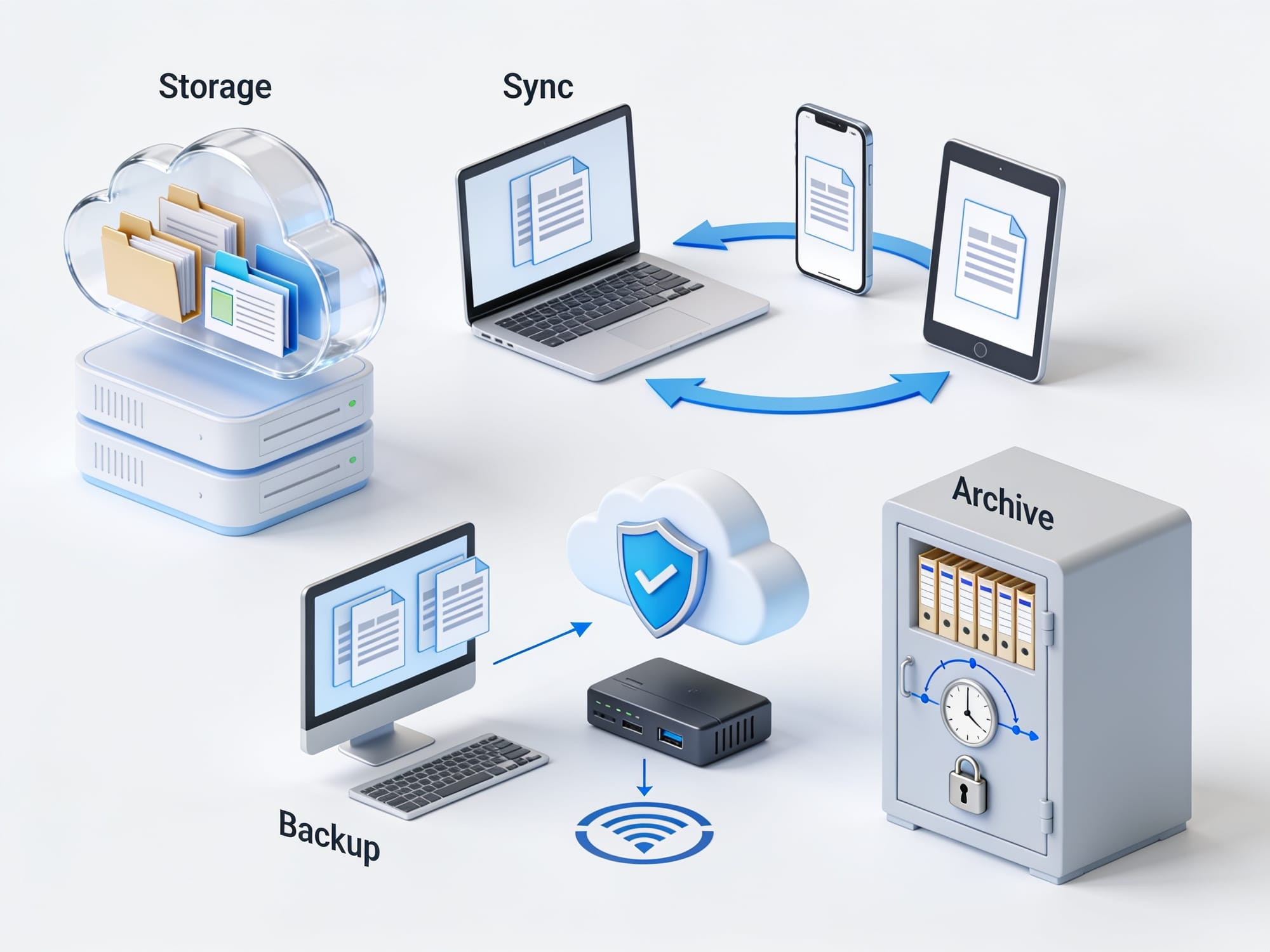
First, distinguish storage, sync, backup, and archive
These terms are often used interchangeably, but they solve different problems.
File storage
File storage is where users and applications work with current files. It must provide suitable access, permissions, capacity, and performance.
Examples include:
- A NAS used as the agency’s shared project drive
- A cloud file platform used by distributed staff
- A cloud-mounted workspace used by a production team
File synchronization
Synchronization keeps copies of files aligned across devices or locations. If a user deletes or corrupts a file and that change synchronizes everywhere, synchronization may distribute the problem rather than recover the original.
Sync is useful for mobility and collaboration, but sync is not backup.
Backup
A backup is a separate, recoverable copy designed to restore files after deletion, corruption, ransomware, hardware failure, or another incident. A backup should have independent retention and access controls.
A practical design follows the 3-2-1 principle:
- Keep at least three copies of important data.
- Use at least two different storage media or systems.
- Keep at least one copy off-site.
The exact implementation may vary, but the principle is to avoid having every copy exposed to the same failure.
Archival storage
Archive storage is for material that is no longer part of active production but must be retained. It prioritizes retention, integrity, searchability, and cost over immediate editing performance.
An archive may use:
- Lower-cost cloud tiers
- Removable media stored securely
- A separate NAS
- A managed archival service
An archive is not automatically a backup. If it is the only copy, is permanently connected, or cannot be restored reliably, it should not be treated as adequate backup.
Comparison at a glance
The ratings below are general evaluations. Actual results depend on the specific products, network design, configuration, contract, and operational practices.
Criterion | NAS | Cloud storage | Hybrid storage |
|---|---|---|---|
Large media files | Strong — High local capacity and predictable LAN performance can support active editing, provided the NAS, disks, network, and client applications are properly designed. | Moderate — Capacity can scale, but active editing depends on internet bandwidth, latency, client software, caching, and provider limits. | Strong — Local storage can handle active production while cloud capacity supports remote access, collaboration, or overflow. |
Collaboration | Moderate — Excellent for users on the same network, but remote access and external sharing need careful configuration. | Strong — Usually well suited to distributed access, sharing links, permissions, comments, and review workflows, subject to service features. | Strong — Can combine fast local work with cloud-based review and sharing, but workflows must avoid conflicting copies. |
Version history | Moderate — Often available through snapshots, recycle bins, or backup software, but must be configured and protected. | Strong — Versioning and retention are commonly available, but limits and recovery behaviour vary by service and plan. | Strong — Multiple recovery layers are possible, although complexity increases the risk of misconfiguration. |
Backup and disaster recovery | Limited unless separately designed — A NAS is not a backup merely because it uses redundant disks. | Moderate — Some recovery and redundancy may be included, but provider storage is not automatically a complete customer-controlled backup. | Strong — Separate local and off-site copies can provide resilience when designed and tested correctly. |
Access speed | Strong locally; limited remotely — A well-designed LAN may provide excellent local performance, while VPN and internet access can be slower or less predictable. | Moderate — Performance depends on bandwidth, latency, caching, service architecture, and the user’s location. | Strong for local work; moderate remotely — Local projects can remain fast while cloud services support remote access. |
Security and confidentiality | Moderate — The agency controls the environment but also carries responsibility for hardening, patching, physical security, access control, and monitoring. | Moderate to strong — Providers may offer mature security controls, but configuration, account security, sharing, and administrator access remain critical. | Strong when governed well; complex — More control points can improve resilience but also create more opportunities for mistakes. |
Cost and administration | Moderate — Requires capital investment, maintenance, upgrades, monitoring, replacement planning, and technical administration. | Moderate — Lower upfront hardware burden, but recurring subscriptions, storage, data-transfer charges, and service dependencies must be assessed. | Limited to moderate — Can optimize workloads but usually has the highest design and administration complexity. |
Option 1: Network-attached storage
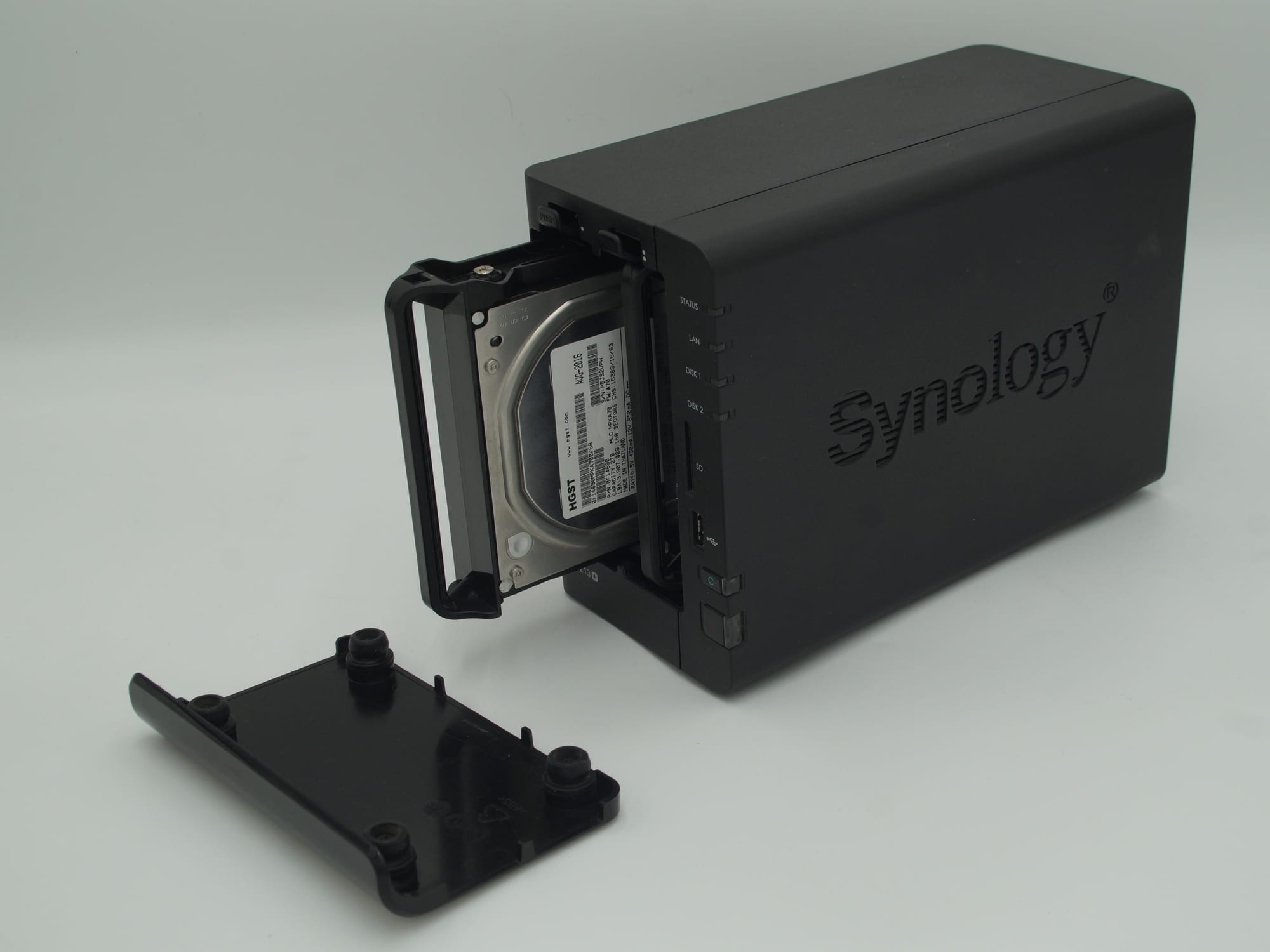
A NAS is a dedicated storage system connected to the agency’s local network. Users generally access shared folders over protocols such as SMB or NFS, while administrators manage disks, shares, users, snapshots, and backups.
Large media files
NAS is often a strong choice for active media production when most users are in the same office or connected through a high-quality private network.
Capacity can be expanded by adding disks, replacing disks with larger models, adding storage shelves, or deploying another NAS. However, capacity planning must account for:
- Usable capacity after redundancy
- Filesystem overhead
- Snapshots and version retention
- Temporary render and export files
- Future growth
- Backup capacity
Disk redundancy protects availability from some drive failures; it does not protect against deletion, ransomware, fire, theft, or an administrator mistake.
Sustained read/write performance depends on the complete path:
- Disk type and array layout
- NAS processor and memory
- Network interface and switches
- Cabling
- Concurrent users
- File sizes and access patterns
- Encryption, snapshots, and other services running on the NAS
Large sequential video files may perform differently from thousands of small project files. A fast NAS can still be constrained by a slow network, and a high-speed network cannot compensate for inadequate disks or processing capacity.
NAS is particularly suitable when editors need to work directly against shared project files rather than downloading and uploading large working copies.
Collaboration
A NAS works well for users who share a local network. Teams can use shared folders, project permissions, and departmental structures. It may also integrate with directory services or identity platforms.
Remote and external collaboration is more difficult. Agencies must decide whether to use:
- A secure remote-access gateway
- A private network connection
- A VPN
- A separate file-sharing portal
- Cloud synchronization for selected folders
Directly exposing a NAS to the public internet is a dangerous shortcut. Remote access should use strong authentication, least-privilege permissions, current software, logging, and a carefully reviewed network design.
A NAS may not natively provide the same client-review experience as a specialized cloud collaboration platform. Agencies may need a separate review or transfer workflow.
Version history and ransomware recovery
NAS platforms may support:
- Snapshots
- Recycle bins
- File versioning
- Immutable or locked retention
- Replication
- Backup integration
These features are valuable only when enabled, retained for an appropriate period, and protected from compromise. If an attacker gains administrative control of the NAS, online snapshots may also be at risk.
A practical design separates ordinary user access from administrative access, protects backup credentials, limits remote management, and regularly tests restoration. Snapshot retention should reflect project deadlines and the likely time between an incident and its discovery.

Backup and disaster recovery
A NAS should be treated as primary storage unless a separate backup system is explicitly implemented. RAID is not backup. A second NAS in the same office is not a complete disaster-recovery plan.
A stronger design might include:
- Primary project storage on the NAS
- Automated versioned backup to a separate backup target
- An off-site or cloud copy
- Periodic offline or logically isolated protection
- Restoration tests using representative media and project files
Backups should cover not only file contents but also permissions, project metadata, catalogs, databases, and configuration where required.
Access speed
Local access can be excellent because it avoids internet latency and may support high sustained throughput. However, users on Wi-Fi, congested switches, slow VPNs, or remote offices may not experience the same performance as users connected directly to the local network.
Remote editing from a NAS depends on the office’s upload bandwidth, the user’s download bandwidth, latency, VPN overhead, and the application’s tolerance for remote file access. Large files may be impractical to open over a high-latency connection even if the nominal bandwidth appears adequate.
Caching or synchronized working copies can improve remote usability, but they introduce duplicate copies and conflict-management requirements.
Security and confidentiality
NAS provides direct control over the appliance, network, and physical environment. That can be an advantage for agencies with strict data-handling requirements, but it also creates substantial responsibility.
Controls should include:
- Encryption in transit where appropriate
- Encryption at rest where supported and operationally manageable
- Individual accounts rather than shared credentials
- Multi-factor authentication for administrative and remote access
- Least-privilege permissions
- Separate administrator accounts
- Audit logs
- Secure external-sharing procedures
- Timely firmware and software updates
- Physical access controls
- UPS and environmental protection
- Tested recovery procedures
The agency may have greater control over administrator access than with a hosted provider, but internal administrators, contractors, and managed-service personnel may still have access. Access should be documented and reviewed.
Cost and administration
NAS costs include:
- Hardware and disks
- Network upgrades
- Backup systems
- Replacement parts
- Electricity and cooling
- Warranty or support
- Security maintenance
- Administration and monitoring
- Future capacity expansion
The apparent low cost of a NAS can be misleading if the agency lacks staff to manage it or fails to budget for backup and replacement. Total cost of ownership should include downtime risk and the cost of recovering from a failed or compromised system.
Best-fit NAS scenarios
NAS is often appropriate when:
- Most production staff work in one office
- Active projects require high local performance
- The agency handles large files routinely
- The organization can administer and secure the system
- Clients require local control or specific data-location arrangements
- A separate backup architecture is available
Common misconceptions
- “RAID means the data is backed up.” It does not.
- “The NAS is secure because it is inside the office.” Internal networks can be compromised.
- “Remote access is just a matter of opening a port.” It requires a security design.
- “A second NAS beside the first is off-site protection.” It is not if both are exposed to the same physical or logical incident.
Option 2: Cloud storage
Cloud storage places the storage infrastructure with a third-party provider. This may take the form of synchronized cloud drives, shared cloud file systems, object storage, project-management platforms, or specialized media collaboration services.
Cloud storage is not one uniform technology. A file-sync service, an object-storage bucket, and a collaborative document platform have different performance, sharing, versioning, and administrative characteristics.
Large media files
Cloud capacity can scale more easily than a local appliance, and agencies generally avoid purchasing disks in advance. However, suitability for active media work varies significantly.
Important questions include:
- Is the service designed for file collaboration or object storage?
- What are the maximum file-size and path-length limits?
- Are large files streamed, cached, or downloaded in full?
- Is selective synchronization available?
- Are placeholder files supported?
- How are locked or concurrently edited files handled?
- Are there storage, API, upload, or retrieval limits?
A cloud platform may work well for project distribution, review, asset libraries, and remote access while being less suitable for multiple editors simultaneously working on large source files over the internet.
Cloud-based workflows often improve when users keep local cached copies or use a dedicated high-performance media workflow. Caching reduces repeated downloads but consumes local storage and must be governed.
Collaboration
Collaboration is generally the cloud’s strongest area. Depending on the platform, agencies may obtain:
- User and group permissions
- External sharing links
- Expiration dates
- Password protection
- Comments and annotations
- Approval workflows
- Client portals
- Activity notifications
- Concurrent access
- Centralized access from multiple locations
These features do not eliminate the need for a permissions model. External sharing should be intentional, time-limited where possible, and reviewed regularly.
Agencies should also establish rules for project ownership, client access, contractor access, and what happens when a staff member leaves.
Version history and ransomware recovery
Many cloud services offer version history, recycle bins, retention settings, or recovery windows. These can help recover from accidental edits or deletion.
However, agencies should confirm:
- How long versions are retained
- Whether retention differs by plan
- Whether administrators can alter retention
- Whether deleted files are recoverable after synchronization
- Whether bulk deletion can be reversed
- Whether legal or compliance retention is supported
- Whether ransomware recovery is included or requires a separate service
Cloud versioning is useful, but it is not automatically an independent backup. If all recovery features are part of the same account or service, a compromised administrator account could affect both production data and recovery options.
Backup and disaster recovery
The provider may protect its infrastructure against hardware failure, but that does not necessarily mean it provides a customer-controlled backup of the agency’s data.
A cloud-based backup plan may require:
- A second cloud account or provider
- Independent backup software
- Separate retention rules
- Immutable or protected copies
- Export or restore procedures
- A recovery plan if the provider is unavailable
The 3-2-1 principle still applies. One possible design is cloud production storage, a separate backup service or account, and an additional off-site or offline copy. The exact arrangement depends on the platform and the agency’s risk model.
Restoration should be tested. A backup that exists but cannot be restored within the required timeframe is not an effective recovery plan.
Access speed
Cloud access depends on more than the advertised internet speed. Performance is affected by:
- Upload and download bandwidth
- Latency to the provider’s region
- Internet congestion
- Local network capacity
- VPN routing
- Authentication and security inspection
- Application caching
- Number of simultaneous users
- Provider-side throttling or quotas
For a remote team, cloud storage may be faster in practice than routing every request through an office VPN. For an office-based editing team with a strong local network, a NAS may provide better interactive performance.
No option is always faster. Testing should use representative files, applications, user counts, and locations.
Security and confidentiality
Cloud providers may offer strong physical security, encryption, identity management, audit logging, threat detection, and administrative controls. Those capabilities do not guarantee that an agency’s deployment is secure.
Agencies remain responsible for matters such as:
- Correct sharing settings
- Multi-factor authentication
- User lifecycle management
- Group membership
- Application integrations
- API tokens
- Retention policies
- Data classification
- Contractual and regulatory review
- Monitoring unusual downloads or sharing
Questions should include whether data is encrypted in transit and at rest, who controls encryption keys, where data is stored, what support personnel can access, how access is logged, and what happens when the contract ends.
Compliance depends on the specific provider, service, region, contract, configuration, and applicable law. Agencies should not infer compliance from generic marketing claims.
Cost and administration
Cloud storage usually reduces upfront hardware expenditure, but costs may include:
- Per-user or per-capacity subscriptions
- Advanced security or retention features
- Data retrieval and egress charges
- API and transfer costs
- Local caching storage
- Backup services
- Migration costs
- Administration and support
- Costs associated with changing providers
Cloud costs can be predictable for ordinary collaboration but less predictable for large-scale movement of media. Agencies should model upload, download, restore, and egress scenarios rather than considering only the monthly storage fee.
Best-fit cloud scenarios
Cloud storage is often appropriate when:
- Teams are distributed or frequently remote
- Client collaboration is central to delivery
- The agency wants to minimize hardware management
- Internet connectivity is reliable
- Files are accessed from multiple locations
- The chosen platform offers suitable versioning and sharing controls
- The agency can manage identity and permissions effectively
Common misconceptions
- “Cloud means automatically backed up.” Provider redundancy and customer backup are different things.
- “A sync folder is a complete disaster-recovery plan.” Synchronization may replicate deletion or corruption.
- “The provider handles all security.” The provider secures its service, but the customer configures access and usage.
- “Unlimited capacity means unlimited practical performance.” Bandwidth, latency, limits, and application behaviour still matter.

Option 3: Hybrid storage
A hybrid model assigns different workloads to local and cloud systems. For example, an agency may keep active editing files on a local NAS, synchronize selected deliverables to a cloud platform, and store independent backups in another location.
Hybrid does not mean automatically copying everything everywhere. It requires a clear data-flow design.
Large media files
Hybrid storage can keep high-demand active projects close to the production team while placing less performance-sensitive content in the cloud.
Possible roles include:
- NAS for current editing
- Cloud storage for client review and distributed access
- Cloud archive for completed projects
- Separate backup storage for recovery
- Local cache for remote team members
This can reduce the need to edit large source files directly over the internet. However, agencies must manage which copy is authoritative. If staff edit different synchronized copies without a conflict strategy, the hybrid architecture can create duplicate or divergent files.
Collaboration
Hybrid platforms can provide the best of both approaches: fast local production and cloud-based sharing. For example, an editor may work from local primary storage while a client receives selected exports through a controlled cloud review area.
The workflow should distinguish:
- Original production assets
- Working project files
- Review exports
- Approved final deliverables
- Archived material
- Backup copies
Not every NAS folder should be synchronized externally. Selective publishing reduces exposure and transfer costs.
Version history and ransomware recovery
Hybrid systems can provide layered recovery:
- NAS snapshots for short-term rollback
- Cloud version history for selected shared content
- Independent backups for broader recovery
- Offline or immutable copies for ransomware resilience
The disadvantage is increased complexity. Each layer needs documented retention, ownership, monitoring, and testing. If synchronization is configured in both directions without care, accidental changes may propagate between systems.
Backup and disaster recovery
Hybrid is well suited to the 3-2-1 principle, but only if the copies are genuinely independent.
A strong design might include:
- Primary working data on a NAS
- A versioned backup on separate local hardware
- An off-site cloud backup with protected retention
- Periodic restore tests
- A documented recovery sequence
Alternatively, cloud production data may be backed up to a separate local system and another cloud destination. Independence matters more than whether the systems are local or cloud-based.
Access speed
Hybrid allows the agency to place high-performance workloads on the local network while supporting remote access through cloud services or synchronized caches.
This can be useful when:
- Local editors need fast access
- Remote staff need selected files
- Clients should not access internal storage
- The agency has limited upstream bandwidth
- Projects contain more data than the remote team needs
The trade-off is synchronization delay. A remote user may not immediately see a local change, and conflict resolution can be difficult for large binary files.
Security and confidentiality
Hybrid introduces more control points:
- NAS accounts
- Cloud identities
- Synchronization agents
- Backup credentials
- VPNs
- Client-sharing links
- Administrative consoles
Each must be secured and monitored. The agency should map where sensitive files exist and who can access each copy.
Hybrid can reduce external exposure by keeping originals local, but it can also increase exposure if synchronization publishes confidential data unintentionally. Security still depends heavily on configuration and operational practices.
Cost and administration
Hybrid commonly has the highest administrative burden. Costs may include:
- NAS and network hardware
- Cloud subscriptions
- Backup systems
- Synchronization or migration software
- Additional storage
- Data transfer
- Monitoring
- Staff training
- Recovery testing
It may still provide the best total value if it prevents expensive bandwidth use, improves production performance, or supports a flexible team without moving all active media through the internet.
Best-fit hybrid scenarios
Hybrid is often appropriate when:
- The agency has a mix of office-based and remote users
- Active projects require local performance
- Clients need convenient external review
- The agency wants off-site backup
- Data residency or confidentiality requirements favour local control for some content
- The organization has enough technical expertise to manage multiple systems
Common misconceptions
- “Hybrid means automatic resilience.” Poorly designed hybrid systems can duplicate errors.
- “Everything should synchronize in both directions.” This can create conflicts and unnecessary exposure.
- “A cloud copy is automatically a backup.” It may be another production copy unless it has independent retention and recovery controls.
- “Hybrid is always cheaper.” It can reduce some costs while increasing administration and complexity.

Decision framework
Use the following questions before selecting an architecture.
1. How large is the agency?
A small agency with a handful of users may not need a complex multi-system architecture. A larger agency may need centralized identity, role-based access, formal onboarding and offboarding, audit logs, and defined recovery objectives.
As the number of users, contractors, clients, and projects increases, informal folder permissions become harder to manage.
2. Where does the team work?
- Mostly one office: NAS becomes more attractive for active production.
- Mostly remote: cloud storage may simplify access and collaboration.
- Mixed locations: hybrid may offer the best balance.
The answer should include freelancers, contractors, partner agencies, and client stakeholders, not only permanent employees.
3. How much data is actively used?
Separate total data volume from active data volume. An agency may own many terabytes of historical footage but actively edit only a small subset.
Ask:
- How much new data is created each month?
- How much is actively edited?
- How often are old projects retrieved?
- How long must projects be retained?
- What proportion must be immediately available?
This distinction helps determine whether active storage, archive storage, and backup should be separate.
4. What is the performance requirement?
Test with real project files and applications. Measure practical workflow experience rather than relying solely on theoretical network speeds.
Consider:
- Opening and saving large files
- Scrubbing video
- Rendering
- Concurrent users
- Uploading review exports
- Restoring a project
- Working over a VPN or from home
5. What is the budget and total cost of ownership?
Compare more than monthly subscription prices. Include:
- Hardware
- Storage expansion
- Backup
- Internet upgrades
- Data transfer
- Maintenance
- Administration
- Migration
- Support
- Recovery testing
- Downtime risk
A cheaper system that cannot be restored or administered safely may be more expensive in practice.
6. What compliance or confidentiality requirements apply?
Determine:
- Which clients impose contractual controls
- Whether data-location restrictions apply
- Whether retention or deletion must be documented
- Whether audit logs are required
- Whether subcontractors may access files
- Whether client approval is needed before using a third-party provider
Security depends heavily on configuration and operational practices, regardless of the storage model.
7. What technical expertise is available?
NAS requires hardware, networking, patching, backup, monitoring, and recovery skills. Cloud reduces some infrastructure work but still requires identity, permissions, sharing, retention, and provider-management expertise. Hybrid requires competence across both domains.
If the agency lacks internal capability, it should budget for qualified administration rather than treating the system as self-managing.

When NAS is the best choice
NAS is a strong candidate when:
- Most users work from a common office
- Large files are actively edited every day
- The local network can support the workflow
- The agency needs direct control of primary storage
- Remote collaboration is limited or can use separate tools
- The agency can operate independent backups and recovery testing
NAS should not be selected solely because it appears inexpensive or because it offers high raw capacity. The design must include security, monitoring, replacement planning, and disaster recovery.
When cloud storage is the best choice
Cloud storage is often the best fit when:
- Staff and clients are distributed
- External sharing and review are core workflows
- The agency wants to limit local infrastructure
- Reliable internet access is available
- The selected service supports the required file sizes and applications
- Identity and access can be managed consistently
Cloud storage is less suitable as the only active workspace when the workflow requires many users to interact with very large files over high-latency connections, unless the service and architecture are specifically designed for that use.
When a hybrid model is the best choice
Hybrid is often the most practical choice when:
- Local teams need high-performance active storage
- Remote staff need selected files or deliverables
- Clients require cloud-based review
- The agency needs off-site backup
- Some content should remain under local control
- The organization can document and administer multiple systems
Hybrid works best when each system has a clearly defined purpose. It works poorly when it is simply an uncontrolled collection of synchronized folders.

Recommended baseline architecture
For many small-to-medium-sized agencies, a sensible baseline is:
- Primary working storage
Use a properly sized NAS or suitable cloud workspace for active projects. - Separate version and recovery controls
Enable snapshots, version history, or equivalent protections appropriate to the platform. - Independent backup
Back up to a separate system or account with separate credentials and retention rules. - Off-site protection
Maintain at least one copy in another location, using cloud, a separate facility, or another suitable method. - Protected recovery copy
Where ransomware risk warrants it, include immutable, offline, or otherwise isolated backup protection. - Defined archive
Move completed projects to an archive tier with documented retention, search, access, and restoration procedures. - Identity and permissions
Use individual accounts, multi-factor authentication, least privilege, group-based access, and a formal offboarding process. - External-sharing controls
Use approved review or delivery workflows rather than broadly sharing internal project folders. - Monitoring and testing
Monitor storage health, backup jobs, capacity, suspicious activity, and failed authentication. Test restoration at planned intervals. - Documented recovery objectives
Define how much data the agency can afford to lose and how quickly systems must be restored. These requirements should guide backup frequency and architecture.
A storage decision should be revisited as the agency grows, changes office locations, adopts new production applications, or takes on clients with stricter confidentiality requirements.

Questions to Ask Before Choosing
- How much data do we create, actively edit, and retain each month?
- Which files require high-performance local access?
- How many users need simultaneous access?
- Where are employees, contractors, and clients located?
- What file-size, path-length, application, and workflow limits apply?
- How will clients review and approve work?
- Is version history enabled, and how long are versions retained?
- What is our actual 3-2-1 backup design?
- Is at least one backup copy independent and off-site?
- Have we tested restoring a complete project?
- Is synchronization being mistaken for backup?
- Who can access confidential files, including administrators and support personnel?
- Are encryption, multi-factor authentication, audit logs, and sharing controls configured?
- What happens if a user account is compromised?
- What happens if the office, internet connection, provider, or NAS fails?
- What are the full hardware, subscription, transfer, maintenance, and staffing costs?
- Do our client contracts or legal obligations impose location, retention, or security requirements?
- Who will administer, monitor, patch, and review the system?
- Can the agency migrate its data if the chosen solution no longer fits?
- Which storage is primary, which is backup, and which is archival?